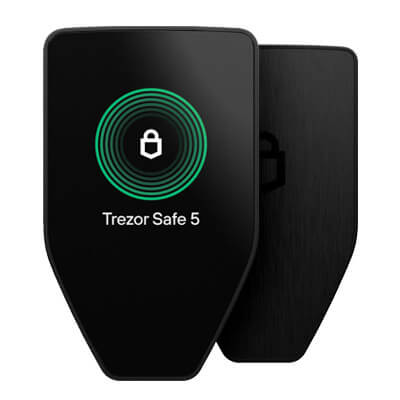

Trezor Safe 5 is a self-custody hardware wallet designed to keep private keys offline while enabling users to approve transactions on a dedicated device screen. As part of Trezor’s Safe product line, it is intended for individuals and organizations that want stronger separation between their signing keys and internet-connected devices when managing assets such as Bitcoin and Ethereum. The Safe 5 is positioned for users who prefer a touchscreen-driven experience for verifying addresses and transaction details before signing.
Overview
Trezor Safe 5 is built around the core hardware wallet model: private keys are generated and stored on the device, and transactions are signed on the device after the user confirms the details. This workflow aims to reduce exposure to common risks associated with software wallets, including malware on a computer, malicious browser extensions, or compromised mobile devices. The Safe 5 is typically used with Trezor’s companion software, Trezor Suite, which provides account management, transaction creation, and firmware update flows.
Core Products and Services
- Offline key storage: Keeps signing keys on the hardware device rather than on a phone or computer.
- On-device transaction confirmation: Requires user approval on the Safe 5 before a transaction is signed and broadcast.
- Portfolio management via companion software: Works with Trezor Suite for viewing balances, receiving addresses, and preparing transactions.
- Token and multi-network support through integrations: Supports major networks and tokens, including common standards in the Ethereum ecosystem, with coverage expanding via third-party wallet integrations depending on the asset.
- Backup and recovery: Supports recovery phrase backups, and Trezor devices commonly support advanced backup methods such as Shamir-style multi-share backups for users who want to split recovery material across multiple locations.
Technology and Features
The Safe 5 uses a touchscreen interface to help users review transaction details directly on the device. For hardware wallets, the ability to verify recipient addresses, amounts, and network context on the device screen is a central safety control, since it reduces reliance on what is displayed by the host computer or phone. A touchscreen can also improve usability for passphrase entry and confirmation workflows compared with two-button devices.
Trezor’s product philosophy has historically emphasized transparency and auditable security. Trezor firmware and tooling are widely described as open source, enabling public review and reproducible security discussions. In practice, users still need to keep firmware up to date, confirm they are using official software builds, and follow secure setup procedures, especially when initializing a device for the first time or restoring from a backup.
Safe 5 is designed for everyday transaction signing, including receiving assets, sending assets, and interacting with tokens. For smart contract networks, users may encounter additional prompts such as token approvals and contract interactions. These transactions can carry more risk than simple transfers, so careful review on the device remains important.
Use Cases and Market Position
Trezor Safe 5 is often used as a primary self-custody device for users who want stronger isolation than a software-only wallet, without moving to more complex operational setups. Common use cases include long-term storage of major assets, securing a portfolio across multiple accounts, and using a hardware signer for higher-risk activities such as swapping tokens or interacting with decentralized applications through compatible software interfaces.
In the broader wallet market, the Safe 5 competes with other touchscreen hardware wallets by prioritizing device-based verification and an ecosystem built around desktop and mobile companion software. It is generally aimed at users who want a modern, screen-forward signing experience while maintaining standard hardware wallet security practices.
Risks and Considerations
- Recovery responsibility: Self-custody depends on the user securely storing recovery materials. If backups are lost, funds may be unrecoverable. If backups are exposed, funds can be stolen.
- Phishing and transaction deception: A hardware wallet reduces key exposure, but it cannot prevent losses if a user approves a malicious transaction or signs an unsafe token approval.
- Asset and feature variability: Some assets and advanced features may depend on third-party wallet integrations and may differ by network, token standard, or application support.
- Supply chain hygiene: Users should follow best practices for device sourcing, tamper checks, and initial setup to reduce the risk of pre-compromised hardware.