Arculus Wallet

Hard Wallet

Arculus Wallet Overview

Product Name Arculus Wallet
Wallet Type Hardware wallet
Custodial Status Non-custodial
Supported Blockchains Bitcoin, Ethereum, BNB Smart Chain, Avalanche, Tron, Arbitrum, Base, Optimism, Polygon, Solana
Token Standards ERC-20, BEP-20, SPL, TRC-20
Platforms iOS, Android
Hardware Wallet Support No
Built-in Swaps Yes
Staking Support Limited
Open-source Closed-source
Fiat On-ramp Yes
Hardware Connection Methods NFC, WalletConnect

About Arculus Wallet

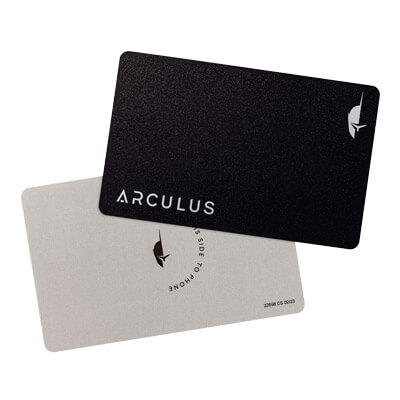
Arculus is a self-custody crypto wallet built around a physical “Key Card” and a companion mobile app. The product is designed to keep private keys offline on a secure element embedded in a metal card, while allowing users to manage assets and authorize transactions on an NFC-enabled smartphone. Arculus positions the wallet for users who want cold storage protections with a mobile-first experience for assets such as Bitcoin, Ethereum, and other supported networks and tokens.

Overview

Arculus uses a card-and-app model rather than a USB-connected hardware device. The Arculus app runs on iOS and Android and is used to view balances, initiate sends and receives, and access features such as swaps and fiat purchases where available. Transaction authorization requires possession of the Arculus Key Card and local device authentication, which is intended to reduce reliance on browser extensions or always-online hot wallets.

History and Background

Arculus was created by CompoSecure, a company known for manufacturing secure cards used in payments and identity applications. The Arculus wallet adapts that card-based security approach to digital assets by storing cryptographic keys inside a secure chip embedded in a metal card, with a companion application handling the user interface and blockchain interactions.

Core Products and Services

  • Arculus Key Card cold storage: A metal card that generates and stores private keys in a secure element and is used to authorize actions via NFC tap.
  • Arculus mobile app: An iOS and Android app for managing accounts, viewing holdings, and preparing transactions.
  • Asset management: Support for a broad selection of cryptocurrencies and tokens, including NFT support as promoted by the product.
  • Swap, buy, and sell tools: In-app services for swapping crypto and purchasing crypto using third-party providers, with fees and availability determined by those providers and jurisdiction.
  • Web3 connectivity: Support for connecting to decentralized applications using WalletConnect, and referenced compatibility with MetaMask-based workflows for accessing DeFi and other Web3 apps.

Technology and Features

Arculus emphasizes “true cold storage” by keeping private keys on the card’s secure element rather than on the phone. The wallet uses a three-factor authentication model: something the user has (the Arculus card), something the user knows (a PIN), and something the user is (a biometric check, such as face or fingerprint, depending on the phone). The card is designed to be battery-free and does not use USB or Bluetooth, with NFC used for tap-to-authorize interactions.

From a hardware standpoint, Arculus describes its secure element as CC EAL6+ certified, and it states that private keys never leave the secure chip. The company also states the card can hold multiple accounts for different cryptocurrencies, and it references on-card memory capacity as a factor in how many keys can be stored. On the software side, Arculus promotes broad coverage across coins, tokens, and blockchains, and it highlights custom token support on major EVM networks, including Ethereum, Polygon, and Binance Smart Chain.

Use Cases and Market Position

Arculus is commonly positioned as an everyday-carry cold storage option for users who want hardware-backed signing without a dedicated USB device. Typical use cases include long-term self-custody of major assets, holding a multi-chain portfolio with a single mobile interface, and interacting with on-chain services through WalletConnect when needed. The card form factor can also appeal to users who prefer a minimalist setup and do not want to manage cables, batteries, or desktop-only software.

For users active on EVM ecosystems, Arculus may be used alongside networks such as Arbitrum, Optimism, and Base, depending on the wallet’s supported blockchains and token coverage at a given time. Arculus also promotes NFT management in-app, which can be relevant for users who hold collectibles on supported networks.

Risks and Considerations

  • Self-custody responsibility: Users are responsible for safeguarding access credentials and any recovery materials. Losing access can make assets unrecoverable, while exposure can enable theft.
  • Phone and app security: Keys may be on the card, but phishing, malicious dApps, and unsafe approvals can still cause losses if a user authorizes harmful transactions.
  • Third-party service dependence: Buy, sell, and swap features rely on external providers, and pricing, limits, KYC requirements, and availability can vary by region and asset.
  • Network fees and irreversibility: On-chain transactions generally cannot be reversed, and fees vary by blockchain conditions.

Arculus Wallet Video

Arculus Wallet Features & Specs

Key features

FeatureDetails (from Arculus official materials)
Cold storage with a Key CardPrivate keys are generated, encrypted, and stored on a secure element embedded in a premium metal card, not stored online or saved on the phone.
3-factor authentication (3FA)Access and transaction approval require a biometric on the phone, a user-created PIN, and possession of the Arculus Card.
Mobile-first wallet experienceThe Arculus app is used to buy, sell, swap, send, and receive supported crypto assets; the app is available on iOS and Android.
Web3 connectivityConnects to DeFi platforms and Web3 apps using MetaMask workflows or WalletConnect.
NFT supportThe app includes an NFT viewer and supports managing NFTs on supported networks.
Staking in-appSupports both native staking and liquid staking for select assets (see “Staking support” table below).
Multi-card managementThe app supports adding, removing, and switching between paired cards; each Arculus Card can be paired with one wallet at a time.

Security and authentication

AreaSpecificationDetails
Secure elementHardware classificationCC EAL6+ Secure Element hardware classification; private keys are designed not to leave the secure chip.
NFC securityCommunication modelUses encrypted, proprietary NFC communication with constantly changing keypairs; the NFC communication is described as not containing address or amount information.
PIN securityPIN length and handlingWallet setup includes creating a 6-digit PIN; PIN attempts are tracked on-card. Official documentation describes a protective reset behavior after repeated failed PIN attempts.
Recovery phraseBackup and restoreWallets can be restored with a 12-word or 24-word recovery phrase; recovery words must be stored securely by the user.
Custody modelSelf-custodyArculus states it does not retain or store customers’ recovery phrases.
Firmware model (Key Card)Update approachOfficial “How it works” documentation describes the card as shipped locked, with code on the card not designed to be updated.

Hardware and connectivity

CategorySpecificationDetails
Form factorKey CardPremium metal card with an embedded NFC-enabled secure element.
PowerNo charging requiredOfficial materials describe no cords, no Bluetooth, no charging required; the NFC card is designed to not run out of power.
Primary interfaceNFCCard-to-phone communication uses NFC; official materials emphasize a short NFC range of only a few centimeters.
Card construction (official “How it works” document)Component layersDocumented components include treated stainless steel, an NFC-enabled secure element, antenna inlay, PVC inlay, and a polymer protective layer.

App platforms and service integrations

AreaSpecificationDetails
Supported platformsMobileiOS and Android.
Asset coverageBlockchains and tokensOfficial materials describe support for 20+ blockchains and thousands of tokens; the support center maintains an updated list of supported assets and networks.
Custom token supportManual token additionSupport documentation describes adding custom tokens on a set of networks, including Ethereum, Arbitrum One, Avalanche C-Chain, Base, BNB Smart Chain, Optimism, Polygon, Solana, Tron, and others listed in the Arculus support center.
SwapsSwap provider modelArculus states swap fees are charged by its liquidity partners; official support content references Changelly for crypto-to-crypto swap processing.
Fiat on-ramp and off-rampProvider integrationsArculus states buy and sell services use third-party liquidity partners, including OnRamper and Transak. Support documentation also describes a MoneyGram cash-in and cash-out integration for USDC on Stellar only.

Staking support (in-app)

Staking typeHow it works (as described by Arculus)Examples of supported assets
Native stakingClassic staking flow that can include choosing a pool, unstaking, redelegating, and claiming rewards; the user does not receive a different token in return.ADA, SOL, ATOM, CORE, DYDX, INJ, OSMO, SEI (SEIv1), TIA, POL on ETH (and other assets listed in the Arculus staking support article).
Liquid stakingDescribed as a swap from a native token to a staked token representation, with protocol-defined unbonding and withdrawal mechanics.stETH, rETH, sAVAX, sTRX (as listed in the Arculus staking support article).

All images, branding and wording is copyright of Arculus Wallet. All content on this page is used for informational purposes only. CryptoSlate has no affiliation or relationship with the product mentioned on this page.