Ledger Flex Review: Price, Specs, Security, and Ledger Stax Comparison

Verified Review
Published Updated

Compare Ledger Flex’s touchscreen, mobile workflow, recovery options, and real tradeoffs to see whether it earns its place between Nano Gen5 and Stax.

Yousra Anwar Ahmed
Reviewed by
George Ong
Fact-checked by

Ledger Flex Overview

Product Name Ledger Flex
Wallet Type Hardware wallet
Custodial Status Non-custodial
Supported Blockchains Bitcoin, Polygon, Ethereum, BNB Smart Chain, Avalanche, Tron, Arbitrum, Base, Optimism, Solana
Token Standards ERC-20, BEP-20, SPL, TRC-20
Platforms iOS, Android, Desktop (Windows), Desktop (macOS), Desktop (Linux)
Hardware Wallet Support No
Built-in Swaps Yes
Staking Support Limited
Open-source Partially open-source
Fiat On-ramp Yes
Hardware Connection Methods USB, Bluetooth, NFC, WalletConnect

Ledger Flex Screenshots
Ledger Flex Pros and Cons

Pros

  • Large secure touchscreen
  • Strong mobile support
  • Flexible recovery options

Cons

  • Expensive for holders
  • Not air-gapped
  • Not fully open-source

Is Ledger Flex The Right Fit For You?

This is the faster filter for readers who already know they want a cold wallet and mainly need help narrowing the fit. The useful question is not whether Flex is “good” in the abstract. It is whether its advantages line up with the exact friction you are trying to remove.

If this is your real concernBest quick answer
I want Ledger, but I do not want to overpayGet Flex, not Stax
I want a cheaper touchscreen LedgerCheck Nano Gen5 first
I want the cheapest Ledger with mobile supportCheck Nano X first
I hate tiny screens and want easier transaction reviewFlex is the better fit
I want fully air-gapped signingSkip Flex
I want fully open-source leaning designCompare Trezor Safe 5 instead
I want phone-first use with the least setup frictionCompare Flex and Tangem
I want the simplest recovery storyFlex is better than older Ledger models, but you still need to understand the recovery phrase

For most buyers, the decision comes down to three live questions. Does the larger screen change your daily experience enough to justify the price jump, do you want phone-first use badly enough to care about Bluetooth, and are you comfortable with Ledger’s balance of convenience and partial openness.

That is why Flex works best in a narrow but useful lane. It is not the cheapest Ledger, not the most premium Ledger, and not the most ideologically open wallet. It is the option for buyers who want a more comfortable hardware-wallet workflow without paying mainly for design extras.

What is Ledger Flex?

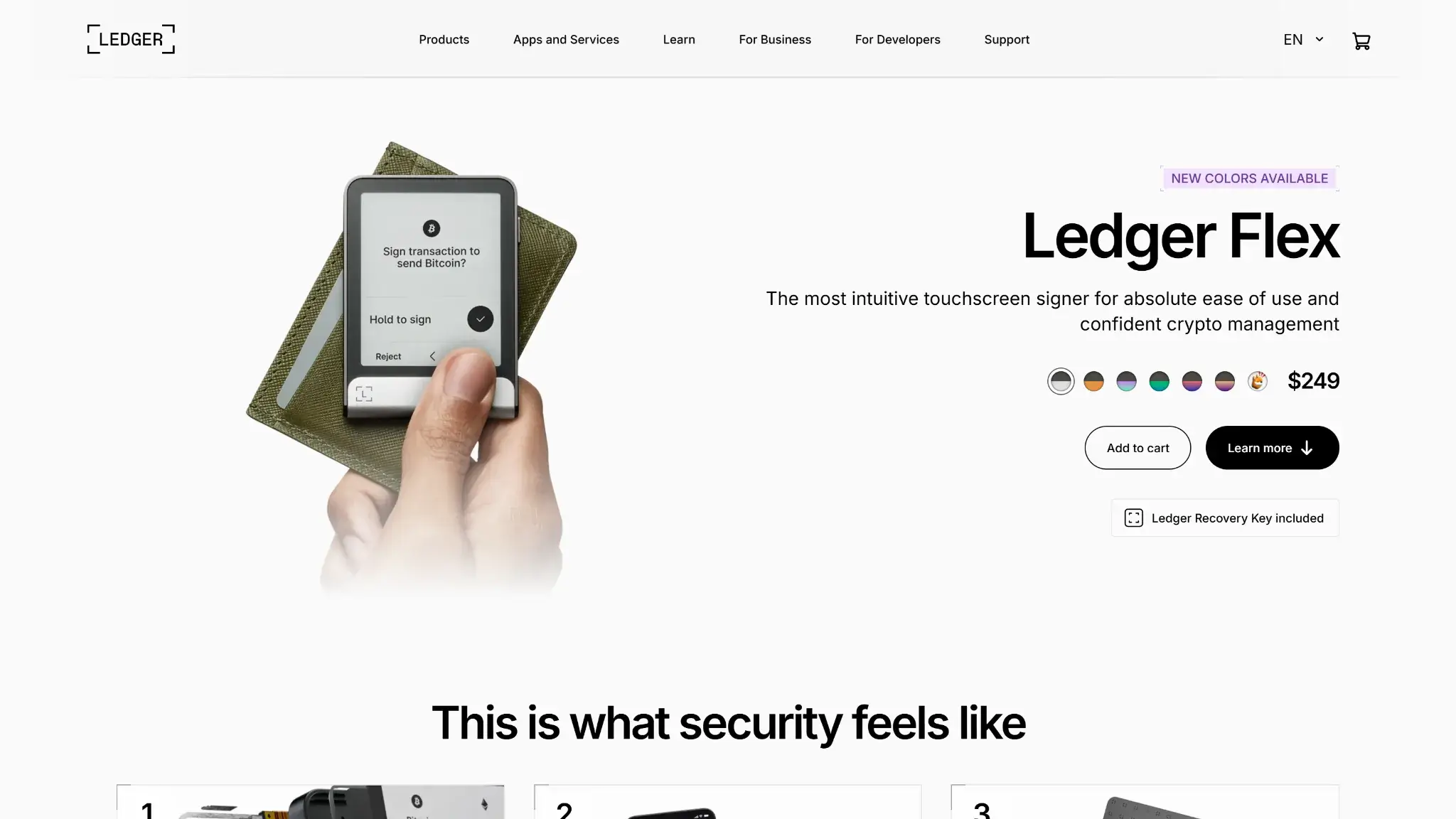
Ledger Flex product page hero section showing the device, price, color options, and Ledger Recovery Key included.

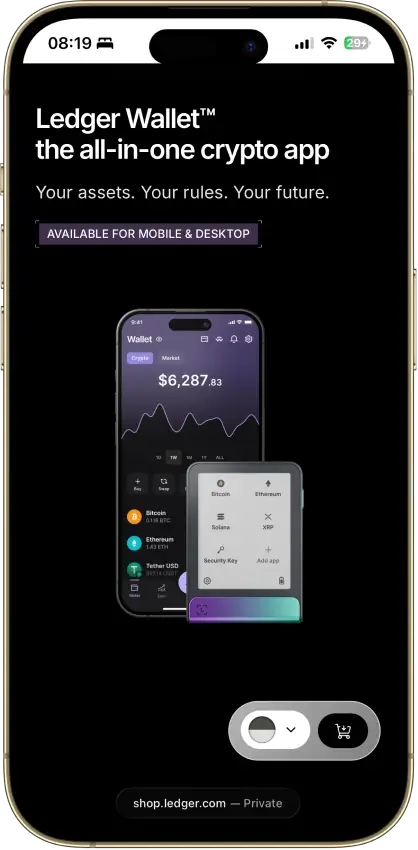
Ledger Flex is Ledger’s touchscreen hardware wallet for keeping private keys offline and approving transactions on a dedicated secure display. Ledger also uses the word “signer” for its devices, but for buyer intent it still belongs in the hardware wallet and cold wallet category.

In the current lineup, Flex sits above Ledger Nano Gen5 and below Ledger Stax. Compared with Nano X and Nano S Plus, it replaces button-based review with a secure E Ink touchscreen. Nano Gen5 now fills the cheaper touchscreen slot inside Ledger’s lineup.

It differs from a hot wallet because the private keys stay inside the device’s Secure Element rather than on an internet-connected phone or laptop. Your phone or computer can prepare the transaction, but the device still expects you to verify and approve the critical details on the secure screen.

It also matters to answer the “cold wallet” question precisely. Ledger Flex is a cold wallet because keys remain offline in the device, but it is not an air-gapped wallet because it uses USB-C, Bluetooth, and NFC rather than camera-based QR isolation.

Who Is Ledger Flex Best For — and Who Should Skip It?

If you are this kind of userWhy Ledger Flex fitsWhat to keep in mind
Mobile-first holderBluetooth and touchscreen flow make phone use smoother than USB-only walletsDesktop use still centers on USB-C
Desktop-and-phone userFlex works well as a hybrid wallet instead of forcing one-device habitsYou still depend on Ledger Wallet for normal maintenance
Nano user frustrated by small-screen reviewThe larger screen makes addresses, approvals, and prompts easier to verifyThe price jump only makes sense if screen comfort matters often
Buyer choosing between Flex and StaxFlex keeps most of the practical value while costing less than StaxYou give up wireless charging, the curved screen, and bundled shell extras
Beginner willing to learn recovery properlyTouchscreen setup feels easier and less cramped than button-based devicesBackup discipline still matters more than setup comfort

The common thread across these readers is frequency. Flex is easiest to justify when you sign often enough to feel the pain of cramped review screens, fiddly navigation, or awkward phone workflows. If your wallet mostly sits in storage and rarely moves funds, the usability gains matter less.

There is also a very specific internal Ledger tradeoff here. Nano X is still the cheaper way to get mobile Ledger access, while Stax is the more premium design choice. Flex sits between them for buyers who want a better secure-review experience without paying mainly for higher-end hardware touches.

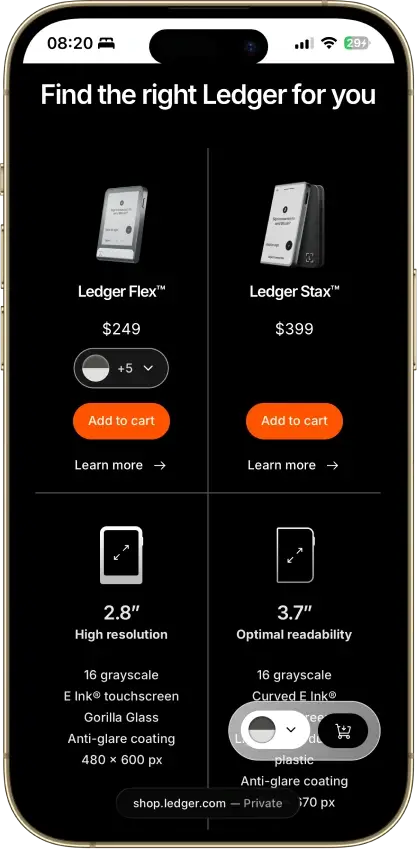
The closer 2026 in-house comparison is Ledger Nano Gen5. It is the lower-cost touchscreen Ledger at $179, while Flex is $249 and Stax is $399. Nano X still exists as the older cheaper Bluetooth option at $99, but Nano Gen5 is the first lower-cost touchscreen alternative readers should check before choosing Flex.

Skip Ledger Flex if your top priority isBetter direction to compare firstWhy
Lowest-cost long-term storageNano X or a lower-cost cold walletFlex is priced for usability, not bare-minimum offline storage
Fully air-gapped signingA QR-based hardware walletFlex uses USB-C, Bluetooth, and NFC
Fully open-source leaning designTrezor Safe 5 or another more open alternativeLedger still keeps proprietary parts in its stack
The smallest possible carryNano-sized or card-style walletsFlex is easier to use, but less discreet to carry
A wallet that avoids third-party workflow friction everywhereA wallet matched to your specific chainsSome assets still work best through compatible wallets, not Ledger Wallet alone

That is why Flex works best in a narrow but useful lane. It is the option for buyers who care more about comfortable verification, clearer prompts, and better day-to-day usability than lowest price, full air-gap isolation, or a more open design philosophy.

Signing, Bluetooth and What On-device Approval Actually Looks Like

The best way to understand Flex is to picture one real transaction from start to finish. The larger screen only matters if it changes what you can actually verify before you sign.

Step 1: You Prepare the Transaction In Ledger Wallet

  1. Open Ledger Wallet on your phone or computer.
  2. Choose the account and asset you want to send, swap, or use.
  3. Enter the transaction details and continue to device review.

At this stage, Ledger Wallet is preparing the action, not signing it. The app gives you the transaction intent, but the wallet itself still controls whether anything gets approved.

Step 2: The Details Move To the Flex Screen

  1. Connect by Bluetooth on iPhone or Android, or by USB-C on desktop.
  2. Unlock Flex and open the relevant app if the flow requires it.
  3. Wait for the transaction details to appear on the secure E Ink screen.

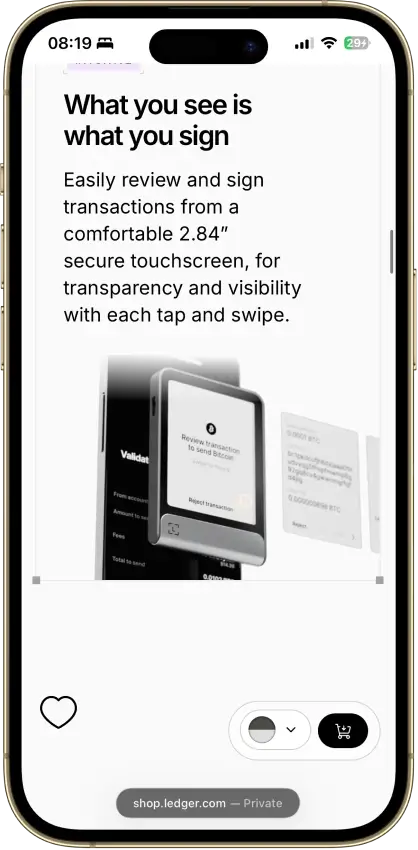
This is the point where the bigger screen becomes practical rather than cosmetic. Instead of squeezing long addresses and prompts into a cramped multi-click flow, Flex gives you more room to read what is actually being requested.

Step 3: Clear Signing Shows What You Are Authorizing

On supported flows, Clear Signing turns the transaction into readable information on the secure screen. That can include the asset, destination address, amount, network, fees, and, for supported smart-contract flows, clearer transaction context than a blind prompt would provide.

That does not mean every network and every dApp flow looks equally detailed. The practical advantage is that supported flows are much easier to review, which lowers the chance of approving something you did not mean to authorize.

Step 4: You Decide On the Device, Not On the Phone

  1. Compare what you intended to do with what Flex shows on its screen.
  2. Scroll through the details carefully.
  3. Tap approve only if the screen matches your intent.

This is the core security moment. If the address, amount, or request looks wrong, the correct move is to stop on the device itself rather than trusting what the phone or desktop app showed earlier.

Step 5: What Happens If You Approve vs Reject

If you tap approve, Flex signs the transaction with the private key stored inside the device. Ledger Wallet then broadcasts the signed transaction to the network.

If you tap reject, nothing is signed and nothing is sent. The transaction stops there, which is exactly why on-device approval matters: the connected phone or computer cannot force a send without your physical confirmation.

Why This Matters in Real Use

This is the real value of the larger E Ink screen. It does not make Flex safer by magic. It makes safe behavior easier to follow because reviewing addresses, amounts, token approvals, and supported smart-contract prompts takes less effort and feels less rushed.

That is what buyers are paying for when they step up from smaller Ledger devices. The security model is still based on offline keys and on-device confirmation, but Flex makes that confirmation easier to read and easier to trust in the moment.

Pricing, Packages and Total Cost

Ledger Flex is priced at $249. That keeps it well above Nano-class pricing, but still below Ledger Stax, which is the main reason Flex exists as a middle option.

The core pricing question is whether the touchscreen is worth the jump. If you mainly hold and rarely move assets, the answer may be no. If you sign regularly, use both phone and desktop, or simply want less friction when checking transaction details, the larger screen is much easier to justify.

Special editions are part of the lineup, including a Solana Edition. That does not change the core security model or transaction flow, but it does matter for buyers searching specifically for “Ledger Flex Solana Edition” rather than the standard colorways.

Cost typeWho sets itOfficial price / typical costNotes
DeviceLedger$249Current official price
ShippingLedger / checkout partnerVariesDepends on destination
Import VAT / dutiesLocal authoritiesVariesRegion-specific
Optional case / folioLedgerVariesSold separately where available
Metal backupThird-partyVariesOptional durability spend
Ledger Recover subscriptionLedgerOptional paid subscriptionOnly relevant if you want ID-based recovery in addition to phrase and Recovery Key backups
Network feesBlockchain networkVariableNot paid to Ledger
Buy / sell / swap feesThird-party providersVariableDepends on service and country
ItemIncluded?Extra cost?Worth buying?
USB-C to USB-C cableYesNoYes, already included
Recovery SheetsYesNoYes
Ledger Recovery KeyYesNoUsually yes, as a secondary offline backup
Protective case / folioNoYesUseful for frequent travel
Metal seed backupNoYesUseful for long-term phrase durability

The real cost of ownership is not the sticker price alone. Shipping, taxes, and backup accessories can shift the real checkout number, while network fees and service-provider fees shape the long-term cost of actually using the wallet.

That makes Flex a value decision, not just a product decision. It is easy to call $249 reasonable in isolation, but the more honest question is whether your habits are frequent enough to benefit from the better screen and smoother phone workflow over time.

Supported Cryptocurrencies, Networks and Limitations

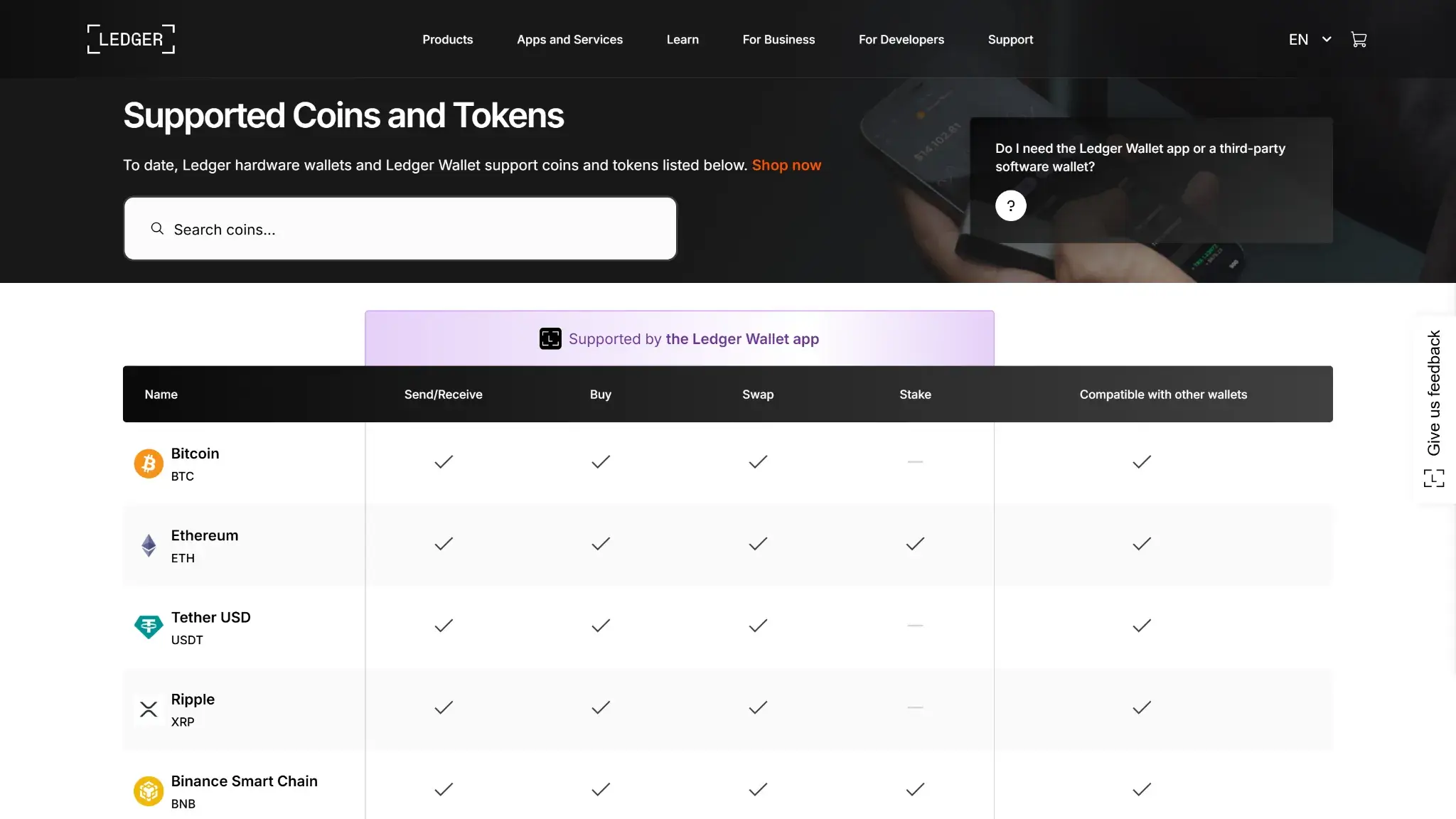
Ledger Wallet supported coins and tokens page showing asset support for Bitcoin, Ethereum, USDT, XRP, and BNB.

A wallet can support a coin securely and still require a third-party wallet for the smoothest experience.

Directly in Ledger Wallet: 500+ coins and Ethereum/Polygon NFTs. Via third-party wallets: 1,000+ coins and multi-blockchain NFTs.

Asset / NetworkSupport TypeImportant limitation
BitcoinNative in Ledger WalletxPub export exists and is privacy-sensitive
Ethereum / EVM chainsNative in Ledger WalletSome dApp flows still use external wallet fronts
SolanaNative support for SOL and SPL tokensSome ecosystem-specific workflows may still use another wallet
XRPNative in Ledger WalletSome XRPL-specific tools may still be external
Hedera (HBAR)Native in Ledger WalletAdvanced network-specific actions vary by app support
SuiNative in Ledger WalletSend, receive, buy, and stake are available in Ledger Wallet; some ecosystem-specific flows can still use Slush Wallet or another compatible wallet
XDCThird-party wallet workflowXDC works through third-party wallet routes
Flare (FLR)SupportedSome actions still follow network-specific instructions
SHIBNative in Ledger WalletStill depends on Ethereum network fees
Ondo (ONDO)Supported through compatible walletsBetter treated as a compatible-wallet asset
NFTsEthereum and Polygon native in Ledger WalletOther ecosystems vary more often

When support is native, Ledger Wallet usually gives you the cleaner everyday flow. When support depends on a compatible wallet, the hardware security can still be strong, but setup, staking, swaps, and chain-specific actions may feel less direct.

That matters most for buyers who search asset by asset before purchasing. A long supported-coins list can look reassuring, but it does not tell you whether your actual workflow will stay inside Ledger Wallet or bounce through another wallet interface.

Companion App, Platform Support, Connectivity and Storage Capacity

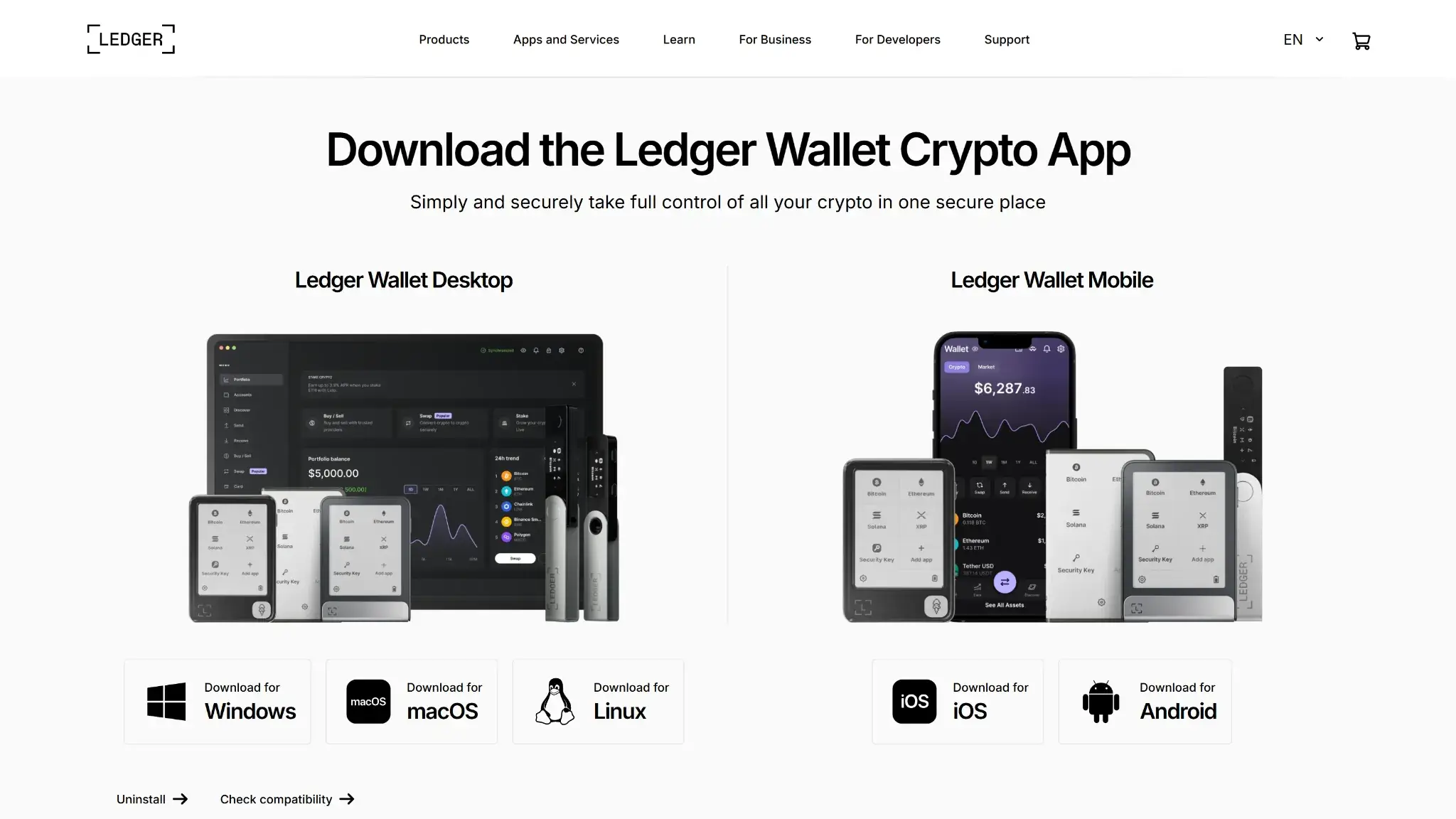
Ledger Wallet download page showing desktop and mobile app availability for Windows, macOS, Linux, iOS, and Android.

Ledger Wallet and What It Handles

Ledger Flex uses Ledger Wallet as its main companion software. The app handles balances, account views, installs, swaps, staking access, transaction history, and other service layers, while the hardware device handles key storage and signing.

That also answers a common balance-display question. Your balances and account history are visible in Ledger Wallet, but the Flex itself is mainly the approval and verification device rather than a constant portfolio screen.

Desktop vs Mobile Connectivity

On desktop, assume USB-C. The Ledger Wallet desktop app does not support Bluetooth pairing, even though Flex itself supports Bluetooth for mobile connections.

On mobile, the picture is better. iPhone works over Bluetooth, and Android works over Bluetooth or cable, which makes Flex more practical than USB-only cold wallets for people who do not want desktop dependence.

Bluetooth is still a convenience layer, not the reason to trust the wallet. Cable remains the cleaner fallback when pairing gets messy, and NFC is not the default path for everyday crypto sends.

NFC is mainly relevant for Ledger Recovery Key and Ledger Security Key workflows.

Direct dApp Connectivity and Platform Limits

Ledger Wallet supports Direct Connectivity to partner dApps, with 1inch and Velora currently listed as live integrations. For Flex buyers, that keeps supported EVM dApp flows closer to Ledger’s own environment instead of always routing through an external wallet bridge.

That matters because supported direct flows also keep Clear Signing and Transaction Check inside the same experience. It is still EVM-only for now, so it should be treated as expanding coverage rather than universal dApp support.

Ledger also lists Flex as not compatible with Chromebooks. If Chromebook support matters, treat that as a hard platform limit rather than a setup issue.

Setup, Backup, Recovery and First Use

This part is easier to follow as a setup sequence rather than one long explanation. The key point is that Flex can make setup feel smoother, but it does not reduce the need to understand backups, verification, and recovery.

Step 1: Install Ledger Wallet and Run Genuine Check

  1. Download Ledger Wallet from Ledger’s official source.
  2. Connect Ledger Flex and start the setup flow.
  3. Run Genuine Check, name the device, and confirm you are setting up the wallet you actually received.

This is the point where Flex feels easier than older Ledger models. The touchscreen makes PIN entry and navigation less cramped, but the setup still depends on Ledger Wallet and the normal device-verification flow.

Step 2: Create or Restore a Wallet and Set Your PIN

  1. Choose whether to create a new wallet or restore an existing one.
  2. Set a 4 to 8-digit PIN on the device.
  3. Confirm the PIN carefully before moving on.

The PIN protects the device itself, not the assets by itself. If someone steals the device but not the backup, the PIN is the first layer of defense. If someone gets the recovery phrase, or the Recovery Key plus its PIN, the device itself is no longer the important part.

Step 3: Record the Recovery Phrase and Choose Your Backup Path

  1. Write down the 24-word Secret Recovery Phrase on the Recovery Sheets.
  2. Decide whether to add Ledger Recovery Key as a second offline backup route.
  3. Decide whether optional Ledger Recover is relevant to you.

The most important part of setup is still the backup model. Ledger continues to use the 24-word Secret Recovery Phrase as the foundation of self-custody, and that phrase remains the real key to recovery even if the hardware breaks, resets, or disappears.

Flex adds a second offline route because Ledger Recovery Key ships in the box. It is a PIN-protected physical card that stores your phrase in its own Secure Element and uses NFC-based transfer for backup and restore, which can reduce manual recovery friction without changing the fact that you still need to understand your backup setup.

Ledger also offers Ledger Recover as an optional paid, ID-based recovery subscription for users who want another backup route beyond phrase and Recovery Key setups.

Ledger Recovery Key does not back up a passphrase (25th word). If you use a passphrase, you must preserve that separately.

This is where many buyers get confused. Recovery Key is an extra recovery medium, not a replacement for understanding the core recovery model. If you do not understand what your 24-word phrase does, the nicer backup hardware does not solve the real problem.

Step 4: Install Apps and Add Accounts

  1. Install the chain apps you need inside Ledger Wallet.
  2. Add accounts for the assets you plan to hold or use.
  3. Check whether each asset is native in Ledger Wallet or works through a compatible third-party wallet.

This is where many first-time buyers get confused, because a coin being “supported by Ledger hardware” does not always mean the same thing as “managed natively inside Ledger Wallet without any third-party wallet.”

Step 5: Receive Crypto the Safe Way

  1. Generate the receiving address in Ledger Wallet.
  2. Verify that address on the Flex screen.
  3. Use the verified address on an exchange or sending wallet.

The safe pattern is simple: never rely only on the phone or desktop screen when receiving funds. The device screen is the final check that helps prevent wrong-address mistakes or host-device manipulation.

Step 6: Send Crypto With On-device Verification

  1. Prepare the transaction in Ledger Wallet.
  2. Review the destination, amount, and network details on the Flex screen.
  3. Approve only after the on-device details match what you intended to send.

This is one of the main reasons to buy Flex in the first place. The larger screen makes address and prompt review more comfortable, which lowers the chance of hurried approvals compared with smaller button-based devices.

Step 7: Avoid the Setup Mistakes That Cause Most Problems

  1. Do not skip the on-device address check.
  2. Do not assume every supported asset works natively in Ledger Wallet.
  3. Do not troubleshoot Bluetooth or update issues before checking whether the correct workflow is supposed to be cable-first.

Most early problems come from workflow confusion rather than hardware failure. Buyers usually run into trouble because they misunderstand native versus third-party support, expect desktop Bluetooth to work like mobile Bluetooth, or treat backup setup as optional reading.

Step 8: Understand Recovery Before Something Goes Wrong

  1. Know that losing the device does not automatically mean losing your crypto.
  2. Know which recovery path you are relying on: phrase, Recovery Key, or both.
  3. Know whether you also use a passphrase that must be preserved separately.

If you lose the device, the assets remain on-chain, and access can be restored with the 24-word phrase or, where relevant, with the Recovery Key path. Recovery without Ledger as a company is possible because the standard recovery phrase can be restored into compatible BIP39 wallets.

That is a meaningful trust point, though passphrase users still need accurate records and a compatible restore destination for that to matter in practice.

Security Model and Core Design

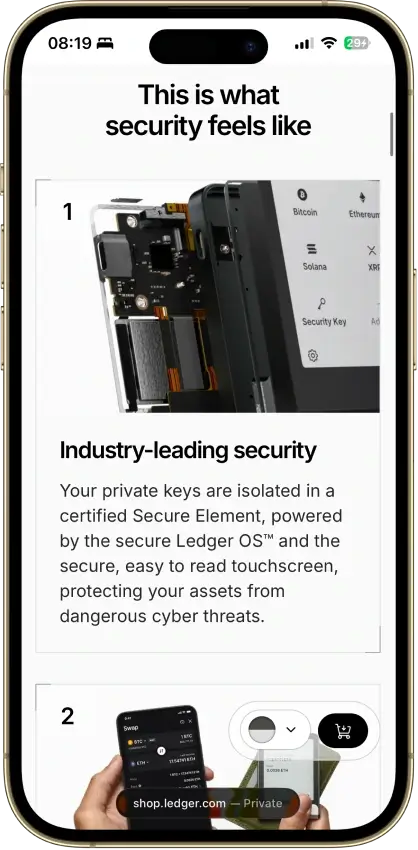
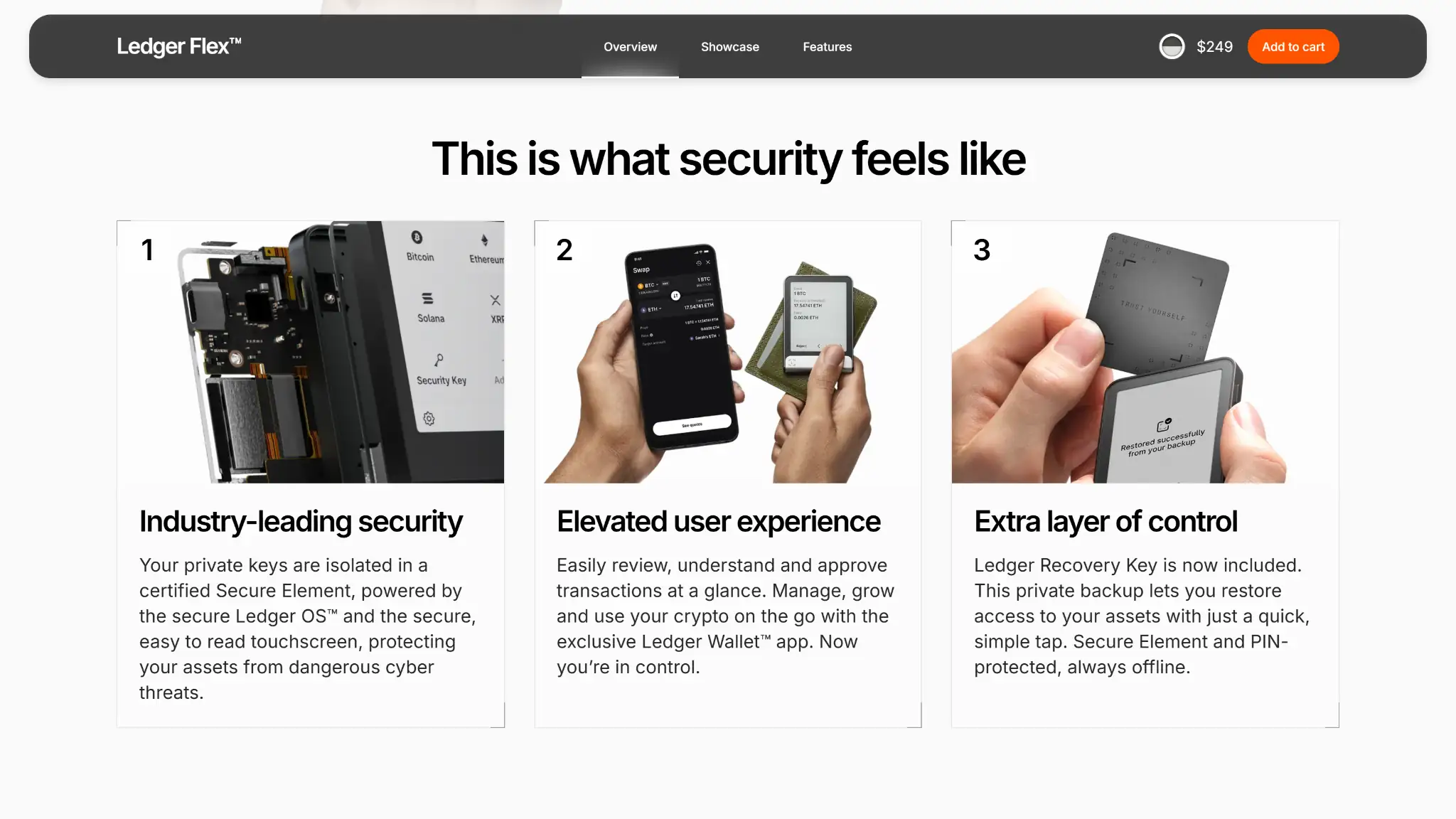
Ledger Flex security features section highlighting Secure Element protection, user experience, and included Recovery Key backup.

The easiest way to understand Ledger Flex security is to separate the system into layers. First, the device keeps private keys inside dedicated hardware. Then it uses the screen and approval flow to make sure you see what you are signing. After that, PIN and passphrase settings protect the device itself, while the connection model defines what kind of cold storage this actually is in practice.

Key Generation and Offline Key Storage

Ledger describes Flex as generating and storing private keys inside a certified Secure Element chip. That is the foundation of the device: your phone or computer can prepare actions, but the sensitive signing material stays inside the wallet.

That separation matters more than any convenience feature. The security model starts with the idea that the host device is useful for interface and connectivity, while the hardware wallet remains the place where keys live and approvals happen.

Secure Element, Certification and Open-source Boundaries

That key-storage model only matters if the hardware is built for it. Ledger ties Flex to the ST33K1M5 Secure Element, CC EAL6+ certification, and Ledger OS, which is why Flex still belongs in the serious hardware-wallet tier rather than the convenience-wallet tier.

The open-source answer is more specific than a simple yes or no. Ledger Wallet is fully open source, and parts of Ledger OS, cryptographic components, and embedded apps are open or reviewable, but the low-level Secure Element code is not fully open.

Secure Screen, Clear Signing and Transaction Review

Once the keys stay inside the device, the next question is how you confirm what you are authorizing. That is where the Flex screen matters: its 16-grayscale E Ink touchscreen, Gorilla Glass, and anti-glare coating make address checks and approval prompts much easier to read than on smaller button-based Ledger devices.

The screen is not the security model by itself. Its value is that it makes verification more realistic in everyday use, which reduces the chance of approving the wrong address, amount, network, or contract action because the review flow felt cramped or rushed.

Transaction Check For Supported EVM Flows

Flex also supports Transaction Check on supported touchscreen-device EVM flows. It should be treated as a supported-flow feature rather than universal coverage across every asset, wallet flow, and network.

In practice, that means Clear Signing still explains what you are approving, while Transaction Check adds a risk-screening layer for supported Ethereum and EVM transaction flows in Ledger Wallet.

PIN, Passphrase and Physical Access

After the signing flow, the next layer is physical-device protection. The setup flow uses a 4 to 8-digit PIN, and if someone enters the wrong PIN three times, the device resets, which helps against casual physical access after loss or theft.

Passphrase support is available for users who want more separation or hidden-account setups. The tradeoff is recovery complexity, so passphrases only make sense when the user can document, inherit, and restore that setup properly.

Ledger Recovery Key does not back up a passphrase (25th word). If you use a passphrase, you must preserve that separately.

Why Ledger Flex Is a Cold wallet, but Not Air-gapped

Those protections explain why Flex is a cold wallet, but they also clarify what kind of cold wallet it is. Flex qualifies as a cold wallet because private keys remain offline inside dedicated hardware, but it does not qualify as an air-gapped wallet because the normal operating model still includes Bluetooth, USB-C, NFC, and companion software.

That also answers the “is it a Web3 wallet?” search more accurately. Flex is not a standalone hot wallet app. It is a hardware signer that can participate in Web3 flows through Ledger Wallet and compatible third-party wallets.

Ledger Security Key and Passkeys

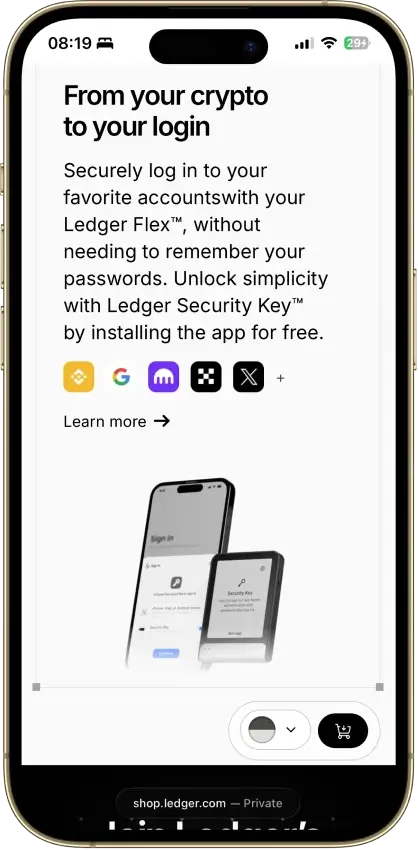
After the core wallet protections, Ledger adds one extra capability worth mentioning: the Security Key app. This lets Flex cover some passkey, MFA, and 2FA-style login use cases, which can be useful for people who want one device to handle both crypto signing and some broader account-security tasks.

It is still a secondary feature. The reason to buy Flex should remain its core cold-wallet workflow rather than the passkey add-on.

Device Authenticity, Firmware and Where To Buy

A hardware wallet can have good specs and still create unnecessary risk if you buy through the wrong channel, skip setup checks, or assume firmware maintenance will never matter.

Where To Buy Ledger Flex Safely

The safest way to buy Ledger Flex is still direct from Ledger or through an official reseller. That matters more than minor discounts, because authenticity checks, support paths, and warranty expectations are clearer when the purchase route is already trusted.

If the deal only makes sense because the source is unclear, that is usually the wrong tradeoff for a cold wallet. Saving a small amount upfront is not worth adding uncertainty around device origin.

What First Setup Still Depends On

The current Flex setup flow still expects a first boot through Ledger Wallet, where the device is checked, named, protected with a PIN, and linked to either a new or restored wallet. Even mobile-first users should expect occasional maintenance inside Ledger’s own software rather than a permanently app-free workflow.

That is worth knowing before purchase. Flex is easier to use than older Ledger models, but it is still part of a managed device-and-app workflow rather than a fully standalone tool.

Firmware Updates and Update-mode Issues

Firmware updates are part of owning Flex. Ledger uses them for security patches, bug fixes, and feature changes, so a device left untouched for months may not come back into use cleanly.

Update Mode trouble is the issue most likely to interrupt that process. If Flex gets stuck there, the first recovery step is usually to retry the update in Ledger Wallet desktop over USB-C, which is why desktop still matters even for mostly mobile users.

Build Quality, Portability and Battery Life

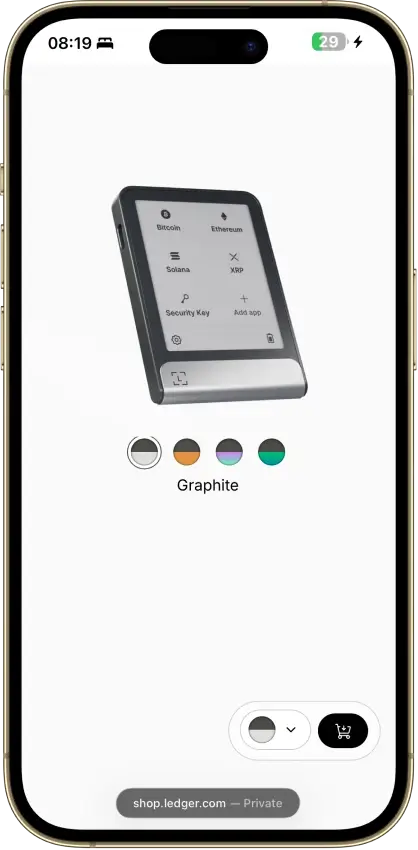
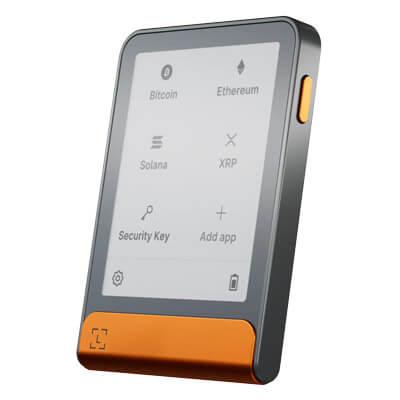
Ledger Flex product image in graphite color with color selector shown on the official product page.

These details matter less for headline security and more for whether the wallet feels pleasant enough to use consistently. In practice, that often decides whether buyers feel satisfied with the price jump over Nano X.

Materials, Size and Everyday Feel

Flex is clearly more “small device” than “USB stick.” It uses an aluminum frame, plastic back, Gorilla Glass touchscreen, measures 78.4 x 56.5 x 7.7 mm, and weighs about 58 g.

The practical difference is not just the size. Using it feels closer to normal consumer hardware than older wallet hardware, especially for PIN entry, menu navigation, and reviewing long addresses.

Screen Comfort and Signing Experience

The screen is not just a cosmetic upgrade. It is the main reason many buyers step up from Nano X, because it changes how easy it is to confirm addresses, review prompts, and avoid hurried approvals.

If the larger screen does not matter to you, Flex becomes much harder to justify on price alone. That is the real buying test here, more than the spec sheet.

Battery Life and Day-to-Day Use

Ledger rates Flex for up to 10 hours of normal use or about 150 transactions on a charge. That is reasonable for a mobile hardware wallet, but it is still not equivalent to a battery-free NFC card design.

Sound feedback is also part of the package. It is a small detail, but it helps confirm taps and approvals, which makes Flex feel more comfortable for regular use than lower-end button wallets.

Portability and Travel Fit

Travel fit is more mixed than the screen upgrade might suggest. Flex is easier to use than smaller devices, but it is also less discreet than a Nano-sized wallet or an NFC card design.

That means the bigger screen is not automatically better in every context. Buyers who care more about low-profile carry than screen comfort should weigh portability separately from usability.

Support, Documentation and Company Trust Signals

Ledger’s Flex documentation coverage is broad. There are official pages for onboarding, compatibility, Genuine Check, Recovery Key setup, Bluetooth issues, update-mode failures, asset support, xPub export, and general device management, which gives users a clear first-party path for most common problems.

That matters because support quality is part of cold-wallet risk, not just a convenience feature. A wallet can have strong hardware and still be a poor fit if official recovery and troubleshooting material is thin or hard to follow.

On the legitimacy question, Ledger is not an anonymous brand or a fresh launch. That is relevant when readers ask whether Ledger is legit rather than only whether the device has solid specs.

The main recurring Flex friction points are also clear. They cluster around updates, Bluetooth reconnect expectations, app-management and storage confusion, Recovery Key misunderstanding, and the broader debate over Ledger’s partially closed design.

Ledger Flex vs Ledger Stax

Flex and Stax are close on core function. Both use secure touchscreens, Bluetooth, USB-C, NFC, and the same general security tier, which is why the real buying difference is mostly price and hardware finish rather than a dramatic change in security model.

What Stax adds is premium hardware behavior: a larger curved display, wireless charging, and the bundled Magnet Shell. Stax is also thinner and lighter, and its curved screen can keep a personalized lock screen visible on standby while letting you name the spine for easier identification. What Flex keeps is the lower price, a slightly smaller footprint, and nearly all of the practical daily value for users who mainly care about secure review and phone compatibility.

WalletBest badge
Ledger FlexBest balance of screen and mobile use
Ledger StaxBest premium Ledger experience

Read the table as a value tradeoff. Flex keeps the core touchscreen Ledger experience at a lower price, while Stax charges more for the larger curved display, wireless charging, thinner and lighter build, and standby display extras.

That makes the decision fairly simple. Choose Flex if price and practical signing comfort matter more to you. Choose Stax if the larger screen and premium hardware touches are worth paying extra for.

Before You Buy Ledger Flex

The final decision usually turns on a few predictable traps: price-gap confusion versus Stax, value-gap confusion versus Nano Gen5 and Nano X, mobile expectations, recovery misunderstandings, update friction, and the difference between native support and third-party support.

A good pre-checkout filter is simple. If two or three of these points already sound like compromises you dislike, the safer move is usually to compare Flex against one clear alternative before buying instead of trying to justify it after the fact.

Before buying Ledger Flex, check thisWhy it mattersQuick read
Flex vs StaxThis is the most common premium-vs-value decisionFlex gives most of the practical benefit for less money
Flex vs Nano Gen5This is now the closest cheaper internal comparisonNano Gen5 is the first lower-cost touchscreen Ledger to check before deciding on Flex
Flex vs Nano XThis is the older budget Bluetooth tradeoff inside LedgerPay up only if the larger screen and touchscreen matter to you
iPhone and Bluetooth useMany buyers want phone-first useFlex is much more natural on iPhone than USB-only wallets
Desktop Bluetooth expectationsMany buyers assume desktop works like mobileDesktop use still centers on USB-C
Recovery modelBuyers focus on device loss, not backup lossThe recovery phrase still matters more than the hardware itself
Recovery KeyBuyers often confuse it with replacing the phraseIt helps, but it does not erase the need to understand recovery
Update frictionA common complaint after purchaseFlex is easy when it works, but firmware and pairing issues are worth acknowledging
Supported coinsBuyers search for “supports X” without checking workflowNative support and third-party support are not the same thing
Travel fitBuyers often think bigger screen means better in every contextFlex is easier to use, but less discreet than smaller devices

The useful pattern across these checks is that most of them are not about raw security. They are about workflow fit. Buyers usually regret a wallet because it is annoying, mismatched to their device habits, or more maintenance-heavy than expected, not because one spec row looked weak.

If you only need a one-line summary, it is this: Flex is easiest to justify when screen comfort and mobile convenience matter more to you than lowest price, full air-gap isolation, or fully open design.

Regulatory and Tax Considerations

A hardware wallet does not remove tax reporting duties. Ledger Wallet can help with balances and account views, but whether that is enough for records depends on your chains, your third-party wallet use, and whether your activity includes swaps, staking, or dApps outside Ledger’s native app flow.

The device purchase can also involve costs beyond the headline price. Shipping, VAT, duties, and local customs treatment vary by country, which is why the real delivered cost can differ noticeably from the list price.

The operational point is simple: a cold wallet protects keys, not bookkeeping. Users still need their own process for records if their activity goes beyond straightforward holding and transfers.

Final Verdict

Ledger Flex is a strong premium hardware wallet for users who care about comfortable on-device signing, better phone support, and a smoother everyday workflow than Nano-style devices provide. Its biggest strengths are the large touchscreen, solid mobile usability, and standard recovery flexibility, which make it easier to use regularly without changing the core self-custody model. Its main weaknesses are price, partial dependence on Ledger’s own software and third-party flows, and a design that prioritizes convenience over air-gapped or fully open-source ideals.

Overall Score

8.0

Best For

Phone-and-desktop users who sign often enough to care about screen comfort.

PROS

  • Large secure touchscreen
  • Strong mobile support
  • Flexible recovery options

CONS

  • Expensive for holders
  • Not air-gapped
  • Not fully open-source
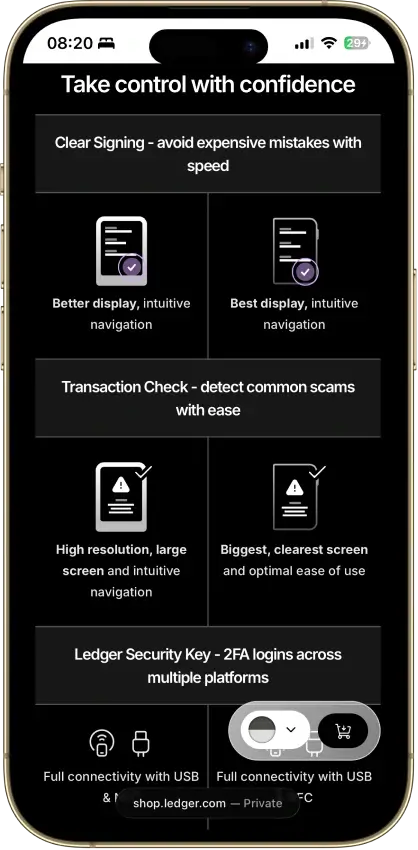
Ledger Flex mobile page showing Ledger Security Key login feature and supported account sign-in integrations.
Affiliate Disclosure

Disclaimer: CryptoSlate may receive a commission when you click links on our site and make a purchase or complete an action with a third party. This does not influence our editorial independence, reviews, or ratings, and we always aim to provide accurate, transparent information to our readers.

FAQ

What is Ledger Flex and what does it do?

Ledger Flex is a hardware wallet that stores private keys offline and signs transactions on a dedicated device screen. Ledger Wallet on your phone or computer then handles balances, account views, installs, and other management features.

That means the Flex is best understood as the trusted approval device in your setup, not the whole wallet experience by itself. The hardware protects the keys, while the app provides the management interface.

Is Ledger Flex a cold wallet, a Web3 wallet, or a decentralized wallet?

Ledger Flex is a cold wallet because it stores private keys offline in dedicated hardware. It can participate in Web3 workflows through Ledger Wallet and compatible third-party wallets, but it is not a decentralized protocol or a standalone hot wallet app.

It is also not air-gapped. The normal model uses USB-C, Bluetooth, and NFC rather than isolated QR signing.

Is Ledger Flex safe and is it open source?

Ledger Flex has a serious security model: Secure Element, certification, PIN protection, device reset after wrong PIN attempts, and on-device approval. For mainstream buyers, that is enough to treat it as a legitimate cold wallet.

The open-source answer is partial, not total. Ledger says large parts of its ecosystem are open source or reviewable, but the device does not match the “fully open” standard some buyers want

Does Ledger Flex work with iPhone, Android, and desktop?

Yes, but not in exactly the same way across platforms. iPhone support works over Bluetooth, Android support works over Bluetooth or cable, and desktop use still centers on USB-C.

So the clean summary is this: Flex is genuinely mobile-friendly, but desktop users should still expect cable use for the most stable setup and maintenance path.

Does Ledger Flex support Solana, XRP, HBAR, Sui and other major coins?

Yes for major assets, but not through one identical workflow for everything. Ledger Wallet natively handles mainstream assets like SOL, XRP, HBAR, SUI, SHIB, and major EVM assets, while networks such as XDC still rely more directly on third-party wallet flows.

Ledger Wallet now supports core Sui flows directly. Third-party Sui wallets are still relevant for some ecosystem-specific connections and workflows.

What does “supports this coin” actually mean on Ledger Flex?

It can mean two different things. In the smoother case, the coin is managed natively inside Ledger Wallet. In the less direct case, the Flex still protects the keys, but you use another wallet interface for viewing, staking, swapping, or some chain-specific actions.

That is why native support and third-party compatibility should never be treated as the same user experience. The security can still be strong in both cases, but the daily friction is different.

How much storage does Ledger Flex have?

Ledger Flex has 1.5 MB of storage. The more useful takeaway is that Ledger does not give a simple official simultaneous-app number, and installed apps can still be removed and reinstalled without affecting the assets tied to your recovery setup.

Do you still need the recovery phrase if Recovery Key is included?

Yes. Recovery Key is an extra backup medium, not a replacement for understanding or protecting the core recovery phrase. The phrase is still the foundational recovery path, and the safer mindset is to treat Recovery Key as an added convenience and resilience layer.

Ledger Recovery Key does not back up a passphrase (25th word). If you use a passphrase, you must preserve that separately.

That matters because some buyers hear “Recovery Key included” and assume the hard part of self-custody has disappeared. It has not. Backup discipline still matters more than hardware polish.

Can you recover your crypto if you lose your Ledger Flex?

Yes, as long as your recovery path is intact. You can restore with the 24-word Secret Recovery Phrase, and Flex users can also use the Recovery Key path where it has been set up correctly.

That is why losing the device is not the same as losing the crypto. The real failure point is losing your recovery method or letting someone else access it.

Does Ledger Flex work with Chromebook?

No. Ledger lists Ledger Flex as not compatible with Chromebooks.

Is Ledger Flex worth it over Nano Gen5, Nano X or Ledger Stax?

Against Nano Gen5, Flex is worth it only if the larger screen materially improves your day-to-day signing and review flow. Against Nano X, Flex is the better fit when touchscreen comfort matters more than getting the cheapest Bluetooth Ledger. Against Stax, Flex is usually the more rational value choice because the core experience stays close while the price stays lower.

That puts Flex in a narrow but useful lane. It is the device for buyers who want a clear usability step up from Nano Gen5 or Nano X without paying primarily for Stax’s design extras.

How do you fix Ledger Flex if it gets stuck in update mode or has Bluetooth issues?

If Flex gets stuck in update mode, the first recovery path should start with Ledger Wallet desktop over USB-C. That is the cleanest path because desktop workflows still lean on cable use.

For Bluetooth issues, reset the pairing on both devices and re-pair from scratch. If the problem is on desktop, remember that desktop use still centers on USB-C anyway.