

How to Link MetaMask to Uniswap


In addition to being the leading decentralized exchange (DEX), Uniswap is one of the biggest applications in decentralized finance (DeFi) today. At its core, it is a protocol that allows you to swap tokens without having to go through a centralized exchange (CEX) and tedious registration processes.
As the Uniswap token (UNI) hovers in the top 10 market caps for cryptocurrencies, Uniswap continues to occupy a significant role in the DeFi ecosystem. As such, there has never been a better time to learn how to make use of this DEX. In this guide, we’ll show you how to connect your MetaMask wallet to Uniswap.
How to Link MetaMask to Uniswap
If you don’t have a MetaMask wallet yet, read our article on how to set up a MetaMask wallet to easily get one.
Now, here’s how to connect your MetaMask wallet to Uniswap. First, open the Uniswap app. Type in the URL — https://app.uniswap.org/#/swap — or click the link to reach the main page. Another option is to use Google Search.
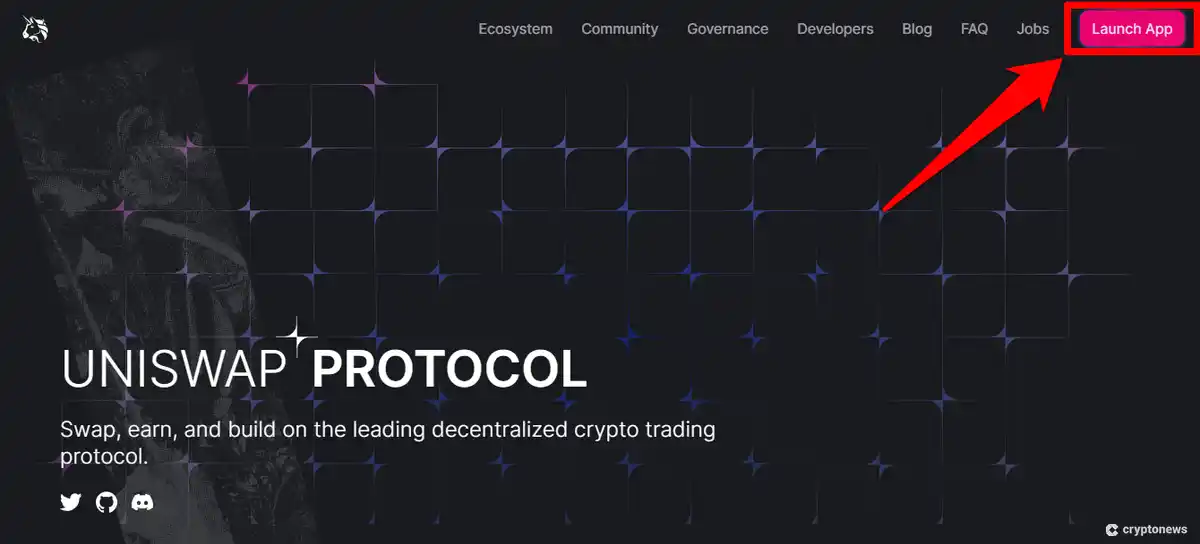
Regardless, you should end up at Uniswap.org. Once you do, click Launch App in the top right corner.
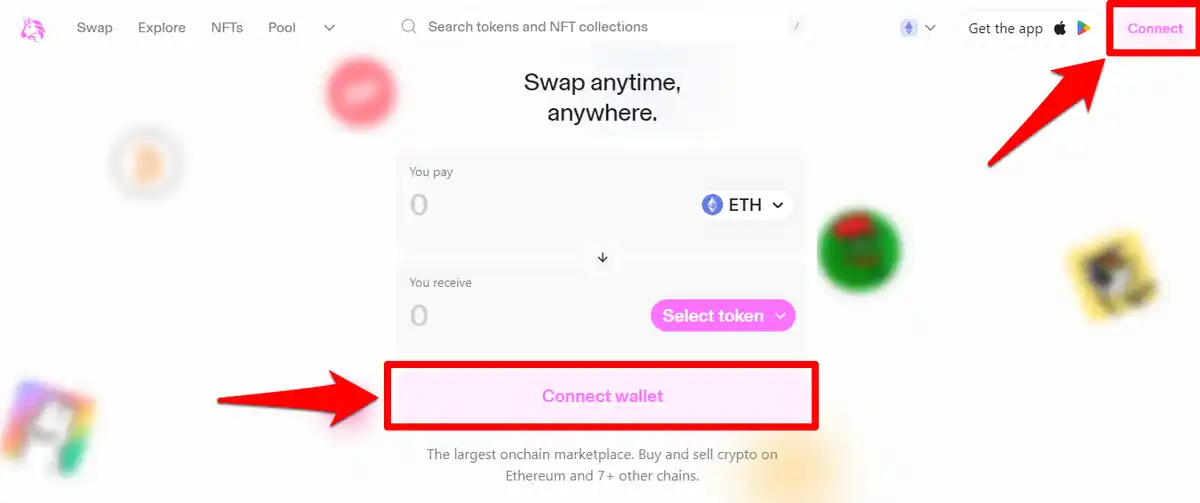
Doing so will prompt you to connect a wallet. Click on Connect or Connect wallet.
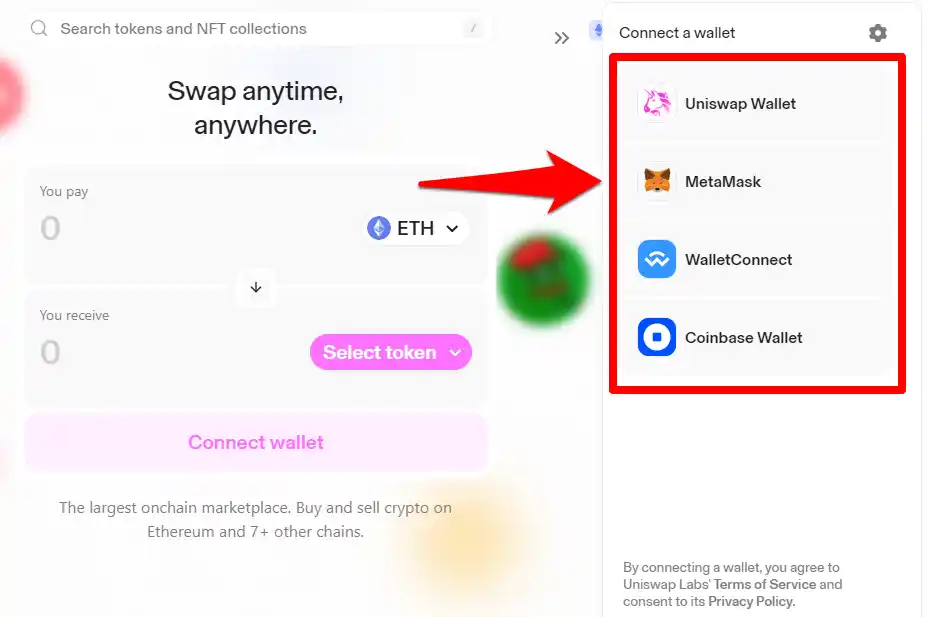
This will show you a list of crypto wallets supported by Uniswap. Click MetaMask.
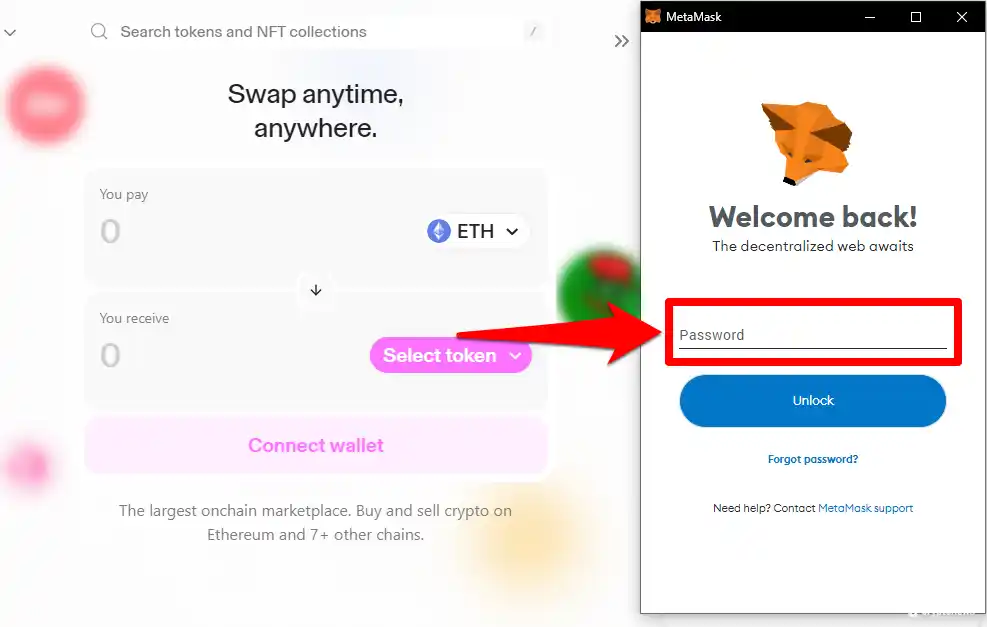
Enter your MetaMask password, and you will be connected.
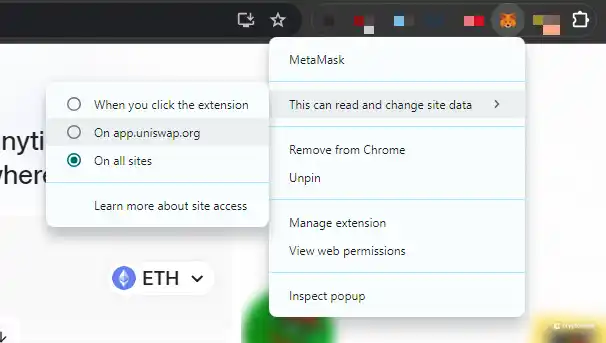
If you want to add a bit more privacy to your MetaMask transactions with Uniswap, you can go to your browser extension. On Google Chrome, it’s the puzzle piece at the top right. Go to “This can read and change site data” and choose whichever option you prefer.
If you’re having trouble using your wallet or finding certain coins, it could be due to your MetaMask permissions. In this case, you might need to select the option “On all sites” for MetaMask to fully work in sync with Uniswap.
You’re all done. Now you can start swapping!
2M+
250+
8
70







 in numbers

About Cryptonews
Our goal is to offer a comprehensive and objective perspective on the cryptocurrency market, enabling our readers to make informed decisions in this ever-changing landscape.
Our editorial team of more than 70 crypto professionals works to maintain the highest standards of journalism and ethics. We follow strict editorial guidelines to ensure the integrity and credibility of our content.
Whether you’re looking for breaking news, expert opinions, or market insights, Cryptonews has been your go-to destination for everything cryptocurrency since 2017.
