

 Released in 2016
- Custom EVM networks alongside native Bitcoin
- Social-login backup with exportable phrase
- Snaps add third-party wallet capabilities
MetaMask Overview
- Crypto Wallet Name
- MetaMask
- Release Date
- 2016
- Wallet Type
- Multi-platform wallet
- Custodial Status
- Non-custodial
- Built-in Swaps
- Yes
- Open-source
- Partially open-source
- Fiat On-ramp
- Yes
Additional details
- Supported Blockchains
- Ethereum, Arbitrum, Optimism, Polygon, Base, Avalanche, BNB Smart Chain, Solana, Bitcoin, Tron
- Token Standards
- ERC-20, ERC-721, ERC-1155, SPL
- Platforms
- Browser extension, Android, iOS
- Hardware Wallet Support
- Yes
- Staking Support
- Full
MetaMask Screenshots
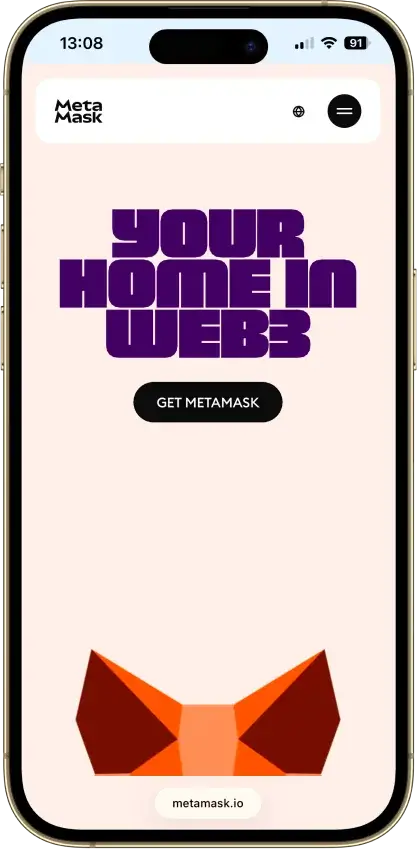


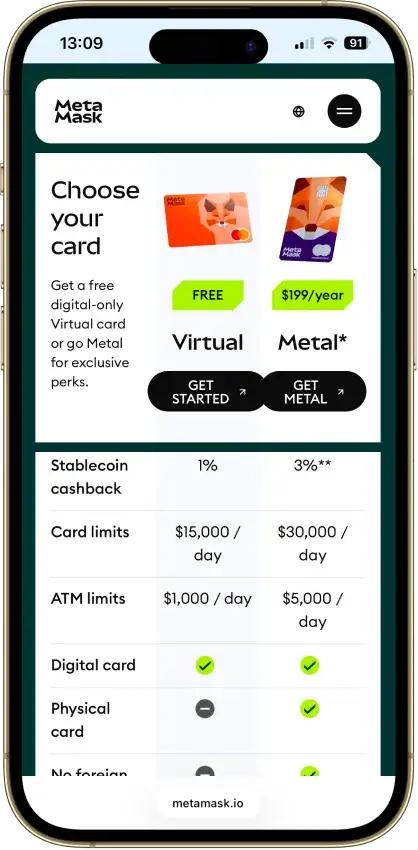


Screenshot 1 of 8
MetaMask Pros and Cons
Pros
- Default-on transaction security alerts
- Mobile connections to compatible hardware
- ETH pooled staking without a product minimum
- In-wallet cross-chain swap routes
- Publicly accessible extension source code
Cons
- Swaps carry a 0.875% service fee
- Social recovery depends on online services
- TRON dApp support has conflicting documentation
- Linked Ledger accounts are EVM-only
- New US and UK Card enrollment is paused
Who MetaMask Is For
MetaMask suits people who use Ethereum-compatible applications and want native transfers on several other networks without maintaining a separate interface for each. Custom configuration connects to an application's EVM network when it is absent from the wallet's defaults.
Google or Apple setup may suit someone who can secure that account and remember a separate password. Keeping an offline phrase provides another recovery route. MetaMask's mobile hardware options include Ledger, Keystone and NGRAVE ZERO. Trezor is listed for the extension hardware connections.
Look elsewhere if you expect one recovery method or identical functionality throughout the app. A passkey does not restore MetaMask on a replacement device. TRON dApp compatibility has conflicting documentation and needs an app-and-client check, and connecting a Ledger does not add hardware signing for every native network.
What MetaMask Is and How It Works
Consensys develops MetaMask, which launched in 2016 as a browser wallet. The extension and mobile app let users control blockchain accounts, approve application requests and access services such as swaps and staking.
The wallet is separate from an exchange balance held in a platform account. Its current product family also includes Card, Money Account and Transaction Shield.
MetaMask Key Facts
MetaMask Security and Custody
Signing and Social Backup
An ordinary software account signs on the user's device. Connecting a hardware wallet places that account's signing on the separate device. Importing the hardware recovery phrase into the software wallet would remove that separation.
For social login, MetaMask stores an encrypted recovery-phrase backup on its backend. Its technical design protects that backup through a password-based system with distributed key shares. The linked identity and correct password allow the phrase to be reconstructed on the device.
MetaMask designed this system to prevent one service from reading the phrase by itself. Device compromise and weak passwords remain risks. An independently stored phrase gives you a recovery route if the login or backup service is inaccessible.
Alerts, Permissions and Privacy
Security alerts are enabled by default on mobile and the extension. MetaMask uses Blockaid and other providers to evaluate requests. Transaction and signature information leaves the device for those checks, so the warnings are not an entirely offline privacy feature.
A warning can still be overridden. A recognized website or token badge also cannot establish that the next approval is safe. Check the requesting site, asset, amount and permission before signing, particularly when an application asks for ongoing access to tokens.
Consensys's privacy notice describes IP, device and usage-data processing across applicable services. Social login can add account identifiers. Self-custody therefore should not be read as anonymous use. The default Infura infrastructure is also subject to sanctions restrictions, separate from any restrictions on Card or other products.
Source Code, Audits and Build Verification
The extension's source is public under a custom Consensys license. Source visibility allows inspection, but the license is not unrestricted open-source permission.
Least Authority assessed Snaps extension integration in 2023, a narrower scope than the full wallet. MetaMask's repository security policy also points researchers to HackerOne.
The extension has tooling for reproducible ZIP artifacts. In August 2026, a WalletScrutiny researcher reported a mismatch when building Android version 8.6.0. The researcher's substitute service configuration limits the test's ability to assess release reproducibility.
Security Incident History
Halborn's 2022 Demonic disclosure described conditions under which browser wallets could leave recovery phrases exposed on disk. Exploitation required particular browser and device-access circumstances. MetaMask said extension version 10.11.3 introduced mitigations and that its mobile app was unaffected.
In April 2023, Consensys disclosed a separate third-party support-provider breach affecting roughly 7,000 users who had submitted information between August 2021 and February 2023. Independent reporting corroborated the ticketing-system incident. Consensys said the wallet extension and app were not compromised in that breach. Exposure of support information can still assist phishing, even when signing keys are not taken from the application.
Supported Chains and Assets

MetaMask supports configured EVM networks alongside native Bitcoin, Solana and TRON. Ethereum, Base, Arbitrum and Polygon are examples of its EVM coverage. Match the receiving network and account when transferring an asset, including stablecoins issued on several chains.
| Network or Asset Group | What Works | Important Limit |
|---|---|---|
| EVM networks | Tokens and compatible applications, with custom network configuration | Application and hardware compatibility vary |
| Bitcoin | Native BTC on extension and mobile | Phrase imports use Native SegWit, private-key import is not supported |
| Solana | Native SOL, SPL assets and Solana applications | No custom Solana RPC selection |
| TRON | Native TRX and TRC-20 assets such as USDT | TRON dApp compatibility needs a client-and-app check |
| EVM NFTs | ERC-721 and ERC-1155 display | Automatic discovery is network-dependent |
A new TRON account needs activation through TRX or a TRC-10 transfer. Receiving TRC-20 USDT alone does not activate it. TRON uses bandwidth and energy resources to process transactions. Insufficient resources can result in a TRX charge.
MetaMask's hardware connections include Lattice and QR-compatible devices alongside Ledger and Trezor on the extension. Mobile supports Ledger, Keystone and NGRAVE ZERO. Check your intended model against MetaMask's hardware compatibility list before buying.
MetaMask's Ledger connection accesses the device's EVM accounts. An existing MetaMask software account keeps its original keys, so moving its assets into Ledger custody requires a transfer to the Ledger-controlled address. Native Bitcoin and Solana balances in MetaMask remain outside this Ledger integration.
As of September 17, MetaMask’s TRON help page still says dApp connectivity is unavailable, while its published TRON connector documents application connections. Check the intended dApp and client rather than assuming universal support or a blanket lack of support.
Usability and Recovery
MetaMask is available on Chrome, Firefox, Edge and Brave, plus iOS and Android. Feature availability and hardware connections differ between the extension and mobile app. Download through the official distribution links, especially when a search result or unsolicited message offers an update.

New phrase-based wallets generate a 12-word backup. The password unlocks the local installation, while the phrase restores the wallet. Separately imported accounts need their own recovery material. A hardware account uses the hardware wallet's backup process.
Google and Apple are alternative setup options. Telegram login is extension-only. These accounts require both the linked identity and a password, and allow the recovery phrase to be exported. Existing phrase-only wallets cannot simply switch on social login, and a linked identity cannot currently be changed or unlinked. Account choice therefore deserves attention before funding the wallet.
Extension passkeys can provide biometric unlocking for phrase-accessed wallets. They protect that installation and are not available for social-login wallets. They do not replace a backup capable of restoring access on another device.
Account Management Snaps may require their own backup. Interoperability Snaps derive accounts from the MetaMask phrase, but the relevant Snap must be installed again after restoration. Check a Snap's account type before relying on the main phrase to restore it.
Support and Public Reviews
The help center provides automated assistance and access to human support when available. MetaMask says it does not offer a support phone line or initiate private messages asking for recovery credentials. MetaMask can email about a case you opened. Verify unexpected advice through its official help center before acting.
Selected Trustpilot comments from June and July 2026 complain about Firefox responsiveness and loss of access to selling features. The US App Store's featured comments from 2021–2023 include praise for EVM access alongside interface and support complaints. The different dates and individual accounts limit comparisons between those experiences and the current app.
MetaMask Features
Swaps and Snaps
Swaps bring available exchange and cross-chain routes into the wallet. The quoted output, network cost and MetaMask fee all affect the result. A route inside MetaMask can still depend on external liquidity or bridge services.
Snaps let third-party developers extend wallet behavior, including account support and transaction information. Their permissions determine what they can access, and some introduce separate backup requirements.

ETH and TRX Staking
Pooled ETH staking is available through MetaMask Portfolio and mobile, with no product minimum. Users still need enough ETH for network charges. The service deducts 15% of staking rewards. Withdrawal involves a request and later claim, with timing affected by the network queue.
Validator staking starts at 32 ETH and charges 10% of rewards. The displayed yields are variable, not fixed interest. Staking also introduces protocol, contract and exit-timing risks beyond holding unstaked ETH.
MetaMask's December 2024 announcement opened pooled staking to US users and directed UK users to the web because mobile staking was unavailable there.
TRX resource staking is available on mobile. It supports TRON's resource model and has a typical 14-day unstaking wait.
Money Account, Card and Transaction Shield
Money Account is a separate mobile mUSD account on Monad with variable DeFi yield. It is unavailable in the UK and sanctioned locations. The account cannot be exported to another wallet, although assets can be transferred out, and restoration uses MetaMask Mobile. Hardware-wallet deposits are not supported. It should not be treated as an insured bank deposit.
The Card FAQ, checked September 9, 2026, says new US and UK enrollment and Metal orders are temporarily paused. Existing cardholders are unaffected by the enrollment pause. Card eligibility and identity checks are separate from installing or using the core wallet.
Transaction Shield is advertised as extension early access at $9.99 per month after a 14-day trial. Its monthly limits are 100 eligible transactions and $10,000, with coverage attached only to qualifying transactions marked covered. Exclusions include compromised credentials and external protocol exploits. Mobile support is forthcoming.
MetaMask Wallet Fees and Costs

MetaMask is free to download. Swapping tokens, buying crypto and staking introduce service charges alongside the applicable network costs.
| Activity | MetaMask Charge | Other Cost or Condition |
|---|---|---|
| Hold assets or receive a transfer | No download or holding subscription | Sender and network costs depend on the transaction |
| Swaps | 0.875% service fee | Network charge and quoted execution rate |
| Normal Buy flow | 1% of requested fiat amount | Included in displayed processing, with provider/network charges as applicable |
| Money Account mUSD purchase | MetaMask fee waived for this flow | Provider fees may still apply |
| Pooled ETH staking | 15% of rewards | Network costs for staking and withdrawal |
| Validator staking | 10% of rewards | Starts at 32 ETH, network charges apply |
| Transaction Shield | $9.99/month after trial | Eligibility, monthly limits and exclusions apply |
For a $1,000 swap subject to the 0.875% service fee, that component is $8.75. It is not the all-in cost. Compare the final amount received, including the exchange rate and network charge, before confirming.
Supported gasless swaps collect network costs from the input token. On Base, Arbitrum and Polygon, using this feature also requires upgrading to a smart account.
Buying through an outside provider can involve identity checks and regional limits. The normal Buy flow's displayed processing amount already includes MetaMask's 1% cut. Money Account's mUSD purchase flow instead waives the MetaMask component, with any provider charges still applying.
Comparison With Other Wallets
-


Phantom
Phantom combines multichain transfers, swaps and SOL staking. Local phrase accounts sign on your device, new Google/Apple accounts use remote signing, and compatible Ledger accounts sign on hardware.
-

Trust Wallet
Trust Wallet combines multichain accounts with optional cloud backup and a separate SWIFT passkey wallet. Check account-specific recovery, swap costs and access after its announced September network changes.
Phantom uses a remote signing service for new Google or Apple wallets. MetaMask's social-login design instead restores an encrypted backup for use on the device.
Trust Wallet also provides mobile and browser versions with native Bitcoin, Ethereum and Solana support.
Final Verdict
MetaMask is a practical choice for active EVM users who also want native Bitcoin, Solana and TRON transfers. Custom EVM configuration, in-wallet swaps and ETH staking give it uses beyond storing a balance. Social login offers another backup route, but requires both account security and a separate password. Its limits are specific enough to check before committing: Ledger-linked accounts are EVM-only, TRON dApp compatibility has conflicting documentation, and extension passkeys do not provide portable recovery. Swaps add a 0.875% service charge, while optional financial products bring separate eligibility and risks. Choose it for the applications and account types it supports, with an independent backup and funds kept in the intended signing account.
Disclaimer: CryptoSlate may receive a commission when you click links on our site and make a purchase or complete an action with a third party. This does not influence our editorial independence, reviews, or ratings, and we always aim to provide accurate, transparent information to our readers.