

D’CENT Wallet vs Trezor Comparison 2026





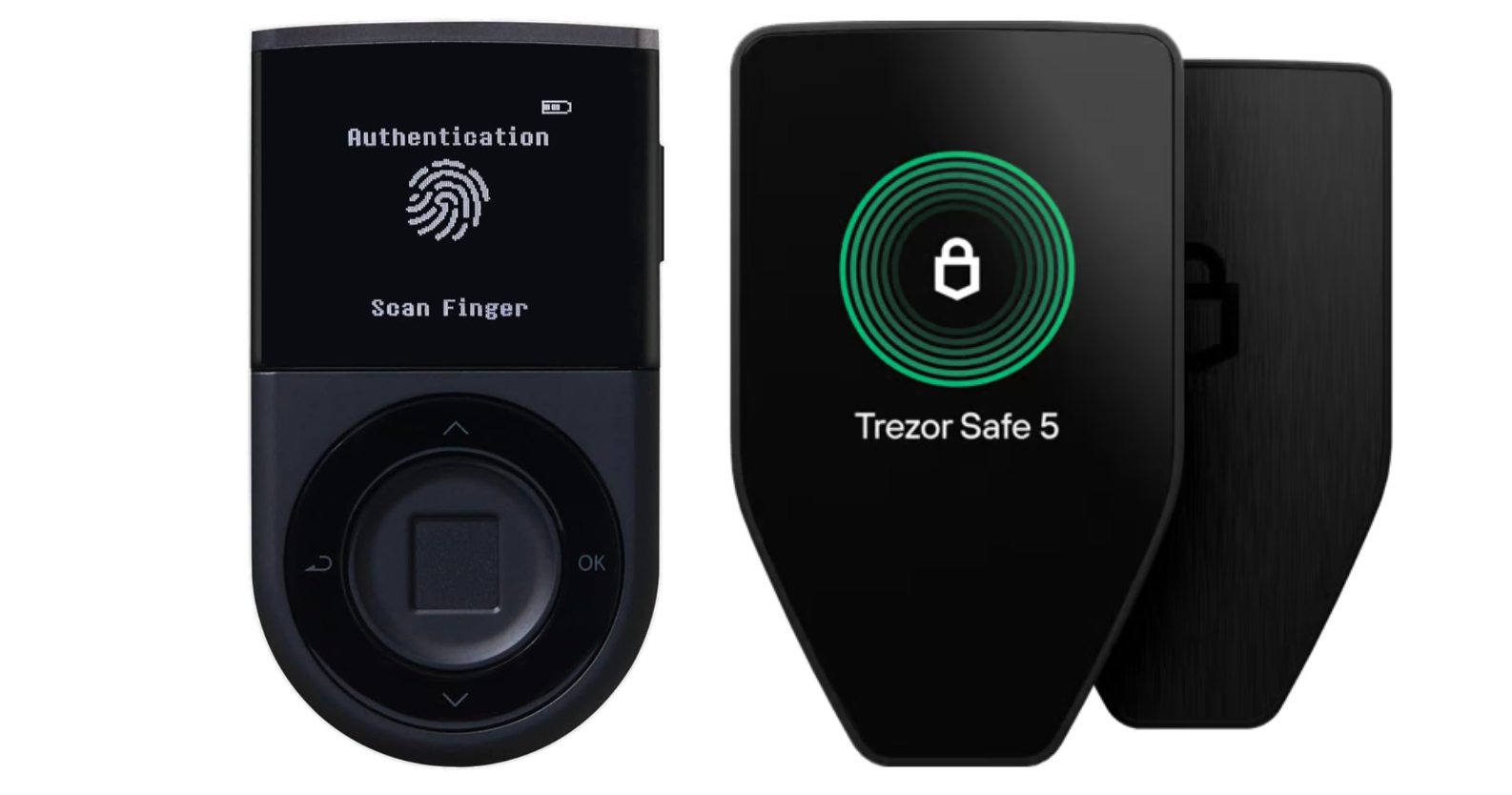
Trezor invented the first crypto hardware wallet in 2014, allowing crypto users to store their private keys offline. In the decade-plus that followed, several other manufacturers introduced hardware wallets, often trying out new features. D’CENT Wallet is among these with two distinct storage solutions, while Trezor offers three.
In this guide, we’ll compare D’CENT Wallet vs Trezor, detailing the pros and cons of each available wallet.
Why might you want a hardware wallet? Well, it provides a secure way to store crypto assets using self-custody. Storing the wallet’s private keys offline allows users to safeguard against common risks, such as hacks and scams. In short, nothing leaves the wallet without user authentication using the hardware device.
So let’s begin with a comparison of the D’CENT biometric & card wallets vs Trezor’s Safe 5, Safe 3, and Model One.
D’CENT Wallet vs Trezor Overview
Both D’CENT Wallet and Trezor provide secure offline key storage. However, each wallet maker takes a different approach regarding form factor and connectivity options. Each also uses a companion app to offer a feature-rich user interface.
D’CENT offers two hardware wallets, one with a biometric sensor to read an authorized fingerprint and the other using near-field communication (NFC) to connect wirelessly. By contrast, none of the Trezor models use Bluetooth or NFC to reduce the attack surface.
D’CENT Wallet boasts support for 84 blockchains and more than 4,600 cryptocurrencies. Trezor is less forthcoming with its number of supported chains, instead stating support for a less-specific “1,000s of coins and tokens.” However, Trezor devices support most major blockchains.
User interfaces also differ between D’CENT vs Trezor, with D’CENT offering a non-touch OLED screen on the D’CENT Biometric Wallet and no screen at all on the D’CENT Card Wallet. By comparison, Trezor provides a digital display on all three hardware wallet models, one of which is touch-enabled.
- D’CENT’s Biometric Wallet uses a fingerprint scanner to authenticate transactions.
- D’CENT Card Wallet uses NFC to authorize transactions, the same tech used for tap-to-pay.
- Trezor uses open-source software, with the Model One using open-source firmware as well.
D’CENT and Trezor Compared
| Feature | D’CENT Biometric | D’CENT Card | Trezor Safe 5 | Trezor Safe 3 | Trezor Model One |
| Coins supported | 4,600+ | Focused on EVM networks | 1,000+ | 1,000+ | 1,000+ |
| Mobile app | D’CENT Mobile App (iOS and Android) | D’CENT Mobile App (iOS and Android) | Trezor Suite Lite (iOS and Android, view-only on iOS) | Trezor Suite Lite (iOS and Android, view-only on iOS) | Trezor Suite Lite (iOS and Android, view-only on iOS) |
| NFT support | Yes (D’CENT Mobile App) | Yes (D’CENT Mobile App) | Only through connected third-party wallets | Only through connected third-party wallets | Only through connected third-party wallets |
| Price (approx) | $159 | $40 | $169 | $79 | $49 |
| dApp explorer | Yes (D’CENT Mobile App) | Yes (D’CENT Mobile App) | Requires third-party apps | Requires third-party apps | Third-party apps required |
| Unique features | Biometric lock, firmware authentication, OLED display, 4-button controls | Wireless, credit card form factor, no battery or power cords | Color touchscreen with haptic feedback | Passphrase entry on device, OLED screen | Open-source firmware, OLED screen |
What are D’CENT Wallet and Trezor Hardware Wallets?
D’CENT and Trezor are both trusted brands in the hardware crypto wallet space. A hardware wallet stores the wallet’s private keys offline using a discrete device. For example, both D’CENT wallets and two of the three Trezor models (Safe 3 and Safe 5) store the wallet’s private keys on a tamper-resistant Secure Element chip, the same tech used in smartphones, credit cards, and passports for secure data.
Storing the private keys offline reduces risks from online threats, making cold storage devices much safer than software crypto wallet apps (hot wallets). These devices can communicate with a companion app when the user needs to authenticate a transaction, but remain disconnected otherwise. This ensures that the private keys that control crypto assets on the blockchain are well protected.
While both wallet makers provide secure offline storage, the approach differs, as does the tech used in some cases. To compare D’CENT vs Trezor, let’s start with an overview of each wallet.
D’CENT Wallet Specs and Features
D’CENT launched its biometric wallet in 2018, marking an industry first. This well-built wallet combines convenience with sturdy construction designed to last for years. Updatable firmware enables support for new blockchains over time, with automatic firmware authenticity checks performed at power-on.
D’CENT also offers a lower-cost alternative, the Card Wallet, which features a simplified design and specialized support for specific chains. Let’s explore these two options in more detail.
D’CENT Biometric Wallet
The biometric wallet pairs a 1.1-inch OLED screen with a 4-button interface surrounding the fingerprint sensor. Only registered fingerprints can authorize transactions. The device connects to a smartphone or tablet via Bluetooth, making the D’CENT Biometric Wallet well-suited to mobile users.
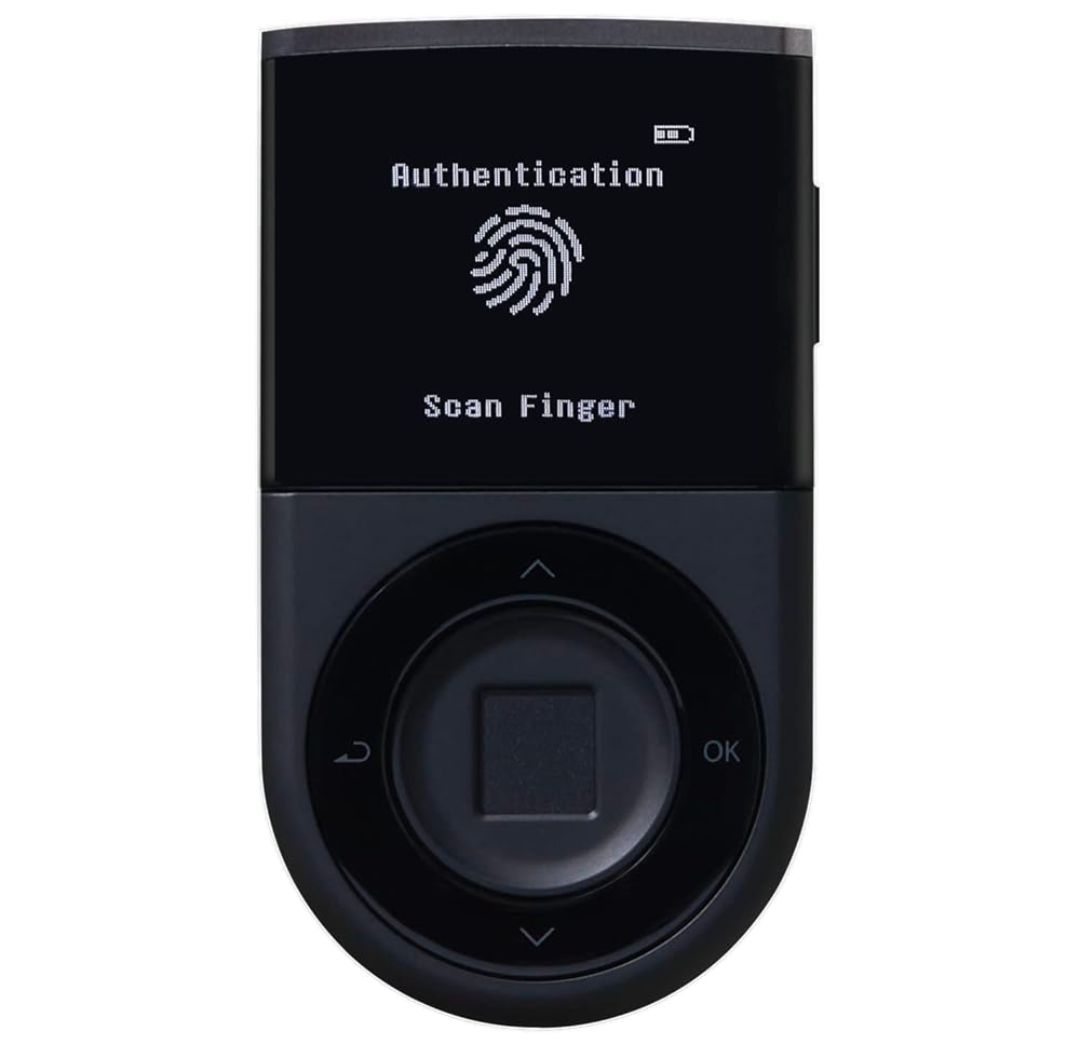
A user-selected PIN enables access if the fingerprint reader fails or for use in administrative tasks for the wallet. After five fingerprint failures, the device switches to PIN mode. In the event of 10 incorrect PIN attempts, the device automatically wipes its data. D’CENT’s Biometric Wallet uses a 24-word recovery phrase that users can utilize to restore a wiped device or restore a wallet to a new device.
The device also supports an optional user-selected 25th word, which acts as a “Passphrase” to prevent access if the seed phrase is compromised. In effect, users can create a hidden wallet, a strategy available with other wallets as well, such as Trezor.
Notably, there is no desktop app for either of D’CENT’s hardware wallets. However, the mobile app can act as a standalone hot wallet while also supporting connections to either of D’CENT’s models.
Learn More About D’CENT Biometric Wallet
D’CENT Card Wallet
The D’CENT Card Wallet launched in 2022 and resembles a credit card. This hardware wallet communicates with the D’CENT mobile app using NFC technology, similar to tap-to-pay used with credit cards and smartphones.
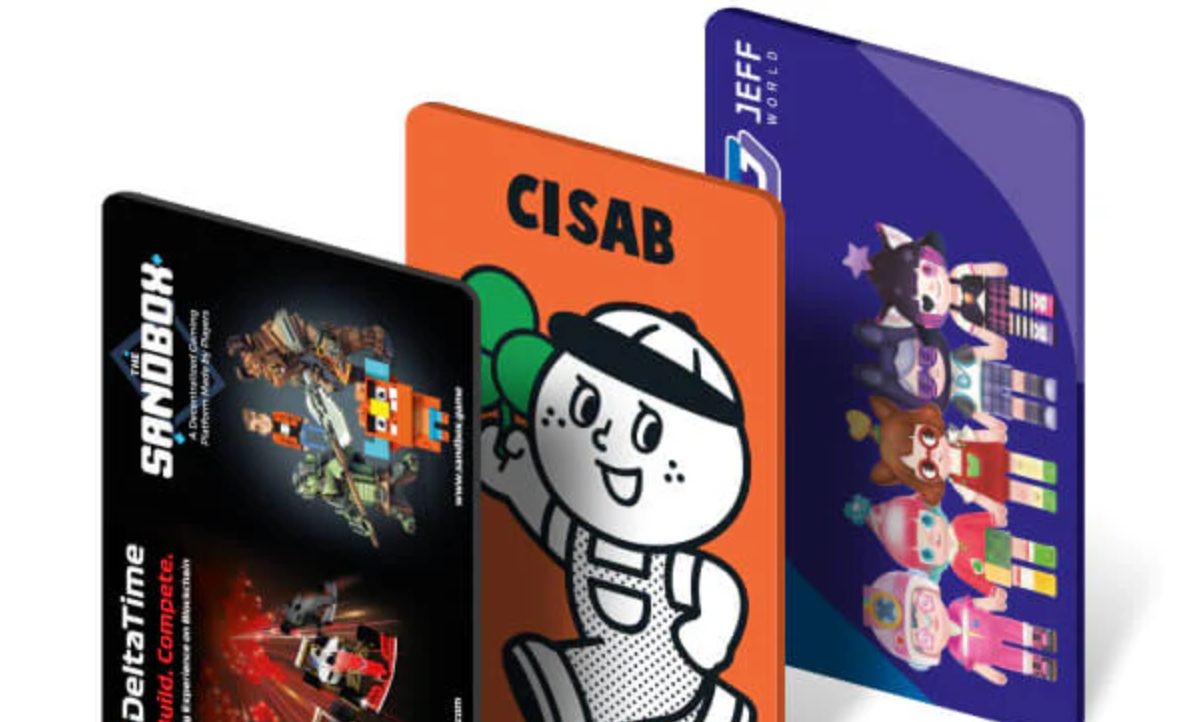
Unlike the D’CENT Biometric Wallet, the card wallet does not support the full range of 84 blockchains and 4,600 cryptocurrencies. Instead, it focuses on Ethereum Virtual Machine (EVM) compatible networks, making it well-suited to decentralized finance (DeFi) on the go.
Simpler technology also allows a lower price point, making the D’CENT Card Wallet the lowest cost option in our D’CENT Wallet vs Trezor comparison.
Learn More About D’CENT Card Wallet
Trezor Hardware Wallet Specs and Features
Trezor was first to market with a hardware crypto wallet in 2014. Their wallets remain popular today, in large part because of Trezor’s approach to security and its commitment to open-source code. Trezor uses publicly viewable open-source software and firmware, except for the Secure Element chip included in the Trezor Safe 3 and Safe 5. This transparency removes the need to “trust” a wallet maker and has created loyal Trezor fans worldwide.
Trezor devices are made by SatoshiLabs, a Czech-based technology company focused on security, transparency, and privacy. The company currently offers three hardware wallets, all with a similar shape but distinct features. These include the flagship Trezor Safe 5, the mid-market Safe 3, and Trezor’s least-expensive but arguably most open-source device, the Trezor Model One.
Trezor’s hardware wallets come with two setup options: Bitcoin-only and Universal. The latter supports a wide range of popular networks, including Ethereum and popular Layer 2 networks, as well as Cardano, Solana, and Monero. Trezor describes coin chain support as “1000s of coins and tokens.”
Safe 5
Launched in 2024, the Trezor Safe 5 is the latest hardware wallet from Trezor. This sleek device boasts a color touchscreen with haptic feedback to confirm clicks. A 240×240 pixel (1.54 inch) screen protected by Gorilla Glass provides a modern take on Trezor’s trademark form factor.
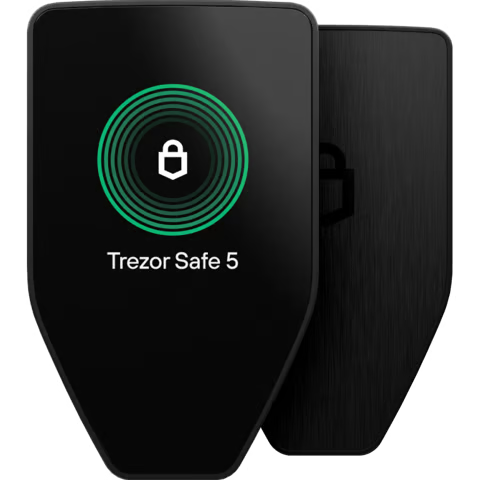
As Trezor’s premium device, the Safe 5 ships with several extra features, including a MicroSD slot that allows users to encrypt the device’s PIN with a secret held on the storage card. This optional security measure prevents access without both the device and the SD card.
The Safe 5 also uses a Secure Element chip to protect the wallet’s private keys. A 20-word SLIP39 seed phrase enables recovery in the event of lost or damaged devices. Trezor’s 20-word seed phrase, a divergence from the 12 or 24-word phrases commonly used, also allows better integration with Trezor’s Multi-share backup. This seed phrase backup method is based on Shamir’s Secret Sharing (PDF), a time-tested way of protecting data by splitting it into encrypted shares.
Trezor’s Safe 5 connects via USB-C, limiting its use for authorizing transactions to desktops and mobile devices running Android with a USB-C port.
Safe 3
The Trezor Safe 3 finds a middle ground between features and affordability. Typically priced at under $80, the Safe 3 incorporates many of the security features found in the Safe 5 but skips some of the extras, including the haptic color touchscreen. Instead, the device features a smaller 128×64 pixel (0.96″) monochromatic screen and uses a simpler two-button interface.
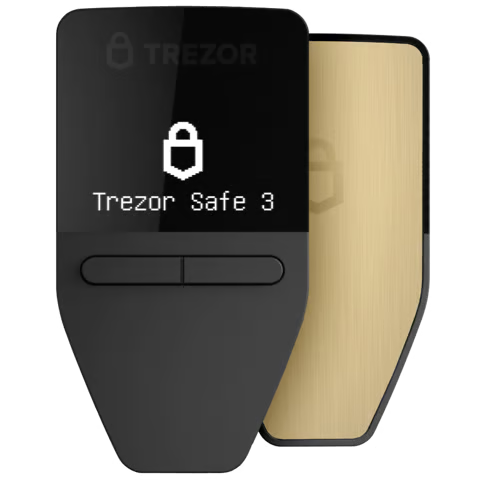
Released in 2023, the Safe 3 provides a modern yet affordable alternative to the Model One, which was first introduced in 2014.
Like the Safe 5, the Safe 3 uses an EAL6+ certified Secure Element chip and Trezor’s new SLIP39 seed phrase standard. However, both wallets also support 12 and 24-word seed phrases, allowing a clean upgrade path for users buying a newer device.
Similar to the Safe 5, the Safe 3 also supports on-device password entry. However, the more affordable Safe 3 forgoes the MicroSD card encryption, instead storing the password on the SE chip.
USB-C support allows connection to Trezor Suite (desktop/web) and Android mobile devices with a USB port using Trezor Suite Lite.
Model One
Launched in 2014 as the world’s first hardware wallet, the Trezor Model One remains popular today due to its decade-plus track record, 100% open-source software and firmware, and low cost. Trezor Model One vs D’CENT Card Wallet provides a good price comparison, with the Model One priced at $49 and D’CENT’s Card Wallet priced at $40.
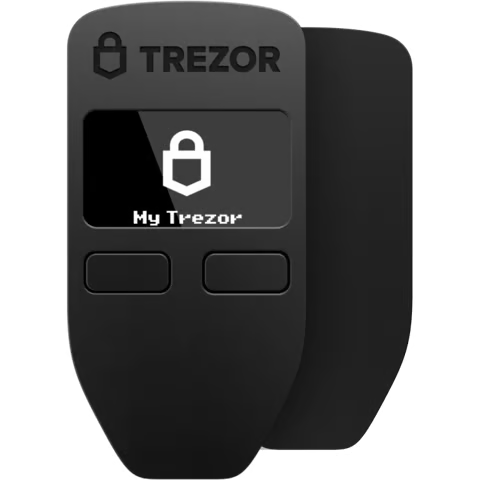
This older model does not use an SE chip, nor does it support Trezor’s new SLIP39 seed phrase standard. Connectivity can also be a challenge due to a lack of USB-C support. Connecting to a USB-C Android device requires an additional data-enabled cable.
Despite showing its age, the Model One offers similar functionality to the Safe 3, with a familiar 2-button design, and both devices share the same screen. As an older model, the cable uses a micro-USB connector paired with a USB-A to connect to a computer.
Similar to other Trezor models, the Model One supports a “passphrase,” which is a 25th word for the seed phrase that enables hidden wallets.
D’CENT vs Trezor: Supported Cryptocurrencies
To compare supported cryptocurrencies, we’ll start with Trezor vs D’CENT Biometric because the biometric wallet supports more chains than D’CENT’s card wallet. Notably, the D’CENT mobile wallet supports the same breadth of cryptocurrencies as the biometric wallet and can act as a standalone hot wallet.
- D’CENT supports more than 4,600 coins and tokens across 84 blockchains.
- Trezor hardware wallets support “1000s of coins and tokens,” with a searchable list.
Expect both Trezor wallets and D’CENT’s biometric wallets to support many of today’s leading blockchains. However, we did find some notable gaps. For example, Trezor does not yet support Sui or Aptos. D’CENT also omits these newer chains.
Both wallet brands support several popular chains, including Bitcoin, Ethereum (and several Layer 2 networks), Solana, XRP, and Cardano.
However, as an older model, the Trezor Model One does not support Solana, Cardano, or XRP. Trezor also supports several privacy coins, including Monero. Bitcoin remains the largest cryptocurrency by market capitalization, followed by Ethereum, with both D’CENT and Trezor providing excellent support for each.
This also means that they support non-fungible tokens (NFTs) on Ethereum and other supported networks. However, browsing NFTs on companion apps varies, depending on the device used. D’CENT can display NFTs on its mobile app (there is no desktop app). Trezor can display NFTs on its Trezor Suite desktop app, but does not display NFTs on mobile devices.
D’CENT’s card wallet stands apart from the other options because of its EVM-chain focus. Expect broad token support, albeit limited to a smaller list of chains such as Ethereum, BNB Smart Chain, and Polygon.
Web3 & dApp Support
Both D’CENT and Trezor support Web3’s decentralized applications (dApps), although again, the platforms differ. D’CENT offers Web3 access on mobile devices, whereas this functionality is limited to desktop use on Trezor.
Let’s start with a quick D’CENT Wallet vs Trezor comparison for mobile.
- D’CENT supports connection to dApps via WalletConnect, a well-supported standard that works with many popular decentralized applications. The D’CENT mobile wallet also provides a dApp explorer that features a selection of trusted Web3 applications. This allows users to connect to OpenSea, Uniswap, and other protocols using wallets secured by the mobile wallet, biometric wallet, or card wallet using a simple selector.
- Trezor provides mobile support with Trezor Suite Lite. The Lite moniker is apt, as there is no mobile support for WalletConnect, so dApps aren’t supported. In essence, the mobile app allows users to view balances and generate receiving addresses. On Android with USB-C support, users can also send crypto to other wallet addresses.
However, Trezor shines for desktop use, with both a desktop app and a web app, both of which support WalletConnect. Trezor also enjoys benefits from wider integration with third-party hot wallets, including MetMask, Rabby, Exodus, Brave, Electrum, and Sparrow. The desktop app also supports staking for select cryptocurrencies, including Ethereum.
Comparing Wallet Fees
One downside to hardware wallets centers on their initial cost. However, the device cost may be only part of the story. Like many competing wallets, both D’CENT and Trezor offer in-app crypto purchases (desktop only on Trezor), which can lead to additional fees. Let’s compare Trezor hardware wallet vs D’CENT wallet costs.
Initial Purchase price
Both wallet makers offer premium models and low-cost options. Premium and mid-tier devices include the D’CENT Biometric Wallet. Trezor Safe 5 and Trezor Safe 3.
- D’CENT Biometric Wallet (Premium): $159
- Trezor Safe 5 (Premium): $169
- Trezor Safe 3 (Mid-Tier): $79
Trezor Safe 5 vs D’CENT Biometric Wallet offers a similar price point comparison within $10. Both devices feature a Secure Element chip for enhanced security.
Both makers also offer lower-cost options with pared-down feature sets. For example, D’CENT Card Wallet vs Trezor Model One offers a similar price point, although the two price leaders approach security differently.
The D’CENT Card Wallet uses NFC paired with SE for signing and storage, whereas the Trezor uses a USB cable for desktop connections and clickable buttons to approve transactions.
- D’CENT Card Wallet (Low-Cost): $40
- Trezor Model One (Low-Cost): $49
Wallet Transaction Fees
Crypto networks charge fees for transactions or interaction with dApps. These fees are charged by the network itself rather than the wallet, so Trezor vs D’CENT fees won’t differ, assuming the same network traffic conditions and gas token prices.
However, users may see a difference in cost when purchasing crypto through the companion apps. Again, both Trezor and D’CENT use a similar group of third-party providers, so fees and spreads should be similar. However, we did see some cost differences between the apps, even when using the same provider.
The table below illustrates the difference in the amount of Bitcoin (BTC) received with a $300 purchase.
| Compare | D’CENT | Trezor | Market Price |
| BTC Amount Received | 0.00244525 | 0.00249737 | 0.0026 |
| 1 BTC Price After Fees | $122,686.84 | $120,126.37 | $117,332 |
Third-party fees may include debit or credit card processing fees, payment provider fees, and a spread, which is a markup used to lock in a price quote. These fees are common to all crypto wallets that offer in-app purchases.
Neither Trezor nor D’CENT charges any ongoing fees to use their respective wallets.
D’CENT Wallet vs Trezor Usage
Both Trezor and D’CENT offer a relatively straightforward setup process, although the process can seem lengthy for those not accustomed to using crypto wallets. Trezor’s touchscreen Safe 5 makes setup seem a bit more intuitive with its bright color display and haptic feedback. However, the buttons on the other non-touchscreen Trezor models and the D’CENT Biometric Wallet provide a responsive, clicky feel.
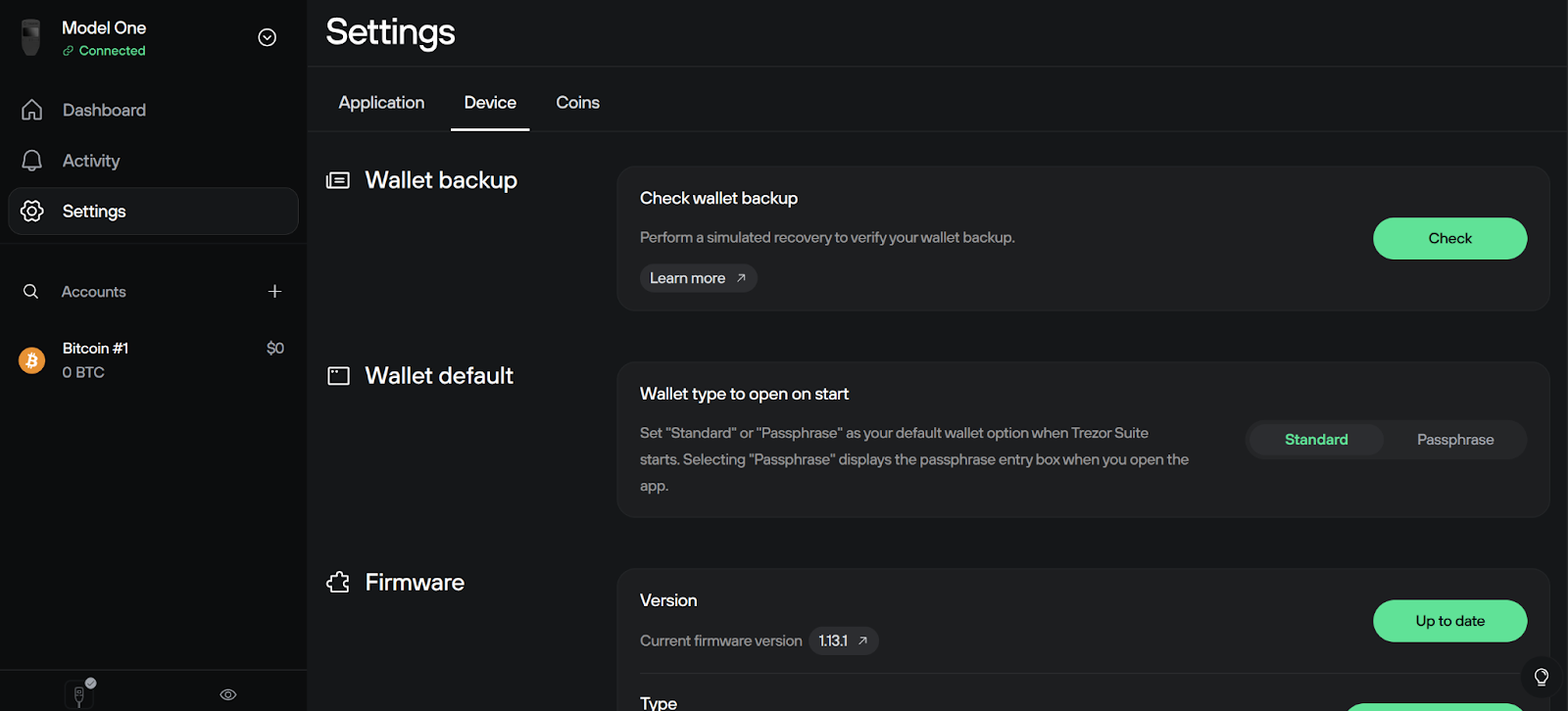
Platforms for setup differ, however, with the D’CENT wallets using the D’CENT mobile app and Trezor devices using either the Trezor Suite desktop web app or the Trezor Suite software app (Windows, Mac, Linux). We found the Trezor setup more intuitive while also offering features available for tinkerers.
Setting up the D’CENT required entering settings and switching wallet mode to Biometric Wallet or Card Wallet.
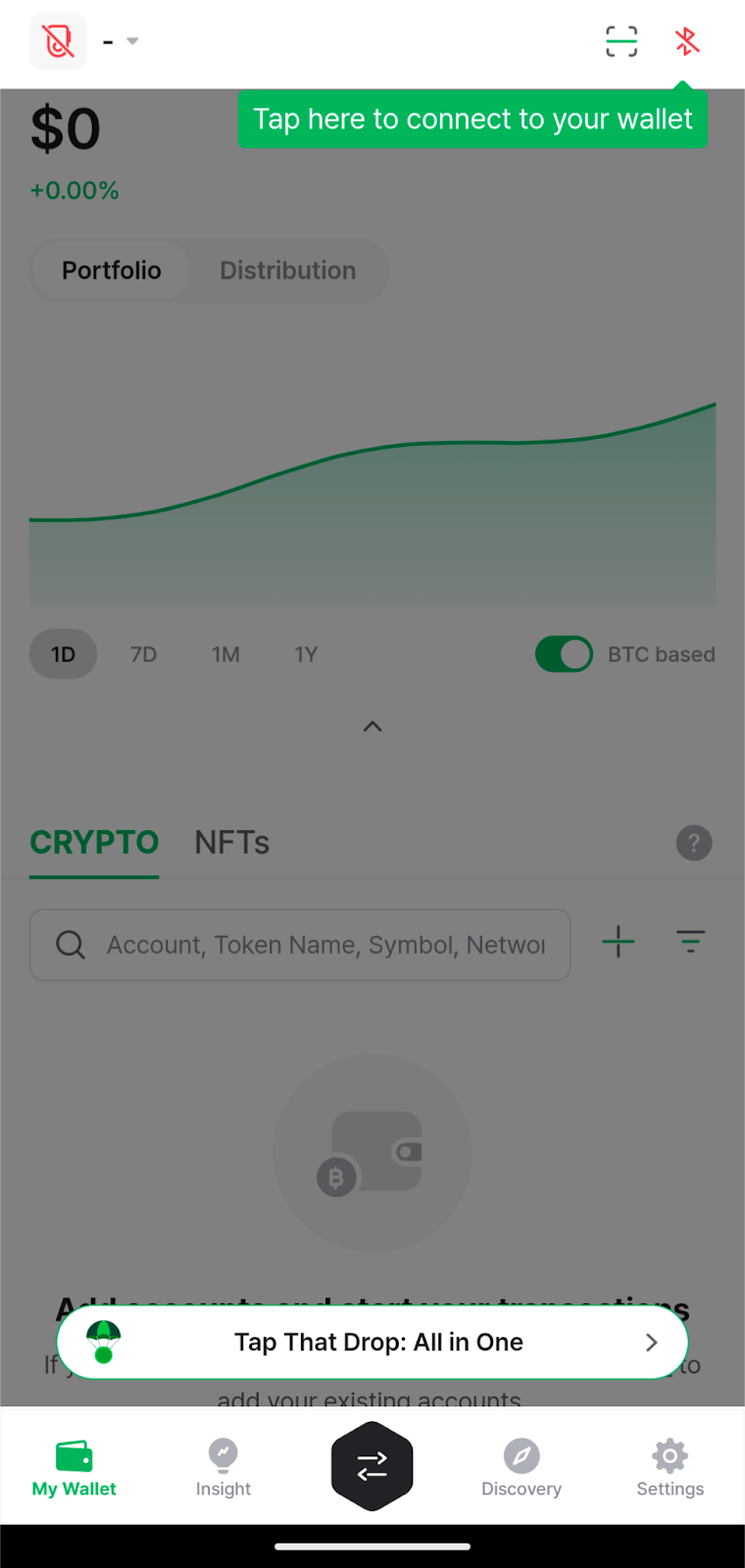
Beginners can use both devices, although a bit of patience helps. Trezor, in particular, offers an extensive help section.
However, Trezor offers more features that might appeal to advanced users, such as Multi-share backup and Bitcoin-only wallets that integrate with popular software wallets like Sparrow. Both D’CENT and Trezor wallets support optional “25th-word” passphrase wallets for security.
Mobile App Features
D’CENT Wallet acts as a standalone wallet and also serves as a connection for the biometric and card wallets. As such, it brings several competitive features found in other wallet applications, including swaps and cross-chain swaps.
The wallet also supports staking for select cryptocurrencies, while WalletConnect support allows users to explore other opportunities in DeFi. Users can also buy cryptocurrency from within the mobile app without using a crypto exchange. The app supports Android and iOS mobile devices.
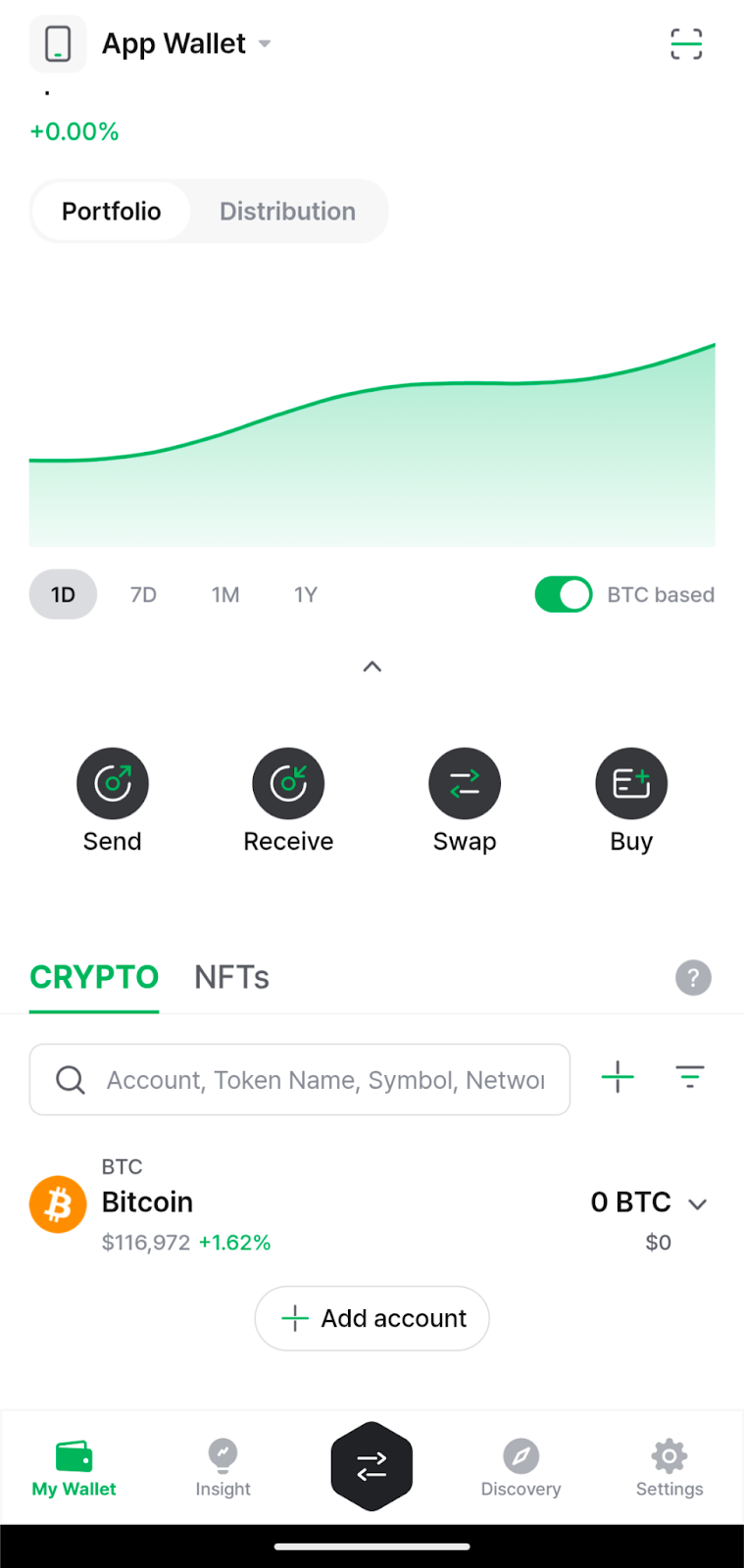
By contrast, Trezor Suite Lite provides limited functionality. On iOS, the app simply serves as a watch-only wallet for monitoring balances and transactions.
On Android with USB-C support, the app can generate receiving addresses and can pair with USB-C Trezor devices to authorize sending crypto to another wallet address. However, without WalletConnect support, actions are limited to sending, receiving, and monitoring.
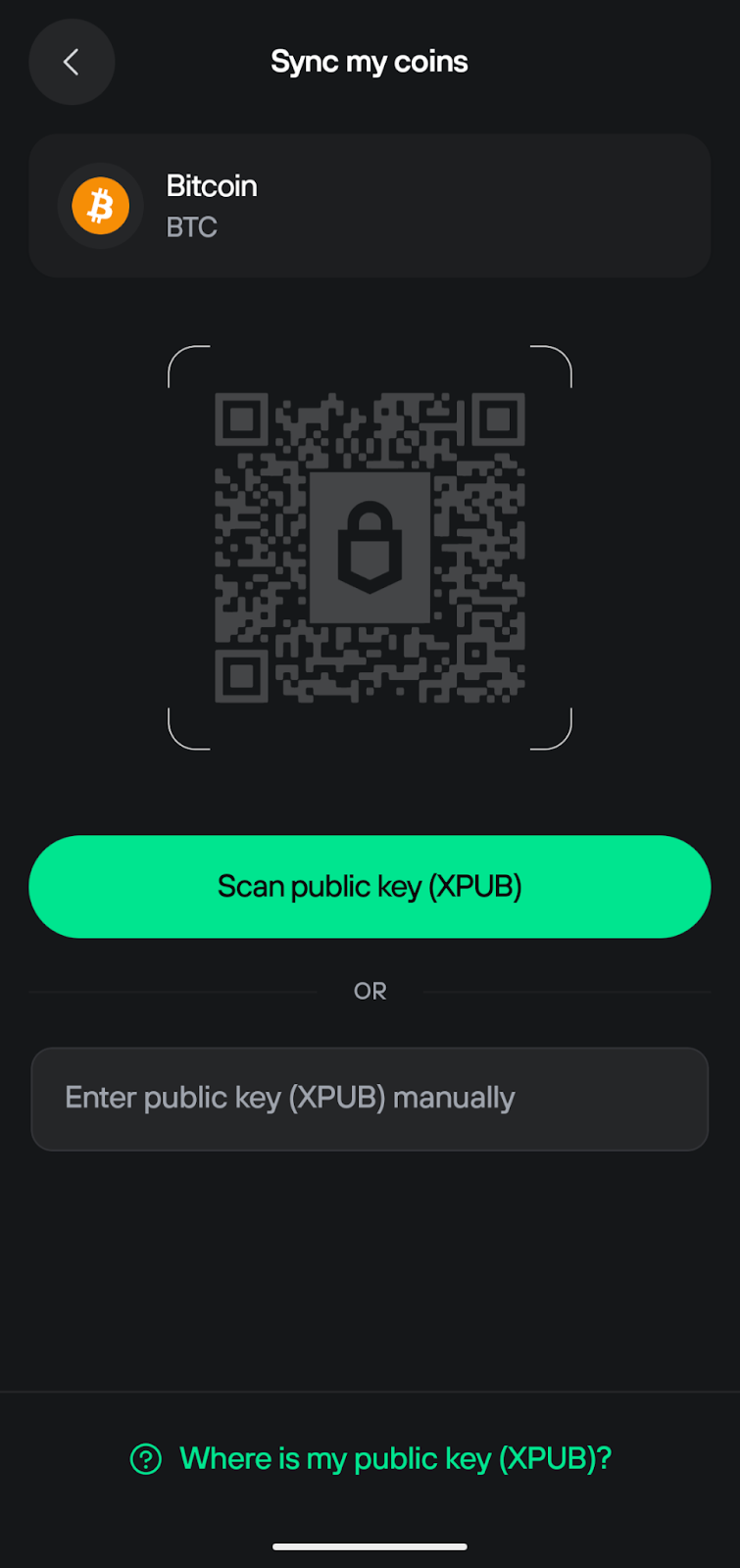
Comparing D’CENT Wallet vs Trezor for mobile use, D’CENT comes out way ahead for usability.
Comparing Wallet Features
Although D’CENT shares some similarities with Trezor wallets, each takes its own approach to safety and usability.
| Compare | D’CENT Wallet | Trezor |
| Biometric Login | Mobile app and Biometric Wallet | Mobile app only |
| Passphrase | Yes, but only on the Biometric Wallet. | Yes, passphrase is supported on all three Trezor devices. |
| Multi-Device Support | Yes, both wallets can be used with multiple devices. | Yes, all Trezors can be used with multiple devices. |
| Firmware Updates | Notifications in the mobile app prompt the user if a firmware update is available. | Notifications in the Trezor Suite desktop app or web app prompt the user if a firmware update is available. Users can also reset the firmware. |
| NFT Marketplace | No, users can find NFT marketplaces in the Discovery tab on mobile. | No included gallery or marketplace. WalletConnect enables external NFT apps on desktop. |
D’CENT’s mobile-first approach shows clearly in its enhanced functionality for mobile users, and its biometric sensor makes it a standout in a crowded marketplace.
Trezor relies on a combination of time-tested tech and newer technologies like Secure Element chips, but the company is best known for its transparency in using open-source code wherever possible for both software and firmware.
Notably, the Secure Element chip used in the Safe 3 and Safe 5 cannot be open-sourced, but Trezor open-sources other parts of its firmware, and the Trezor One is 100% open-source.
D’CENT vs Trezor: Customer Service & Support
Both D’CENT and Trezor rely heavily on help pages and FAQs to guide users through setup and usage questions. Neither wallet maker offers phone support. The table below compares D’CENT vs Trezor support options.
| Customer Support | D’CENT | Trezor |
| Live Chat | No | Chatbot only |
| Phone Support | No | No |
| Ticket System | Yes | Yes |
| Hours & Response Time | 10 a.m. to 5:30 p.m. KST weekdays | Hours unlisted, expect 2-3 day response times |
| Community Forum | No official forum | forum.trezor.io |
User reviews on Trustpilot span a wide range of praise and complaints, with Trezor earning an extremely high 4.5 out of 5-star rating. By comparison, D’CENT fared less well, with users giving the company 2.5 out of 5 stars. User complaints included Bluetooth connectivity troubles, in-app crypto purchases, and the lack of desktop support.
Security Certifications
The 2025 Bybit hack, which resulted in the theft of $1.5 billion in cryptocurrency, underscored the importance of non-custodial crypto wallets. Hardware wallets like D’CENT and Trezor represent the safest type of self-custody for crypto assets, allowing users to control their private keys with offline storage.
Both the D’CENT Biometric Wallet and the Card Wallet use a CC EAL5+ certified SE chip. The SE chip used in the Trezor Safe 3 and Safe 5 earns a CC EAL6+ certification. In short, all four wallets using an SE chip offer a highly secure design.
However, Trezor’s SE chips have undergone a more rigorous testing process. Both Trezor devices were released after the D’CENT wallets (2018 and 2022), which may help explain the higher ratings for Trezor.
Trezor is the standout in code transparency as well. Open-source code for the Trezor Suite and device firmware invites community audits. SatoshiLabs also supports a bug bounty program and discloses past security issues.

Both D’CENT and Trezor offer similar passphrase (hidden wallet) options, although this option is not supported on the D’CENT Card Wallet. Device recovery options vary based on the device, however.
- The D’CENT Biometric Wallet uses a 24-word recovery phrase for backups, which can be used to restore a wallet to a new device or the D’CENT mobile wallet.
- The D’CENT Card Wallet uses a secondary card as a backup.
- All Trezor devices can be restored with an existing 12 or 24-word recovery phrase. The Safe 3 and Safe 5 also support the new SLIP39 20-word recovery phrase format.
- Trezor supports a “self-destruct” code that can erase all the data stored on the device.
D’CENT Wallet vs Trezor – Which is Best?
In our comparison of D’CENT Wallet vs Trezor, each of these options emerges as a better fit for specific use cases. If you are hungry for more, you can also check out our D’CENT vs Ledger Nano X comparison, or our more in-depth D’CENT wallets review.
Many seasoned crypto users have migrated to mobile devices, and many new users begin their journey on a smartphone. D’CENT Wallet shines in this arena. A mobile-first strategy brings a full-featured mobile app with cross-chain swaps, DEX support, and WalletConnect, which allows users to explore the Web3 world beyond the wallet.
On the other hand, Trezor devices remain true to the ethos of open-source security. Trezor’s commitment to transparency doesn’t require trust in a company or development team. Users can verify the code or find information from independent code analysis. However, the trade-off to Trezor’s security stance, which does not include Bluetooth or NFC, means that use is limited primarily to desktops.
Trezor fits well for advanced traders who primarily use desktop browsers for trading, liquidity pool management, or other DeFi activities. The Safe 3 and Safe 5 stand out as better choices due to their wider blockchain coverage, including Solana, Cardano, and XRP, which the Model One doesn’t support.
D’CENT offers a better alternative for mobile users, although D’CENT’s two wallets differ considerably in form factor, chain coverage, and cost. The D’CENT Biometric Wallet offers the most versatility with support for 84 blockchains, while also providing CC EAL5+ rated security. The biometric reader makes D’CENT easy to use, and an ample OLED screen ensures users know what they are signing.
FAQs
Which wallet is better for mobile users, D’CENT or Trezor?
How does D’CENT’s security compare to Trezor’s?
Is a Trezor Safe 3 more secure than a Trezor Model One?
Which is cheaper, the D’CENT Card Wallet or the Trezor?
Can I use a Trezor device for dApps on my phone?
References
- Trezor (github.io)
- How to Share a Secret (mit.edu)
- Biometric Wallet (dcentwallet.com)
- Supported Coins & Tokens (trezor.io)
- Support (trezor.io)
- Trezor (trustpilot.com)
- D’CENT wallets (trustpilot.com)
- North Korea Responsible for $1.5 Billion Bybit Hack (ic3.gov)
- How to report a security issue (trezor.io)
- Past Security Issues (github.com)
2M+
250+
8
70





 in numbers

About Cryptonews
Our goal is to offer a comprehensive and objective perspective on the cryptocurrency market, enabling our readers to make informed decisions in this ever-changing landscape.
Our editorial team of more than 70 crypto professionals works to maintain the highest standards of journalism and ethics. We follow strict editorial guidelines to ensure the integrity and credibility of our content.
Whether you’re looking for breaking news, expert opinions, or market insights, Cryptonews has been your go-to destination for everything cryptocurrency since 2017.
