


Trezor Safe 7 Review: New Features Tested First-Hand
- Built with quantum security in mind
- Larger touchscreen for increased ease of use
- Full iOS support
On 22 October, Trezor announced its latest device, the Trezor Safe 7, during the Prague conference. Cryptonews has had a chance to test out the product among the very first users. These are our conclusions. Satoshi Labs was formed back in 2012. It initially produced the Trezor prototype, and then came out with the first hardware crypto wallet in 2014.
Four years after Trezor One, Satoshi Labs came back with what would become its most popular device, the Trezor Model T. This was followed by the beginner-friendly Trezor Safe 3 in 2023, the Trezor Safe 5 in 2024, and finally the Trezor Safe 7 in 2025.
You can read a thorough and up-to-date review of all Trezor wallets here. In this article, we will focus on the latest device, its novel features, their usefulness and potential issues, security, trading features, as well as integration with Trezor Suite, dapps, and third-party apps.
Internationally, the shipping of this latest wallet began on 23 November, while shipments in the US got delayed due to the government shutdown, as the devices could not receive the FCC certification approval.
Charcoal Black and Bitcoin Orange devices have shipped at the end of November, also becoming available for direct purchase. Obsidian Green devices are scheduled to ship on December 5, 2025.
Buyers receive a magnetic wireless charger for free. The charger works with Safe 7 only.
Trezor Safe 7 at a Glance
- Charcoal Black, Obsidian Green, and Bitcoin Orange (BTC only wallet available)
- Price: EUR 249 / USD 249
- 4 mm (2.97 in) x 44.5 mm (1.75 in) x 8.3 mm (0.33 in) x 45 g (1.6 oz)
- 62% bigger than Trezor Safe 5
- Full colour touchscreen
- 5″ high-res colour display, 520 x 380 pixels
- LiFePO₄ battery, 3.2V, 330mAh with built-in overheating protection
- STM32U5G ARM Cortex M33 processor (160MHz)
- Wireless connectivity with mobile, desktop, and tablet + wireless charging
- Bluetooth connectivity
- 12-, 20- & 24-word wallet backup
- Quantum-ready architecture
- Anodised aluminium unibody, dust- and water-resistant
- Gorilla® Glass 3 display, reinforced glass backplate.
Safe 7 Deeper Look & Security Features
The box includes the device, USB-C → USB-C cable, 2×20-word wallet backup cards, and the start-up and product safety guides. It also comes with stickers.
This wallet is compatible with Android, Mac, Windows, and Linux. However, one big change is the expanded iOS compatibility, so it can be used on iOS devices, which is certainly welcomed.
We also appreciate its large, full-colour touchscreen. The difference in overall size between earlier models and this one is significant.
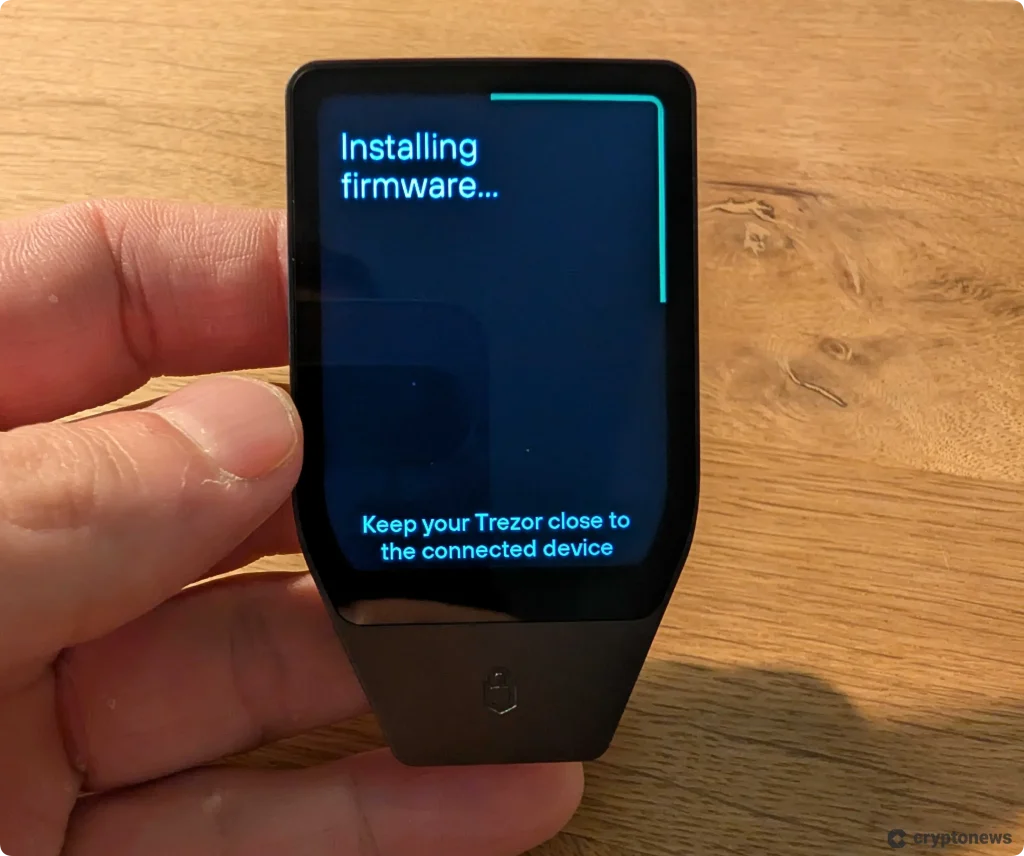
The most important point is security, which we looked into as soon as the product was announced. Trezor’s website promises that its users own 100% of their coins, the data is entirely anonymous, and the wallet is completely safe offline.
Users must physically confirm sensitive actions on the touchscreen to eliminate mistakes.
As of June 2024, Trezor utilises Shamir Backup as the default wallet backup type. It’s a 20-word recovery method based on the SLIP39 standard.
Private keys are “completely isolated from the host system,” the team claims.
Moreover, Safe 7 includes the new TROPIC01 chip, developed by a SatoshiLabs company, Tropic Square, which accompanies the NDA-free EAL6+ secondary secure element. The dual-secure-chip architecture is set to provide cryptographic and physical protection.
Per the team, the tamper sensors used for the device are independent of each other. Each sensor is responsible for shutting down one chip in case of an attack. Reportedly, shutting down one chip stops the entire attack.
To compromise the seeds, attackers would need to compromise both chips along with the main chip.
https://x.com/Trezor/status/1989351134088311121
Supported Coins
Trezor Suite Lite is now called just Trezor Suite. It can be installed across desktop, mobile, and tablet devices. There is now a wireless connection available on the desktop version.
The Trezor Suite app supplements the wallet as its other half. We’ve found it intuitive, adjustable, and easy to use.
Users can create multiple wallets and track their portfolios. Additionally, they can use the app with multiple devices, which is certainly useful.
Trezor wallets support thousands of coins for trading, sending, receiving, and staking. All coins we used for testing purposes were supported at the time of writing.
Some coins can be managed with the Trezor Suite app and third-party wallets, and others only with third-party wallets. This list provides details.
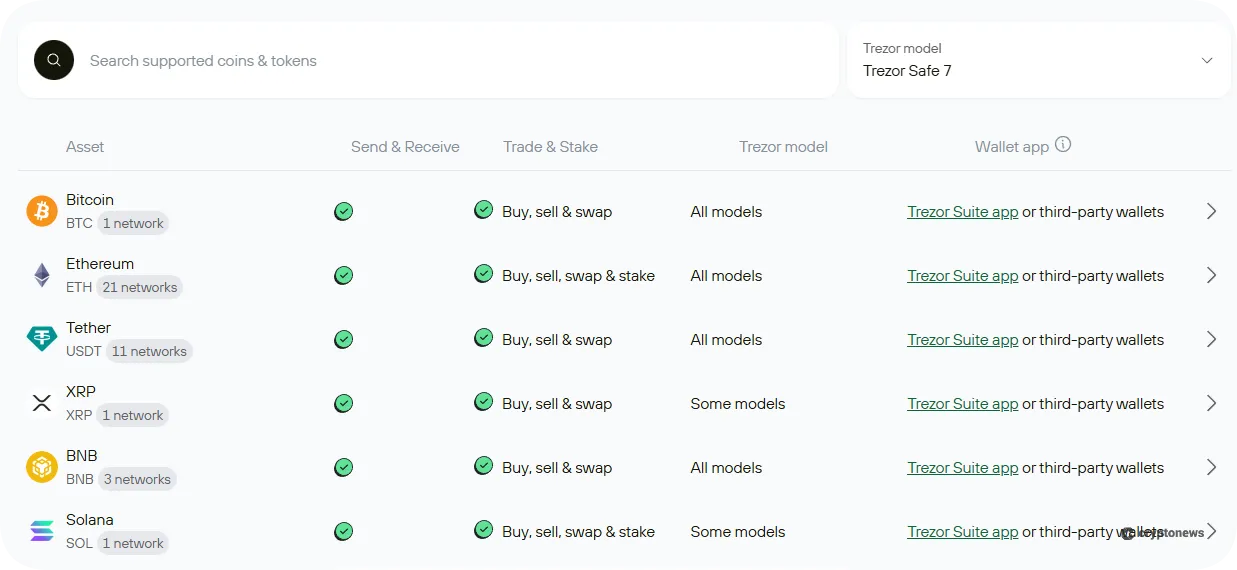
Per the FAQ, all third-party wallets integrated so far do not support Trezor Safe 7 from day 1, but the vast majority do.
Notably, non-fungible tokens (NFTs) are supported via third-party wallets. Some users, however, may see this as a disadvantage. We didn’t have issues when connecting with and transferring via MetaMask specifically.
However, it’s important to say that we’d had some steps in this section already completed for other purposes (such as setting up a MetaMask wallet).
Nonetheless, we found step-by-step instructions on Trezor’s website and tested those out as well, working as beginners would. Though it does require additional steps and time, we’ve encountered no issues.
Novel Features
The company has announced significant additions to the Safe 7 device during the Prague conference. Below we list major novelties, but also question if some of them are really (yet) necessary or even safe.
Bluetooth
The wallet supports Bluetooth, with no physical button for disabling it. We could turn it off through the Trezor Safe 7 menu.
The communication is secured via an open-source layer, Trezor Host Protocol (THP). It’s supposed to ensure encrypted, authenticated, and private connections across mobile, desktop, and tablet, according to its makers.
However, Bluetooth has well-known security issues. Asked about it, Tomáš Sušánka, Chief Technology Officer at Trezor, admitted that this element has indeed been problematic.
But he argues that it is nonetheless useful and can be made safer. Trezor has accomplished that by adding THP as an additional layer of protection. This has resulted in “double pairing,” which eliminates the possibility of a random device using your Trezor, he said.
So, “the biggest feature is that, in case Bluetooth gets compromised, we are fine, because we have Trezor’s protocol that ensures everything is okay,” the CTO claims.
Additionally, the wallet is a wireless, battery device. Therefore, the team had to take power consumption into consideration, and Bluetooth is perfect for this, they argue.
TROPIC01
The wallet uses the TROPIC01 chip to verify the PIN and the device’s authenticity, as well as for wallet creation.
The team describes TROPIC01 as “the world’s first transparent and auditable secure element.” Anyone can audit it, as long as they know how to, of course.
It allows the community to inspect, verify, and validate the design and the asset-protecting features.
Trezor Safe 7 combines the TROPIC01 chip with an additional NDA-free EAL6+ secure element.
Quantum-Ready Architecture
One of the main features announced during the conference is that Trezor Safe 7 is “designed with the future in mind.” The device uses “post-quantum signatures” to make it resistant to quantum computers.
More precisely, it has “quantum-ready architecture,” meaning it will support quantum-secure updates once networks upgrade to post-quantum security in the future. Therefore, they claim, users will not need to get another wallet – only an update will be necessary.
However, we can’t say when this may happen, and if the wallet will remain fully functional by that point. Trezor emphasises their new product’s longevity, though.
Wondering if this is a marketing strategy, we asked the CTO about the need for this feature at the moment. “The blockchains are not ready for the quantum threat, but [we asked] is there something we at Trezor can do already? And that’s exactly what we did,” Sušánka told Cryptonews. “The consequences are so huge that I think it’s time to slowly implement this.”
Battery
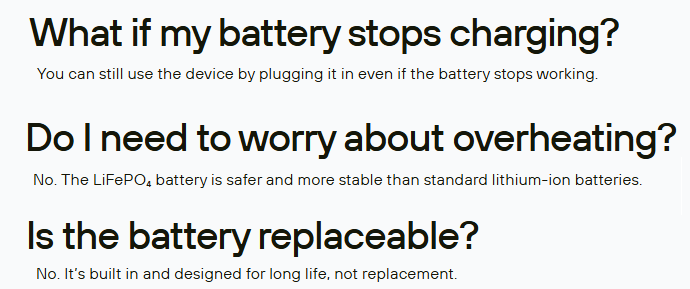
Unlike earlier models, Trezor Safe 7 comes with a LiFePO₄ 3.2V, 330mAh battery. Per the FAQ, it delivers four times “more charging cycles” than standard lithium batteries, as the discharge is slower.
It includes a built-in overheating protection, which is a plus. But this also makes this latest model pricier than its predecessors.
The battery can’t be replaced. This comes down to personal preference, but we’d generally like devices that give you the option to replace batteries (if they are needed in the first place) for convenience and safety, though there are arguments that smaller, built-in batteries are actually both more convenient and safer.
Others argue that adding a battery to Trezor wallets is unnecessary and a potential safety threat.
Batteries in general are a rabbit hole of their own, which we will not dive into now. The point is that some may see it as a disadvantage for the wallet. Keep in mind that major competitors, primarily Ledger, come with unreplaceable batteries as well.
“The idea behind this [battery] was really the longevity to make sure that the battery can work even if you use [the wallet] sporadically,” Sušánka said.
Magnetic Wireless Charger
Trezor says it will provide Safe 7 buyers with a magnetic wireless charger. Importantly, it only works with this latest device, including the BTC version. However, it will work with Qi2-enabled devices.
Features:
- Aluminium body
- Magnetic alignment to secure the device
- Weighted non-slip pad
- Charges any Qi2-enabled device up to 15W
- Input: USB-C (9V/3A, 5V/3A), USB-C cable not included.
Did We Experience Any Troubles?
Trezor has warned us that the device we’ve received is an early release. Therefore, some issues are possible as the team works on improving the product. We appreciate the transparency.
The possible issues, per the company, are related to updating the suite, installation, or Bluetooth pairing.
They also provided a troubleshooting guide for known issues, with fixes for each.
That said, we haven’t observed any issues so far, but we will continue testing the device and will update if something comes up.
It would be interesting to see how easy it is to utilise the provided fixes to solve an issue.
Trezor Safe 7 Pros & Cons
Pros
- Bluetooth support
- 62% bigger compared to Trezor Safe 5
- Added iOS support
- Open-source firmware
- Transparent and auditable secure element
- Supporting thousands of coins and tokens, as well as EVM-compatible networks
- Integration with third-party wallets
- Built-in THP, TROPIC01, Shamir Backup, PIN, and passphrase protection
- Enabled quantum security for future needs.
Cons
- High price
- A built-in battery, which can’t be replaced
- Many still find Bluetooth to be a security threat or an unnecessary feature
- We’re on the fence about the need for quantum security at this point (but recognise it could be advantageous in the future)
- Adding more features is not necessarily the best option – simpler can be better.
Why Choose a Hardware Wallet?
The answer is simple: you don’t ever truly own your coins unless your funds and your private keys are in your hands.
With a hardware wallet, a user’s private keys are held offline or in “cold” storage. This is what we mean by “self-custody.”
In the case of custodial or “hot” wallets offered by exchanges and other centralised entities, somebody else controls your money. And if somebody else controls it, how can it be yours?
Importantly, these entities are a common and sometimes easy target for hackers. In case of a breach, your data and/or funds are stolen and most likely lost forever.
Notably, hardware wallets can also be compromised, but most agree that they are by far the safest option currently available.
Trezor Safe 7 Review Conclusion: Who is It Best For?
After testing out the device, we find it both beginner- and veteran-friendly. However, we perhaps find it the most suitable for the HODLers among us. This is what its entire architecture is supposed to ensure: a secure, long-term bed for the sleeping coins.
This is not to say that you can’t use it every day for buying, selling, trading, or even staking. It supports over 1,000 coins and tokens, all ERC-20 tokens, and EVM-compatible networks. As for staking, it supports ETH, SOL, and ADA.
And speaking of security, the wallet has added THP, TROPIC01, and quantum security to the existing security features, which include security seals, Shamir Backup, PIN, and passphrase.
More experienced users may also take advantage of Tor support.
The accompanying Trezor Suite app’s interface is simple and easy to understand and navigate.
In conclusion: given its increased ease-of-use via wireless tech, as well as a high level of security – even without the “quantum-ready architecture” – this is an excellent hardware wallet option for crypto users at any level.
Do keep in mind that some potential issues may arise while the company is refining the device based on testing and feedback.
Moreover, we remain on the fence when it comes to the general industry trend of adding multiple, potentially unnecessary features, because we find that simpler is often safer. Nonetheless, we acknowledge that many users welcome these additions.
Visit Trezor

