


 Trezor Wallet Review
- Excellent security and recovery features
- Swap, sell, and buy crypto with Trezor Suite
- Open-source code
So, you’ve decided to give Trezor wallets a go, but you’re not sure which model to choose. We found ourselves in the same situation, which is why we decided to test all of Trezor’s wallet models. On that note, in this Trezor wallet review, we’ll talk about its popular Model One and Model T wallets as well as its newer Safe 3, Safe 5, and Safe 7 models. We’ll also discuss the main differences between the wallets and their advantages and disadvantages.
Our methodology included testing their security and trading features, interface, and integration with Trezor Suite and other third-party wallets and dApps. We also tested their durability and resistance to physical impacts. This in-depth approach helped us gain a detailed insight into the performance, security, and durability of each Trezor model.
Here’s all you need to know about Trezor wallets.
Our Take on Trezor Wallets
Trezor is the first hardware wallet to implement the BIP39 and BIP44 standards and an optional passphrase feature, making it one of the pioneers in the crypto world. Trezor is also recognized as one of the best open-source decentralized wallets.
You can choose between four wallet models – Trezor Model One, Trezor Model T, Trezor Safe 3, and Trezor Safe 5. All models support over 1,000 coins and tokens and are compatible with the Trezor Suite app. You can use the app to buy, sell, and swap crypto directly from the wallet. You’ll also get to stake ETH, SOL, and ADA.
Trezor wallets are ideal for security-oriented crypto traders because of their advanced security features, which include PIN and passphrase protection, address poisoning protection, and advanced multi-share backup.
Trezor Wallet Pros and Cons
Trezor wallets are known for their transparency and security. They use open-source firmware, which means anyone can audit their code. These hardware wallets also use advanced backup and recovery options, and they come with built-in PIN and passphrase protection.
You can use the Trezor Suite app to buy, sell, and swap 1,000+ coins and tokens directly from your wallet and interact with dApps. You can also connect Trezor with software wallets, like MetaMask, OKX, and Exodus.
The Trezor Suite companion app is available as a desktop and mobile application and a browser extension. However, the iOS app is limited to a view-only mode, so you won’t be able to use it to conduct trades but only to monitor your balances.
Trezor wallets are relatively cheap compared to other hardware wallets. The cheapest model costs $49, while the most expensive model costs $169. Keep in mind that the cheapest model, Trezor Model One, comes with certain limitations. For example, it doesn’t support XRP, SOL, ADA, and XMR, and it doesn’t use an EAL6+ certified Secure Element chip. What’s more, if you’re an active trader, you may find Trezor wallets limiting, as you’ll only be able to create 10 accounts per cryptocurrency.
Pros
- Open-source firmware
- All models support 1,000+ coins and tokens, all ERC-20 tokens, and EVM-compatible networks
- Can be integrated with multiple software wallets, including MetaMask, OKX, and Exodus
- Built-in PIN and passphrase protection
- Built‑in buy/sell/swap feature
- Advanced backup and recovery options
- Budget-friendly
Cons
- Trezor Model One doesn’t support XRP, SOL, ADA, and XMR
- You can only create 10 accounts per cryptocurrency
- Trezor wallets lack native iOS support (Trezor Suite app is available in view-only mode), except for Safe 7
What is Trezor Wallet?
Trezor is a hardware wallet designed and marketed by SatoshiLabs in 2013. Its founders, Marek “Slush” Palatinus and Pavol “Stick” Rusnák, wanted to create a wallet that would store private keys offline, which led to the creation of the Trezor Model One – the first-ever hardware wallet. Trezor was also among the first wallet providers to implement the BIP39 and BIP44 standards, as well as an optional passphrase feature.
Trezor is known as one of the most reputable hardware wallet providers that has never experienced a remote hack, even though its official X account was hacked in 2024. The attackers published unauthorized and misleading posts asking Trezor users to send their funds to an unauthorized Solana wallet address. However, the incident didn’t compromise the security of Trezor’s wallets or the Trezor Suite app.
Trezor Wallet Models
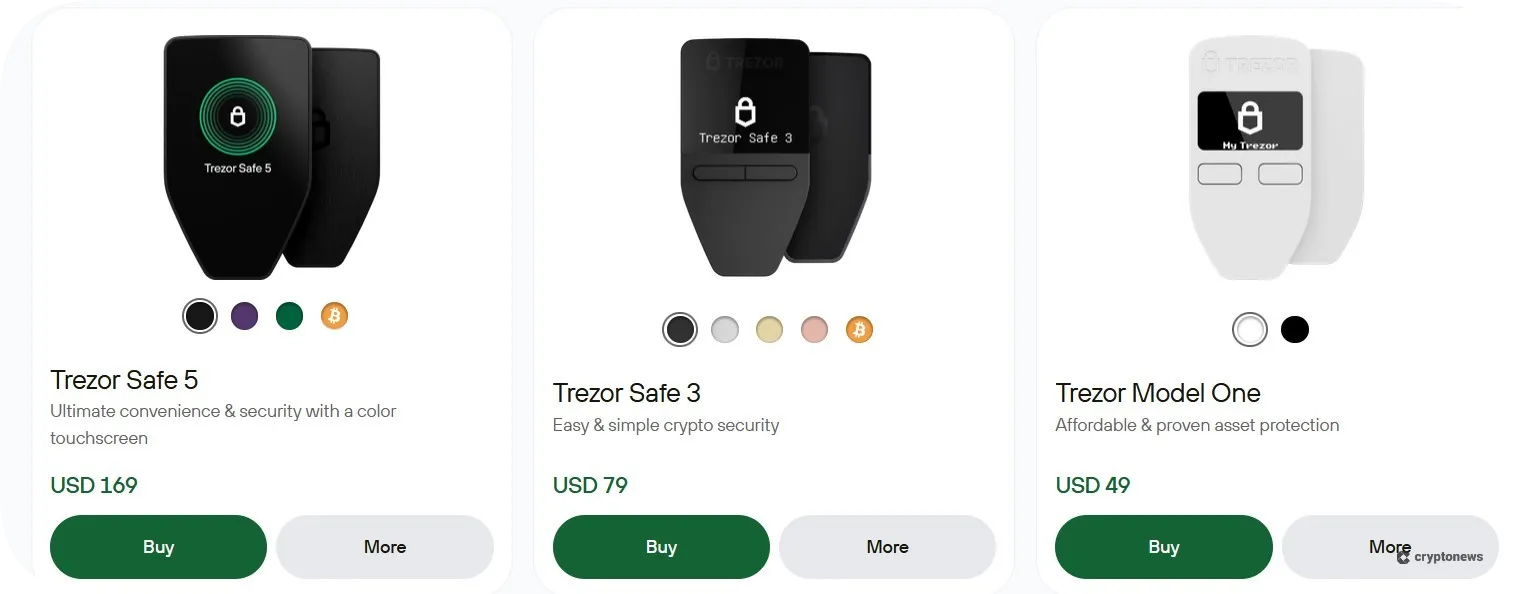
Trezor offers five different models, each excelling in different areas. In this segment of our Trezor hardware wallet review, we’ll discuss each of them separately:
Trezor Model One
Trezor Model One is a non-custodial hardware wallet that supports over 1,000 coins and tokens. However, this model lacks support for XRP, SOL, ADA, and XMR, which is a bit of a letdown. On the other hand, we liked its design, which features a 0.96″ monochrome OLED display and a two-button pad, making it extremely easy to use. The wallet is secured by PIN protection, and you can also enable an optional passphrase for an extra layer of security.
This device is designed for longevity. It uses a durable PC/ABS thermoplastic casing, while its buttons are designed to endure 200,000+ clicks.
Trezor Model T
Trezor Model T was the first hardware wallet to fully implement the SLIP39 security standard, aka Shamir backup. This means that the wallet splits the recovery seed into multiple shares, which makes it more resilient to theft. This model also offers 12-, 20-, and 24-word wallet backups and comes with a microSD card slot.
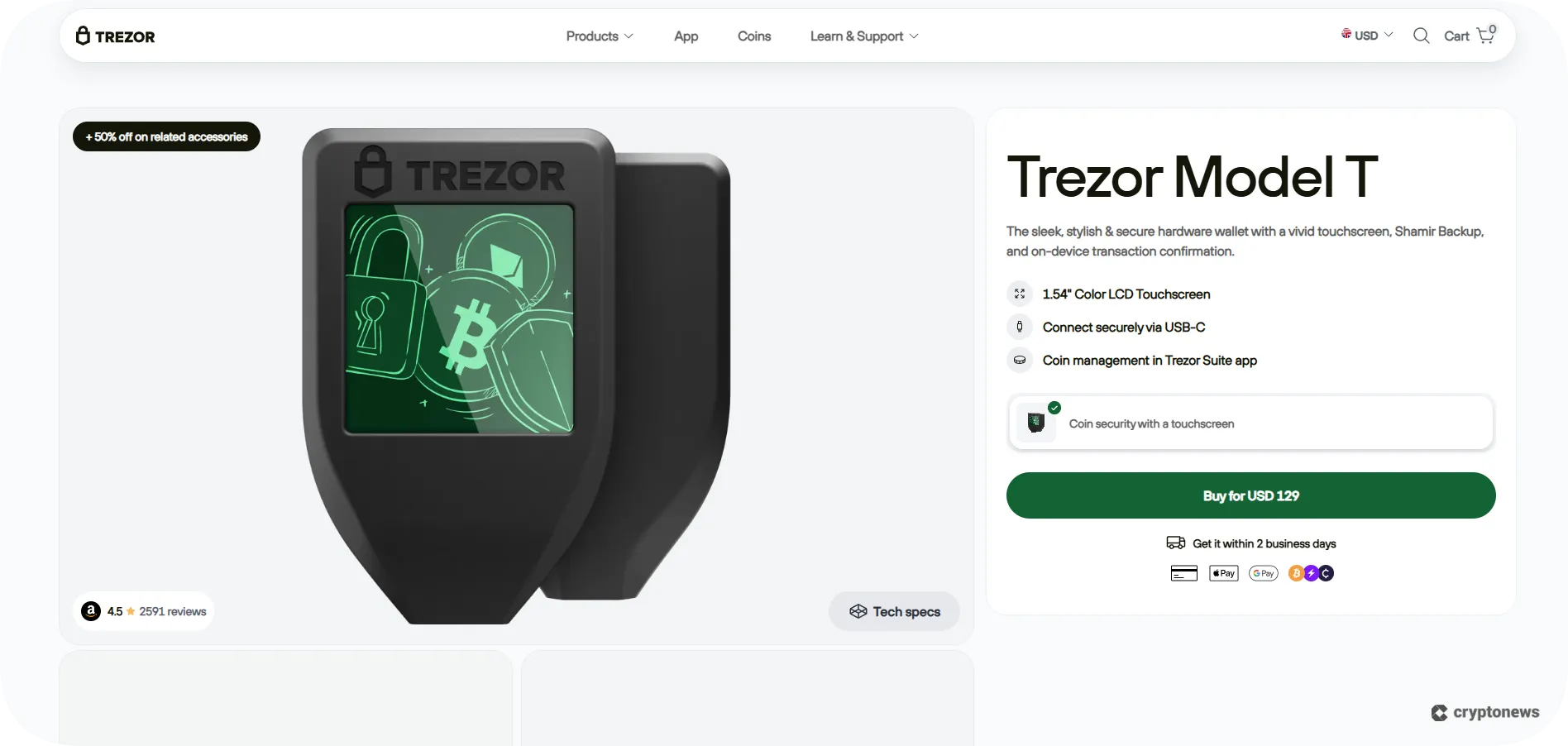
Trezor Model T features a 1.54″ color LCD touchscreen and a tamper-evident casing, although it lacks an EAL-certified Secure Element. The wallet supports 1,000+ coins and tokens, including XRP, SOL, ADA, and XMR, and it can be integrated with popular hot wallets, like MetaMask, Exodus, and Spectre.
Trezor Safe 3
Trezor Safe 3 has the same design as its predecessor, the Model One, featuring a 0.96″ monochrome OLED display and a two-button pad. However, there are a few areas where the two models differ. First, Trezor Safe 3 uses an EAL6+ certified Secure Element chip, which enhances its security. This model also offers advanced multi-share backup, which makes it more expensive than the Trezor Model One.
Trezor Safe 3 allows you to enter your PINs and passphrases directly on the device. What’s more, Trezor Safe 3 is available as a Bitcoin-only wallet that’s fully compatible with Trezor Suite, and it comes with Bitcoin-only firmware.
Trezor Safe 5
Trezor Safe 5 can be described as an advanced version of Trezor Model T. It features a 1.54″ color touchscreen and a microSD card slot. However, Trezor Safe 5 uses an EAL 6+ certified chip, and its screen has a scratch-resistant all-glass surface, which contributes to its durability. This is also the only Trezor wallet that uses haptic feedback, which means the device will vibrate when you enter your PIN or confirm transactions. You can also use it to store your NFTs.
Like the Trezor Safe 3 model, Trezor Safe 5 is available as a Bitcoin-only wallet.
Trezor Safe 7
The Trezor Safe 7 model came out on Oct. 21, 2025. This is the largest Trezor wallet with a 2.5″ screen. Unlike the Safe 3 and Safe 5 models, the Safe 7 model uses the next-gen TROPIC01 secure chip and wireless connectivity. It’s also designed to receive quantum-secure updates. Like its predecessors, the wallet is compatible with Android, Mac, Windows, and Linux. However, you can also use it on iOS devices, while the Safe 3 and Safe 5 offer limited iOS compatibility.
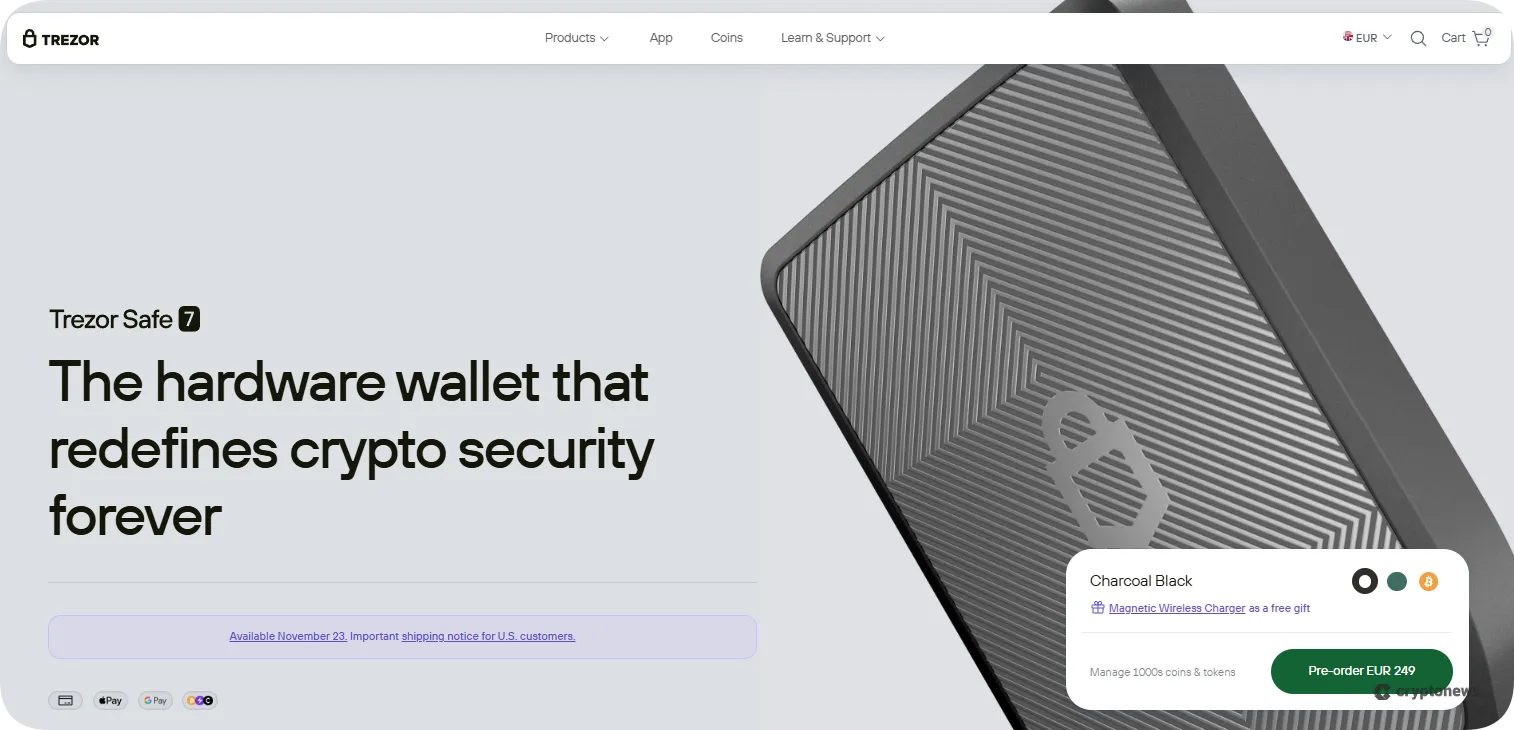
Trezor Safe 7 features a LiFePO₄ 3.2V, 330mAh battery with built-in overheating protection, which makes it more expensive than the Safe 3 and Safe 5 models.
Trezor Wallet Supported Coins and Networks
Trezor wallets support over 1,000 coins and tokens, including Bitcoin and Ethereum (all ERC-20 tokens), as well as EVM-compatible networks, such as Binance Smart Chain, Polygon, Avalanche, and Cronos.
However, we noticed that Trezor Model One is the only model that doesn’t support XRP, SOL, ADA, and XMR. Moreover, coins like XMR, XLM, and XTZ are not yet implemented in the Trezor Suite app, and, as of Feb. 2025, Trezor Suite has discontinued support for Dash, Bitcoin Gold, DigiByte, Namecoin, and Vertcoin.
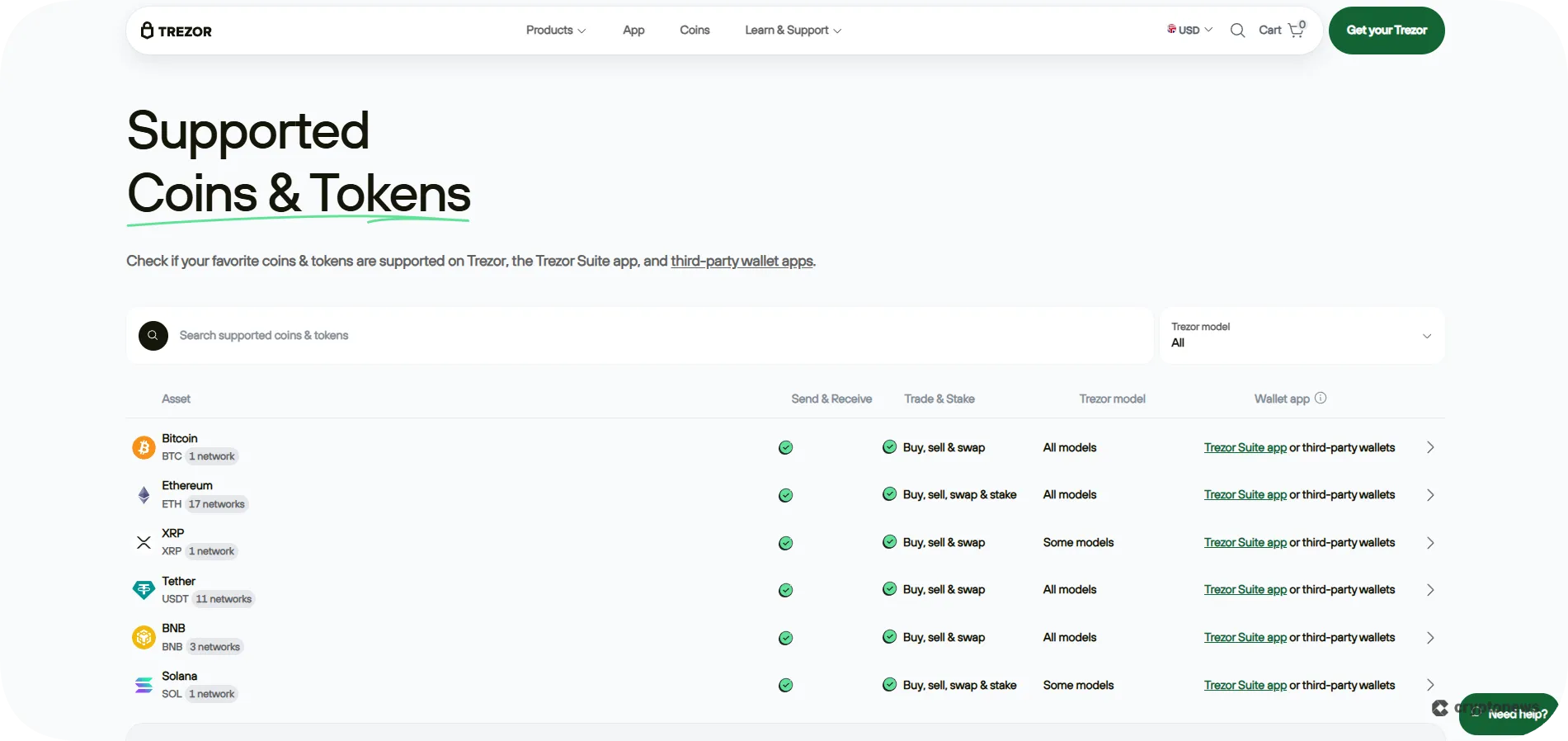
You can add custom BEP-20 and ERC-20 tokens to your wallet via Trezor Suite. Although you can use Trezor wallets to store your NFTs, you won’t be able to manage them directly via the Trezor Suite. Instead, you’ll have to use third-party wallets. On that note, Trezor wallets integrate with popular software wallets, such as MetaMask, OKX, Ronin, Exodus, and Sparrow, which support NFT management.
You can also use Trezor wallets to connect to decentralized applications (dApps) like 1inch, Jupiter, Meteora, and Curve.fi.
Trezor Wallets Security Features
Next in our Trezor crypto wallet review, we’ll discuss its security features. That said, all models use open-source firmware, which means that everyone will be able to verify and audit their code. They also come with a built-in PIN and passphrase protection. However, some Trezor models offer advanced security features, such as a Secure Element chip and advanced multi-share backup.
PIN and Passphrase Protection
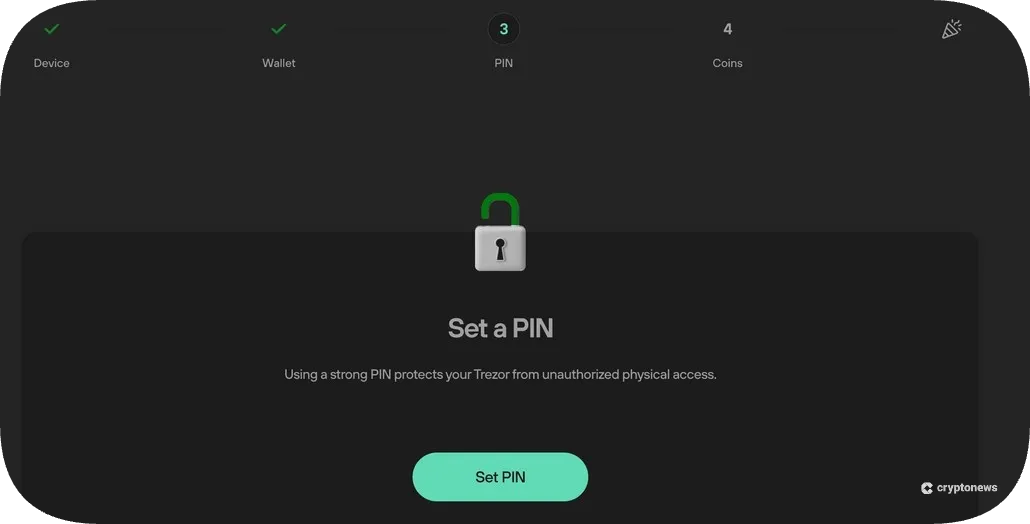
All Trezor models have built-in PIN and passphrase protection to help you safeguard your accounts from unauthorized access. The former will enable you to create a 4-9 digit code that you’ll use to unlock your wallet and authorize transactions, while the latter acts like a custom “25th word” to your BIP39 seed. You can also create hidden wallets by combining your passphrase and recovery seed.
Keep your passphrase safe. If you lose it, there’s no way to regain access to your wallet.
Secure Element Chip
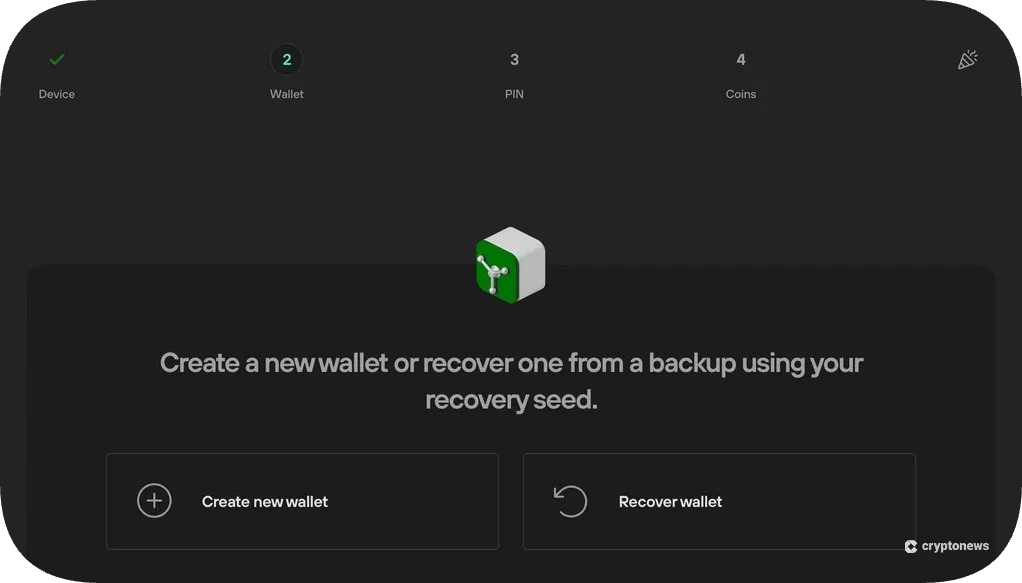
Trezor’s Safe 3 and Safe 5 wallets use an EAL6+ certified Secure Element chip that makes them more resistant to physical attacks. This means that during PIN setup, the wallet generates a secret key that’s stored inside the chip. You’ll use this key, together with your PIN, to encrypt your private key. If you fail to type the correct PIN 16 times, the chip will erase the secret key and reset your device.
EAL6+ certification indicates that the chip has undergone rigorous testing to ensure its resistance to both physical and software attacks.
Trezor’s latest model, the Safe 7, utilizes the next-gen TROPIC01 secure chip, the first open-architecture hardware security element that enables manufacturers to verify the security implementation and claims.
Fully Open-Source
All Trezor wallets use open-source software, which means that anyone can check their code and verify its integrity. On that note, you can find the source code of all Trezor models on GitHub. Trezor Suite and Trezor Connect (a tool that enables the integration of Trezor wallets with third-party wallet apps and extensions) also have open-source code.
Shamir Backup
Shamir backup, or SLIP39, is a security standard that protects your recovery seed from theft and loss. As mentioned before, Trezor Model T was the first hardware wallet to implement this technology, which is also the default security feature in Trezor Safe 3 and Safe 5 wallets.
Shamir backup will split your private key into multiple recovery shares. You can create up to 16 recovery shares containing a sequence of 20 or 33 words. You can also determine how many shares will be needed to recover your wallet.
Address Poisoning Protection
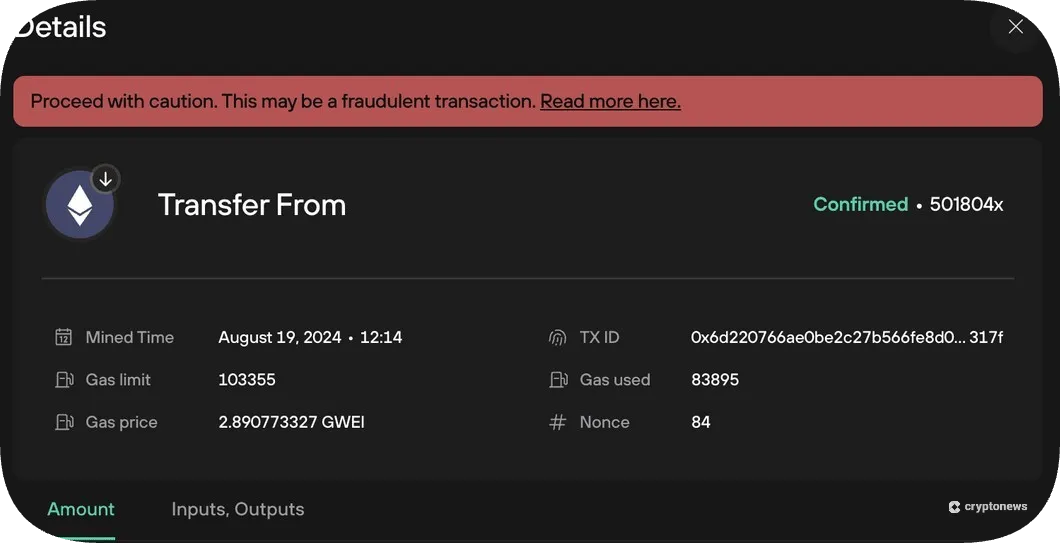
The Trezor Suite app has a built-in address poisoning protection feature. This feature ensures that the tokens sent to your address are not part of a sophisticated fraud, the so-called address poisoning. If the transaction appears suspicious, Trezor Suite will blur it and mark it as unverified. This feature also detects scam airdrops.
Tor Support
Trezor Suite allows you to use the Tor network, an open-source software that anonymizes your activities by masking your location and IP address. Tor also shields your crypto transactions from network surveillance, leaks, and tracking. During our testing, we noticed that only the desktop version of the app supports Tor.
Trezor Suite App
Trezor Suite is available as a desktop app (Windows, macOS, Linux), a web browser, and a mobile app (Android). You can also download the app on your iOS device. However, the iOS app operates in view-only mode, which means that you won’t be able to use it to send or receive crypto, but only to monitor your balances.
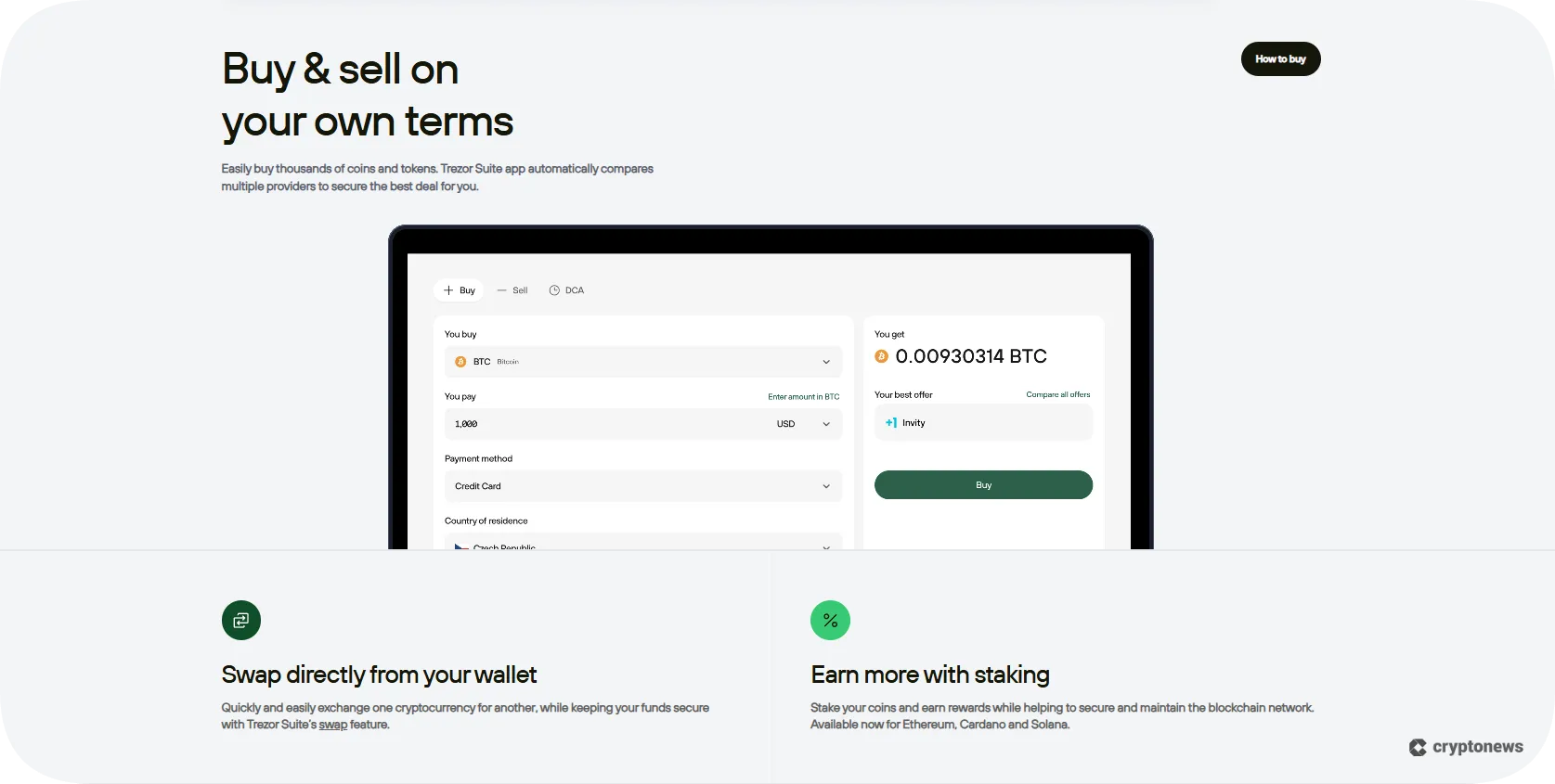
The app will enable you to send, receive, buy, sell, and swap crypto directly from your wallet. You can also use it to stake Ethereum, Cardano, and Solana.
As mentioned before in our Trezor wallet review, the app has built-in features, such as address poisoning protection, Tor network (only on the desktop app), PIN and passphrase security, and scam and aidrop protection. The application is also integrated with WalletConnect, which allows you to access dApps and DeFi protocols, trade NFTs, and participate in DAOs.
The app has an intuitive interface, which makes it extremely user-friendly. You’ll get to customize the basic settings to suit your trading style. For example, you can toggle between light and dark mode, label your wallets and transactions, and hide the coins you don’t use.
During our research, we noticed that the desktop app is well optimized, while the browser extension occasionally lags. The same goes for the mobile app, which tends to freeze from time to time.
Buying, Selling, and Swapping Crypto
Trezor Suite has an integrated Buy & Sell feature powered by Invity. This crypto exchange aggregator lets you buy/sell crypto directly from your wallet using multiple payment methods. These include Visa, Mastercard, SEPA, PayPal, Vemo, SOFORT, iDeal, EPS, and Bancontact. The app also supports over-the-counter (OTC) trading, in case you wish to make larger crypto purchases.
At the same time, the built-in swap feature enables you to convert crypto through Invity’s exchange providers, so you can swap your coins directly from the wallet, without the need to send them to centralized exchanges.
You can use the Trezor Suite app to stake ETH, ADA, and SOL. Keep in mind that all Trezor wallets support ETH staking; however, only Model T, Safe 3, and Safe 5 wallets support ADA and SOL. The staking service is powered by Everstake, a staking service provider that allows you to stake Ethereum without needing a full 32 ETH validator setup. Instead, you can start the staking process with only 0.1 ETH.
Trezor Keep Metal
Trezor Keep Metal is a wallet backup device designed to store your recovery seed. It’s made of AISI 304 aerospace-grade stainless steel, which makes it water and fire-resistant. You can choose between two models – Trezor Keep Metal 20-word and Trezor Keep Metal 24-word.
As its name suggests, Trezor Keep Metal 20-word is designed for a 20-word wallet backup. It uses the SLIP39 standard (Shamir backup) to secure and recover your funds. You can get the single‑share version for $99, or the multi‑share version, whose price varies from $198 to $1,584, depending on the number of shares. Trezor Keep Metal 20-word is compatible with Trezor Model T, Safe 3, Safe 5, and Safe 7.
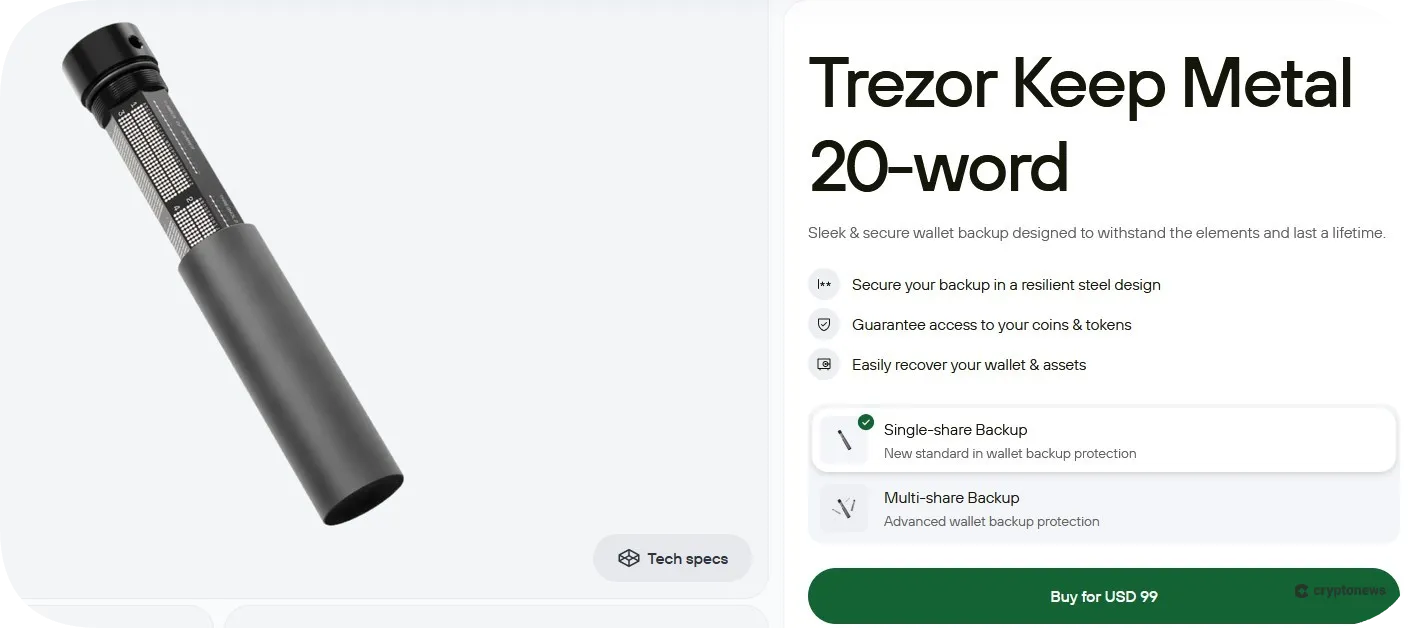
Trezor Keep Metal 24-word is designed for 24-word recovery seeds. It uses the BIP‑39 standard, which means that you’ll use mnemonic phrases to recover your crypto assets. This backup device is compatible with all Ledger wallets, and you can get it for $99.
Trezor Wallet Models Compared – Pricing, Connectivity, and Features
Take a look at our table to find out how Trezor wallets compare to each other in terms of their price, design, and key features.
|
Model |
Price |
Connectivity |
Display |
Standout Features |
|
Trezor Model One |
$49 |
Micro USB |
0.96″ monochromatic OLED |
PIN protection, optional passphrase feature, tamper-proof hardware |
|
Trezor Model T |
$129 |
USB-C |
1.54″ color LCD touchscreen |
Shamir backup, color LCD touchscreen, SD card slot |
|
Trezor Safe 3 |
$79 |
USB-C |
0.96″ monochromatic OLED |
Multi-share backup, EAL6+ certified Secure Element chip, available as a Bitcoin-only wallet |
|
Trezor Safe 5 |
$169 |
USB-C |
1.54″ color display |
Haptic feedback, scratch-resistant all-glass surface, NDA-free EAL 6+ Secure Element |
|
Trezor Safe 7 |
$249 |
USB-C, Bluetooth, and wireless connectivity |
2.5″ high-res color display |
Next-gen TROPIC01 secure chip, quantum-secure updates, full iOS compatibility, reinforced glass backplate |
If you’re looking for cheap and easy-to-use hardware wallets that will enable you to buy, sell, and swap Bitcoin and other popular cryptocurrencies, Trezor should be on your go-to list. Trezor’s superpower lies in its simplicity, transparency, and top-notch security. Trezor supports 1,000+ coins and tokens as well as EVM-compatible networks, like Binance Smart Chain, Polygon, and Avalanche. You can also use its companion app, Trezor Suite, to connect with multiple software wallets, dApps, and third-party payment providers. Overall, we believe Trezor wallets are an excellent option for users who need a secure storage solution without breaking the bank.Trezor Wallet Review Conclusion: Are Trezor Wallets A Good Option in 2026?
Our Methodology: How We Tested and Reviewed Trezor Wallets
To create an unbiased and reliable Trezor wallet review, we purchased and installed all four Trezor wallet models. We also tested the wallets, one by one, to see how they function and how they differ. Our testing process included inspecting their screens and resistance to physical impact, as well as testing the functionality of their buttons and touchpads.
After testing their hardware features, we examined their software features. On that note, we installed the Trezor Suite app on our desktop and mobile devices. We noticed that the Trezor Suite iOS app has limited functionality compared to the Android and desktop apps. I.e., you can only use it in a view-only mode.
The next step was to test the trading features, which included buying, selling, and swapping cryptocurrencies through third-party providers. We also tested the security features. For example, we entered the wrong PIN 16 times to check if the device would auto‑wipe itself.
This in-depth analysis and hands-on approach helped us understand how Trezor wallets work and where they could be improved.
FAQs
Can Trezor be trusted?
What are the disadvantages of Trezor?
Is Ledger or Trezor better?
Is it safe to buy a Trezor from Amazon?
What happens if Trezor goes bust?
What happens if someone steals my Trezor?
References
- BIP 32, 39, and 44: Hierarchical Deterministic Wallets and Mnemonic Phrases (Medium)
- Trezor’s X Account Hacked to Promote Crypto Scams (CoinMarketCap)
- What is Shamir backup? (Trezor)
- The Secure Element Chip: How It Keeps Your Ledger Secure (Ledger)
- GitHub
- Important Update: Transitioning from coinjoin in Trezor Suite (Trezor)


