


Table of Contents
 Kraken Wallet Review
What we like
- Open-source, non-custodial wallet
- Reliable security measures
- Wide coin support and excellent NFT management capabilities
Disclosure: Crypto is a high-risk asset class. This article is provided for informational purposes and does not constitute investment advice. By using this website, you agree to our terms and conditions. We may utilise affiliate links within our content, and receive commission. You can read more about our editorial policy here.
In this comprehensive Kraken Wallet review, we’ll discuss its main features, from swapping and staking to dApp integration and NFT management. To provide a holistic perspective and help you decide if this wallet suits your needs, we’ll also cover its security features, supported coins and networks, fees, and user experience.
Our methodology included hands-on testing, reading user reviews and ratings, and researching its history and reputation. We also compared Kraken Wallet to its main competitors, which helped us identify its biggest strengths and limitations.
With that in mind, if you plan to use this wallet, here’s what you need to know before tapping the download button.
Our Take on Kraken Wallet: Pros and Cons
The biggest advantages of Kraken Wallet are its open-source code and self-custodial nature. The former means everyone can view its source code to spot vulnerabilities, while the latter gives you complete control over your digital assets. In addition, you’ll get to trade 2,000+ cryptocurrencies on multiple blockchains, including all ERC-20 and SPL tokens, and take advantage of its customizable built-in swap feature and in-app browser.
Kraken Wallet utilizes multiple security layers, such as biometric authentication, password encryption, encrypted iCloud backup, app lock, and NFT spam-related attack detection. Besides trading crypto, you can view, send, and manage NFTs on Ethereum, Solana, Polygon, Arbitrum, Optimism, and Base. The wallet seamlessly integrates with the Kraken exchange, so you can easily transfer funds from one account to the other.
Keep in mind, however, that this is a mobile-only wallet, which means you won’t be able to install it on your computer. Moreover, the wallet doesn’t support Bitcoin Ordinals and BRC-20 tokens, and you won’t be able to connect it to hardware wallets.
Pros
- Open-source, self-custodial wallet
- Supports 2,000+ cryptocurrencies and all ERC-20 and SPL tokens
- Industry-leading security
- Encrypted iCloud backup
- Customizable built-in swap feature
- In-app browser with direct dApp connections
- Supports NFTs on Ethereum, Solana, Polygon, Arbitrum, Optimism, and Base
- Enables staking and yield farming on Ink
- Can be integrated with the Kraken exchange
- Modern design and intuitive interface
Cons
- Mobile-only wallet
- Doesn’t support BRC-20 tokens
- Swaps are not supported on Solana, Bitcoin, and Avalanche
- The Kraken Wallet app doesn’t support hardware wallets
What is Kraken Wallet?
Kraken Wallet is a self-custodial software wallet that manages tokens and NFTs across multiple blockchains. Kraken Exchange launched it in April 2024. It’s an open-source crypto exchange-backed wallet, which means you can view and audit its source code on GitHub.
Due to its self-custodial nature, you’ll have full control over your funds and private keys. Moreover, Kraken Wallet collects only the basic user data it needs to function. I.e., it doesn’t collect your sign-in credentials and internal app performance analytics. You can also link the wallet to your Kraken account to transfer your assets, as well as create and import multiple hot wallets.
Is Kraken Wallet Safe?
This self-custodial wallet is backed by Kraken’s industry-leading security. It utilizes multiple security layers, from biometric authentication to password encryption. Its code is audited by Trail of Bits, an industry leader in high-end security research, and, as mentioned above, anyone can view its code on GitHub.
Kraken Wallet holds seed and mnemonic secret values and multiple non-secret private values in its local encrypted database. This means the private key material is stored in Keystore (on Android) and Keychain (on iOS), while public key material is kept in the app’s encrypted database. Its other security features include app lock, database encryption, lockout mechanism, and NFT spam-related attack detection.
Kraken Wallet recently introduced an encrypted iCloud backup for your secret recovery phrases. This feature encrypts your secret recovery phrase and stores it in a unique Passkey that’s automatically synced across all your Apple devices (iOS 17 and later versions). Only you’ll have access to your secret recovery phrase. Neither Apple nor Kraken will be able to see or use it.
Although Kraken Wallet has no history of data breaches or hacking, in 2024, the Kraken exchange experienced a serious security incident. Namely, a security researcher exploited a critical zero-day flaw on the platform. This incident was addressed within 47 minutes; however, it resulted in the theft of $3 million from Kraken’s vault. Kraken was able to recover the stolen funds, and it distributed $2.9 million to its users via a USDT airdrop.
So, is Kraken Wallet safe? Yes. No user funds were stolen due to the aforementioned incident. What’s more, this incident exploited the platform’s vulnerability, not its wallet’s security.
Kraken Wallet Supported Coins and Networks
Kraken Wallet supports 2,000+ cryptocurrencies across multiple blockchains, such as Bitcoin, Ethereum, Arbitrum One, Solana, Polygon, and Dogecoin. Besides the native tokens of the blockchains mentioned above, the wallet also supports all SPL and ERC-20 tokens, as well as EVM-compatible networks.
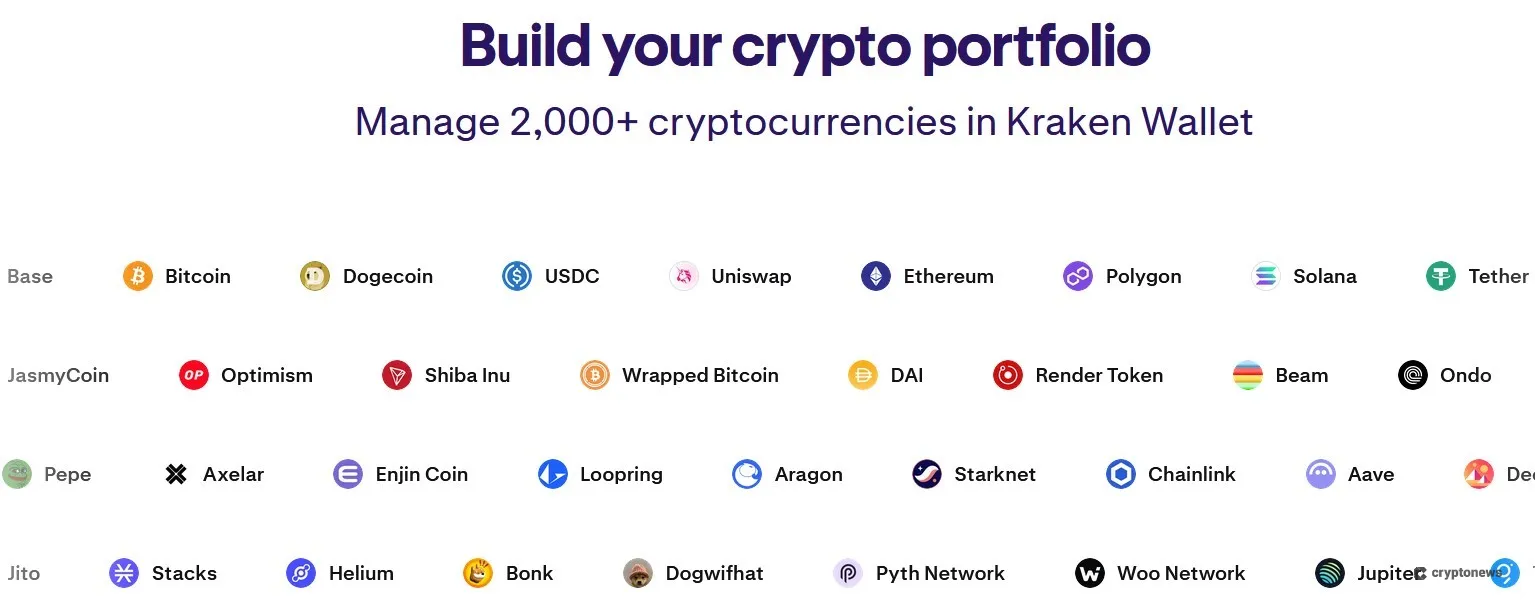
On the downside, we noticed that the wallet lacks support for Binance Smart Chain, Ripple, BRC-20 tokens, Bitcoin Ordinals, and Runes. Moreover, you won’t be able to add custom tokens.
Kraken Wallet Features
The key features of Kraken Wallet include built-in swaps, dApp integration (via WalletConnect), NFT management, staking, and Kraken exchange integration (via Kraken Connect). That said, let’s discuss each feature in more detail.
Swaps and Trading
Kraken Wallet has a built-in swap feature that lets you swap your tokens across multiple networks. This feature aggregates data from some of the best decentralized exchanges to provide the best rates. Swaps and cross-chain swaps are currently available on the following blockchains: Ethereum, OP Mainnet, Arbitrum, Base, Polygon, Blast, and Linea. Keep in mind that swaps aren’t supported on Solana, Bitcoin, and Avalanche.
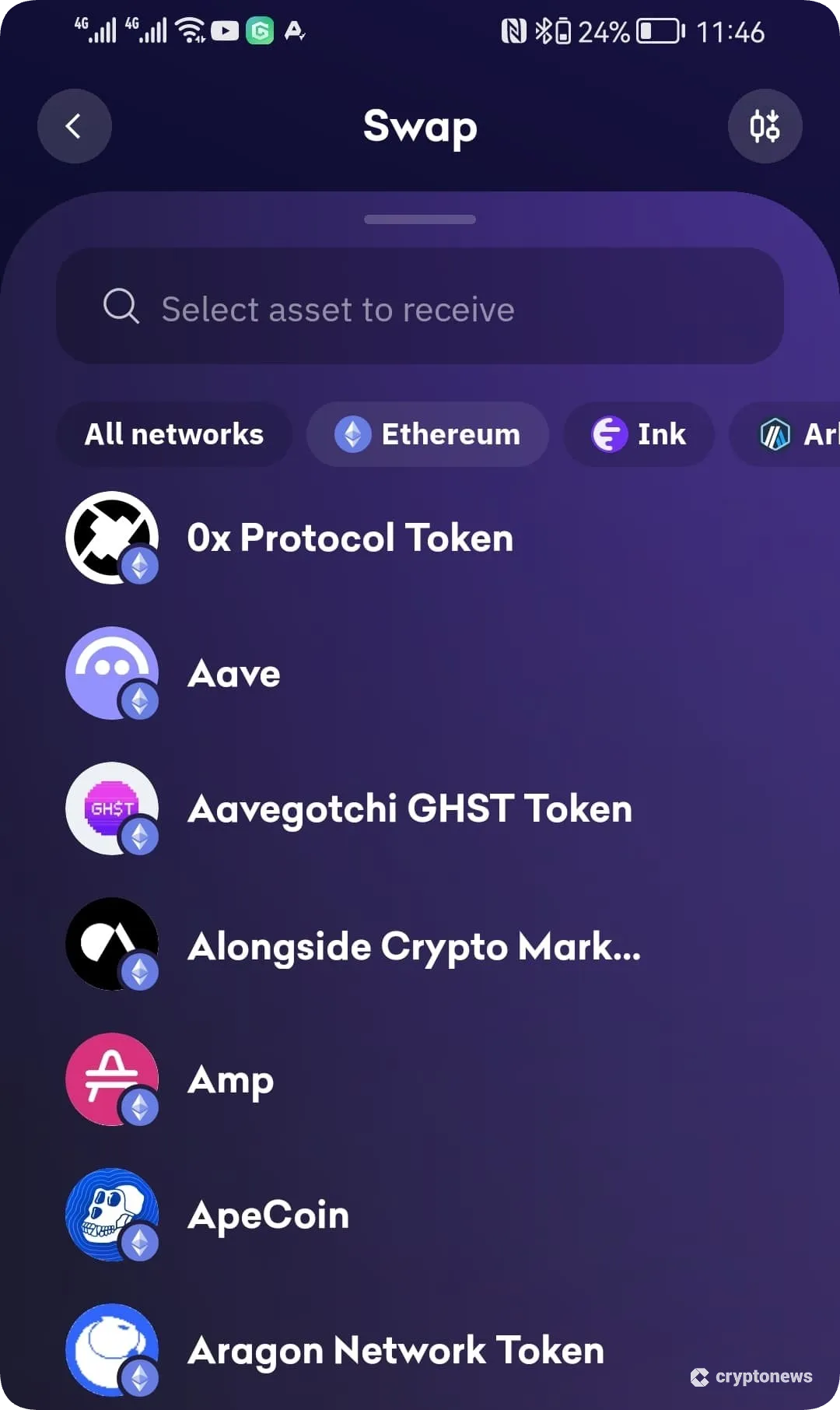
What we liked most about this feature is its customizability. You can choose between the Best Value and the Fastest Transaction Speed option. The former ensures that you get the highest minimum output, while the latter aims to execute your swap in the shortest amount of time.
dApp Integration
Kraken Wallet has an in-app browser that enables you to connect to multiple decentralized applications (dApps), such as Uniswap, Aave, and Jupiter, via WalletConnect. You can use the Explore page to find a specific dApp by name or category (DeFi, NFT).
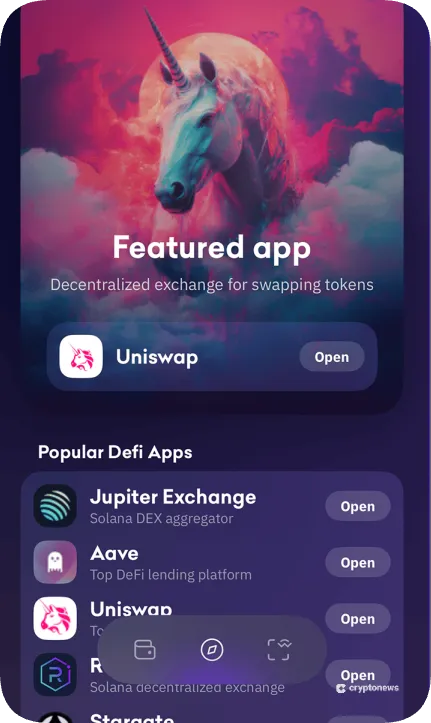
You can also view your wallet’s DeFi positions (lending, borrowing, rewards, liquidity provider, and vaults), which are displayed in the Deposits section on the wallet’s home screen (Kraken refers to all DeFi positions as deposits). We noticed that the wallet displays DeFi positions only on Ethereum and EVM-compatible networks, such as Arbitrum, Optimism, and Polygon.
NFT Management
You can view, organize, and manage NFTs on Ethereum, Solana, Polygon, Arbitrum, Optimism, and Base. Kraken Wallet also has a built-in NFT gallery that makes managing your NFTs effortless. You can toggle between two options – Everything and Collections. The former will display all your NFTs on the dashboard, while the latter will group them by collection.
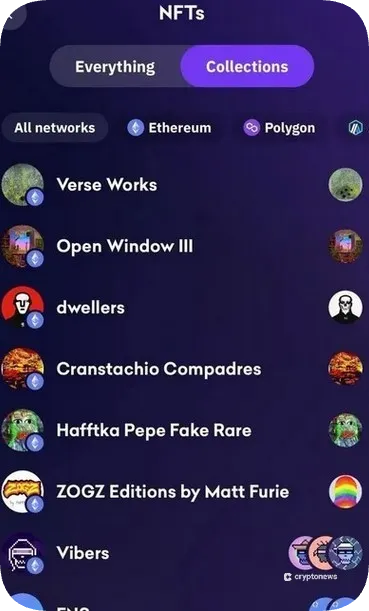
If you tap the Manage button, you’ll find three options – favorites, copy ID, and archive. The first option adds NFTs to a highlighted gallery on your NFT dashboard. The second copies the token ID to your clipboard, and the third moves the items to an archived NFTs folder.
Kraken Wallet doesn’t support audio (.mp3) and video (.mov) NTFs. However, you’ll still be able to send or receive these types of NFTs.
Staking
You can use the wallet to stake your tokens or participate in yield farming on Ink. The staking process includes visiting the staking provider’s website, connecting your Kraken Wallet, and tapping the Stake now button. Enter the amount you wish to stake and tap the Deposit button. To complete the stake, confirm the transaction in your wallet.
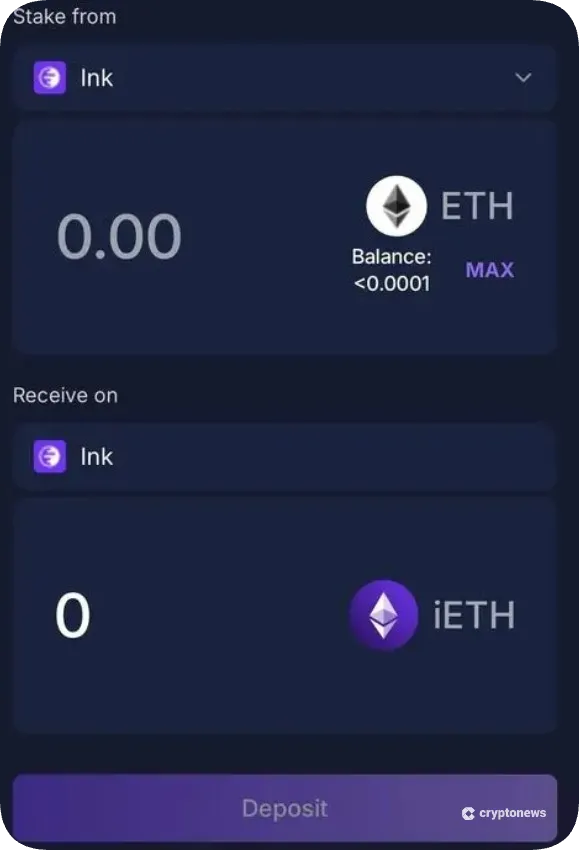
When it comes to yield farming, the process is similar. You need to visit the farming services website, connect your wallet to the farming provider, and tap Deposit and Stake. Next, select two assets, enter the amount you wish to deposit, and approve the contracts. Once the contracts are approved, click the Deposit button to deposit your assets into the liquidity pool.
Kraken Exchange Integration
You can link your wallet to your Kraken exchange account via Kraken Connect. This lets you transfer your funds from one account to another and view your account balances directly from the wallet. You can also import your existing wallets, such as Metamask or Phantom, to Kraken Wallet using your secret recovery phrase.
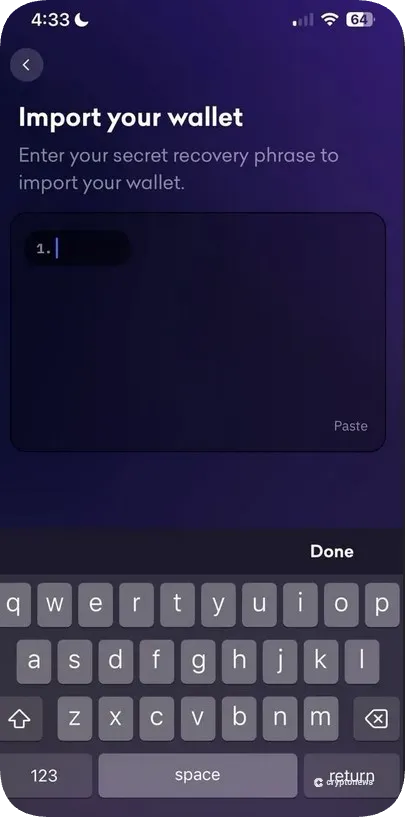
To use the Kraken Connect feature, you need to open Kraken Wallet, navigate to Settings, and click on the Connections button. Next, you need to select Kraken Exchange and log in to your account.
Kraken Wallet Fees
The next thing we’ll discuss in our Kraken Wallet review is its fees. You won’t have to pay transaction fees when depositing crypto to your Kraken Wallet from another wallet or exchange. You’ll only need to cover the network fees. The same rule applies to sending crypto to another wallet. You can also use fiat to buy crypto. The minimum purchase amount stands at $10.
You can swap tokens for no extra cost. However, you may have to cover the fees charged by the DEXs, while transferring NFTs is subject to standard network fees.
Kraken Wallet doesn’t add any markup fees. Yet, if you move crypto between Kraken Exchange and Kraken Wallet, you’ll have to cover the flat withdrawal fee, which will depend on the cryptocurrency. For example, the withdrawal fee for Ethereum stands at 0.00033 ETH.
You can adjust the network fee by tapping the Network Fee button and selecting Fast, Medium, Slow (for BTC), or Urgent, Fast, and Normal (for Ethereum and other EVM-compatible networks).
Is Kraken Wallet User-Friendly?
Kraken Wallet is available as a mobile app that’s compatible with Android and iOS devices. For optimal performance, we recommend using Android 9 or higher and iOS 15 or higher. The apps have a modern design and intuitive interface, which makes them suitable for beginners.
For example, you’ll be able to use the navigation bar at the bottom of the screen, which contains three icons – Wallet, Explore, and WalletConnect. The Wallet button takes you to the home page of your portfolio, the Explore button opens a new page for exploring dApps, while the WalletConnect button lets you connect to dApps.
However, we noticed that the Kraken Wallet mobile apps don’t support hardware wallets, which is a bit disappointing. What’s more, the apps can sometimes show inconsistency when monitoring portfolios, especially when it comes to DeFi positions.
Kraken Wallet Customer Support and User Reviews
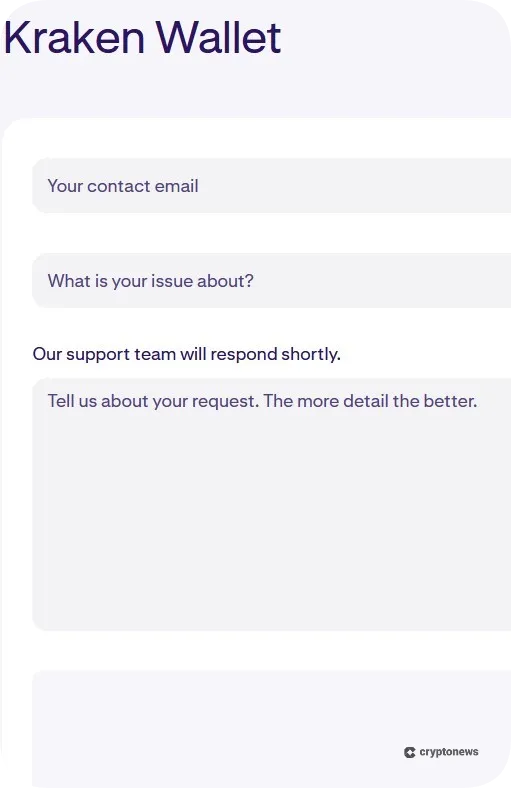
You can reach the customer service through three channels – 24/7 live chat, phone call, and email. You can also submit a ticket by entering your email address, selecting the issue from the list, and describing the problem in more detail (or attaching a file).
Kraken has a very low rating on Trustpilot – 1.5 out of 5. However, only 3,000 people have rated its customer support, which is not enough to draw any conclusions. The most common complaints refer to withdrawal holds and slow customer support. On the other hand, Kraken has a 4.1 rating on G2, based on 21 reviews, which is again not enough to form a clear picture about the quality of its customer support.
After going through numerous Reddit reviews, we noticed that users mostly complain about Kraken’s automated support channels. This is why we decided to contact Kraken ourselves. The chatbot had no problem answering simple questions. However, this was not the case with more complex issues. This is why we recommend asking the chatbot to connect you with a human agent.
Keep in mind that Kraken Wallet doesn’t have a Discord, Telegram, Twitter, or Instagram account. So, if someone reaches out to you via social media channels, claiming to be Kraken’s representative, it’s probably a scam.
Kraken Wallet vs Other Top Crypto Wallets
In this segment of our Kraken Wallet review, we’ll compare this software wallet with Best Wallet, Zengo, Coinbase Wallet, and Binance Wallet to find out what makes it shine and what its biggest limitations are.
For starters, all five wallets are non-custodial, meaning you’ll have full control over your private keys. They also utilize rigid security features, which make them safe to use. The main differences between these wallets lie in their number of supported coins and compatibility.
On that note, Zengo supports only 380+ coins and tokens, while Kraken Wallet and Best Wallet support 2,000+ and 1,000+ assets, respectively. Coinbase Wallet supports over 10,000 tokens. Moreover, this wallet is compatible with Ledger hardware wallets, while Kraken Wallet doesn’t support cold wallets at all.
Kraken and Binance Wallet have one feature in common – they are both mobile-only wallets. However, Binance Wallet has a slight advantage – it supports BRC-20 tokens and Bitcoin Ordinals, which is not the case with Kraken.
| Provider | Type | Supported Coins/Chains | Security Features | Compatibility |
|---|---|---|---|---|
| Kraken Wallet | Non-custodial | 2,000+ / 8 chains | Biometric authentication, password encryption, app lock | Mobile-only |
| Best Wallet | Non-custodial | 1,000+ / 60+ chains | 2FA, biometrics, PIN | Mobile and browser extension (to be released) |
| Zengo | Non-custodial | 380+ / 6 chains | MPC technology, three-factor authentication, Web3 Firewall | Mobile and desktop |
| Coinbase Wallet | Non-custodial | 10,000+ / Bitcoin, Ethereum, and all EVM-compatible networks | Spam token management, token approval alerts, dApp blocklist | Mobile and browser extension |
| Binance Wallet | Non-custodial | All ERC-20, BSC-20, and BRC-20 tokens, as well as Bitcoin Ordinals / 34 chains | MPC technology, wrong address detection, 2FA | Mobile-only |
How to Set Up and Use Kraken Wallet
Here’s how to set up a Kraken Wallet in three easy steps:
Step 1. Download the Official Kraken Wallet App
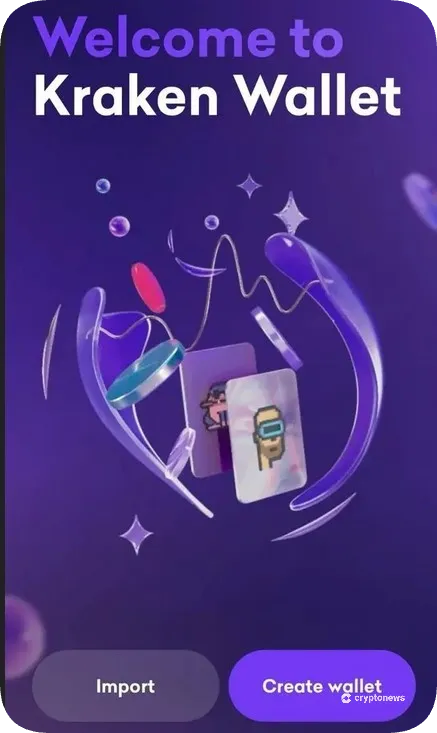
Go to Google Play or App Store and download the official Kraken Wallet app. Open the app and tap the Create Wallet button.
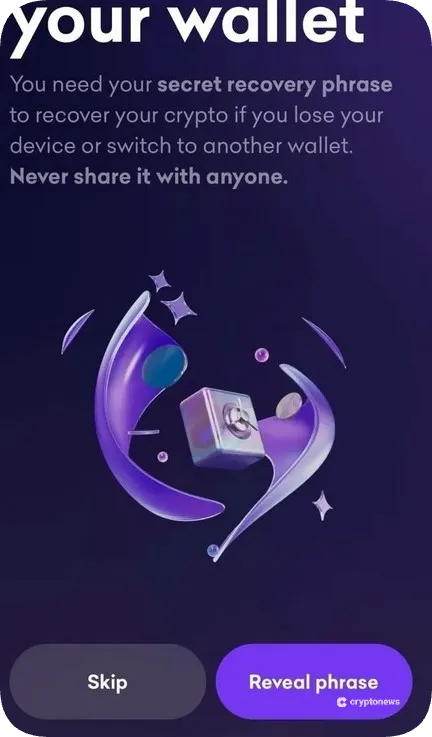
Step 2. Back Up Your Wallet
Click on the Reveal phrase button to get a 12-word secret recovery phrase. Write it down and store it in a safe location. Tap Next.
Step 3. Verify Your Secret Recovery Phrase
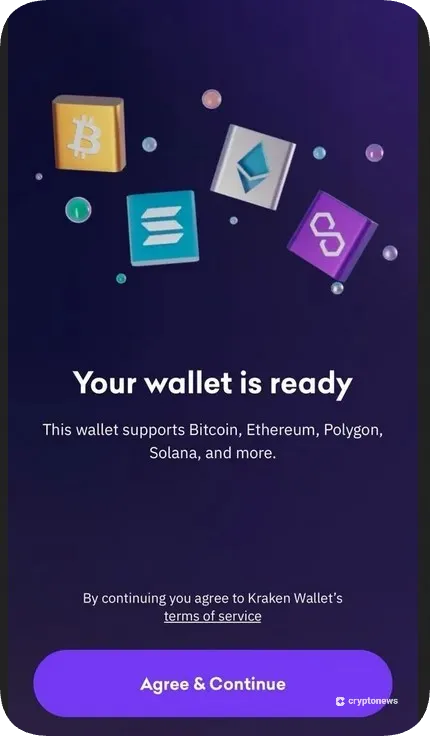
Tap the words in the correct numerical order and click the Verify button. Tap the Agree & Continue button to finish the setup process.
Kraken Review Conclusion: Is It Good Enough?
As you can see from our Kraken Wallet review, this self‑custody software wallet is pretty solid. It supports 2,000+ coins and tokens across multiple chains, as well as NFTs on Ethereum, Arbitrum, Base, Optimism, Polygon, and Solana.
What’s more, you can use its built-in swap feature and app browser to exchange tokens for zero fees and gain access to decentralized applications. You can also connect the wallet to your Kraken exchange account or import your existing wallets, such as Metamask or Phantom.
Its biggest limitations are the lack of support for Bitcoin Ordinals and BRC-20 tokens and the lack of hardware wallet integration. Moreover, you won’t be able to swap tokens on Solana, Bitcoin, and Avalanche.
Visit KrakenOur Methodology: How We Tested and Reviewed Kraken Wallet
Our Kraken Wallet evaluation process included the following factors: hands-on testing, reading user feedback, and side-by-side comparison with other popular software wallets. On that note, we created an account on Kraken exchange and downloaded its native wallet on our Android and iOS devices. Then, we connected the wallet to the Kraken exchange to test its functionality and transaction speed.
Next, we tried its swap feature to check which blockchains are supported and how the Best Value and the Fastest Transaction options work. By testing its Explore page, we found out which dApps are supported and how DeFi positions are displayed.
After we finished testing its key features, we compared Kraken Wallet with other popular software wallets to identify its biggest strengths and limitations. We also took into account feedback from other users, as well as its customer support ratings on Trustpilot nd G2.
This helped us create an unbiased and trustworthy Kraken Wallet review in which we highlight its main strengths and areas that need to improve.
FAQs
Can I use Kraken Wallet without a Kraken account?
Does Kraken Wallet work in the USA?
What are the disadvantages of Kraken Wallet?
Is Kraken a hot or cold wallet?
References
Disclaimer: Crypto is a high-risk asset class. This article is provided for informational purposes and does not constitute investment advice. You could lose all of your capital.

Marina Avramovikj
Crypto Content Writer

Marina is a content writer with over 5 years of experience in the cryptocurrency space. Her specialty is writing reviews and guides for centralized and decentralized crypto exchanges and crypto wallets, with a focus on security, usability, and user experience. She regularly tests crypto platforms and wallets to provide readers with clear, unbiased, and useful information through practical guides and comparative analyses.
