


 Binance Wallet Review 2026 – Features, Security, and Fees
- Self-custody wallet with wide range of supported cryptos and blockchains
- Robust security features with backup options & biometric authentication
- Offers various staking options including Simple Yield & Yield+
Binance is the world’s largest crypto exchange by a wide margin, so it’s no surprise that its built-in crypto wallet, Binance Wallet, is one of the most popular on the market.
The Binance Wallet offers a wide range of features and promises airtight security, making it worth considering for both new and experienced crypto users. However, it’s up against a lot of other great wallets in a crowded field, so it’s important to know all the details about this app before choosing a wallet.
In our Binance Wallet review, we’ll dive into this wallet’s security, Web3 features, user experience, fees, and more. Keep reading to decide if Binance Wallet is right for you.
Binance Wallet Pros and Cons
Binance Wallet is a fully non-custodial wallet that’s integrated right into the Binance exchange app, making it a great option for existing Binance users who want the ability to take control of their tokens. It has powerful security features and even offers the ability to back up your wallet in the cloud, which provides assurance that you could restore your wallet even if Binance cut off access to its app.
Binance Wallet supports 34 blockchains, which is more than most competing wallets, with the notable exception of Best Wallet, which supports more than 60 blockchains. You can swap tokens across chains using the Binance Bridge decentralized exchange (DEX), or connect to your favorite DEX through Binance Wallet’s dApp library. The wallet also supports staking and has its own token launchpad.
The main areas where Binance Wallet could improve are in its user interface and customer service. The user interface has a moderate learning curve because Binance Wallet is bunched together with a huge range of other tools offered by Binance. Customer service is responsive, but not all support agents are fully knowledgeable about Binance Wallet’s capabilities.
Pros
- Fully integrated into Binance mobile app
- Supports 34 blockchains and thousands of tokens
- dApp marketplace with multiple DEXs available
- MPC security with wallet backup option
- Supports decentralized staking for popular tokens
Cons
- Requires a Binance account
- User interface can feel overwhelming
- Not fully open-source
- Customer service could be improved
What is Binance Wallet?
Binance Wallet is a non-custodial wallet launched by crypto exchange Binance in 2023. It’s integrated directly into the Binance exchange experience and can be accessed right from the Binance mobile app. Importantly, you must have a Binance account in order to use Binance Wallet.
However, unlike Binance’s built-in custodial wallet that comes with every Binance exchange account, Binance Wallet is non-custodial and gives users complete control over their crypto assets. It also enables them to connect with the wider, decentralized world of Web3.
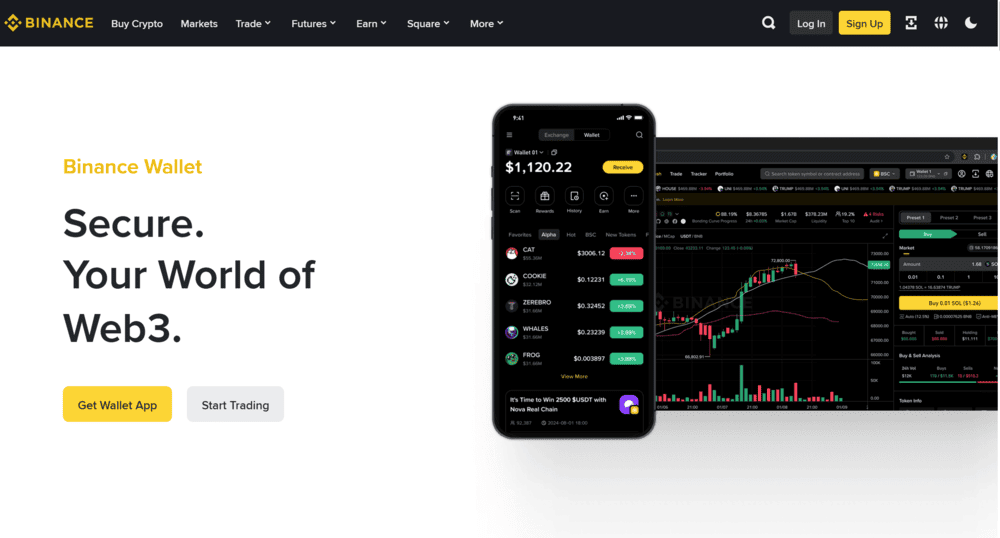
Notably, Binance Wallet is distinct from Trust Wallet, another non-custodial wallet that Binance acquired in 2018. While Trust Wallet has a close connection to the Binance exchange, it operates independently. Trust Wallet isn’t directly integrated into Binance’s apps and doesn’t require a Binance account.
Is Binance Wallet Safe To Use?
Safety and security are the most important things when comparing wallets, so we’re going to take a deep dive into Binance Wallet’s safety features.
First, to be clear, this is a non-custodial wallet. It’s separate from the custodial wallets that Binance uses by default when you buy and sell cryptocurrencies on the exchange. You own the wallet keys and are responsible for keeping them safe. Binance never has access to your keys and can’t help you if you lose them.

That said, since Binance Wallet is part of the Binance exchange, it’s important to think about whether Binance is safe. By most accounts, it is one of the most secure exchanges in the world. Binance has suffered several hacks and data leaks, but it has always replaced lost customers’ funds immediately and has made significant security changes in response. The most recent hack that impacted customers’ funds was in 2019.
Binance has a Safe Assets Fund for Users (SAFU) and offers proof of reserves to prevent a bank run. The exchange also has cybersecurity measures like two-factor authentication, anti-phishing codes, and 24/7 threat monitoring.
In addition to Binance’s general security measures, Binance Wallet has some additional, wallet-specific security features.
Multi-Party Computation (MPC)
Binance Wallet uses multi-party computation (MPC) encryption to secure users’ keys. This approach involves creating three keys stored in different locations, including on your device and in the cloud. The cloud-based key requires a recovery password that only you know. In general, MPC security is considered superior to more traditional seed phrase security.
Wrong Address Detection
One of the risks in cryptocurrency is that if you send tokens to the wrong wallet address, there’s no way to get them back. Binance Wallet helps address this problem with wrong address detection, which alerts you if you try to send tokens to an unusual wallet address. It’s not perfect at detecting wrong addresses, but it can help prevent some costly mistakes.
Malicious Contract Warnings
Binance Wallet will also alert you if you try to send tokens to a malicious smart contract address. Binance automatically scans the contract code and warns you of potential issues before completing your transaction. It’s another way the wallet can save you from a costly mistake or falling victim to a scam.
Authentication and Backup Options
The Binance app uses two-factor authentication (2FA) by default to keep your wallet secure. It supports Google Authenticator as well as Binance’s own Binance Authenticator app.
Binance Wallet enables you to back up your wallet in the cloud by creating an encrypted recovery phrase that you can export. This recovery phrase is protected by a recovery password known only to you. This is very helpful since it means you can regain access to your wallet even if Binance were to ever cut off access to its app.
Multi-Keyless Support
You can create up to 5 keyless wallets under a single account. You can use these to separate your funds from the main and limit exposure ot threats. We noticed that keyless wallets can only be created in the Binance App. However, after you create them, you can access them through the browser extension. Just make sure to update the extension to version 1.3.0 or above.
Binance Wallet Supported Coins and Networks
Binance Wallet currently supports 34 blockchains, including the most popular Layer-1 and Layer-2 networks. Some of the supported networks include:
- Bitcoin
- Ethereum
- BNB Smart Chain
- Solana
- Fantom
- Optimisim
- Arbitrum
- Base
- Litecoin
- Tron
- Sui
- Dogecoin
- TON
- Mantle
- Avalanche
- Polygon
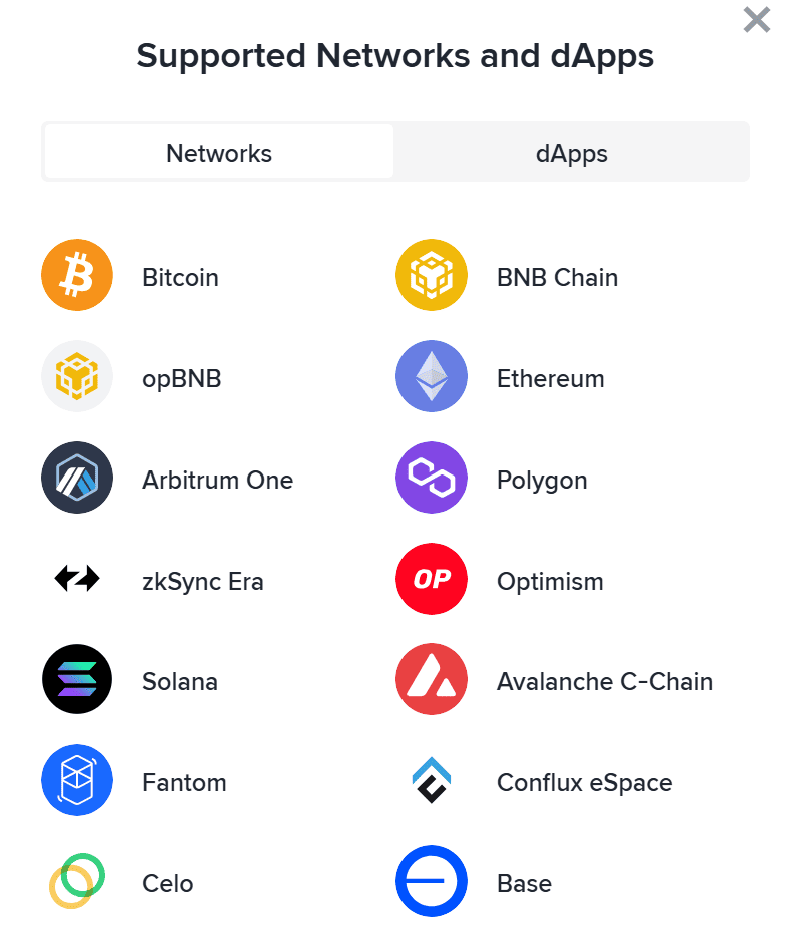
It’s an impressive list, although not the widest range of support we’ve seen. That crown goes to Best Wallet, which supports more than 60 chains.
Binance Wallet’s range of supported networks means that it’s compatible with virtually all ERC-20, BSC-20, and BRC-20 tokens, as well as Bitcoin Ordinals. You can also add any tokens that use these standards to your wallet as custom tokens. If there’s an upcoming Binance listing, chances are very high it’s compatible with Binance Wallet.
Binance Wallet Features
Binance Wallet is packed with features to help you trade crypto, navigate Web3, and more. Let’s take a closer look.
Token Swaps
Binance Wallet enables you to swap tokens between blockchains and trade on-chain using DEXs. You can use Binance Bridge, Binance’s own DEX that aggregates price and liquidity data from thousands of exchanges. You can also connect directly to other top DEXs using Binance Wallet’s dApp library.
Binance Wallet also includes tools to help you trade, like social sentiment monitoring and advanced technical charts. Since it’s in the Binance app, you can also use all of Binance’s trading features to identify opportunities and then return to Binance Wallet to execute a swap.
dApp Support
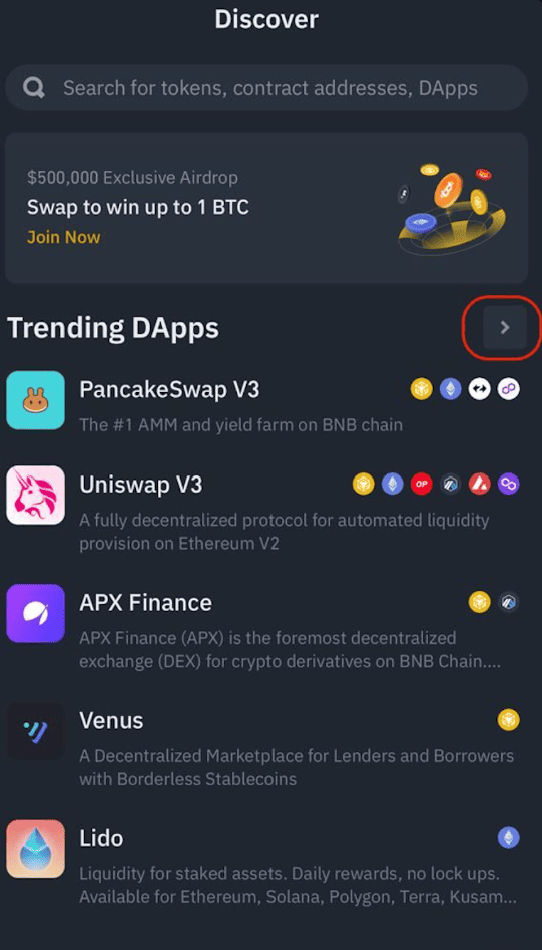
Binance Wallet has a ‘Discover’ panel where you can find and connect to dozens of dApps. It’s essentially an in-app Web3 browser with a marketplace of featured dApps like Pancakeswap, BeraHub, Venus, Maverick Protocol, and a lot more.
Staking
Binance Wallet also supports decentralized staking pools for popular tokens like ETH, BNB, USDT, USDC, and DAI. This is separate from Binance’s centralized staking offering, which is also available within the Binance app. APYs range from 0.75% for BNB staking to 4.86% for DAI.
Binance Alpha
Binance Alpha is a new token launchpad where top emerging cryptocurrencies hand-selected by the Binance team can be featured. It offers a streamlined way to invest in the best crypto presales, although the selection of tokens available for investment isn’t huge.

Binance doesn’t guarantee that tokens on Binance Alpha will end up listing on the main exchange, but these projects certainly would seem to have a leg up.
DEX Pro Mode
The DEX Pro Mode is an advanced feature within Binance Wallet that bridges centralized and decentralized trading. It supports automated limit orders with no upfront gas fees, market orders, real-time metrics, and multiple pending orders. This feature is powered by Secure Auto Sign (SAS), meaning you can sign transactions without giving up control of your private key. Moreover, you can place a limit order without the need to lock your funds.
Web3 Loans
This on-chain borrowing feature enables you to borrow crypto using your stored assets as collateral. You can use BTCB, ETH, USDT, USDC, FDUSD, and WETH as collateral, and USDT, USDC, and BNB as borrowing assets. The loan service is powered by Venus, a lending protocol on the BNB Chain that supports 40+ assets and manages over $2.2 billion in its core pool.
Meme Rush
Binance Wallet recently got a new addition - Meme Rush. This feature uses Four.Meme's token launch technology, which allows you to discover early-stage meme tokens directly from your wallet. However, the tokens are not just listed randomly. Each token goes through three stages:
- New stage (tokens follow a bonding curve model and remain non-transferable)
- Finalizing stage (tokens continue bonding curve mechanics ahead of migration)
- Migrated stage (tokens that reach their milestone become fully transferable and migrate to a decentralized exchange)
High-performing tokens may later get listed on Binance Alpha.
Get Binance WalletBinance Wallet Fees
Binance Wallet is free to use. However, you will pay fees for using Binance’s centralized exchange or the Binance Bridge DEX.
Trading fees on the main Binance exchange start at 0.1% for makers and takers, which is pretty competitive. If you use Binance Bridge, the fee will vary depending on market conditions, but it is usually between 0.25% and 1% of your total swap amount. Keep in mind that you’ll also pay network fees for on-chain swaps and transfers.
Is Binance Wallet User-Friendly?
Binance Wallet can feel somewhat overwhelming for first-time users, but on the whole, we found the user experience to be pretty good. The main issue that users will face in using Binance Wallet is that there’s just a lot going on. You have access to all of the wallet’s features alongside all of the features of the Binance exchange platform, which offers a laundry list of capabilities and tools. So, if you don’t know what you need or want to find a specific feature, it can be easy to get lost.
That said, once you get used to Binance Wallet, it’s relatively seamless. The fact that you don’t need to download an extra app is a plus, and the integration with Binance is a real selling point. You can easily buy crypto on Binance, for example, and send it straight to Binance Wallet. You can also transfer tokens between your custodial Binance wallet and Binance Wallet with just a few taps.
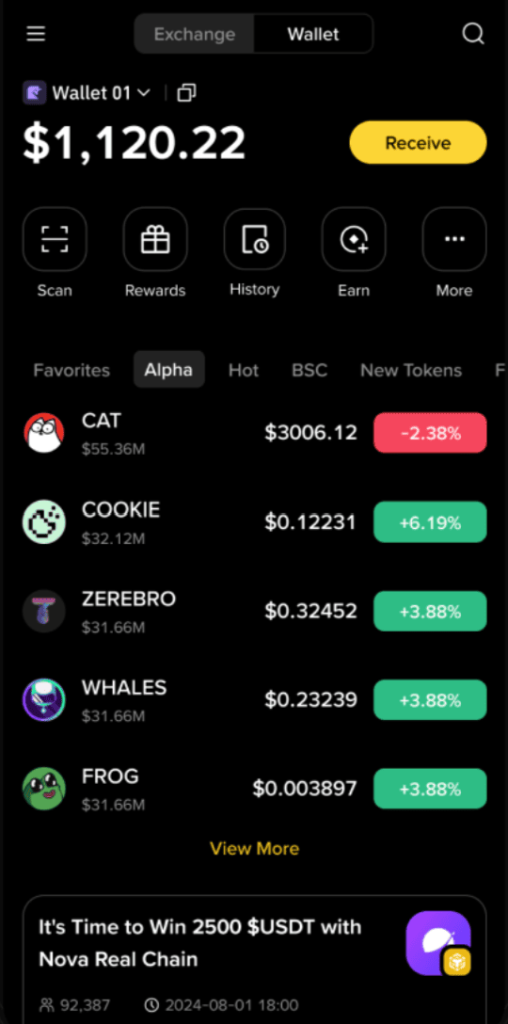
A menu across the top of the wallet display makes it fairly easy to send, receive, swap, or stake tokens. The main display shows your token balances, and you can tap on any token to pull up a chart and learn more about it. It would be nice to have a panel with featured Web3 apps on the wallet’s front page, but this is a minor complaint.
While previously only available on mobile (iOS and Android), Binance Wallet recently introduced an extension for Chromium-based browsers (Chrome, Edge, etc). Its interface mirrors that of the mobile app, but on a larger screen, with a less cluttered layout.
Binance Wallet Customer Support
Support for Binance Wallet is provided by the main Binance exchange customer support team. That’s good and bad. On the one hand, it means you can get in touch relatively quickly by live chat, email, and social media, and you don’t have to go searching for Wallet-specific channels.
On the other hand, Binance Web3 Wallet reviews from users indicate that not every Binance customer service representative is well-versed in the wallet and its differences from the Binance exchange platform. So, you may have to contact support a few times to get a representative who can help effectively.
Binance also has an online help center, although Binance Wallet only has a few articles within this knowledge base. There’s not a ton of information, especially compared to the tutorials that Binance offers about its other features.
Binance Wallet vs Other Top Crypto Wallets
It’s worth comparing Binance Wallet against other top crypto wallets before deciding which one is right for you. Binance Wallet’s main advantage is that it’s fully integrated into the Binance exchange experience, but other wallets outperform it in areas like supported blockchains, user experience, and features.
Here’s how Binance Wallet stacks up against Best Wallet, Margex Wallet, Zengo, and Bybit Wallet.
| Binance Wallet | Best Wallet | Margex Wallet | Zengo | Bybit Wallet | |
| Wallet Type | Non-custodial | Non-custodial | Custodial | Non-custodial | Custodial and non-custodial options |
| Supported Blockchains | 34 | 60+ | 17 | 10+ | 30+ |
| Top Features |
|
|
|
|
|
| Compatibility | iOS, Android | iOS, Android | Web, iOS, Android | Desktop, iOS, Android | iOS, Android |
- Bybit Wallet is perhaps the most similar to Binance Wallet in that it’s a non-custodial wallet integrated directly into the Bybit exchange app. Like Binance Wallet, Bybit Wallet is designed to support Web3 exploration, decentralized token staking, and token swaps.
- Best Wallet is also worth comparing to Binance Wallet. It’s not affiliated with an exchange, but supports more than 60 blockchains and has a huge range of features that Binance Wallet doesn’t offer—like an integrated iGaming hub and advanced portfolio management tools.
- Zengo Wallet has limited network support, but stands out for innovative features like a legacy transfer program and time-secured Bitcoin vaults. It also mimics Binance Wallet’s Web3 connectivity with a dApp marketplace of its own.
How to Get Started With Binance Wallet
Here’s how to get started using Binance Wallet in a few easy steps.
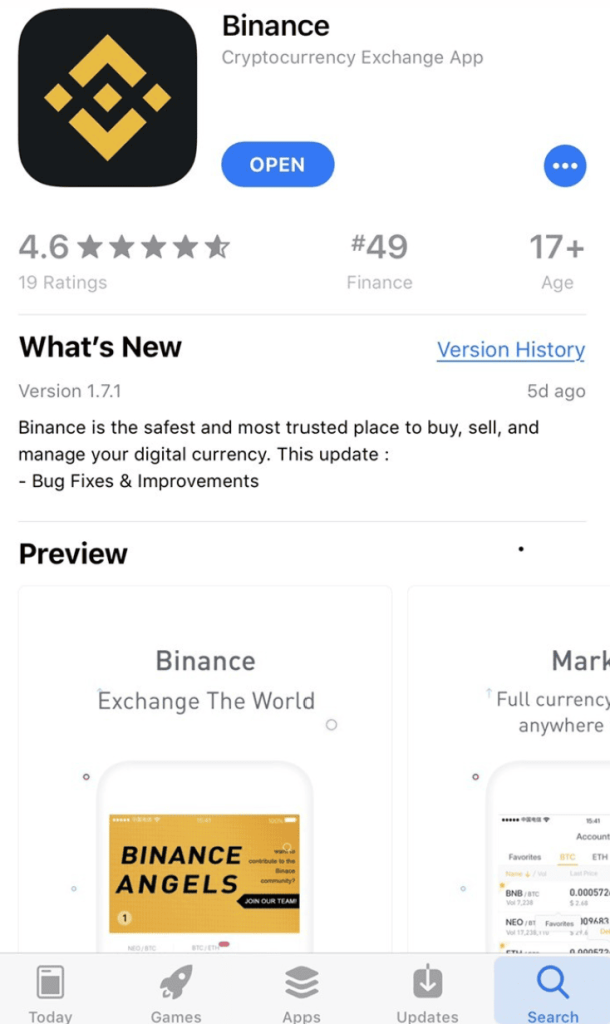
Step 1: Download the Binance App
To get started with the Binance Wallet, head to Google Play or the Apple App Store and download the Binance mobile app.
Step 2: Create a Binance Account
Open the Binance app and tap Sign Up. Enter your email address or phone number, or sign up with a Google, Apple, or Telegram account. Then tap Next.
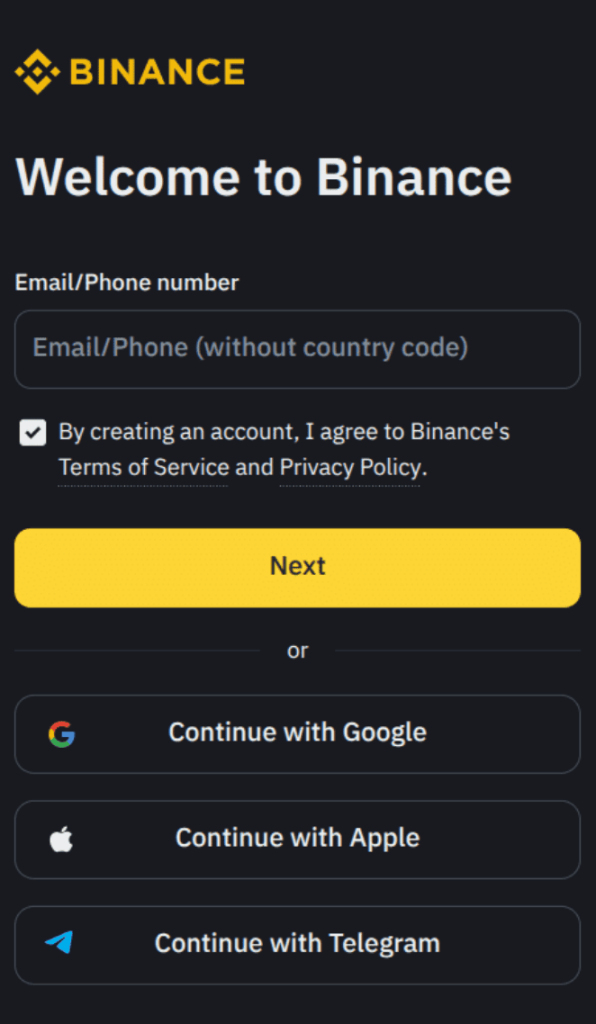
Binance will send you an email or text message to verify your account. Enter the code provided to complete your account setup.
Step 3: Set Up Your Wallet
To open the menu, tap the menu icon in the upper left-hand corner of the main Binance dashboard. Then tap More and select Binance Wallet. Tap Create Wallet and follow the on-screen prompts.
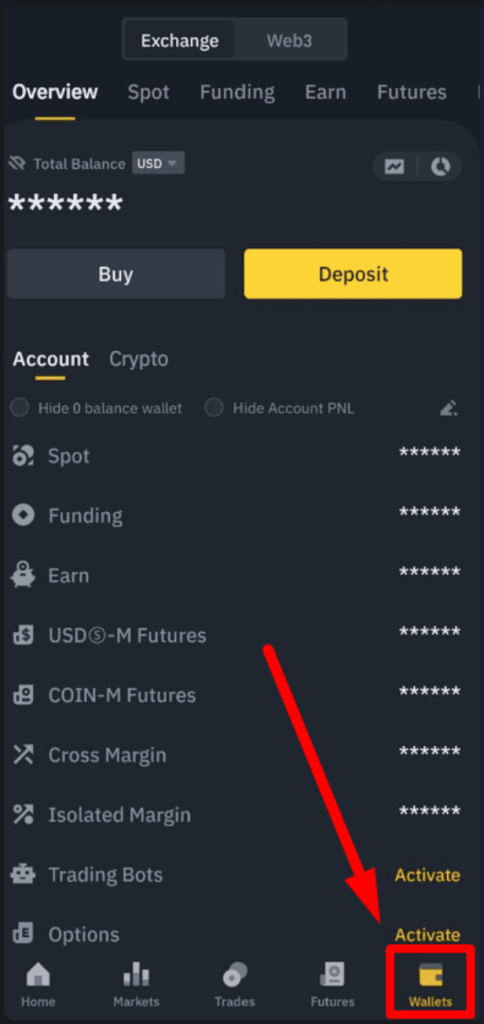
Step 4: Back Up Your Wallet
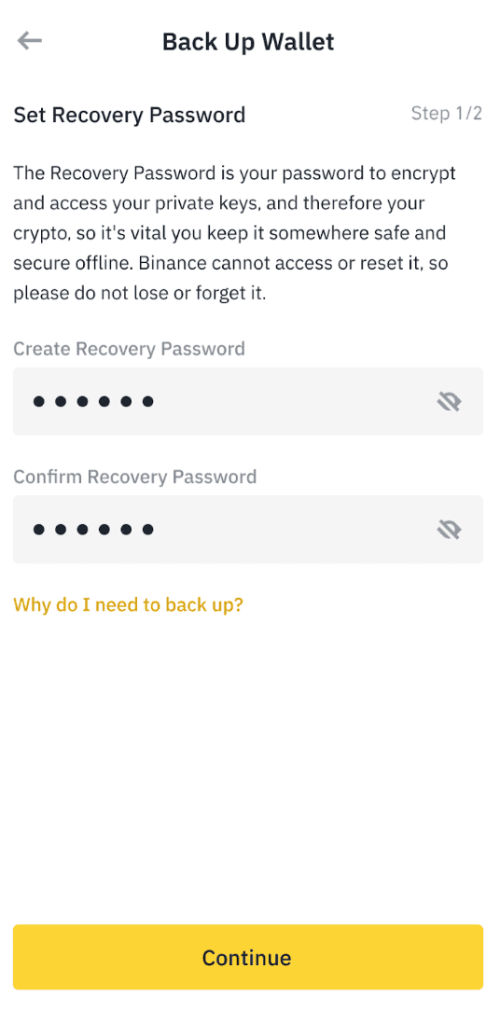
Tap Backup Now to create a backup of your wallet and set a recovery password. Be sure to keep your recovery password somewhere safe since this provides access to one of your wallet’s key fragments. You’ll need this recovery password to restore your wallet if needed in the future.
Binance Review Conclusion: Is It Good Enough?
Our Binance crypto wallet review found that it’s a very convenient wallet for current Binance customers who want to take full control over their crypto. Binance Wallet is a non-custodial wallet created and fully integrated into the Binance exchange app. It enables you to connect to the wider world of Web3 without leaving the Binance ecosystem.
However, Binance Wallet does have a bit of a learning curve for new users, and it doesn’t support as many networks as competing wallets like Best Wallet. So, think carefully about whether the added convenience of having a non-custodial wallet inside the Binance app makes sense for you.
Get Binance WalletOur Methodology: How We Tested and Reviewed Binance Wallet
Our Binance DeFi wallet review is based on taking the wallet for a test drive ourselves. We downloaded the Binance app, created a Binance account, and tried out all of the wallet’s features for ourselves. We also dug through Binance’s help documentation and user reviews to get a better sense of the wallet’s full capabilities and limitations.
In addition, we compared Binance Wallet head-to-head with alternative wallet apps like Best Wallet and Bybit Wallet. This enabled us to honestly rate Binance Wallet’s user experience and better understand how it fits into the wider crypto ecosystem.
FAQs
Does Binance Wallet require KYC?
How safe is Binance Wallet?
Can Binance Wallet be hacked?
Is Binance Wallet suitable for beginners?
Can people track my Binance Wallet?
References
- Binance moves into self-custody space with Web3 wallet (Blockworks)
- Crypto exchange Binance buys Trust Wallet in first acquisition deal (TechCrunch)
- Hackers steal over $40 million worth of bitcoin from one of the world’s largest cryptocurrency exchanges (CNBC)
- What is Multi-Party Computation? Intro to Seedphrase-less Custody (Boring Security)


