Keplr Wallet Review 2026
- Compatible with several hundred token standards
- Built-in features include cross-chain swaps and DeFi access
- Non-custodial framework ensures users own their digital assets
Keplr is a non-custodial wallet that supports almost 350 blockchains and Layer 2 networks. It provides an all-in-one ecosystem for crypto investors, and key features include dApp integration, multi-sig technology, staking, and NFT management.
We tested Keplr’s browser extensions and mobile apps to evaluate the user experience, security mechanisms, and accessibility. Our Keplr wallet review is a must-read for those exploring decentralized storage solutions in 2026
Our Take on Keplr Wallet: Pros and Cons
Keplr has strong backing from major crypto investors, yet the wallet lacks functionality in several areas. Despite supporting nearly 350 network standards, users cannot natively store digital assets on some leading blockchains like Solana and XRP.
While it offers built-in swap tools and fiat payment facilities, fees are high, and the user experience is often cumbersome. Similarly, it charges a 3% commission on Bitcoin staking solutions, but offers an APY of just 0.28%.
A major advantage is that Keplr offers robust security features, including multi-sig approvals, biometrics, and encrypted private keys. It also operates on various device types, including browser extensions and mobile apps.
Pros
- A free wallet for web browsers and smartphones
- Non-custodial storage ensures users control their private keys
- Security features include biometrics and multi-sig technology
- Swap tokens across different networks in a decentralized environment
Cons
- No native support for Solana or XRP
- Cumbersome fiat payment process with high fees
- Does not offer desktop software for Windows or Mac
- Charges a 0.75% commission on token swaps
- Unprofessional customer support team
What Is Keplr Wallet?
Launched in 2021, Keplr is a non-custodial wallet that lets users send, receive, and store digital assets. Backed by prominent Web 3.0 stakeholders, including Coinbase Ventures and Binary Builders, Keplr was initially designed with its wallet interface for the Cosmos ecosystem.
It has since expanded its use cases and now ranks as one of the top wallets for multi-chain support. Users can store cryptocurrencies on nearly 350 blockchain standards, including Bitcoin, Ethereum, BNB Chain, Base, and Arbitrum.
The wallet offers free browser extensions for Chrome, Edge, and Firefox, as well as a native mobile app for iOS and Android. It provides a range of features that help users stay connected to the broader blockchain sector. Users may stake cryptocurrencies, engage with decentralized applications (dApps), buy and swap digital assets, and cast votes on decentralized autonomous organizations (DAOs).
Our Keplr wallet review confirms that over 1 million investors use the software, which is considerably less than other leading providers like MetaMask and Trust Wallet.
Is Keplr Wallet Safe?
Many prospective users ask the question: Is Keplr wallet safe?
In our view, Keplr is a secure crypto wallet since it relies on the non-custodial framework. It provides users with unique private keys, which they store locally on a desktop or mobile device. Passwords, PINs, or biometrics protect users against unauthorized access, and multi-sig technology requires two or more parties to approve transactions.
For added security, Keplr users may connect their software wallet to a hardware device for cold storage solutions.
According to our research, Keplr wallet has never experienced a hack, although users remain responsible for general security practices.
Here is a summary of how Keplr ensures a safe storage experience:
- Self-Custody: Keplr offers a decentralized wallet structure. Users retain full access to their digital assets and eliminate counterparty risks. The wallet enables users to send and receive cryptocurrencies without needing approval from another entity.
- Local Encryption: The provider cannot access user-controlled private keys. Wallet owners store their keys on the same device that Keplr is installed on. Their encrypted nature ensures nobody but the user can sign transaction requests.
- Multi-sig Accounts: An added security feature aimed at users with shared accounts (partners, companies, DAOs, etc.), multi-sig requires two or more parties to approve outgoing transfers. It ensures stakeholders avoid a single point of failure.
- Hardware Wallet Support: Users can connect Keplr with external hardware wallets, such as Ledger and Keystone. This link-up enables users to manage cryptocurrencies on both desktop and mobile devices, while benefiting from the security of cold storage.
Keplr users also receive a 12 or 24-word seed phrase, which is unique to their wallet credentials. The seed phrase enables users to recover access if they forget their password/PIN, or lose their device. Never share the seed phrase with anyone, and ensure you store it offline.
Keplr Wallet Supported Coins and Blockchains
Keplr initially launched the wallet for the Cosmos ecosystem, so it integrates directly with the Inter-Blockchain Communication (IBC). Since the founders expanded into other Web 3.0 ecosystems, the wallet now supports almost 350 blockchains.
Top Layer 1 integrations include Bitcoin, Ethereum, BNB Chain, Sei, and Avalanche. It also works with the leading Layer 2 networks like Base, Arbitrum, Polygon, and Blast.
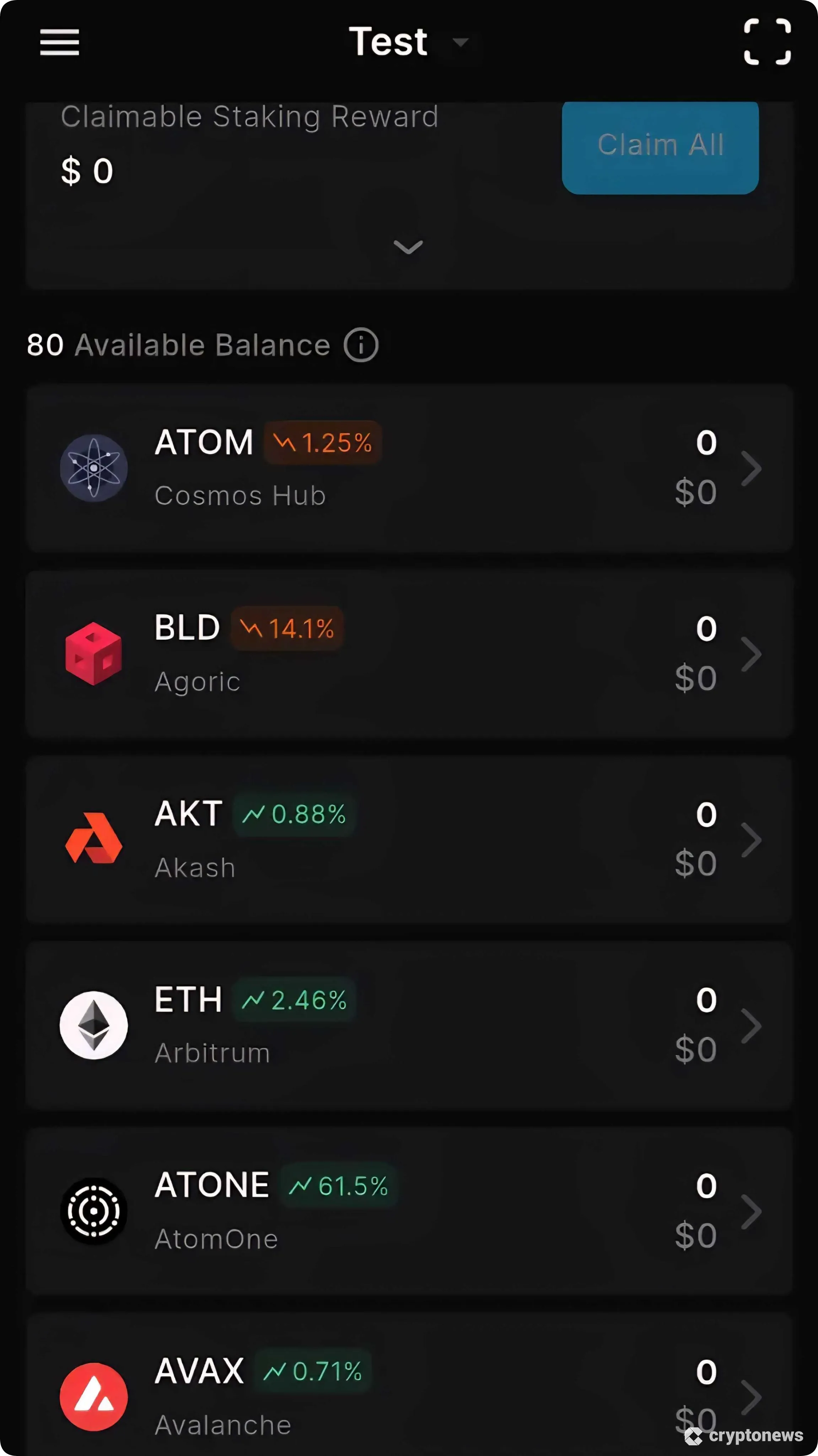
However, unlike the best decentralized crypto wallets, Keplr lacks native support for several major blockchains, including Solana, XRP, Cardano, and Sui. The only workaround is to bridge cryptocurrencies via the IBC framework. The process is far from beginner-friendly, and mistakes could lead to a loss of funds.
The wallet enables users to add custom assets on any supported network standard, including ERC-20 and BEP-20 tokens. Once users provide the smart contract address, the software adds the token to the main balance interface.
Keplr Wallet Review: Key Features
In addition to wallet storage and on-chain transacting, Keplr supports additional features to enhance the user experience. We explore these features in the following sections.
Crypto Swaps
Both the Keplr browser extension and mobile app support token swaps across supported network standards. The service relies on Skip Go APIs, which connect with decentralized liquidity pools on the IBC framework, among other ecosystems.
To swap cryptocurrencies, users input the original and receiving assets, either by typing in the project name or pasting the smart contract address. We recommend the latter, as some tokens operate on multiple networks.
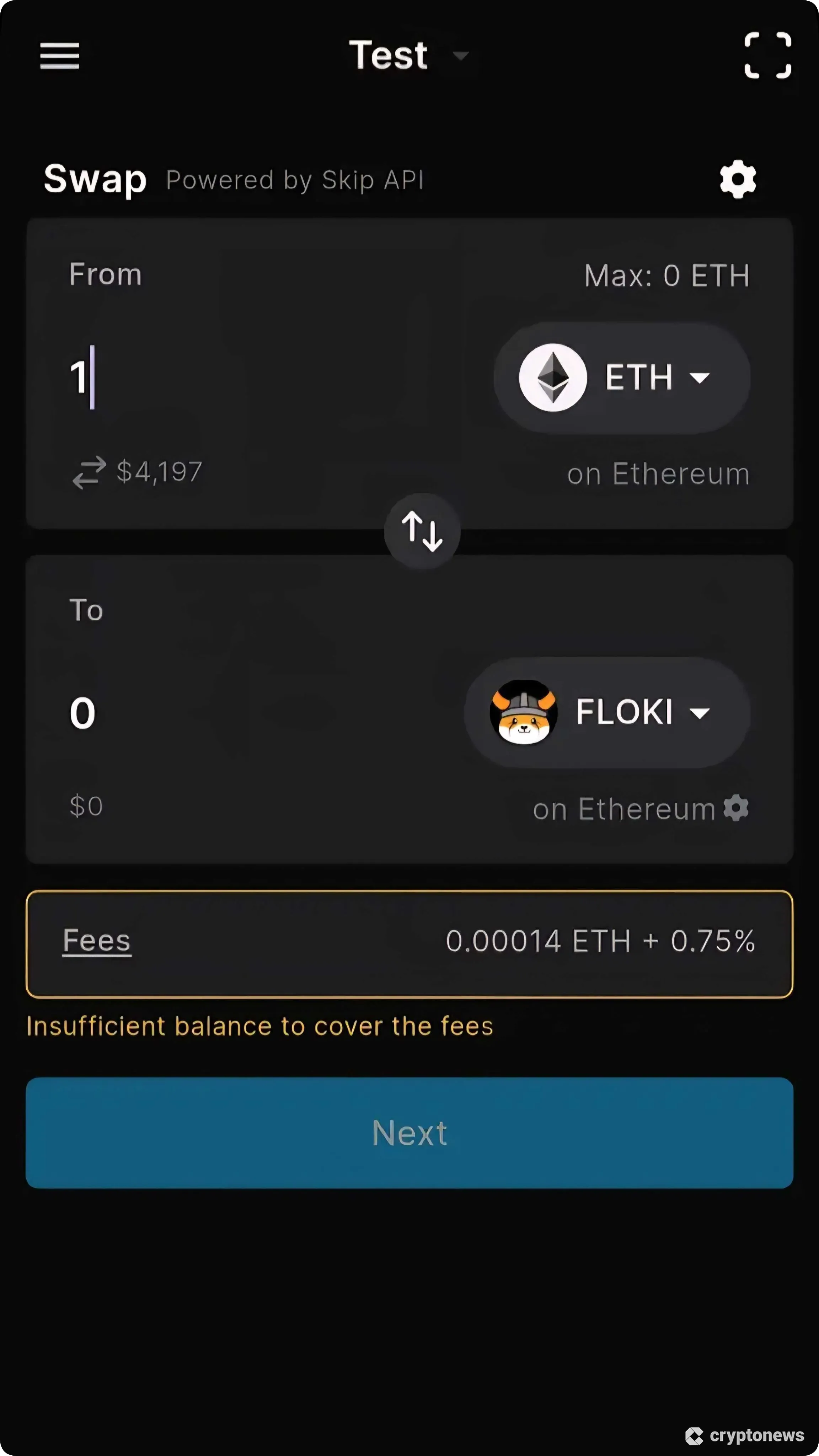
Once confirmed, smart contracts execute the trade in seconds, and the new cryptocurrencies appear in the wallet balance. Regarding fees, Keplr charges a 0.75% markup on the swap exchange rate, and users also cover the standard network gas fees.
Staking
Keplr offers staking facilities for top proof-of-stake (PoS) cryptocurrencies like Cosmos (ATOM) and Osmosis (OSMO). Users select the PoS coin and Keplr lists available network validators by the estimated APR. It also shows the validator voting power in percentage terms and their commission rate.
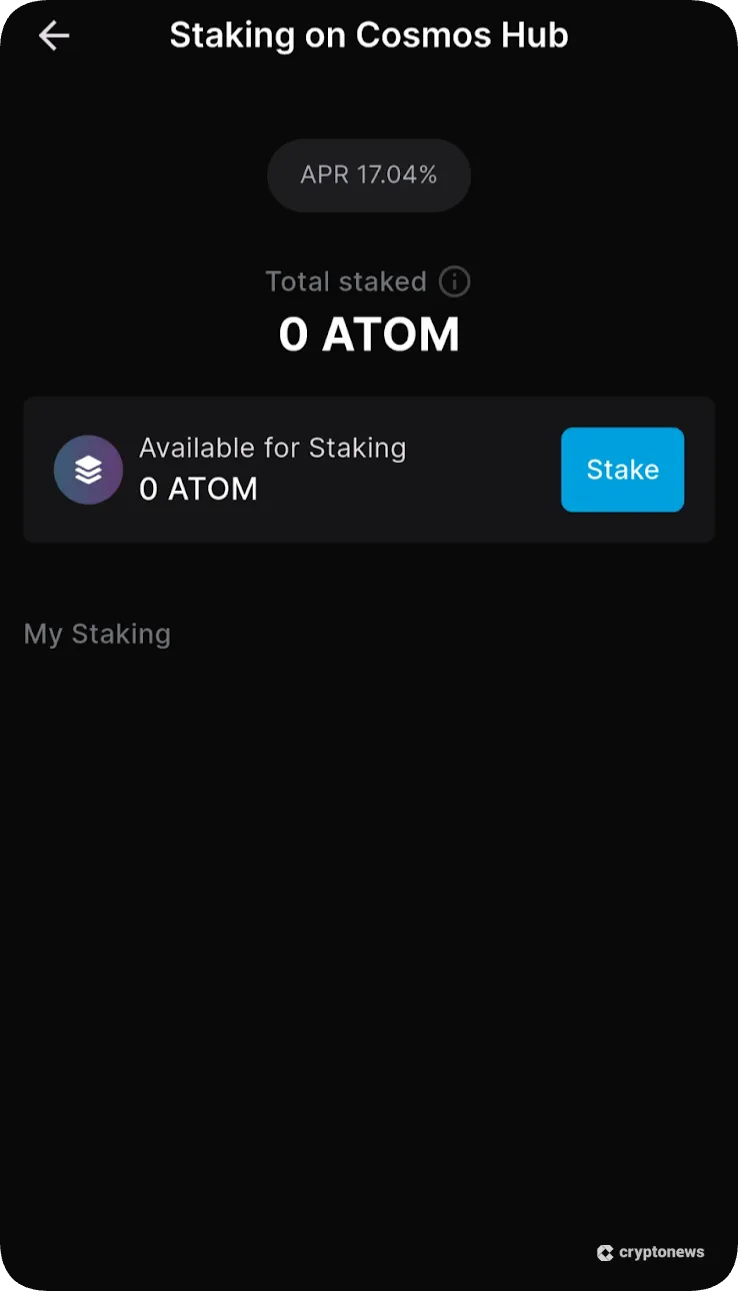
Through a Babylon integration, our Keplr wallet review confirms that users may also stake Bitcoin (BTC). APRs are just 0.28%, though, and Keplr charges a 3% commission on the generated rewards.
All-in-One Dashboard
The all-in-one dashboard helps users manage their crypto portfolios from a single hub. It provides investment statistics like the total portfolio value, asset distribution by chain, and real-time staking performance.
However, insights are basic compared with many wallet competitors. They do not provide in-depth performance metrics, market data, or the top trending cryptocurrencies.
dApp Integration
Another top feature is the seamless dApp integration. The wallet connects with Web 3.0 dApps on any compatible network, including popular Ethereum ecosystems like Uniswap, OpenSea, Decentraland, and Axie Infinity.
To engage with dApps on the Keplr app, users scan the platform’s QR code (generated on a desktop device) or paste the URL to connect manually. Those using the Keplr extension visit the dApp website and click the connection button, which typically detects the wallet automatically.
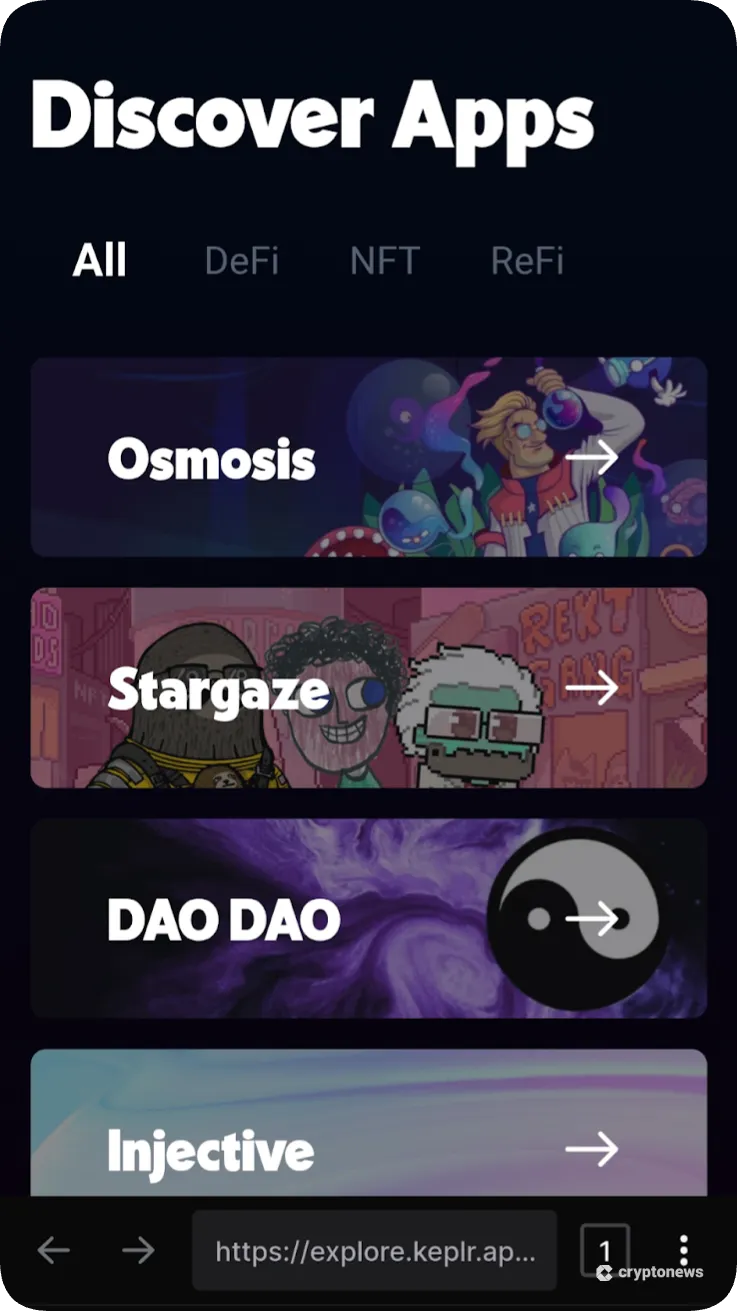
The key drawback is that, since Keplr does not support the SPL standard, users cannot connect to Solana dApps like Raydium or Pump.fun.
Fiat On-Ramp
Keplr integrates with three fiat gateways: Swapped.com, MoonPay, and Transak. These providers allow users to buy cryptocurrencies in various local currencies, and popular payment types include Visa, MasterCard, PayPal, and Google/Apple Pay.
Unlike many wallets, Keplr requires users to choose their preferred gateway before providing the purchase details. This structure is unusual, since users must manually review supported payment methods and prices for each provider.
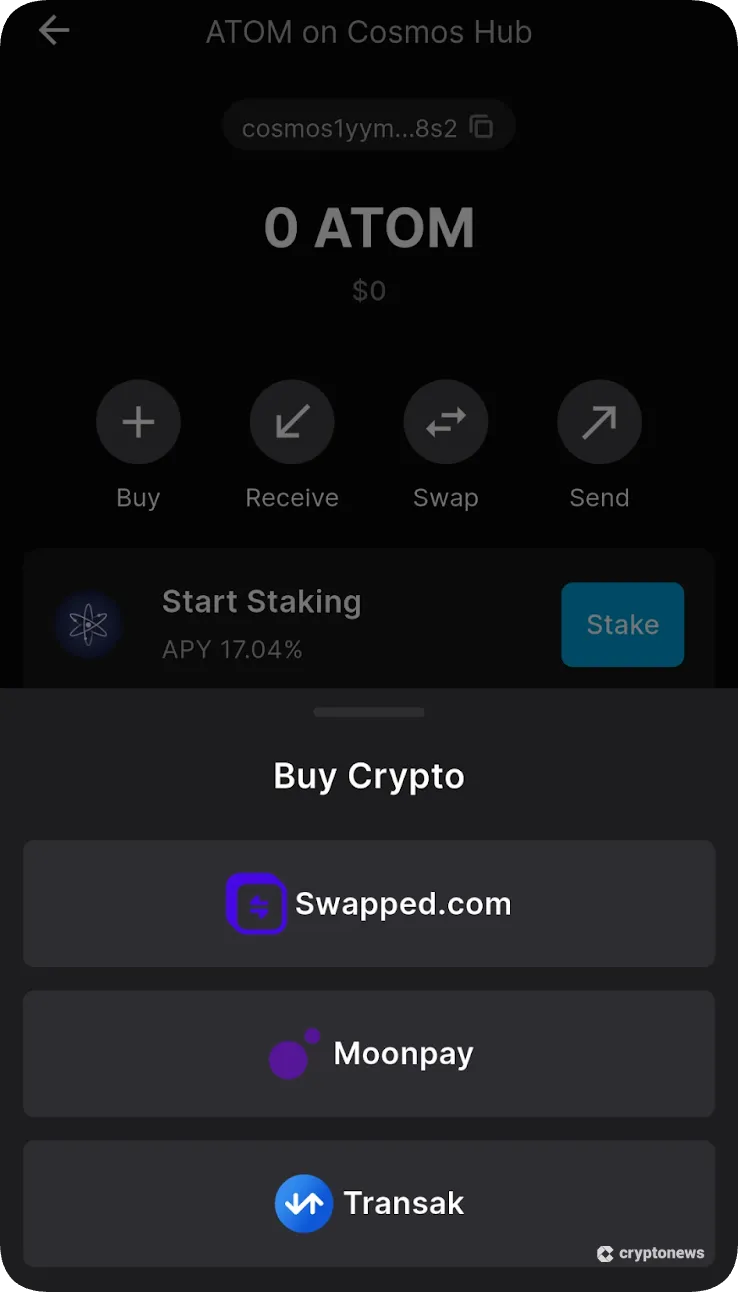
Our Keplr wallet review evaluated average prices for top cryptocurrencies like Ethereum (ETH), Tether (USDT), and BNB (BNB). We found that prices vary widely, and some gateways charge up to 5%. The key issue is that fiat partners include transaction fees in the final quote, which makes it challenging to evaluate exact prices.
In our view, it’s best to use the lowest-fee crypto exchanges like KCEX, MEXC, and Binance to buy digital assets with fiat money. After users make a purchase, they instantly transfer tokens from the exchange to their Keplr wallet.
Keplr Infra
Keplr Infra streamlines wallet-to-network connections with more reliable blockchain requests. It ensures smoother transactions, enhanced stability, and more accurate wallet and smart contract data.
The Infra feature, which relies on a native Remote Procedure Call (RPC) infrastructure, also enables users to become PoS validators. This mechanism means users may stake coins directly on the blockchain, rather than rely on third-party validators who charge commissions.
As per Keplr data, its Infra RPCs process millions of transactions per month across more than 60 independent servers with a 99% uptime record.
Keplr Wallet Fees
Keplr offers a fee-free service across core wallet functions, which include storing and receiving cryptocurrencies. Users avoid transaction markups when sending digital assets to another location, so they cover only the exact gas fee.
Most other features incur additional fees. The wallet charges a 0.75% surcharge on token swaps, and decentralized liquidity providers determine exchange rates.
Buying tokens with fiat money may incur fees of up to 5%, yet the project documentation does not state whether Keplr adds additional commissions. This is because gateways built fees into the quote, which lacks transparency.
To reduce fees, we recommend trading directly with reputable platforms, rather than relying on partnered third parties. For example, users avoid the 0.75% Keplr commission by swapping tokens on Uniswap or Pancakeswap. The process is simple, as users connect to dApps through WalletConnect or the built-in explorer.
Is Keplr User-Friendly?
Having tested Keplr’s browser extensions and apps, we found that it isn’t the most user-friendly wallet in the market. While it takes seconds to get started, users must choose which networks they wish to install. Beginners may feel intimidated by the sheer number of supported blockchains and Layer 2 solutions.
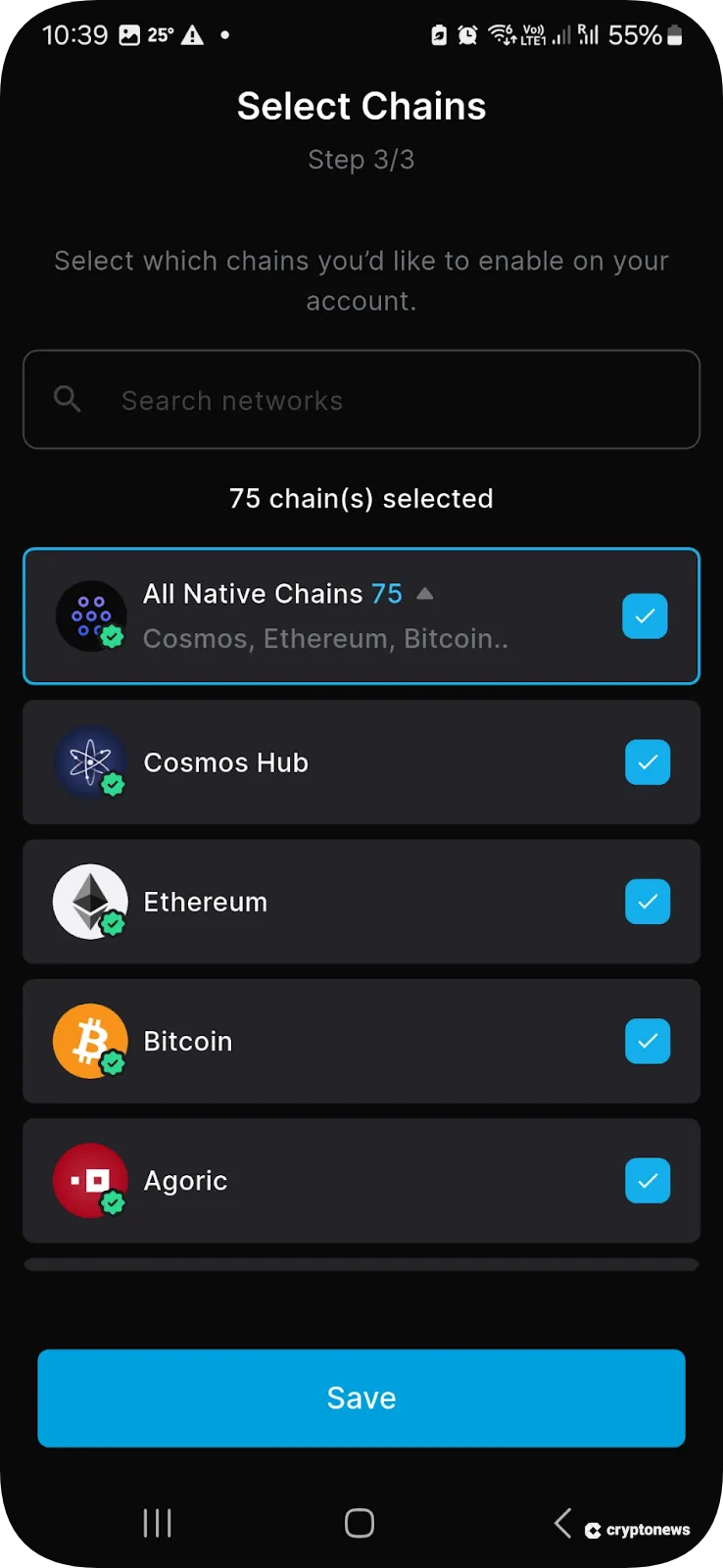
In addition, Keplr does not offer sufficient safeguards when users deposit or swap tokens that operate on different networks. One example is SOL. Although Keplr does not support the Solana blockchain, it allows users to deposit SOL on Ethereum, Arbitrum, BNB Chain, Avalanche, and other blockchain standards.
Another aspect is the default wallet interface, which shows less popular cryptocurrencies rather than focusing on the major coins. It displays Agoric (BLD), Akash (AKT), and AtomOne (ATONE) instead of market leaders like BTC, USDT, and BNB.
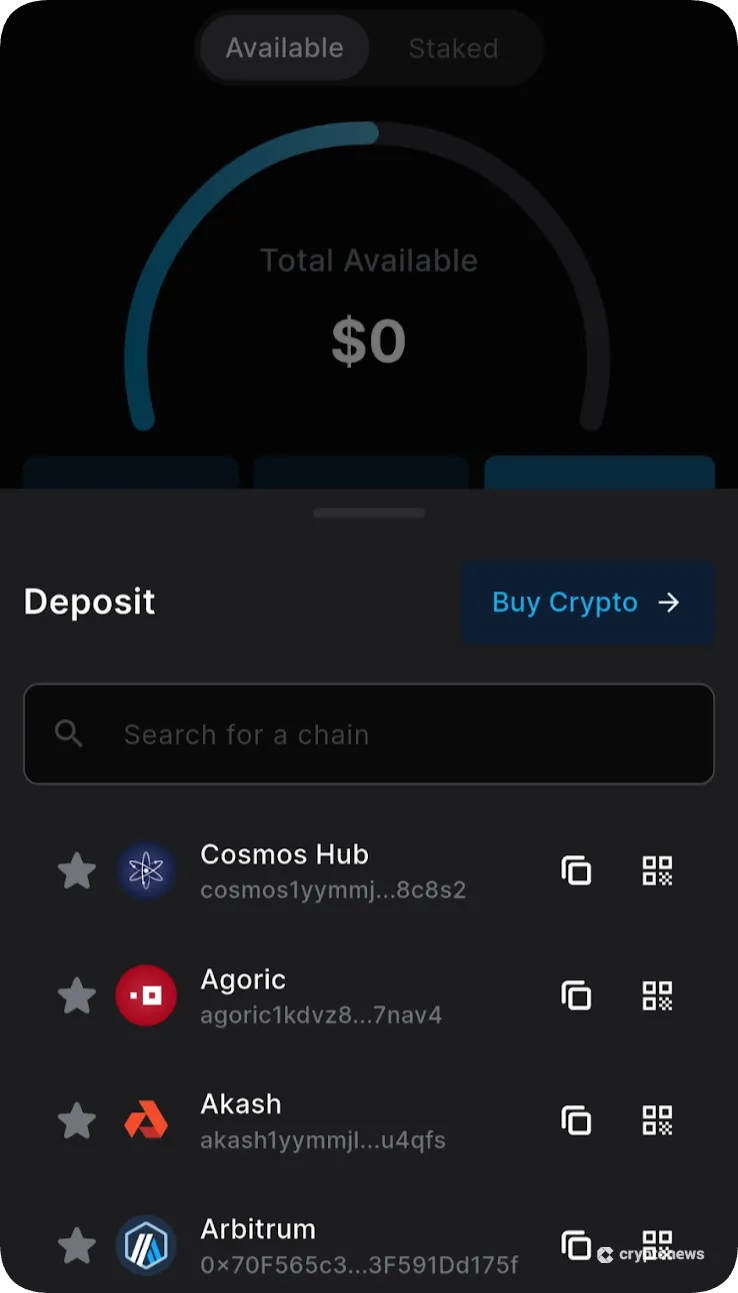
The wallet also provides a subpar trading experience when using traditional money. Users must choose from one of three partnered fiat gateways without knowing available deposit types, fees, or minimums.
In contrast, beginner-friendly alternatives like Best Wallet let users enter their purchase requirements (currency, crypto, amount, payment method, etc.), and the app matches users with the best-priced provider.
Keplr Wallet Customer Support
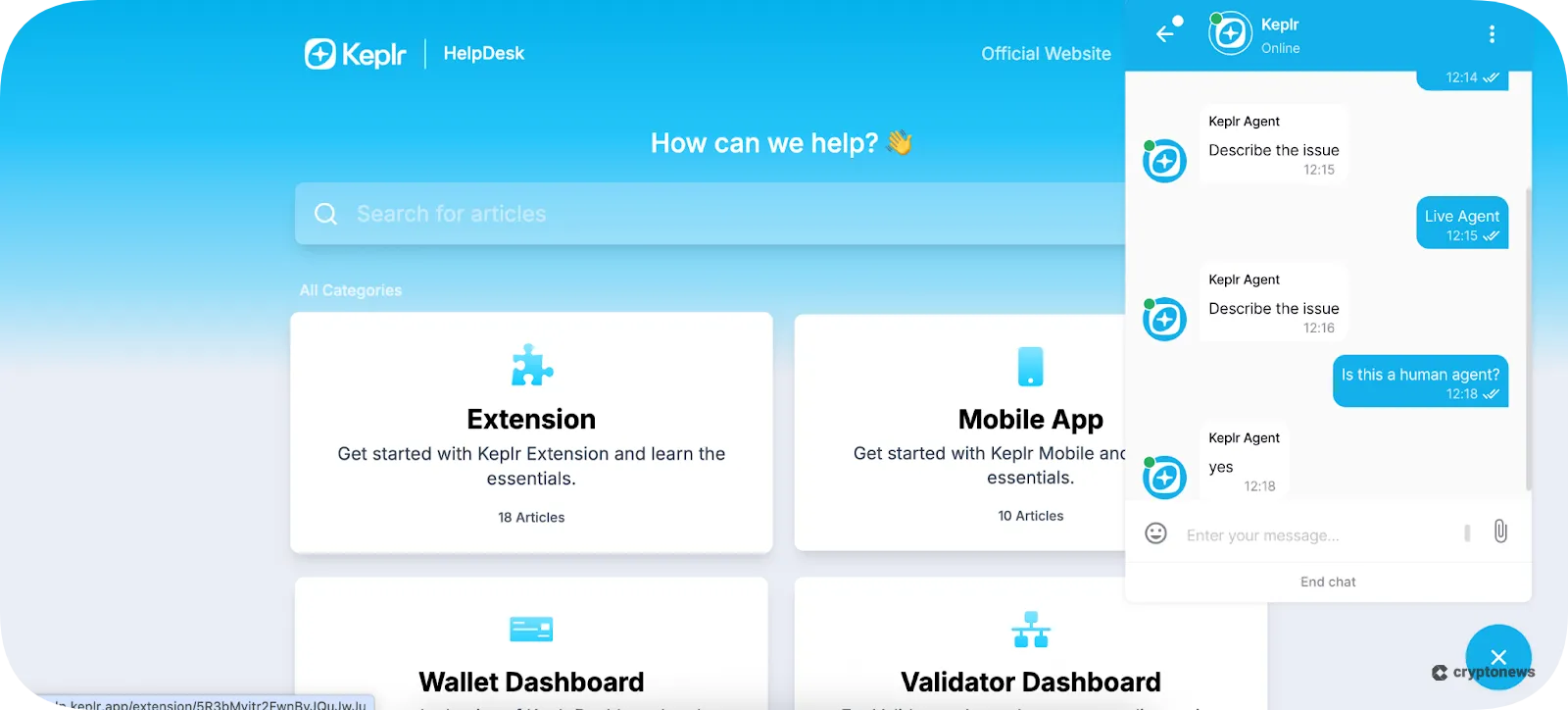
The Keplr support button initially displays help articles across common issues. Categories include troubleshooting, validator services, and general wallet functions.
The live chat feature connects users with an artificial intelligence (AI) bot. Requesting a live agent works, as we reached a support representative in less than a minute. However, the agent simply replied with “describe the issue” rather than introducing themselves. This reflects a poor customer experience, despite the fast connection time.
Keplr also offers customer support on its official X page, yet users should proceed with caution. Crypto scammers often create fake accounts that look identical to the wallet provider’s profile. They also send private messages pretending to be an official support agent. Real support agents never ask for sensitive wallet details, especially private keys and seed phrases.
How to Use Keplr Wallet
Keplr is less user-friendly than many non-custodial wallets. This section explains the step-by-step process, including how to secure the wallet and complete transactions.
Step 1: Download Keplr Wallet
Visit the Keplr website and click “Get Keplr”. Then download the wallet to your preferred device and operating system.
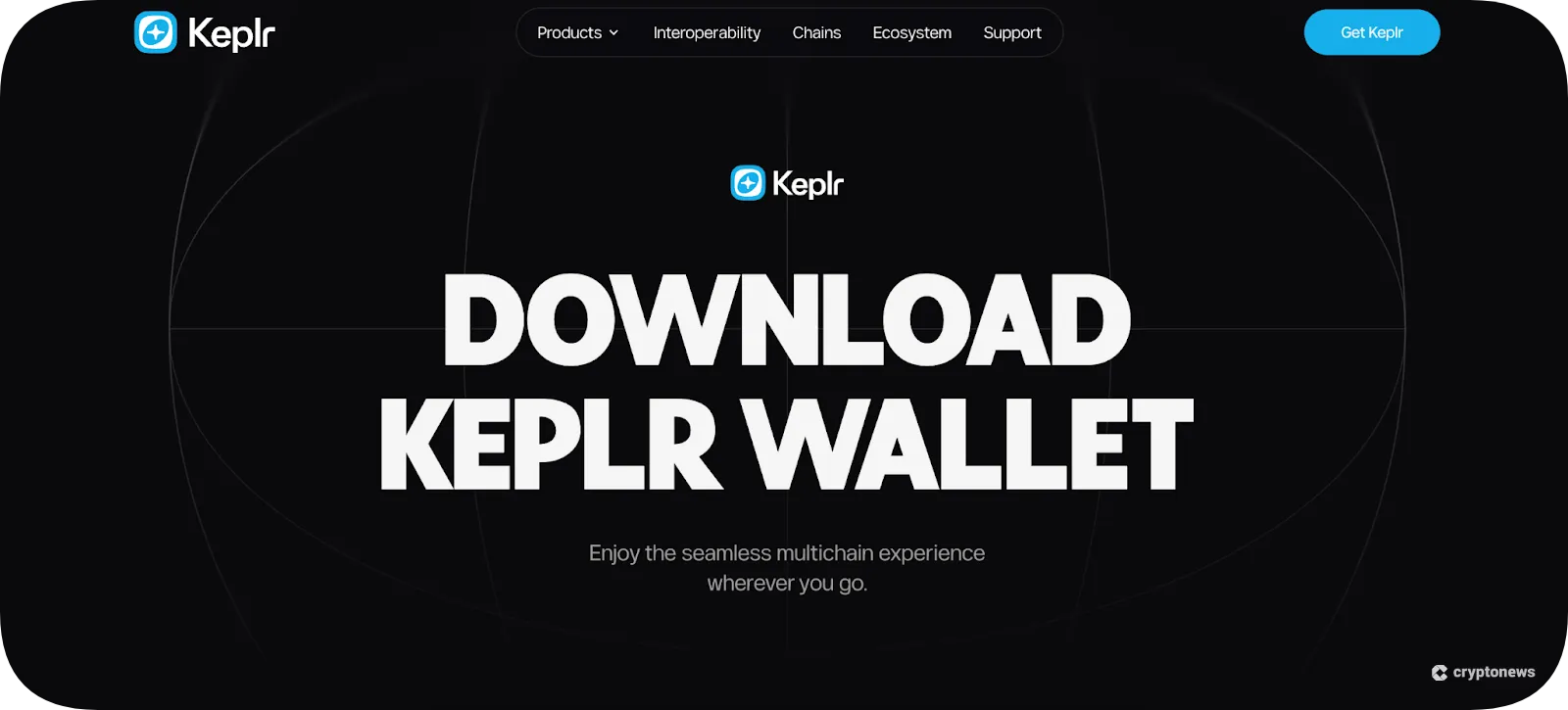
Keplr supports browser extensions for Chrome, Edge, and Firefox, and an iOS and Android app.
Step 2: Set up and Secure the Wallet
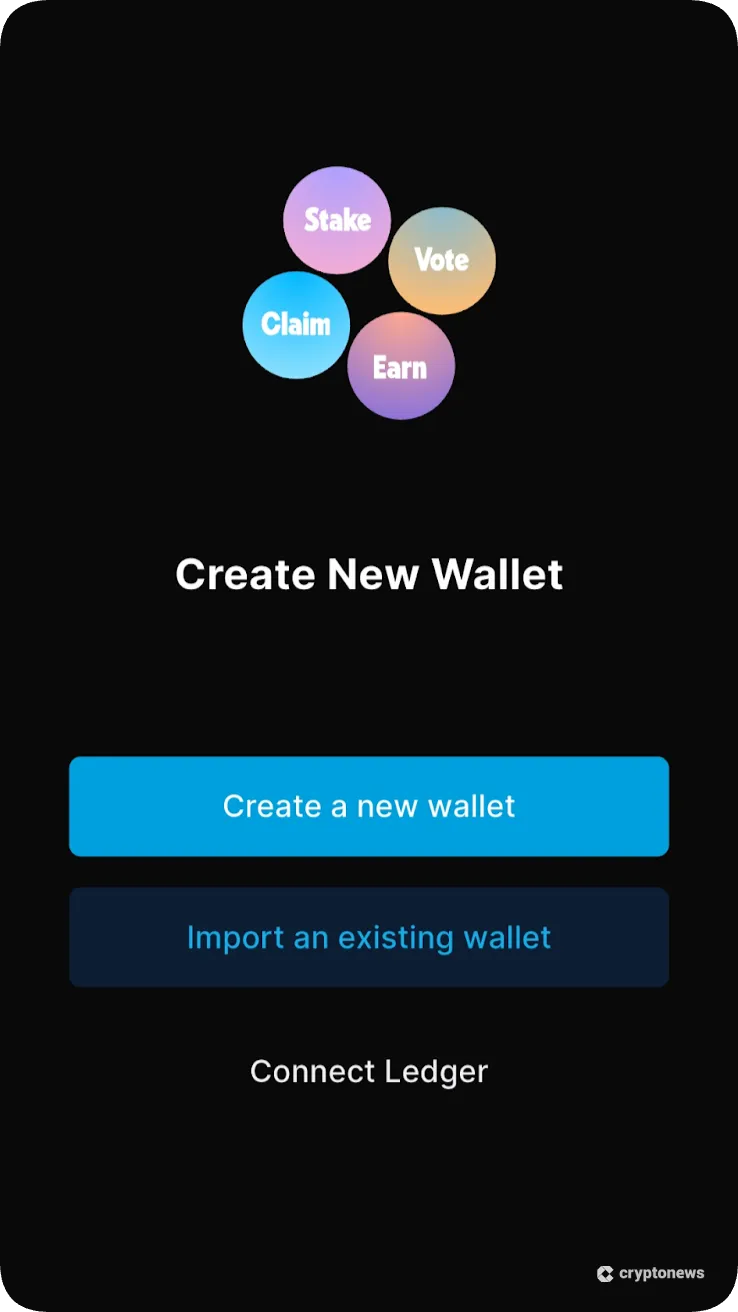
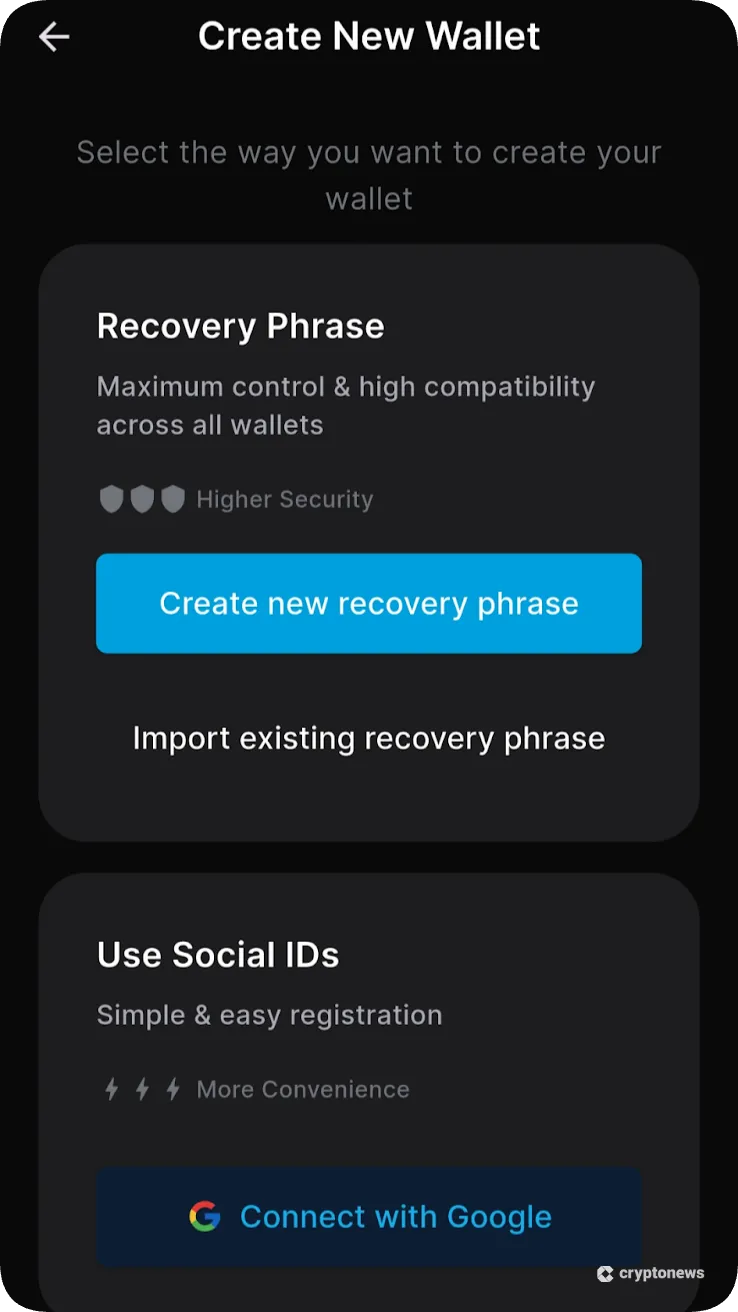
Open the Keplr browser extension or mobile app, and tap “Create a New Wallet”. Then select the preferred wallet recovery method from Google or unique seed phrases.
We recommend users select “Create New Recovery Phrase”, since it is the safest option. It reduces centralized risks, as cybercriminals may hack the Google account remotely.
Choose between a 12 or 24-word seed phrase, and re-enter two of those words when promoted. Then input a wallet name and a strong password of at least eight characters. Users may replace the password with biometrics when using the mobile app.
Keplr asks users to select the blockchains and networks they wish to install. It selects the 75 native chains by default, although users may add or remove networks manually.
Step 3: Deposit Cryptocurrencies
To transfer cryptocurrencies into the wallet, tap “Deposit” and search for the coin or token. Then select “Receive” to view the full wallet address. Keplr also generates a QR code, which you scan from another mobile wallet.
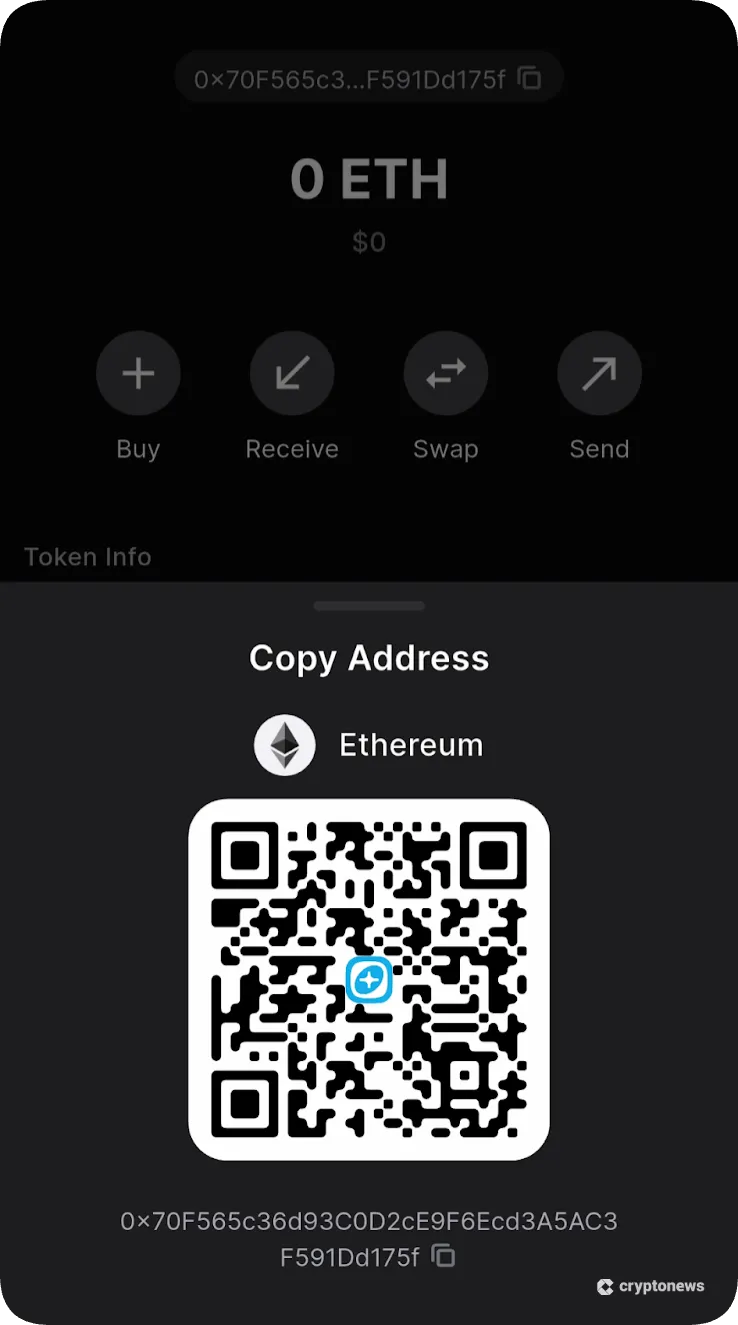
As a decentralized wallet, Keplr automatically adds digital asset deposits once the blockchain confirms the transaction. Block times vary from seconds to 10 minutes, depending on the network.
Step 4: Send Cryptocurrencies
Sending cryptocurrencies works similarly to receiving them, but in reverse. Select the asset and tap “Send”. Then input the receiving wallet address and the total number of coins or tokens to transfer.
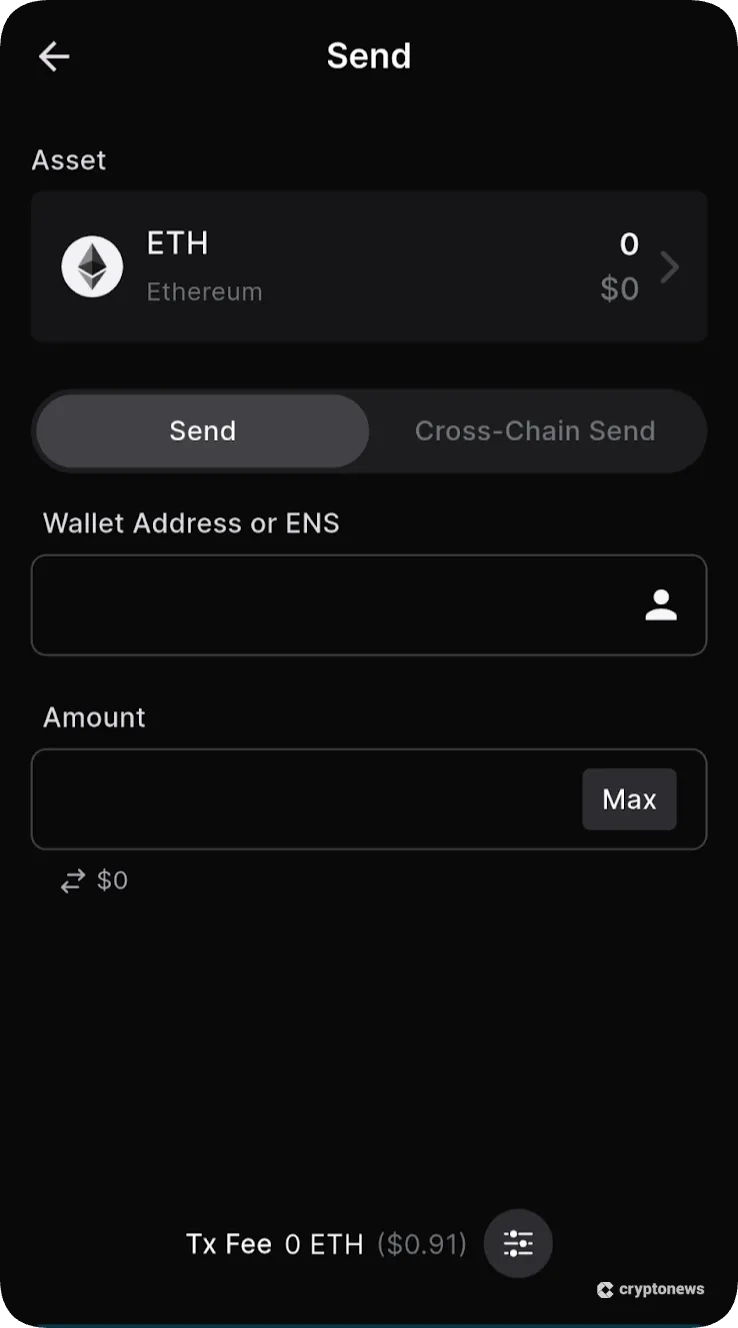
The wallet displays the estimated gas fee based on the real-time network charge. Confirm the transaction, and Keplr posts it to the blockchain instantly.
Step 5: Swap Cryptocurrencies
To trade digital assets via the cross-chain feature, tap the “Swap” button. Keplr requires the “From” and “To” cryptocurrencies.
We recommend pasting the contract address instead of searching for the asset manually. This extra step ensures users avoid transferring assets via the wrong network.
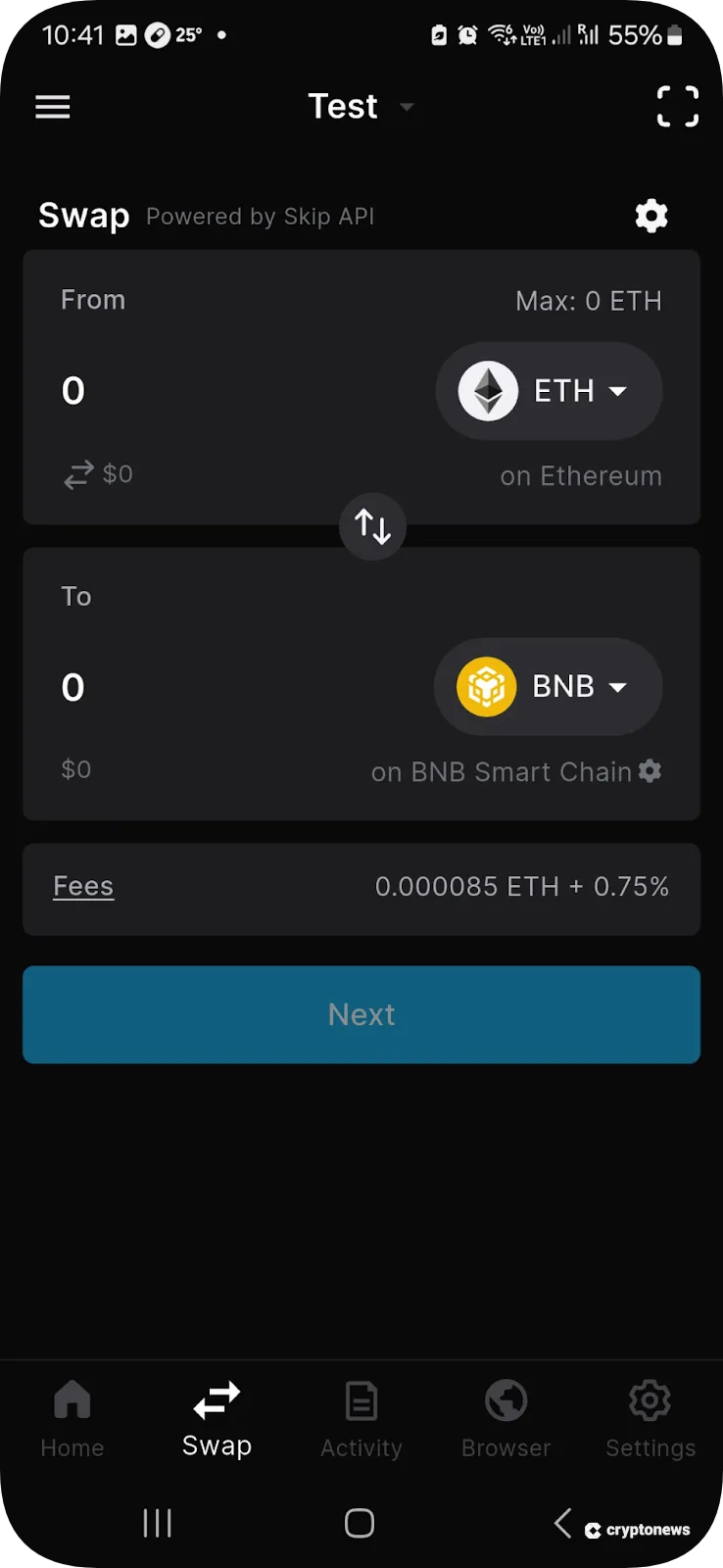
Input the swap amount and review the final quote, which includes commissions and transaction fees. Once confirmed, the purchased tokens typically arrive in the Keplr wallet balance a few seconds later.
What Are the Disadvantages of Keplr?
Keplr competes with dozens of private wallets like Best Wallet, Zengo, and Atomic Wallet. Each provider offers varying pros and cons across core factors like supported networks, user-friendliness, and integrated features.
Here is how Keplr compares with other top non-custodial wallets.
Keplr vs. Best Wallet
Best Wallet offers an extensive wallet ecosystem that supports millions of tokens on over 60 networks. Unlike Keplr, the wallet natively supports Solana, Toncoin, Cardano, XRP, and other major blockchains.
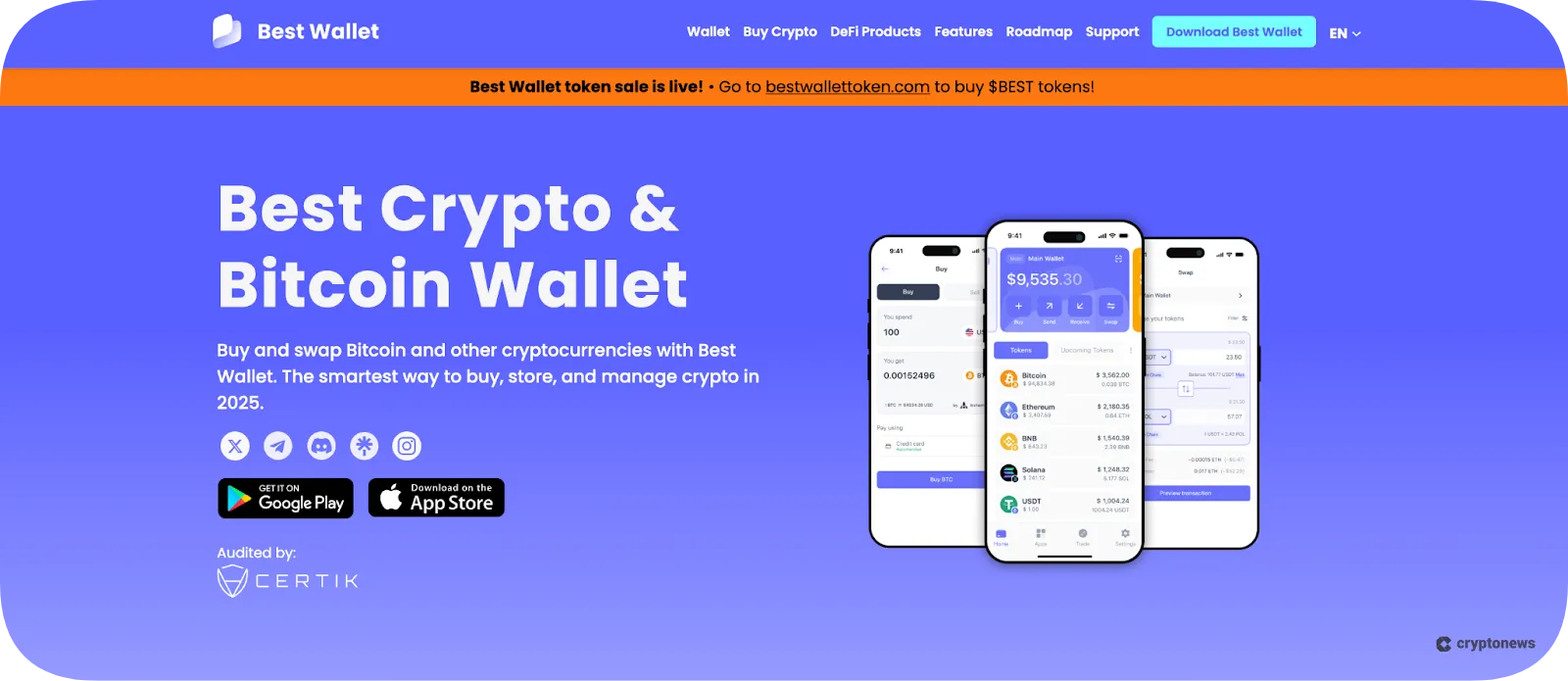
It also offers a more user-friendly experience, especially when users swap tokens and buy cryptocurrencies with fiat money. The mobile wallet offers an iOS and Android app with two-factor authentication and biometric security features. The built-in Launchpad lets users invest in the best crypto presales before they launch on exchanges.
- Learn more in our full Best Wallet review
Keplr vs. Zengo
Zengo is a secure mobile wallet that offers non-custodial solutions without traditional private keys. Through Multi-Party Computation (MPC) technology, the wallet distributes security credentials across two locations: the user’s device and trusted servers. This framework removes single points of failure, since hackers cannot access wallet funds without both segments.
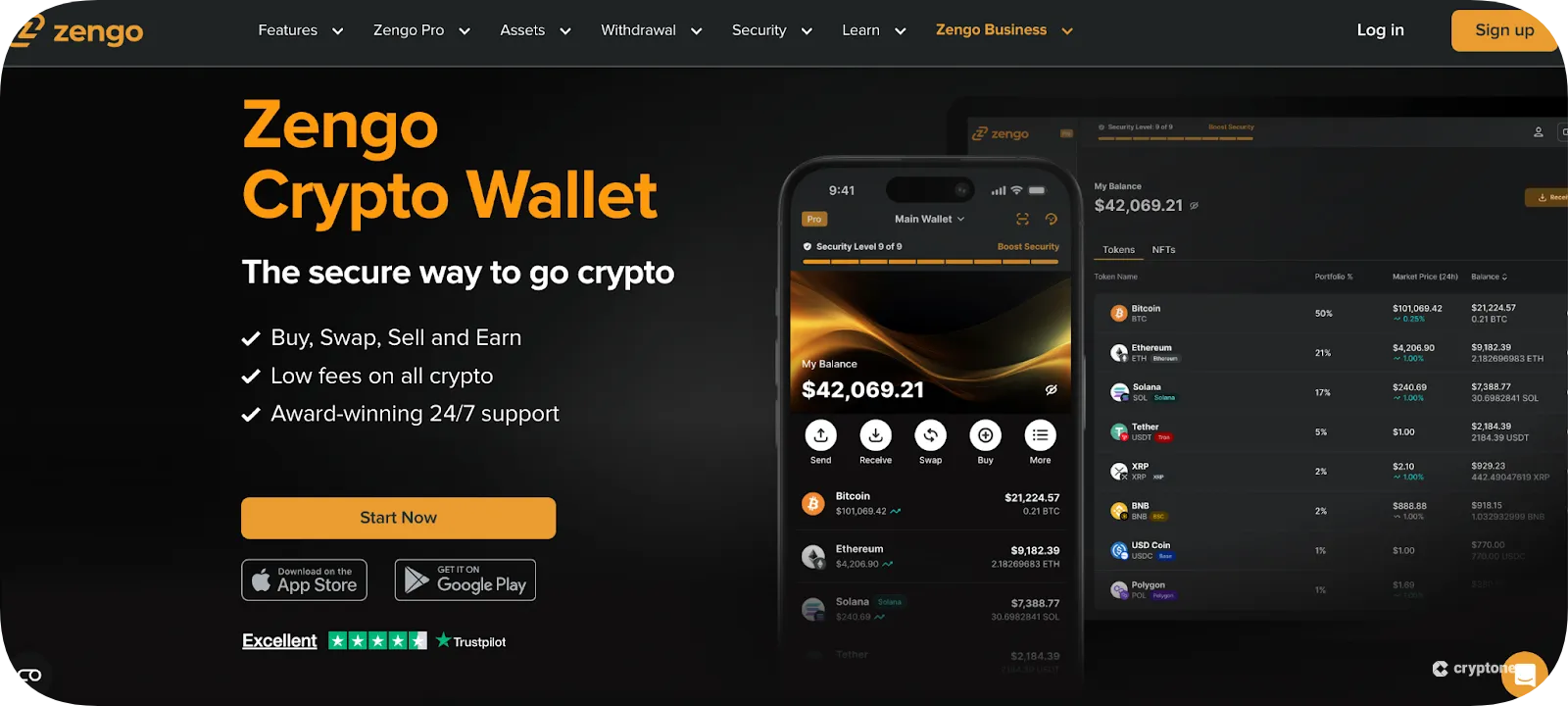
The provider also streamlines wallet recovery through three-factor authentication. From any device, users regain access through cloud storage, facial biometrics, and email confirmation. Zengo, which supports BTC and major altcoins like ETH, SOL, and Tron (TRX), connects with dApps via WalletConnect.
- Learn more in our full Zengo review
Keplr vs. Atomic Wallet
Launched in 2018, Atomic Wallet is an established non-custodial wallet with over 10 million users. The multi-device wallet offers native software for Windows, Mac, iOS, Android, and Chrome. Users may store thousands of cryptocurrencies on major Layer 1 and 2 networks, and access real-time insights to monitor portfolio performance.
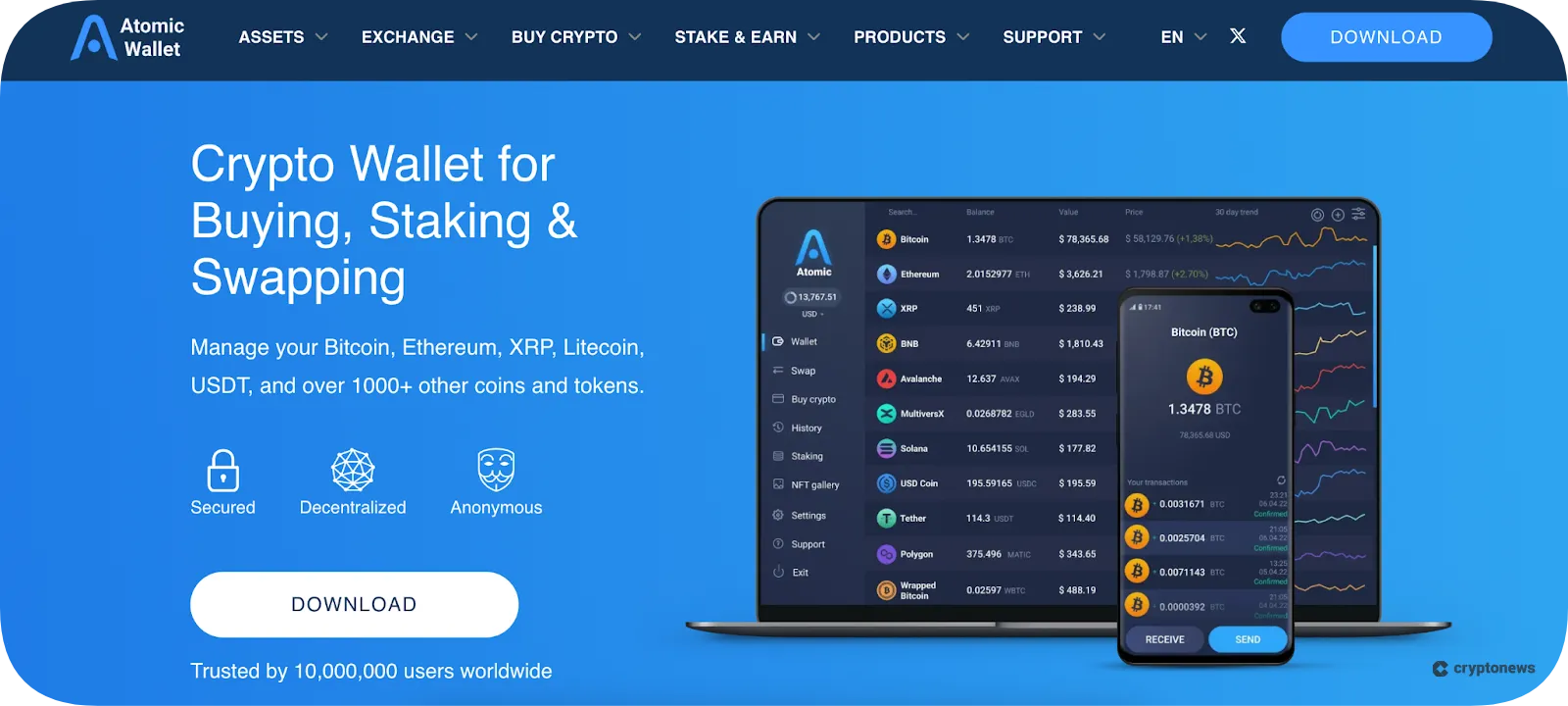
Atomic Wallet offers multiple Web 3.0 features, including instant fiat purchases, token swaps, and competitive staking rewards. However, as hackers breached Atomic Wallet servers in 2023, stealing $35 million, investor confidence remains a concern.
- Learn more in our full Atomic Wallet review
Keplr Wallet Review Conclusion: Is It The Best Multi-Chain Wallet in 2026?
Our research confirms that Keplr is a safe non-custodial wallet that offers fee-free crypto storage. While it supports almost 350 networks, users cannot store funds on popular blockchains like Solana, Cardano, and XRP without relying on complex bridging tools.
The user experience is subpar in key areas, particularly when trading. Users cannot view available deposit methods or fees before they select a fiat gateway, and the swap tool offers limited safeguards against token and network errors.
Overall, other providers offer a much smoother wallet experience. Read our guide on the best crypto wallets to explore the top Keplr alternatives.
Our Methodology: How We Tested and Reviewed Keplr Wallet
To provide a true representation of the Keplr user experience, we downloaded and tested the wallet on browser extensions and the iOS/Android app. We evaluated core security measures to assess safety, including biometrics, multi-sig approvals, and private key encryption.
The researchers recorded all supported blockchains and token standards, and analyzed notable exceptions like Solana and XRP.
We also tested built-in features such as staking, fiat purchases, dApp integration, and token swaps. Research criteria explored ease of navigation, connection speeds, fees, and potential bugs.
After reviewing client feedback in the public domain, we compared our findings with other non-custodial wallets across each metric. Our strict and transparent methodology ensures an impartial and accurate Keplr wallet review.
FAQs
Is Keplr Wallet free?
Is Keplr a hot wallet?
Is Keplr decentralized?
Is Keplr Wallet open-source?
Does Keplr support ETH?
How do I import a wallet into Keplr?
References
- Keplr Wallet Documentation (Keplr)
- What is IBC? (Cosmos)
- Exclusive: North Korean hackers sent stolen crypto to wallet used by Asian payment firm (Reuters)
- Keplr Wallet Official Releases (GitHub)
- What is MPC (Multi-Party Computation)? (Fireblocks)