 Edge Wallet Review 2026
- Enjoy crypto self-custody with no-KYC requirements
- High-grade security with local encryption, 2FA, auto backups, and more
- Multi-wallet interface that supports 130+ cryptocurrencies
Built for privacy and secure cryptocurrency management, Edge Wallet is a well-established non-custodial wallet that supports multiple tokens. It’s a mobile platform with an open-source software that runs on Android and iOS mobile devices.
For this Edge Wallet review, we tested the mobile app and examined official documentation to provide a comprehensive overview of the decentralized wallet. We’ll explore Edge’s benefits, limitations, core features, and guide you through how to start using the wallet. Let’s begin.
Our Take on Edge Wallet: Pros and Cons
Edge Wallet’s mobile-friendly design, built-in privacy features, and multi-chain support make it a suitable self-custody wallet for a wide range of crypto users. Beginners can easily access the mobile app and create a wallet, while experienced users can enjoy Edge’s advanced features, such as Web3 connectivity and token staking pools.
Based on our Edge Wallet review, users can benefit from the platform’s top-level security, which includes client-side encryption, two-factor authentication (2FA), biometrics, and automatic backups.
The app also allows for the creation of multiple wallets, supporting over 130 cryptocurrencies. Wallet holders can easily buy and sell digital assets through on and off-ramping services or through the integrated token swapping feature.
Although Edge has helped secure millions in user funds for over a decade, we’ve identified some drawbacks to the wallet. For one, not supporting Windows, macOS, or Linux limits access for desktop users. Additionally, the wallet’s fiat on-ramping services have high transaction fees.
Passive income options are also limited to a small range of tokens in crypto staking pools, and Edge doesn’t offer offline token storage or hardware wallet connectivity, which might be a concern for users who prioritize cold storage.
Pros
- User-friendly mobile wallet interface
- Non-custodial wallet with Web3 connectivity
- Includes top security tools and privacy features
- Secure PIN, two-factor authentication (2FA), and biometrics support
- Multi-wallet functionality that supports 130+ cryptocurrencies
- Built-in token swaps & crypto on/off-ramps
Cons
- No desktop wallet app
- Fiat on-ramping fees can be high
- Limited token offerings on staking pools
- Lacks offline crypto storage
- Does not offer hardware wallet connectivity for token management
What Is Edge Wallet?
Founded in 2014, Edge Wallet initially began as a Bitcoin-only wallet called Airbitz Wallet, which gained popularity for its client-side security features. After a few years since its launch, the platform’s co-founders, Paul Puey and William Swanson, decided to expand the wallet’s decentralized crypto storage beyond Bitcoin.
In 2017, Airbitz officially rebranded to Edge, highlighting the brand’s “Edge Security,” which focused on decentralization and security. Alongside the rebrand, the team introduced Edge Wallet, a complete overhaul of the Airbitz Wallet.
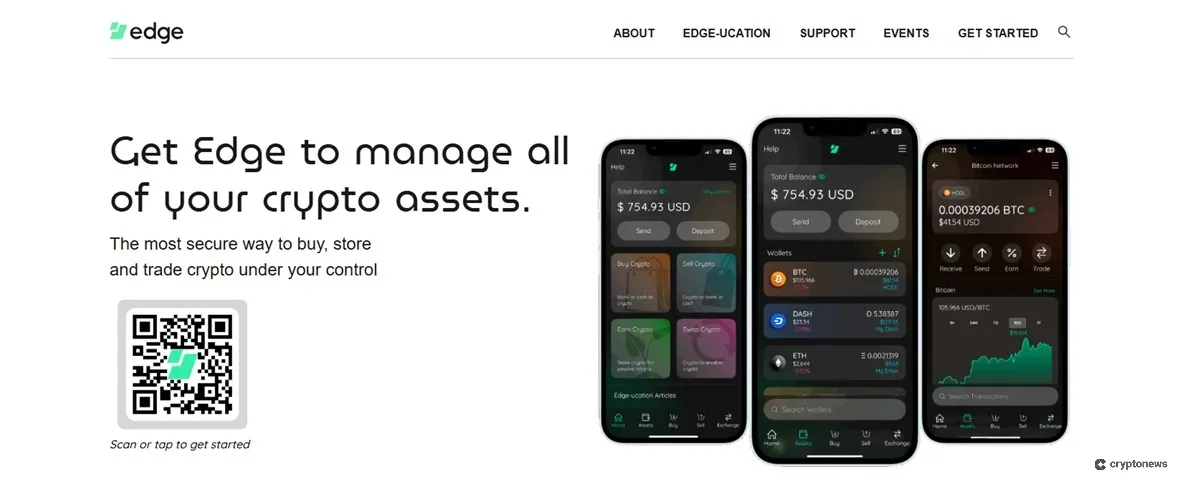
At launch, the new Edge Wallet app supported the top-trending cryptos at the time: Bitcoin, Ethereum, Litecoin, Bitcoin Cash, and a few ERC-20 tokens. It also featured built-in Web3 connectivity, enabling users to easily interact with decentralized applications (dApps) while maintaining control of their assets.
Today, Edge has over 3.3 million wallet accounts and supports more than 130 different tokens. The crypto wallet company is based in San Diego, California, and the mobile app is available in nearly 180 countries.
Is Edge Wallet Safe?
Edge maintained a superb security record for 8 years since its initial launch as Airbitz, building a strong reputation as a reliable self-custody wallet. However, in 2023, Edge Wallet officially disclosed a platform vulnerability that exposed hundreds of users’ private keys, resulting in several users losing funds.
Based on Edge’s official announcement about the security incident, the team quickly identified the flaw and released an updated version to patch the vulnerability within a few hours. The team indeed took full responsibility for the flaw, but the exploit shows that even established hot wallets are not immune to risks.
According to CEO and co-founder Paul Puey, Edge used the experience to strengthen the wallet’s security and move forward with the company’s mission. Below are the core security measures of the app based on our Edge crypto wallet review:
- Self-Custody: Users retain complete control over their private keys and can access their funds directly, without relying on Edge.
- Local Encryption: Private keys are encrypted in users’ devices, keeping your data secure while Edge goes online.
- PIN and Biometrics: The app is further secured by a PIN and biometric authentication, ensuring only you can access your wallet.
- Zero-Knowledge Architecture: Edge Wallet’s security infrastructure operates without requiring users’ personal data, ensuring maximum privacy.
- Peer-to-Peer Cloud Server Backups: Automatically encrypts wallet backups and stores them on reliable peer-to-peer cloud servers.
- Duress Mode: Includes a duress PIN that activates a decoy wallet for situations where users are forcibly made to unlock their wallet app.
Edge Wallet Supported Coins and Blockchains
Edge Wallet supports a wide variety of cryptocurrencies and blockchains, from popular utility tokens to the best meme coins. Notable networks and coins supported include:
- Bitcoin (BTC)
- Ethereum (ETH)
- BNB (BNB)
- Solana (SOL)
- XRP (XRP)
- Cardano (ADA)
- Dogecoin (DOGE)
- Shiba Inu (SHIB)
Users could also manage stablecoins, such as Tether (USDT), USDC (USDC), and USDS (USDS).
Additionally, Edge supports custom token management for ERC token standards, SPL tokens, and many others. This provides users with greater access to newer cryptocurrencies and emerging Web3 projects that have yet to gain mainstream recognition.
As of this writing, Edge Wallet has yet to support relatively new cryptocurrency projects that have hit the market, including Internet Computer Protocol (ICP), Ethena (ENA), and Bittensor (TAO).
Edge Wallet Review: Key Features
Now that we’ve discussed Edge Wallet’s security measures, let’s discuss the platform’s main features.
Built-In Exchanges
Edge Wallet includes a crypto exchange aggregator that integrates 19 centralized and decentralized exchanges. This built-in exchange feature enables users to swap tokens across different networks, depending on the provider they use. It also gives them the best swap rates among all exchanges for the most cost-efficient token exchange.
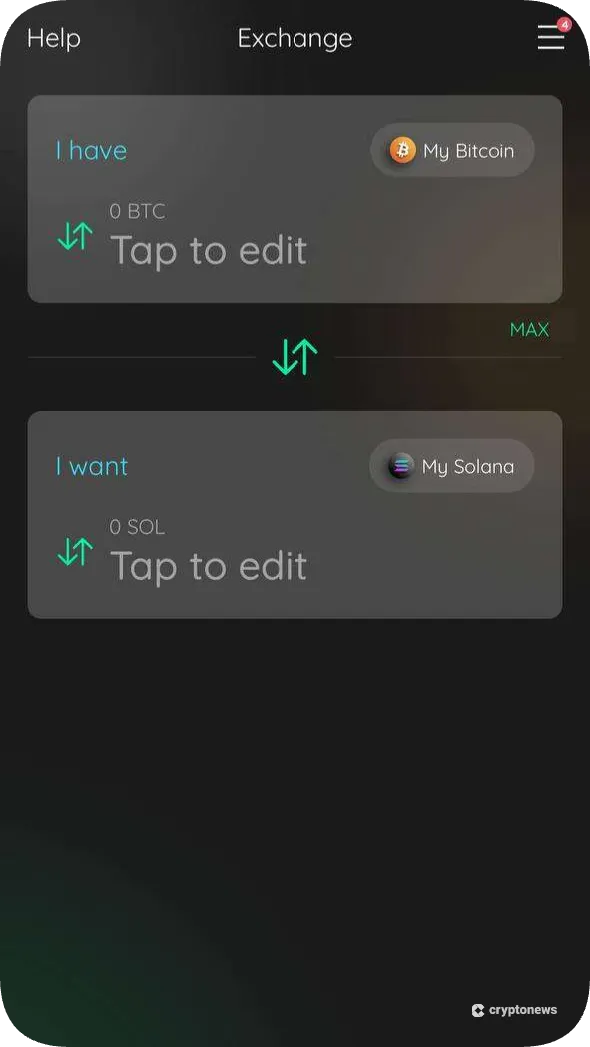
You can also customize your token exchange experience by enabling and disabling specific exchange providers by configuring Edge settings. Set a preferred exchange or prioritize either decentralized or centralized providers, depending on your preference.
Popular exchanges integrated in the wallet include SwapKit, Thorchain, Maya Protocol, ChangeNOW, ChangeHero, and LetsExchange.
Multi-Device Log-In
One convenient feature Edge Wallet offers is multi-device access, which allows users to log in on multiple devices using a single account. This means users who create an account on a phone can access the same wallets on a tablet or other supported device.
Once logged in, private data is first encrypted on the client side, then synchronized through Edge servers. According to the Edge Whitepaper, the wallet’s architecture allows for multi-device logins and crypto management, while Edge itself can’t spend funds or view account details.
Multi-Wallet Support
Edge Wallet enables users to create and access multiple wallets under a single account, eliminating the need to switch between apps to manage different cryptocurrencies. Each wallet will have its own set of raw keys, including a 24-word seed phrase.
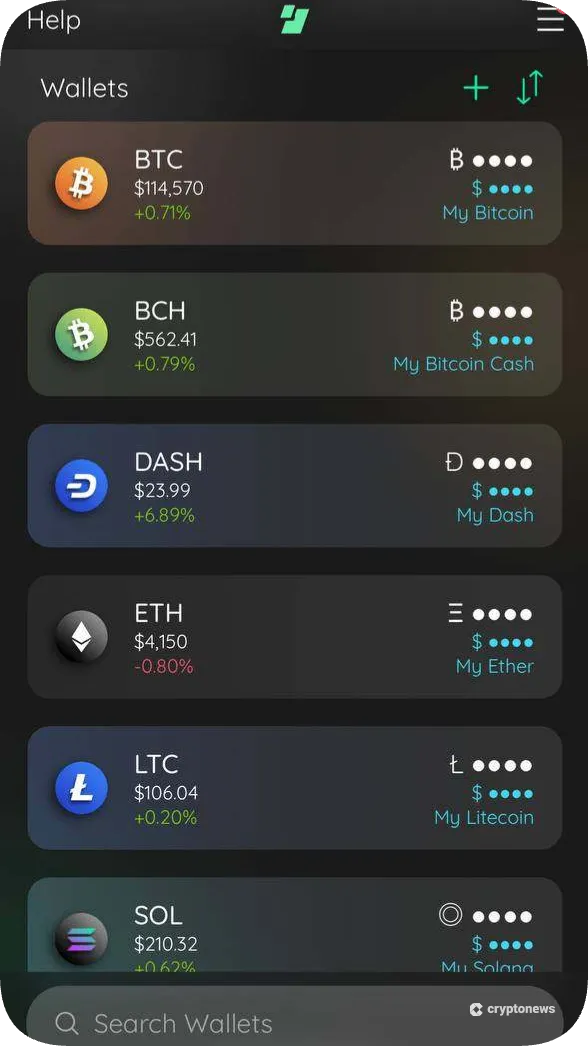
Furthermore, the Edge dashboard displays real-time cryptocurrency prices and shows your account’s total balance and individual crypto allocations in your preferred currency. Users can view the market data for each supported token, which includes price changes, market capitalization, daily volume, and more.
Fiat On-Ramp
A helpful tool for beginners learning to invest in crypto is fiat on-ramping, which enables wallet holders to easily convert their fiat currencies into cryptocurrency. Instead of having to leave the Edge platform to purchase tokens, users can navigate to the wallet’s fiat-onramping interface.
Currently, Edge Wallet’s on-ramping options vary by region. For instance, U.S. citizens have access to ACH bank transfers, Venmo, PayPal, Revolut, Apple Pay, and various card payments. Meanwhile, EU residents can purchase crypto through Single Euro Payments Area (SEPA) bank transfers, in addition to the standard e-wallet and card options.
Edge Wallet Fees
As a decentralized wallet, Edge does not charge its own platform fees for crypto deposits, withdrawals, and token exchanges. However, users should be aware of gas fees for certain on-chain activities, and live costs can be found on the GasNow blockchain gas fee tracker.
For swaps and fiat purchases, fees are set by third-party partners. Token exchange fees range from 0.5% to 2%, depending on the coin, market conditions, and the level of liquidity. During periods of high volatility, the rates can go as high as 5% or more.
Below, we break down support for fiat payment methods in Edge Wallet’s on-ramping function:
- SEPA Bank Transfer: 1.55%
- ACH Bank Transfer: ~2.2%
- Venmo: ~5%
- Revolut: ~5%
- PayPal: ~5%
- Apple Pay: 5-7%
- Credit or Debit Card: 5-7%
- In-person Cash (LibertyX): 3-8%
Is Edge User Friendly?
With numerous features, security protocols, and interfaces, Edge must stay user-friendly for easy navigation and use. Based on our Edge Wallet review, which involved testing the mobile app itself, we believe the developers put significant effort into making the wallet management experience smooth and accessible.
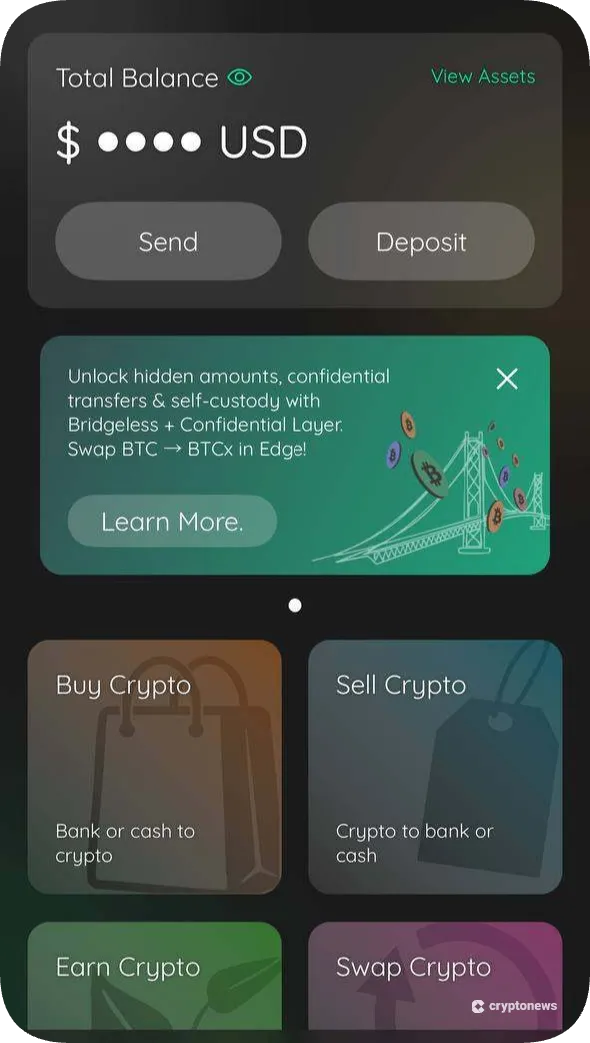
The mobile wallet’s bottom toolbar enables quick access to the most essential crypto management features: wallets, buying, selling, and exchanging crypto. Throughout our evaluation of the iOS app, performance remained stable and responsive.
Advanced features come in individual settings for Edge Wallet’s key features. For instance, users can customize network fees with three standard presets: Low, Optimal, and High. Account security configuration requires users to re-enter their passwords, after which they can set spending limits, enable Duress Mode, configure 2FA, and manage password recovery.
Where Can Edge Wallet Improve?
While Edge Wallet provides strong security, privacy, and easy-to-use features, users should be aware of its limitations. Its mobile-only platform is a major downside for those who prefer managing crypto on a desktop.
Another disadvantage of Edge is its limited support for token staking pools. Currently featured earnings pools offer staking on coins like ETH, TRX, and ADA, but lack some of the other best Proof of Stake coins, such as SOL and ALGO. Moreover, its current support of over 130 cryptocurrencies falls short of newer blockchain ecosystems.
Finally, the wallet could improve its payments, especially by reducing high fiat on-ramping fees. Crypto purchases through methods like PayPal, Revolut, or credit cards often incur fees of 5-7%. ACH and SEPA bank transfers have lower fees but typically take seven business days to settle.
Edge Wallet Alternatives
If you’re still deciding whether Edge Wallet is the right platform for you, consider these alternatives to expand your options.
Edge vs. Best Wallet
Like Edge, Best Wallet is a decentralized mobile wallet supporting multiple networks. Both platforms provide 2FA and biometric security, while preserving user anonymity and encrypting private keys on users’ devices.
However, Best Wallet features a significantly broader range of cryptocurrency support, with over 1,000 tokens and more than 60 blockchains. Additionally, the platform offers more Web3 usability with a token launchpad and dApp dashboard. Read our Best Wallet review to learn more.
Visit Best WalletEdge vs. Zengo
Zengo is one of the best non-custodial wallets for beginners, offering industry-leading security and a user-friendly experience. Instead of relying on seed phrases for backups, this mobile wallet uses Multi-Party Computation (MPC) for seedless recovery.
Based on our Zengo Wallet review, the platform is available in over 188 countries and supports over 320 cryptocurrencies. Since its launch, not a single Zengo wallet has been hacked. Additional features include three-factor authentication, built-in token swaps, and fiat on-ramping services.
Visit ZengoEdge vs. OKX Wallet
Consider OKX Wallet if you need a self-custody wallet available on both mobile and desktop platforms. This multi-chain wallet supports over 130 networks and was built by one of the world’s best crypto exchanges.
It offers direct access to Web3, supporting NFTs, staking, and decentralized finance (DeFi). In some regions, users can connect to their main accounts on the OKX centralized exchange (CEX) after verifying their identity. For more information, check out our OKX Wallet review.
Visit OKX WalletHow to Use Edge Wallet
Follow this walkthrough to properly set up Edge Wallet, which should take just a few minutes to complete.
Step 1. Download and Install Edge Wallet
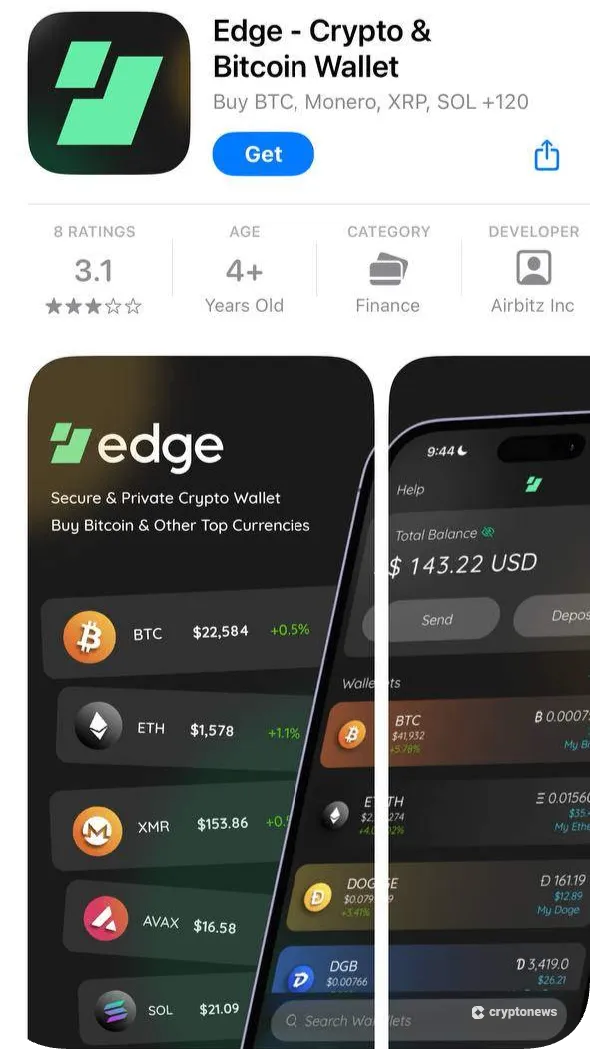
Go to the Edge Wallet website and click on the QR code or scan it with your mobile device. On your respective smartphone app store, download the Edge app.
Step 2. Enter a PIN
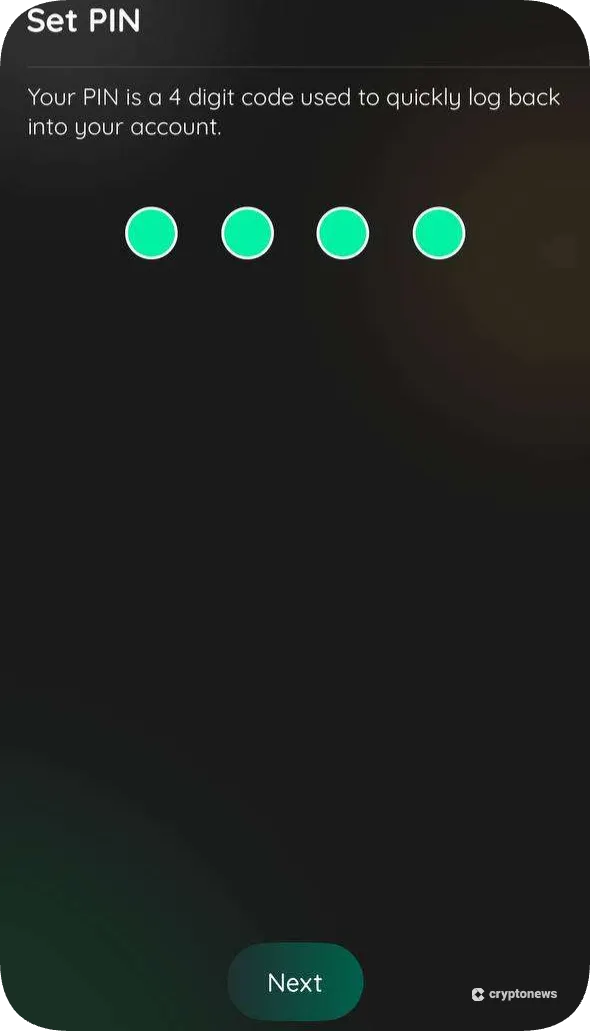
Tap ‘Get Started’ and create a new wallet. Enter a 4-digit PIN that will allow you to log in to your account easily.
Step 3. Choose Wallets to Add
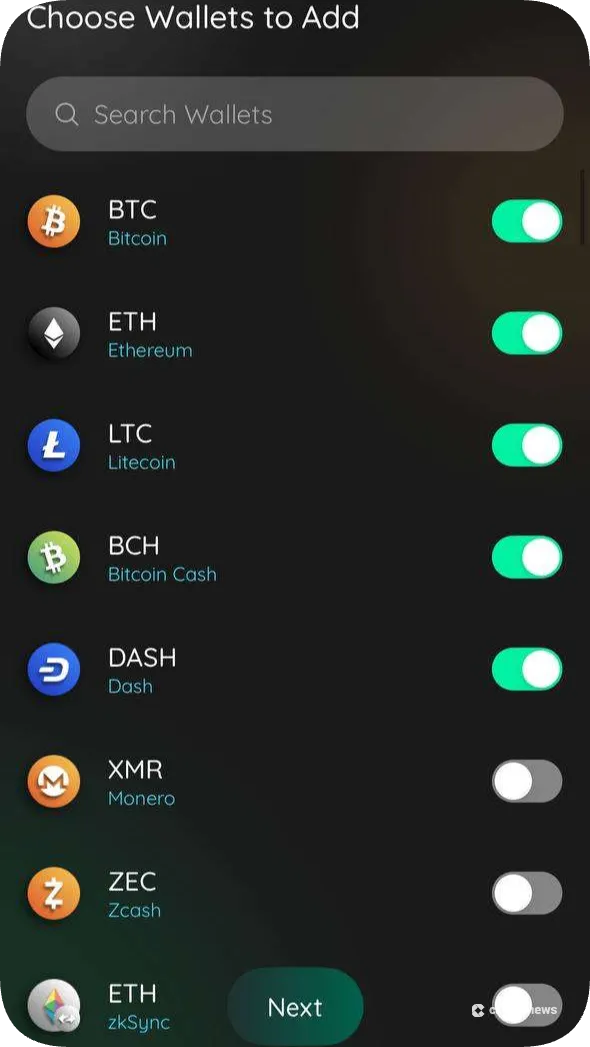
Next, the Edge Wallet will display supported coins and tokens for adding wallets to your account. Toggle all the crypto wallets you wish to include in your account, and you can add more wallets later on. Tap ‘Next’ to create your wallets.
Step 4. Deposit Crypto
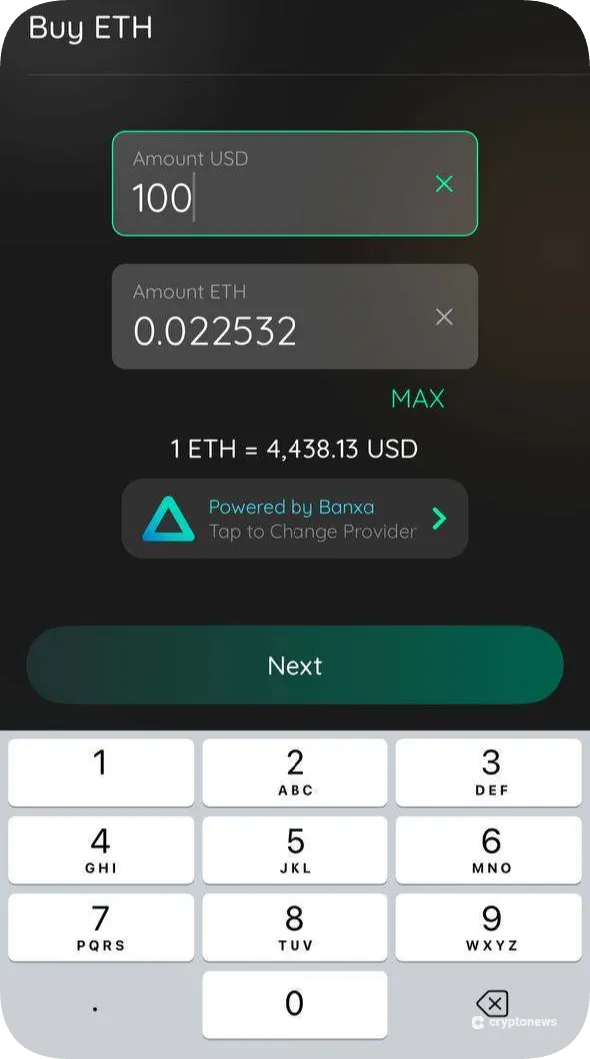
From the Edge dashboard, navigate to the ‘Buy’ tab and pick your region. Select one of the available payment options and choose a cryptocurrency to purchase. Enter the amount and fill out the required payment details to fund your wallet. After completing the purchase, you’ll receive your crypto funds after the specified time period.
Edge Wallet Review Conclusion: Is It Worth It?
Built on innovative blockchain technology to empower crypto users, Edge has been a popular mobile wallet option for more than a decade. Our Edge Wallet review indicates the platform is suitable for both new and experienced crypto users who can benefit from the wallet’s strong digital asset security and simple token management.
On the other hand, users should consider that Edge Wallet lacks desktop support and has limited access to newer blockchains. They should also be aware of the platform’s relatively recent wallet vulnerability, which has been fixed but still impacts Edge’s security record. Popular alternatives include Best Wallet, Zengo, and OKX Wallet.
Our Methodology: How We Tested and Reviewed Edge Wallet
Our Edge Wallet review methodology is based on firsthand testing of the wallet app and extensive online research of the brand for a balanced evaluation. We downloaded and installed Edge on an iOS device to create multiple wallets, test various security features, and view the offerings within the mobile-first wallet.
The team examined Edge Wallet’s official repository and reference materials, combining this research with an analysis from online communities and other publications. To conclude the review, we identified the types of users who will benefit most from Edge, pinpointed areas for improvement in the wallet app, and suggested several alternative platforms.
FAQs
Is Edge Wallet good?
How do I get my money out of Edge Wallet?
Can I recover my funds if Edge Wallet shuts down?
Is Edge Wallet open-source?
Is Edge Wallet decentralized?
References
- Airbitz is now Edge! (Edge)
- Urgent Notice: Edge Security Incident (Edge)
- Edge-White-Paper-01-22-2019.pdf (Edge)
- Single Euro Payments Area (SEPA) (European Central Bank)
- GasNow (GasNow)