Zengo wallet Review: The Best Crypto Wallet?
- Self-custodial crypto wallet with 1M customer base.
- Multi-chain support powered by MPC for added security.
- Buy, sell, send, receive and connect to Web3 dApps.
Zengo is a multi-chain crypto wallet known for its unparalleled security standards, which include Multi-Party Computation (MPC), 3FA recovery, theft protection, and а Web3 firewall. You can also use it to buy, sell, and swap tokens, stake Ethereum, store NFTs, and gain access to dApps. With a reputation built on trust, positive user experiences, and a combination of user-friendliness and advanced features, Zengo is a popular choice for both crypto newbies and experienced traders.
With that in mind, we created an in-depth Zengo review that covers its main features, supported coins, trading fees, and security standards. We’ll also provide step-by-step instructions on how to use the Zengo wallet.
Keep on reading to find out why Zengo is a go-to wallet for more than 1 million traders:
Zengo Wallet Pros & Cons
If you’re wondering, “Is Zengo a good wallet?” the answer is yes – it’s one of the best crypto wallets that can serve as an alternative to expensive hardware wallets. It’s a non-custodial wallet that supports 320+ coins and tokens on 6 blockchains and four Ethereum layer 2 networks. Thanks to its built-in payment tools, you can buy and sell crypto directly from your wallet and swap 60 coins using Changelly and THORChain.
However, while testing this wallet, we noticed that it doesn’t support Polkadot and Cosmos, which lowered its rating in our book. On a positive note, Zengo has a built-in WalletConnect feature that gives you access to NFTs and dApps.
Zengo supports both fiat on-ramp and off-ramp services, thanks to its partnership with third-party payment providers, like MoonPay, Transak, and Banxa. This means you’ll be able to buy crypto with fiat and vice versa, which is not often the case with crypto wallets. In addition, you can earn passive income by staking Ethereum for an APY of up to 4%. Zengo is available in over 188 countries, including the US, the UK, Canada, and Australia.
The wallet is powered by next-gen MPC technology, which makes it more secure than seed phrase wallets. It also uses additional security measures, such as a 3FA recovery system, 3D FaceLock biometric verification, and Web3 firewall alerts.
Its main downside? Zengo charges high exchange fees of up to 4%.

- No seed phrase vulnerability
- Built-in features for purchasing and swapping crypto
- Supports fiat on-ramp and off-ramp services
- Integration with WalletConnect
- No-KYC inheritance feature (Legacy Transfer)
- Available in over 188 countries, including the US

- No support for Polkadot and Cosmos
- Limited staking options
- High exchange fees
What is the Zengo Wallet?
Zengo is a non-custodial, decentralized crypto wallet app that you install on your Android or iOS device. Unlike other crypto wallets that base their security on the premise that you will keep your seed phrase safe, Zengo has employed a different approach called MPC (Multi-Party Computation).
This means you no longer have to worry whether your seed phrase is safe, as the Zengo wallet doesn’t have one. Instead, it splits your private keys into two “secret shares”, one of which is stored on your device and the other on Zengo’s servers. Each share is useless on its own. Because of that, the Zengo wallet has never been hacked since its inception in 2018.
| Number of supported coins | 320+ |
| Price | Free for the standard version, $19.99 per month or $129.99 paid yearly for the Pro version |
| Type of wallet | Mobile app |
| Wallet seed phrase? | Doesn’t use a seed phrase |
Zengo Wallet’s Supported Coins
Zengo supports 320+ coins and tokens on six blockchains – Bitcoin, Ethereum, Binance Smart Chain, Doge, Tron, and Tezos, and four Layer 2 networks – Polygon, Arbitrum One, Optimism, and Base.
You’ll be able to trade crypto giants like BTC, ETH, and BNB, hot meme coins like DOGE, SHIB, and PEPE, as well as popular gaming tokens, like SAND and MANA. However, what surprised us was the absence of well-known coins, such as Polkadot and Cosmos.
When it comes to its staking service, you’ll only be able to stake Ethereum. On the other hand, thanks to its integration with WalletConnect, you’ll get to buy and sell non-fungible tokens on popular NFT marketplaces, like Opensea, and explore hundreds of dApps.
Zengo Wallet’s Pricing and Fees
The Zengo crypto wallet has two versions: Free (called Zengo Essentials) and Pro. The free version is likely to be enough for most crypto users. It comes with Zengo’s no seed phrase vulnerability, a secure wallet recovery with 3-factor authentication, and you get an NFT spam filter, which can save you from scammy NFT drops.
Zengo Pro, on the other hand, comes with a monthly fee of 19.99 or $129.99 if you pay it annually. For that price, you get everything in the free version plus three noteworthy features: legacy transfer, theft protection, and Web3 firewall.
Zengo doesn’t charge fees for sending and receiving crypto. However, if you buy crypto, you’ll have to cover network fees, which will depend on the payment method, currency, and operator. Zengo Pro users get limited free gas to power Layer 2 transactions on the ETH network.
You’ll also have to pay exchange fees (up to 4%) when conducting crypto-to-crypto swaps and processing fees if you buy crypto using third-party providers, like Banxa, Moonpay, and Transak. However, Pro users will get a fee discount of up to 50%.
Here’s a detailed breakdown of Zengo’s fiat-to-crypto fees:
| Third-party provider | Transaction fee |
| Banxa | 2.75%-4.50% |
| MoonPay | 1%-4.5% |
| Transak | 0.99%-5.5% |
Unlike most non-custodial wallets, Zengo also lets you swap your crypto for fiat currencies. Here are the fees you can expect to pay depending on the third-party provider facilitating the service:
| Third-party provider | Transaction fee |
| Banxa | 2.50%-4.00% |
| MoonPay | 1%-4.5% |
| Transak | 0.99%-4.99% |
Is Zengo Wallet Safe?
Next, in our Zengo review, we’ll discuss its security features. Zengo’s creators claim that the wallet has never been hacked since its inception in 2018. Moreover, its team recently ran a hacker bounty that lasted 15 days. The reward? Whoever managed to hack the Zengo wallet would get 10 Bitcoin and one Pudgy Penguin NFT. After 200+ hacking attempts, no one has come close to claiming the prize.
Is Zengo wallet really a powerhouse against hackers? We asked ourselves the same question, which is why we decided to test its security features. Here’s what we discovered:
No Seed Phrase Vulnerability
Almost every crypto wallet, whether hot or cold, has a seed phrase that corresponds to the wallet’s private key. This is a security feature that gives you access to your funds if you ever lose your hardware wallet or if you get a new computer and need to install a hot wallet once again.
Your assets remain on-chain, meaning that they can’t disappear. The only way to gain access to them is to use the seed phrase, also known as a recovery phrase for the private keys, which consists of 12 to 24 randomly generated words.
Lose your seed phrase, however, and you lose access to your funds. You’ve probably heard about the man who accidentally put a hard drive with 7,500 Bitcoins in the trash and then searched a garbage dump to find it. He could’ve avoided all that if he had kept his seed phrase somewhere safe.
With Zengo, you don’t have to worry about this. Zengo uses Multi-Party Computation (MPC) technology to eliminate the need for seed phrases, which makes it the first self-custodial wallet with no seed phrase vulnerability. The MPC technology will replace the seed phrase with two independently created mathematical secret shares. One will be shared on your mobile device, and the other on Zengo’s server. Your private key will remain secure even if one share gets compromised.
Many large financial institutions, such as Coinbase, use the MPC solution to keep their assets safe.
3-Factor Authentication Recovery
You may be wondering how to recover your assets if you don’t have a seed phrase. The answer is 3FA. You provide your email address, you do a facial recognition scan on your smartphone, and you get a Zengo recovery file. Of all three, you only need to keep your Zengo recovery file safe, and preferably in several places.
A hacker would be unable to access your account with just a picture of you. Users must use live facial recognition to access their account, protecting it from potential online hacks. Once you’ve completed all three of these tasks, you can safely restore your wallet access.
Web3 Firewall
The Web3 firewall is a Pro feature, and it can save you from a lot of pain. Even with the most secure crypto wallets, you can still sign the wrong transaction, which can drain your wallet. To combat that, Zengo wallet introduces a web3 firewall.
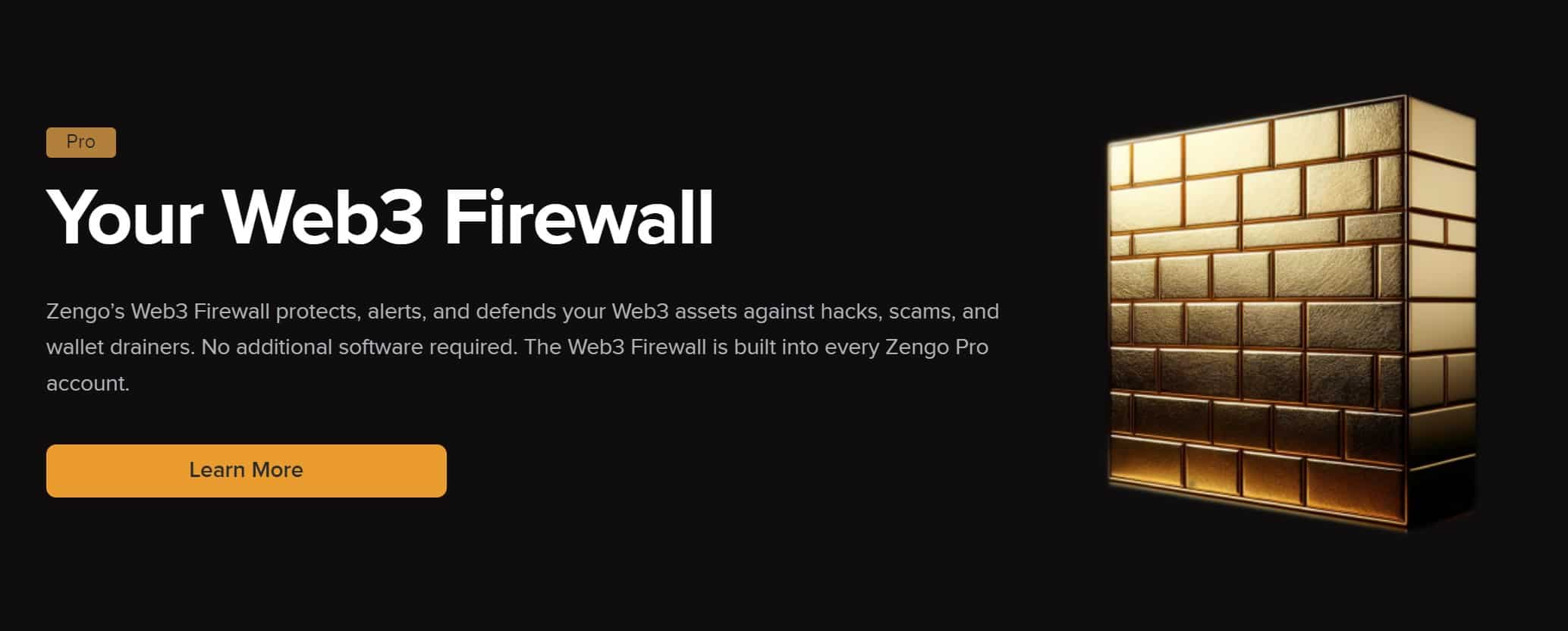
The way it works is that you’re notified every time you attempt to sign a transaction. There are three levels of safety: Green, Yellow, and Red.
If you see a green checkmark, the smart contract is verified and legit. The yellow exclamation mark warns you to stay alert and confirm that you’re interacting with the real smart contract. The Red exclamation mark means the wallet has detected an unusual behavior, and it would be better if you don’t sign the transaction until you learn more about the smart contract you’re interacting with.
Is the Zengo Wallet Easy to Use?
Zengo is renowned for its user-friendly interface, which makes it an excellent option for all crypto enthusiasts, including beginners. The mobile app is intuitive and easy to navigate, providing a seamless user experience that otherwise could feel complex.
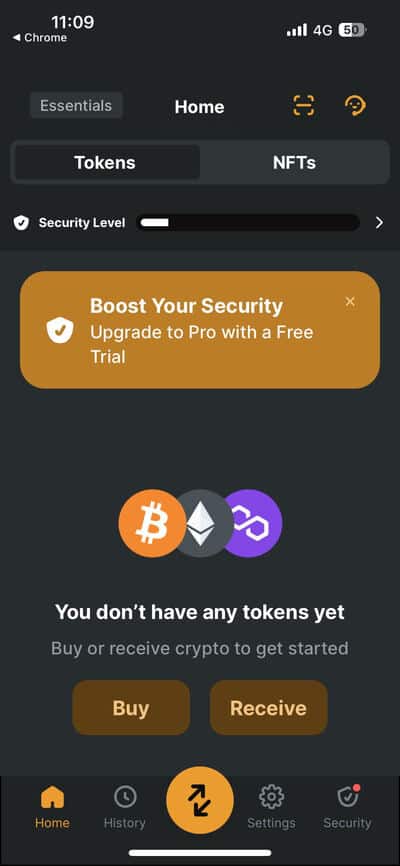
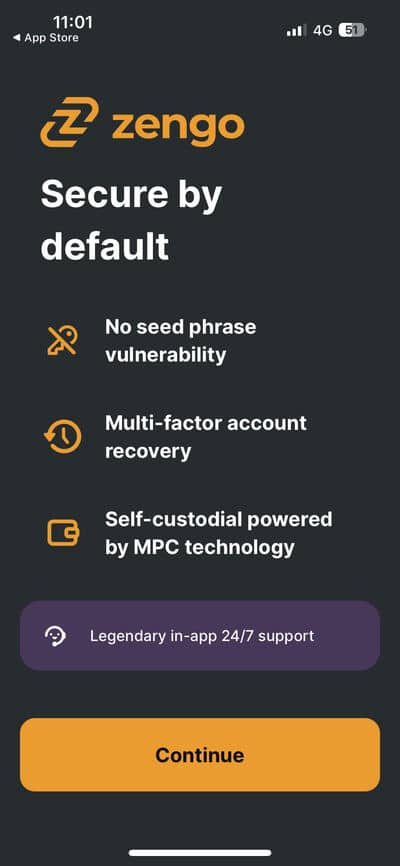
One notable feature contributing to the ease of use is the Zengo wallet’s security model, which doesn’t use a seed phrase. This means you don’t have to worry about losing a piece of paper that could compromise your digital assets, which enhances the overall usability.
The account creation process is straightforward, too, as you’re guided with each step. Because of that, you can easily set up your account within a minute and be ready to manage your crypto portfolio.
As a testament to customer satisfaction and reliability, Zengo has earned a positive reputation on TrustPilot, earning 4.4 stars out of 936 reviews. Users praise the Zengo wallet app for its user-friendly interface, security features, and top-notch customer support.
With that in mind, we tested its mobile app and the recently released desktop app to find out if Zengo justifies its high rating.
Zengo Mobile Experience
Zengo wallet is compatible with Android and iOS devices (13.0 or later). Both apps have a user-friendly interface, and they offer 24/7 customer support. However, if you want to make the most of the app, you should become a Zengo Pro user. Pro users can create up to five separate wallets, use the theft protection, Web3 Firewall, and Legacy transfer features, and pay lower fees. You can test out Zengo Pro with a 3-day trial. Make sure to cancel the subscription before the trial ends to avoid being charged.
The app has a rating of 4.3 on Google Play and 4.7. on the App Store, which is quite high compared to other hot wallets. On the downside, during our testing, we noticed that the Android app glitches occasionally.
Zengo Desktop App
Zengo wallet has recently become available as a desktop app. Its desktop app stands out because it doesn’t store your private keys or seed phrases on your computer. You must approve transactions on your mobile device if you want to sign or send transactions. The desktop app also implements dual-screen verification, which means you’ll be able to see transaction details on both your desktop and mobile device.
Overall, we liked the design of both apps. The desktop app is easier to navigate than the mobile one, due to its larger display, although it processes data a bit slower.
Zengo Wallet Key Features
The reason why the Zengo wallet is well-received by crypto enthusiasts is because of its features. Some of these available to all users, while others are reserved for Zengo Pro subscribers.
Multi-Party Computation (MPC)
Multi-Party Computation is a subfield of cryptography where two parties join to compute a function while keeping the inputs private. This is the solution that Zengo has taken to solve the seed phrase vulnerability. With MPC, you no longer have to worry about losing a piece of paper with your seed phrase.
The MPC creates two “secret shares” when you create an account: one share is stored on your device, and the other share is stored on Zengo’s servers. Even if one of the two is compromised, they can’t hack your Zengo account without having both shares.
The share you have on your phone is the one used to sign transactions, while the second share is used as a co-signer.
Legacy Transfer
The world of crypto is tied to complex transaction signing and portfolio management, and if something happens to you, there’s a risk that your loved ones won’t be able – or know how – to access your portfolio and take advantage of your hard work in acquiring these assets.
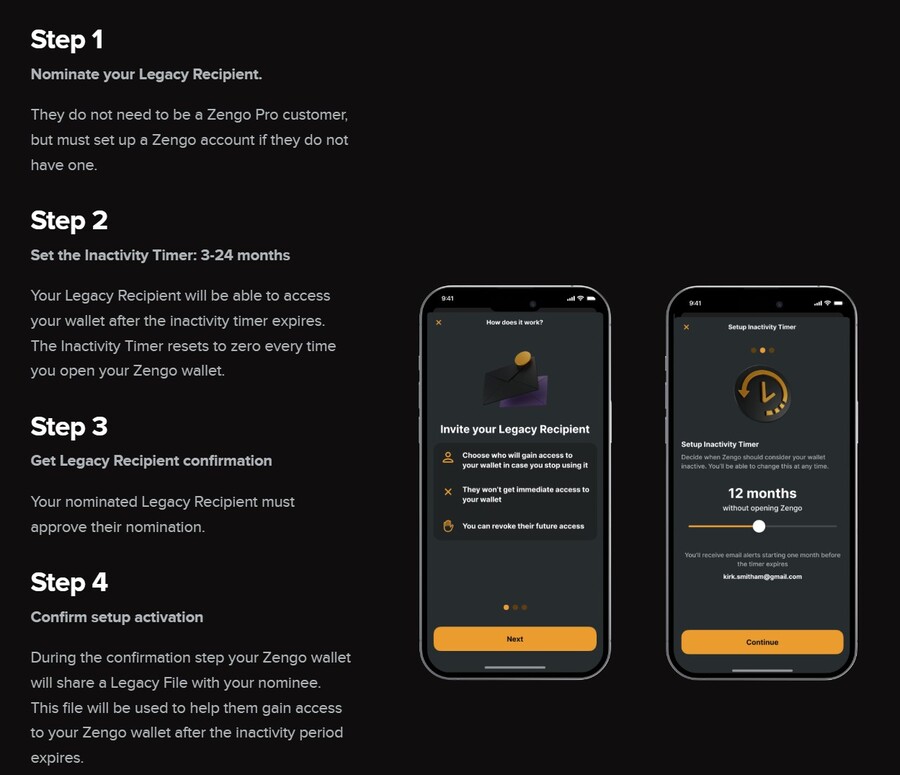
Zengo’s Legacy Transfer feature solves this by creating an inheritance-style feature that can safely send all of your digital assets to a wallet that you designate. You can simply set up a legacy recipient, who doesn’t have to be a Zengo user, and all they need to do is approve their nomination as a recipient.
Next, set up an inactivity timer of up to 24 months. Every time you log in, the inactivity timer resets. Once all is set, your Zengo wallet will share a legacy file with the nominee wallet. This file doesn’t share the information about your account balance and is useless until the time comes to move the assets. You can remove and change a legacy recipient account at any time.
You should note, however, that this feature is only available for Pro users.
Theft Protection
Another Zengo Pro feature is Theft Protection. It locks your assets to your facial biometrics, meaning that even if someone steals your phone or somehow manages to gain access to your account, they won’t be able to make withdrawals or sign transactions without your facial scan.
You can set this up for either every transaction or a certain threshold. Combined with the Web3 firewall, which is another Zengo Pro feature, your assets will remain safe in your Zengo wallet. This is a similar to the buttons found in hardware wallets, except anyone can press the buttons, while no one has your facial biometrics.
Zengo Customer Service
Zengo’s customer service is one of its best features. You can reach out to the Zengo team via email, by sending a contact form or via live chat on their website, or through the Zengo X account, 24 hours, every day of the week.
We tested its customer support several times, and only had to wait for about 1 minute to get a response. All Zengo support agents were professional and provided detailed responses. This can be a lifesaver, especially where money is involved, and you know the team can help you out fast.
This increased Zengo’s rating in our book because it shows that they’re dedicated to their users. On the downside, we noticed that certain agents had spelling mistakes, which, admittedly, is more of a nitpick, than an actual drawback.
How to Use Zengo Wallet
For our Zengo wallet review, we opened an account to see how easy it is to set up and use. Here’s how it works:
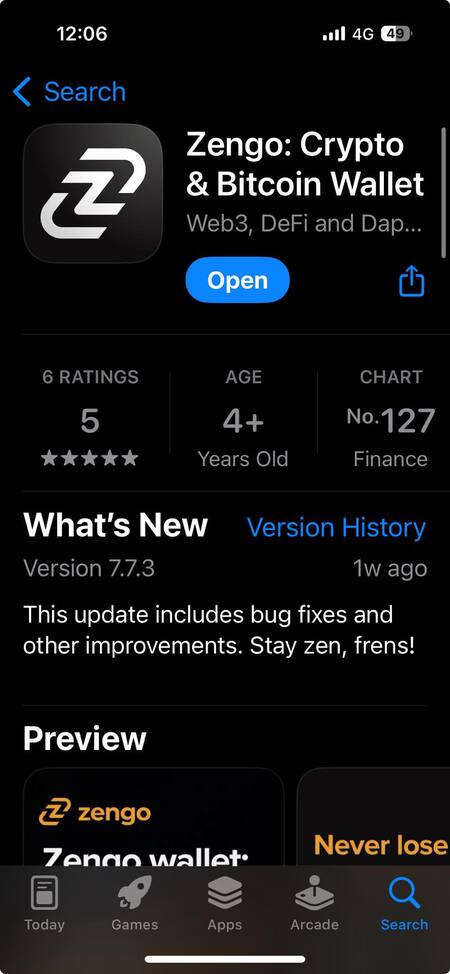
Step 1: Download the Zengo Wallet App
Open the Google Play Store or the App Store and find Zengo. Alternatively, visit the Zengo website and find the app from there. Download the app and install it.
Step 2: Create an Account
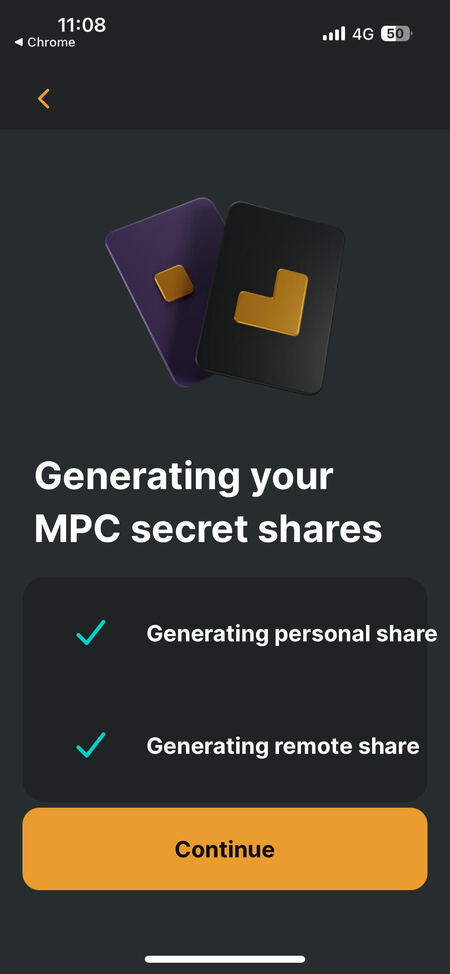
Follow the prompts to generate your MPC secret shares. This is Zengo’s solution instead of a seed phrase, which creates two shares, one on your phone and another on Zengo’s servers.
Step 3: Create a Recovery Kit
You need a recovery kit, which will be used to restore your wallet on a new device. Since the Zengo wallet app doesn’t have a seed phrase, you need this recovery kit.
Also, the recovery kit is a requirement to be able to purchase crypto from the Zengo wallet, to receive coins and tokens, and to use the important features of the app.

Step 4: Use the Wallet
Follow the prompts to set up a biometric face lock if you want to, and start using the wallet with your Zengo wallet login. You can now buy crypto via third-party providers, you can receive crypto from exchanges or other wallets you have, or you can simply explore the app and see what it offers.

Conclusion: Is Zengo Wallet Worth it in 2026?
Based on our research and testing, we recommend Zengo as one of the best crypto wallets you can get due to its robust security features, innovative approach to crypto storage, and ease of use. Moreover, the Zengo Pro version adds additional features for as low as $19.99 per month, such as a web3 firewall, legacy transfer, and theft protection, making it a solid alternative to hardware wallets for long-term holders and investors.
Visit ZengoOur Review Methodology
To create an unbiased and user-focused review, we tested Zengo’s mobile and desktop app and customer support. We also took into account the experience of its users to check what makes this wallet stand out and in which segments it could improve. Our methodology also included testing its signature features, like the Web3 firewall, and its swap and earn services. To make our review as accurate as possible, we compared Zengo wallet with its main competitors in terms of supported cryptos, transaction fees, and security features.
We created both the free (Zengo Essentials) and the Pro account to see how they differ and whether the Pro account is worth the money. To check Zengo’s transparency, we used multiple tracking tools, such as Certik’s Skynet and Dune Analytics. Last but not least, we conducted crypto-to-crypto, fiat-to-crypto, and crypto-to-fiat transactions to test its payment methods and help you make an informed decision.
FAQs
Is Zengo wallet safe?
How does Zengo wallet work?
What are the fees on Zengo?
Can Zengo wallet be traced?
Is Zengo better than Coinbase?
Has Zengo ever been hacked?
How do I get my money out of Zengo?
References
- UK man makes last-ditch effort to recover lost bitcoin hard drive (CNBC
- What does Coinbase do with my digital assets? (Coinbase)
- What Is MPC (Multi-Party Computation) (Fireblocks)
- What Is WalletConnect and How to Use It (CoinGecko)
- NFT Spam labels and filtering (Mnemonic)