 Solflare Wallet Review 2026: Best Solana Wallet?
- Strong security features that include scam detection, biometric locks, and hardware wallet support
- Excellent support for Solana, SPL tokens, and Solana NFTs, but minimal functionality for other chains
- Very beginner-friendly interface with simple staking, swaps, and dApp integration
Initially developed by Solana Labs – the company that launched the Solana blockchain – Solflare was one of the first Solana wallets. While launched as a web wallet in 2020, a few months after Solana’s mainnet went live, a mobile wallet soon followed. In this Solflare wallet review, we’ll explore the features that make this wallet app so beloved by Solana users.
We tested Solflare, evaluating ease of use, in-app purchases, swaps, security, and other features. Later in our Solflare review, we’ll also see how this popular wallet app stacks up against alternatives. Let’s begin with an overview of the pros and cons of using Solflare.
Our Take on Solflare: Pros and Cons
For Solana ecosystem users. Solflare represents one of the most versatile wallet choices available. The app provides outstanding connectivity support for dApps as well as native SOL staking and intuitive swaps. This makes the Solflare wallet well-suited to advanced users, but it also welcomes newbies.
Safety features include scam detection for known malicious smart contracts and impressive token detection. A clean UI makes navigation a breeze, and Solflare offers a well-designed NFT gallery for collectors.
However, Solflare isn’t for everyone. Specifically, multi-chain users will need additional wallet apps to support their non-Solana tokens. And if open-source code is a must, other wallets may be a better choice.
Pros
- No breaches or hacks to date
- Native staking support
- Intuitive swaps with integrated DEXs
- Mobile and desktop support
- User-friendly UI
Cons
- Not fully open-source code
- Limited audit transparency
- Solana only
What Is Solflare Wallet?
Solflare is a crypto wallet focused on the Solana ecosystem. The open-source project got its start under Solana Labs and launched in July 2020 as a web wallet, closely followed by a browser extension. A mobile app, now available for iOS and Android, was released a year later in 2021. Development continues under Solrise Group, Ltd, allowing the Solflare project to benefit from a focused team that includes project co-founders like Vidor Gencel.
Unlike competing Solana ecosystem wallets like Phantom (you may like to read our Solflare vs Phantom comparison article), Solflare largely focuses on deep Solana integration, with limited functionality for bridging assets from other chains. This single-chain focus makes Solflare one of the most popular tools for managing SOL, SPL tokens, and Solana NFTs. Features like in-app staking support, seamless decentralized application (dApp) connectivity, and scam protection make Solflare a leading choice in an increasingly crowded Solana wallet market.
Use cases range from beginners to experienced traders and decentralized finance (DeFi) users. A newbie-friendly UI combined with outstanding dApp integration gives users of all experience levels the ability to explore the Solana universe without limitations.
Is Solflare Safe?
To date, only one major security incident has affected Solflare wallet users. However, the incident centered on the Slope Finance mobile wallet. Users who imported their Solflare seed phrase into Slope may have suffered losses in a breach because Slope sent wallet credentials to a centralized server. Aside from this one incident, which was not due to a flaw in Solflare’s code, the wallet boasts an impeccable security record.
Several security features help ensure the safety of user funds, although some safety measures are specific to the Solflare mobile app. Let’s briefly review some of the key safety features of Solflare.
- Non-Custodial Crypto Storage: Solflare gives users control over their wallet’s private keys. This type of self-custody storage does not share keys with third-party services.
- PIN or Biometric Lock: Solflare protects wallets on unattended devices with a PIN code or fingerprint lock.
Local Encryption: The Solflare Wallet app stores the wallet’s private keys in an encrypted sandbox, preventing access even if the device is lost or stolen. - Solflare Guards: Solflare automatically scans transactions in real time to flag suspicious activity. The app also blocks known malicious contracts. Solflare also provides human-readable transaction summaries.
- Hardware Wallet Support: The Solflare Wallet supports multiple hardware wallets, including Ledger and Keystone devices, the latter providing airgapped offline storage.
- Token and dApp Verification: Solflare verifies tokens and decentralized applications, helping users to identify copycat tokens or untrusted dApps.
Although information on third-party audits is scant and the code is not completely open-source, Consensys conducted an audit on the Solflare MetaMask Snap in 2023.
Solflare Wallet Supported Coins and Networks
Solflare is a Solana wallet and does not support tokens from other networks, such as Ethereum. However, Solflare does provide limited support for bridging assets from Ethereum Virtual Machine (EVM) chains through its MetaMask Snap.
Expect support for tokens using the SPL token standard, although Solflare uses a Unified Token List Aggregator (UTL) that pulls token data from trusted sources, such as GoinGecko. Newer tokens or smaller projects may not display the correct icon or updated price data. Unverified tokens also display a tag that prompts users to investigate further. If needed, newer tokens may be added using the token’s contract address.
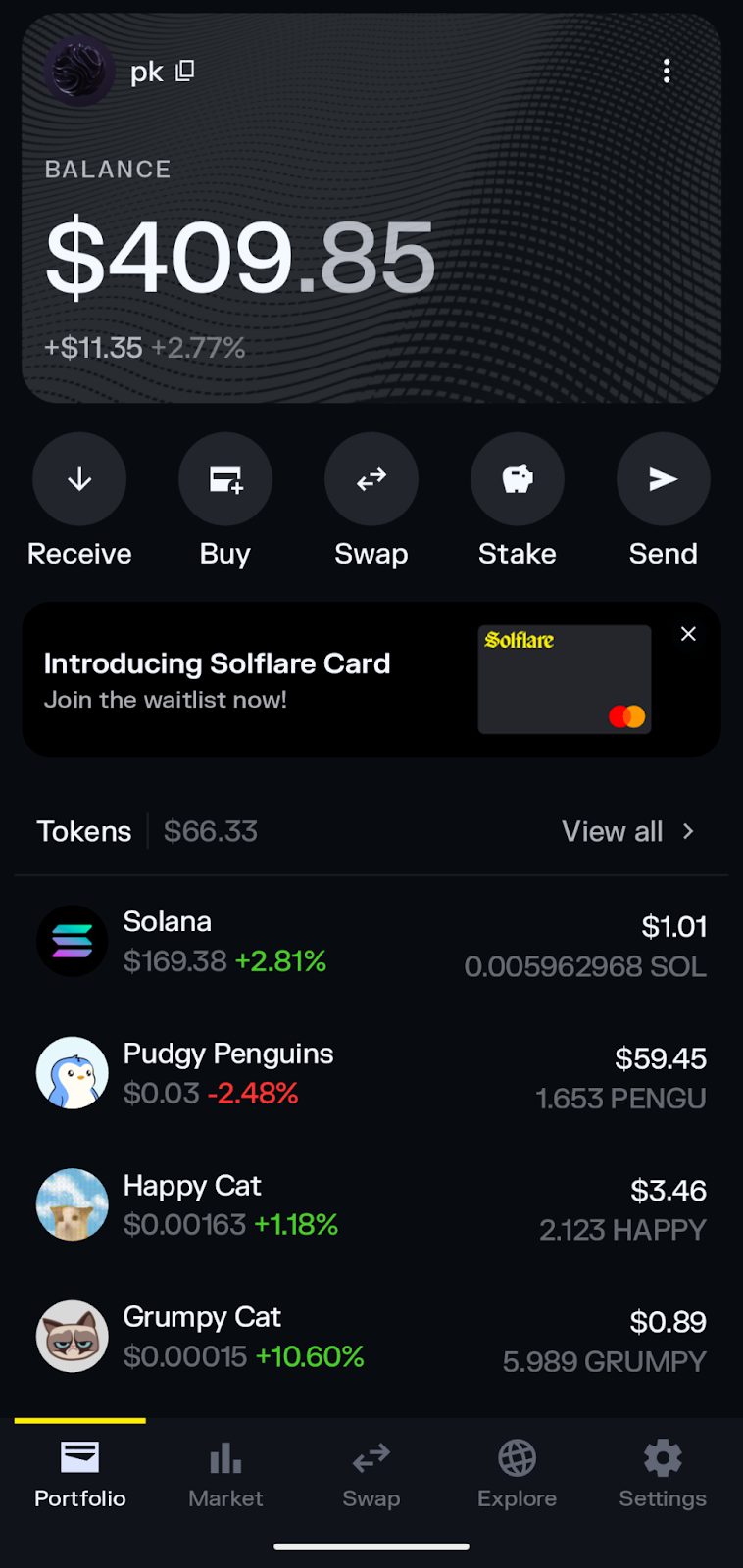
Solflare also supports Solana non-fungible tokens (NFTs) with a gallery that displays associated images.
Solflare Wallet Features
While designed for ease of use, Solflare packs a lot of functionality into a streamlined application. Let’s review some of the main features, starting with swaps and decentralized exchange (DEX) support.
Swaps & Token Management
Swaps on Solflare are straightforward. Select an asset in your wallet, and select swap from the menu. Solflare automatically finds the best exchange rate through integration with supported DEXs.
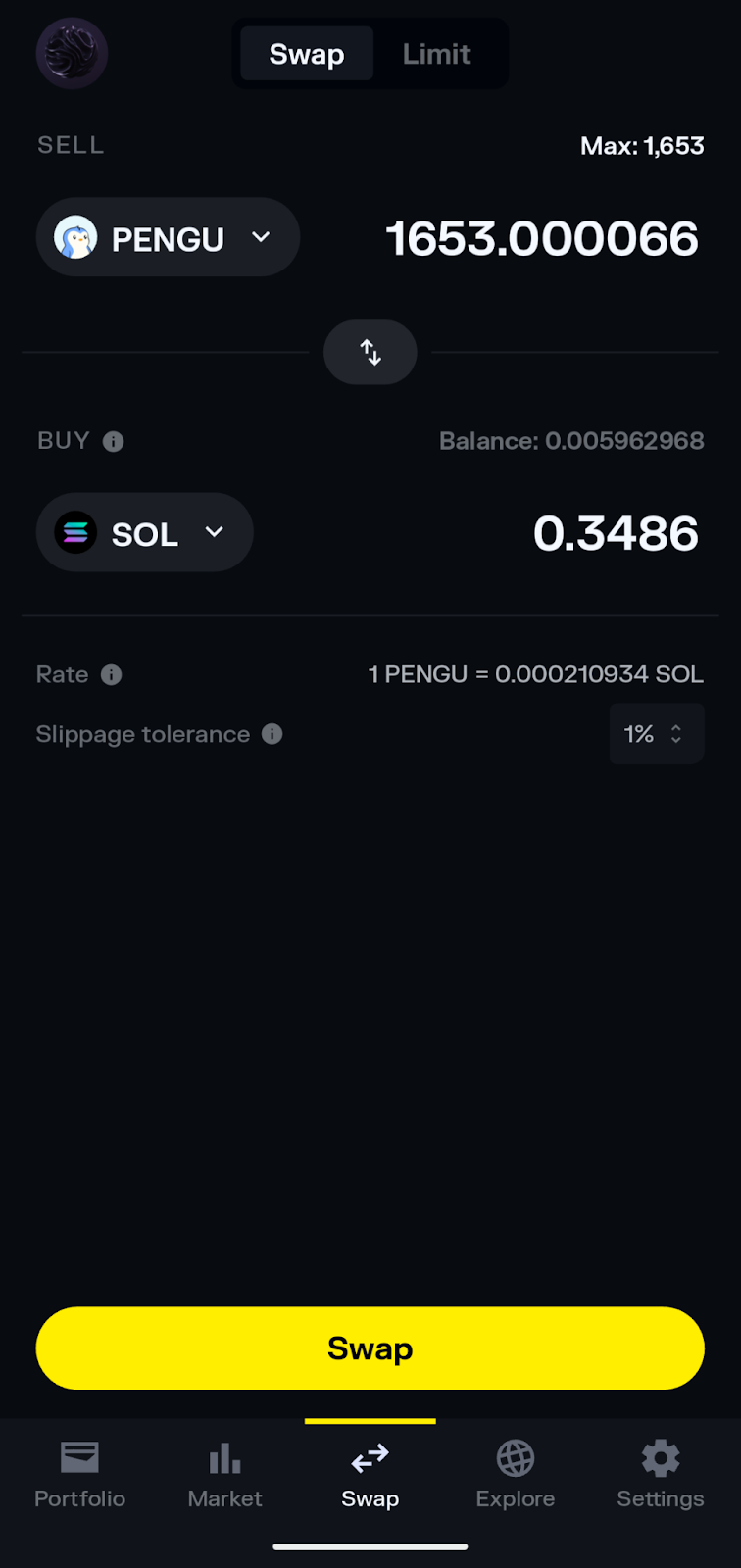
Users can adjust slippage (1% default), and limit orders are also supported with customizable expiration dates. Set a sell or buy price, and orders fill if the market reaches your target price.
 Staking
 Staking
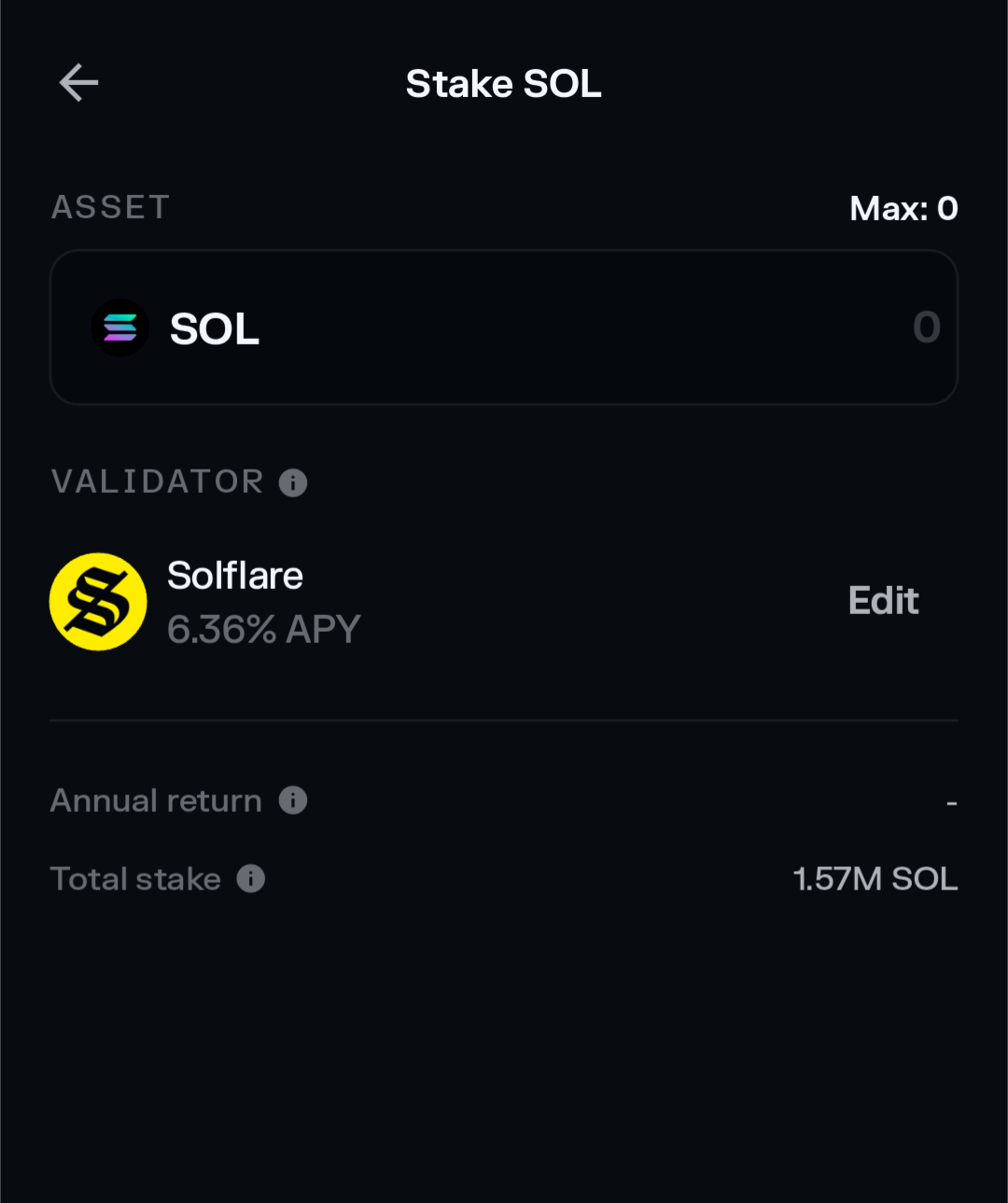
Solana is a proof-of-stake (PoS) blockchain, combined with proof of history (PoH). Staking SOL earns a variable yield, and Solflare makes it a breeze to get started. Just select “Stake” from the main menu. By default, the app selects Solflare as a validator for staking, but users can change this setting.
Alternatively, users can swap SOL or other assets for liquid staking tokens (LSTs), such as mSOL. This alternative bypasses cooldown unstaking periods for unstaking and lets you use your LSTs in DeFi applications.
DeFi and dApp Access
Solflare’s popularity means it’s well supported by decentralized applications. We were able to select Solflare from a list of the dApps we explored, including Jupiter, a leading DEX.
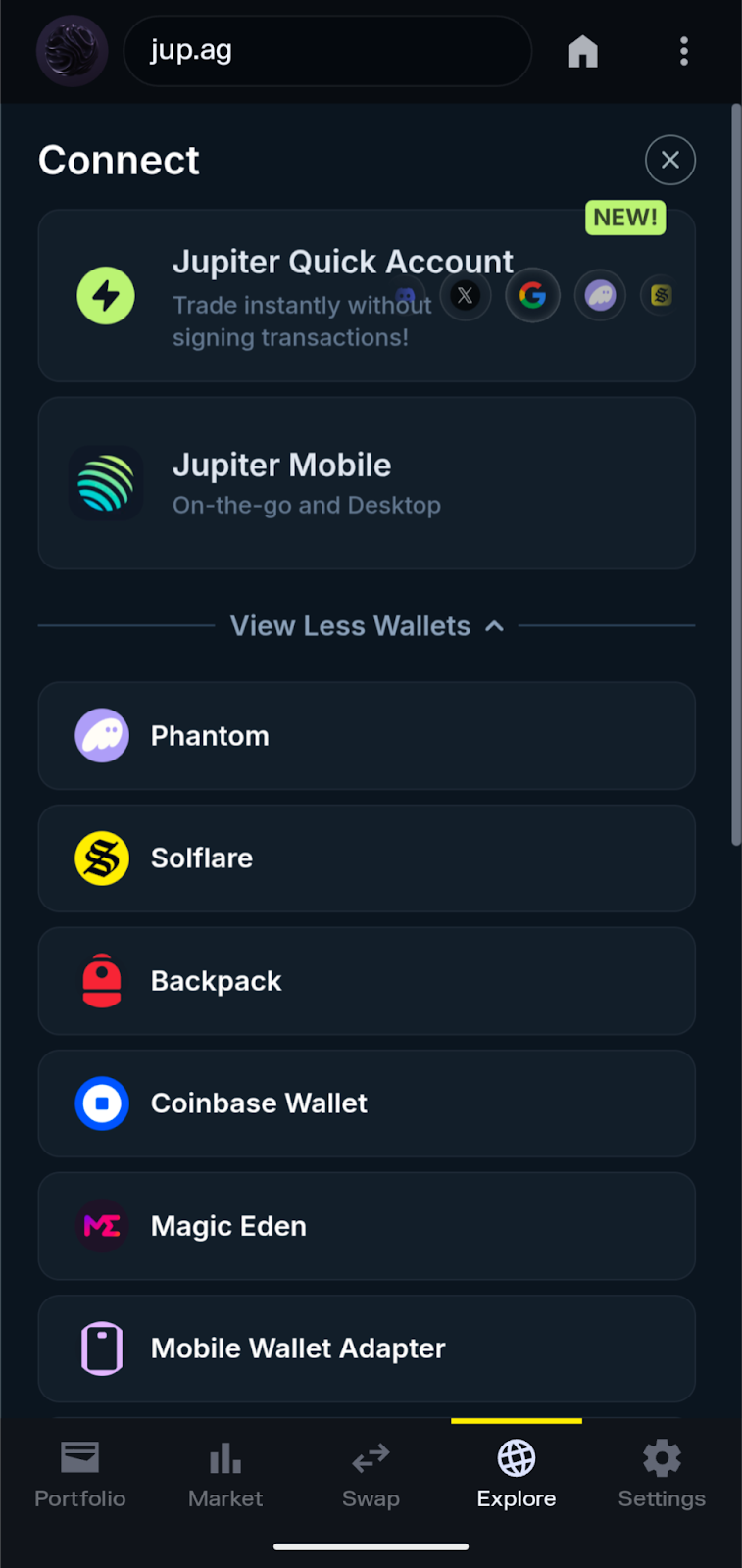
However, we were a bit disappointed with the Explore tab, which was empty save a search bar. Many similar wallet apps offer a featured selection.
Once you’ve connected to a dApp, a shortcut to the dApp is added to the explore tab for easy access next time.
Fiat On-Ramp
Solflare partners with Onramper, which acts as an aggregator for third-party crypto providers. When users buy crypto through Solflare using a payment card or bank account, Onramper compares rates and highlights the best value.
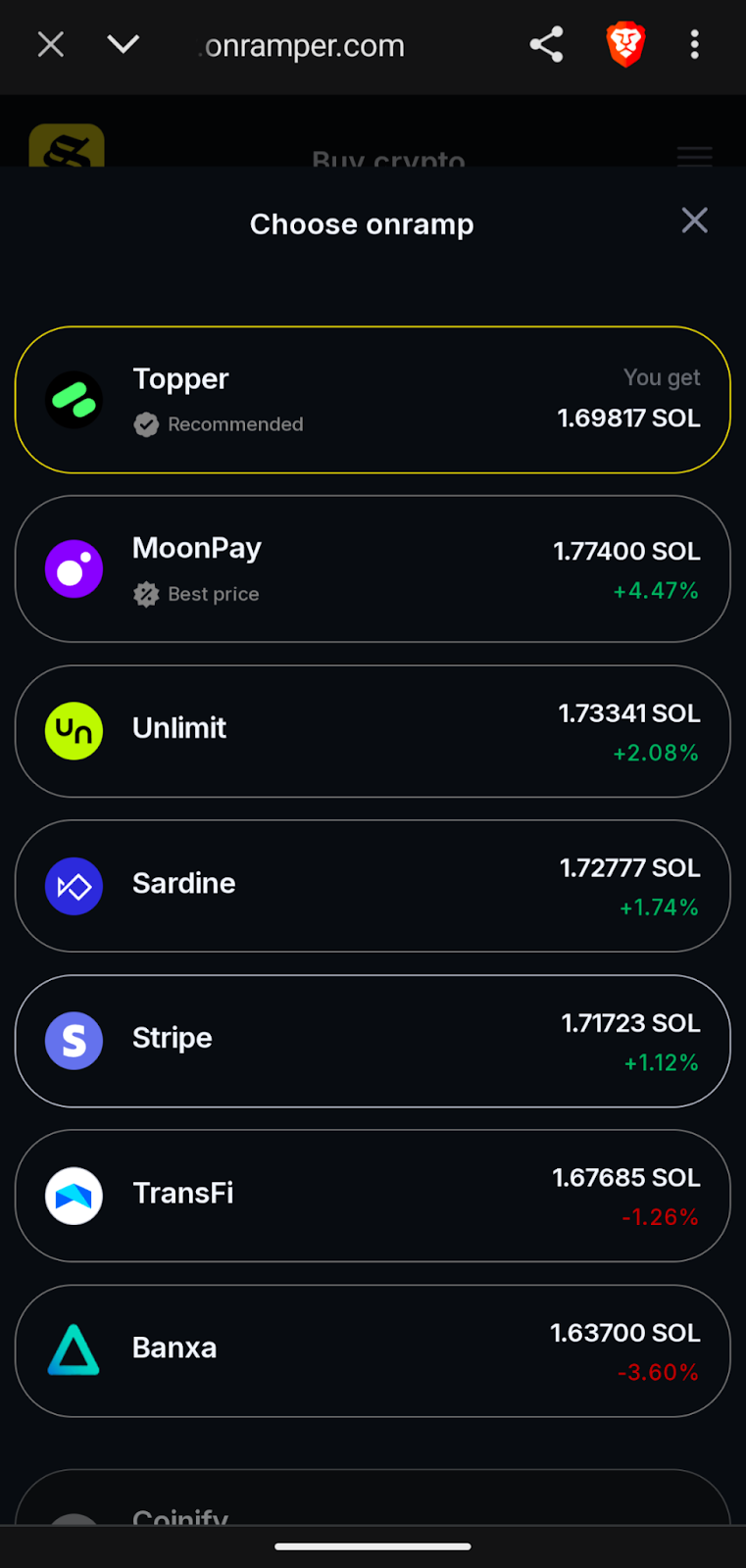
We’ll discuss fees for this service later in our Solflare Wallet review.
NFT Management
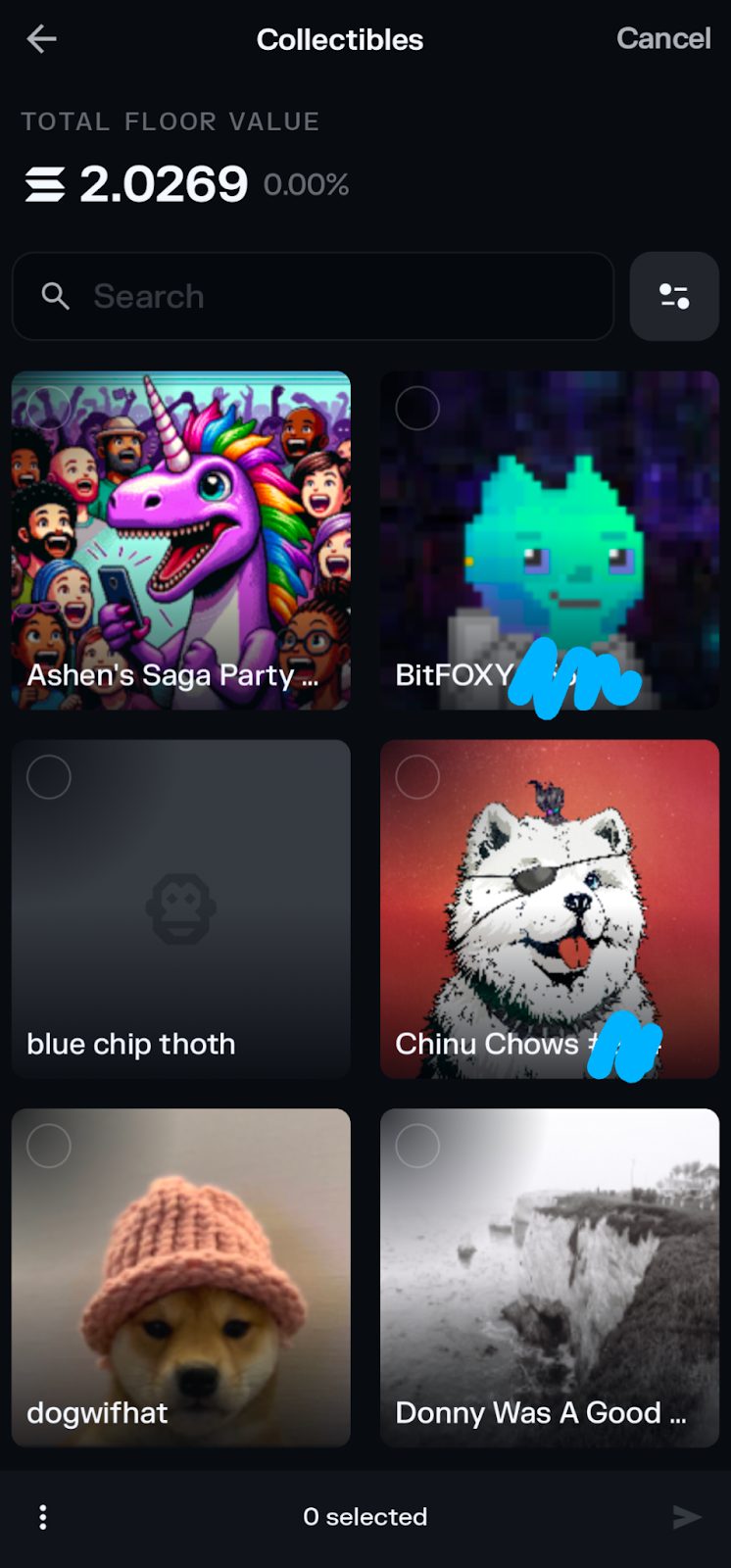
NFT support within Solflare was impressive, with all but a few NFTs in our testing wallet showing a corresponding picture. The app supports grid view or list view with multiple sorting options.
The NFT gallery also shows the floor value (lowest price within a collection) for the entire NFT portfolio. Options for each NFT include save, send, mark as verified or unverified, and view on a blockchain explorer.
Solflare Card
Solflare card will provide a convenient way to access the value in crypto assets without moving the assets to an exchange. We couldn’t use this feature yet, but we were able to join a waiting list. Initial rollout is expected in the UK and the European Economic Area (EEA).
As a Mastercard debit card, the Solflare card can be added to popular payment apps like Google Pay or Apple Pay. Currently, the app uses USDC for card account funding. To fund the card, you may need to swap other assets for USDC.

A partnership with KAST will bring additional rewards through staking in the form of “KAST points.”
Solflare Wallet Fees
Users can expect to encounter miscellaneous fees when using Solflare, including network fees, protocol fees, and third-party provider fees – none of these are unusual for wallet apps. Let’s look at these fees independently.
- Network Fees: Like other blockchain networks, Solana charges a network fee for each transaction, such as sending tokens to another wallet address or interacting with smart contracts.
- Protocol Fees: Swapping on DEXs typically comes with a fee of 0.25% or higher. These fees often go to liquidity providers but may be shared with the protocol itself.
- Third-Party Provider Fees: By far, the costliest fees center on in-app purchases from third-party providers. When buying through the app using a credit card, debit card, or bank account, users may pay additional fees based on the payment method. In addition, these third-party services use a spread (a markup) to provide a firm quote on volatile assets.
To illustrate the impact of spreads and fees, we received a quote for a $300 SOL purchase. Solflare automatically selected the best value, which offered 1.678 SOL for $300.
By contrast, the market price for SOL on major exchanges would have netted 1.76 SOL for $300. Using a third-party provider costs an additional $13.98 (4.89%) compared to the market price for SOL in this example. Using an exchange to purchase crypto and then sending the funds to your wallet will likely save money.
We didn’t encounter any additional fees charged by the Solflare app itself, and the app is free to download. Solflare earns money by running its own validator and through referrals or partnerships.
Is Solflare Wallet User-Friendly?
Generally, Solflare is well-designed and easy to navigate. A focus on Solana helps to minimize the cruft often seen in competing wallet apps. One area for improvement centers on the Explore tab. Following the install, this section was empty except for a search bar that redirects to Google. Newer users may not know what to search for or which dApps are available for Solana. A curated selection of trusted dApps would help onboard new users to Solana’s vast ecosystem.
Both the mobile app and browser extension were responsive, featuring large, clear text that made it easy to read and navigate.
The portfolio tab provides information on all the wallet’s assets, including tokens, NFTs, staked balances, and even stocks (tokens that track major indices). To Solflare’s credit, the app showed a higher balance than Phantom, a competing app, for the same wallet address. This suggests that Solflare had more pricing data, particularly for NFTs.
Solflare Wallet Customer Support
Solflare offers several ways to reach out if you have questions about the app or wallet-related issues.
- Help Center: Solflare offers a comprehensive help center, featuring how-to guides to assist new users and other topics, such as staking, swaps, and more. In most cases, the help center provides the fastest path to an answer.
- Live Chat: From the settings menu, users can access live chat to ask questions.
- Email Support: Users can also contact Solflare through the ticket system in the live chat widget on the website’s help center. This option is helpful if screenshots or other documentation are required.
The Solflare Wallet reviews on Trustpilot earn the app 3.9 stars out of 5 and an overall “Great” rating. This compares well with competing wallet apps like Trust Wallet, which only earned a 1.7 out of 5-star rating from users.
Mobile app users also rated the app well on Google Play (Android) and the App Store (iOS), with a 4.7-star rating and 4.8-star rating, respectively.
How to Use Solflare Wallet
Solflare centers on ease of use, beginning with an easy setup process. Let’s do a quick walkthrough on installing and setting up the app. We’ll use the mobile version in this example.
1) Download the Solflare App
Visit Solflare’s download page to get the official links for iOS or Android. This page also provides the link for the browser extension.
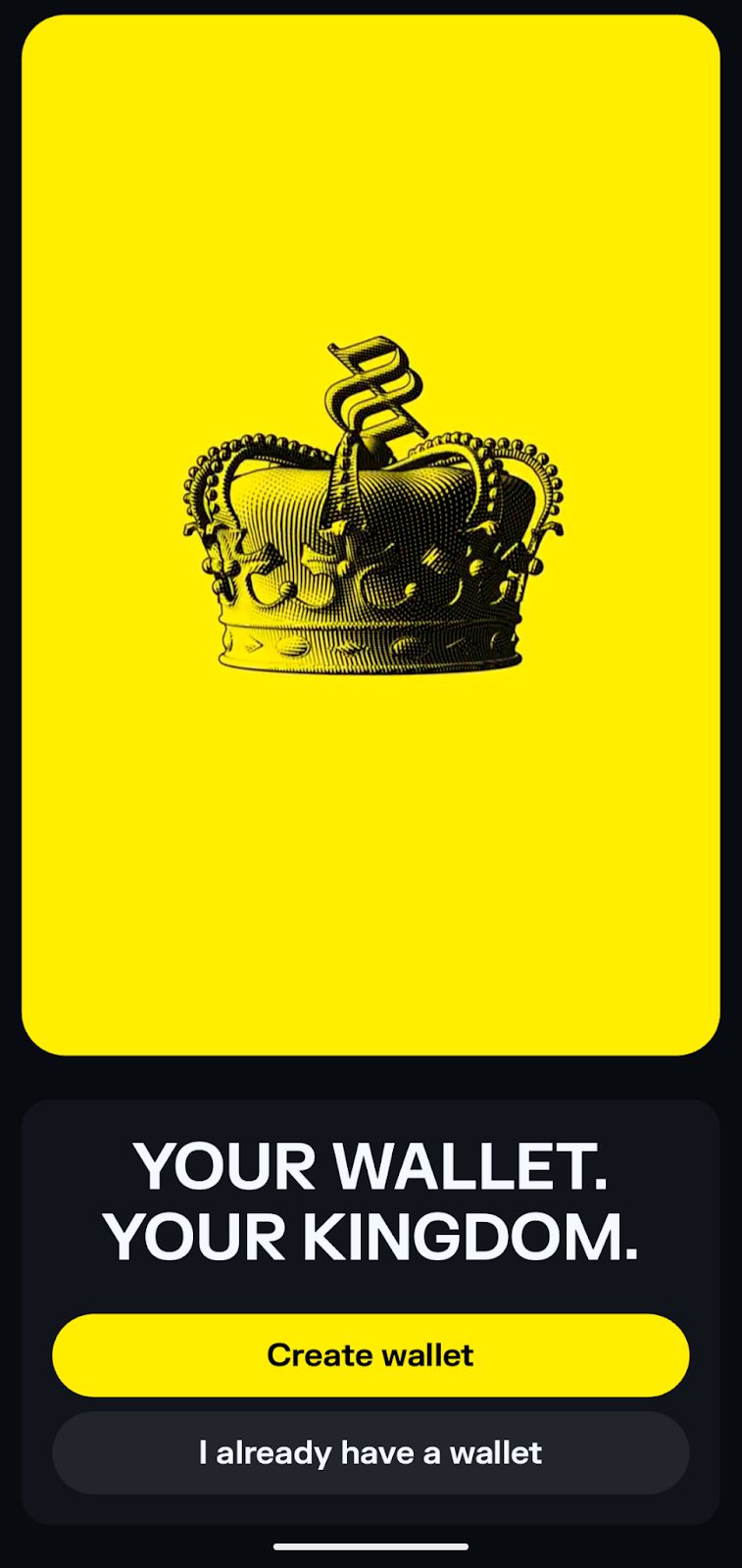
Once installed, tap on create wallet.
2) Save Your Recovery Phrase
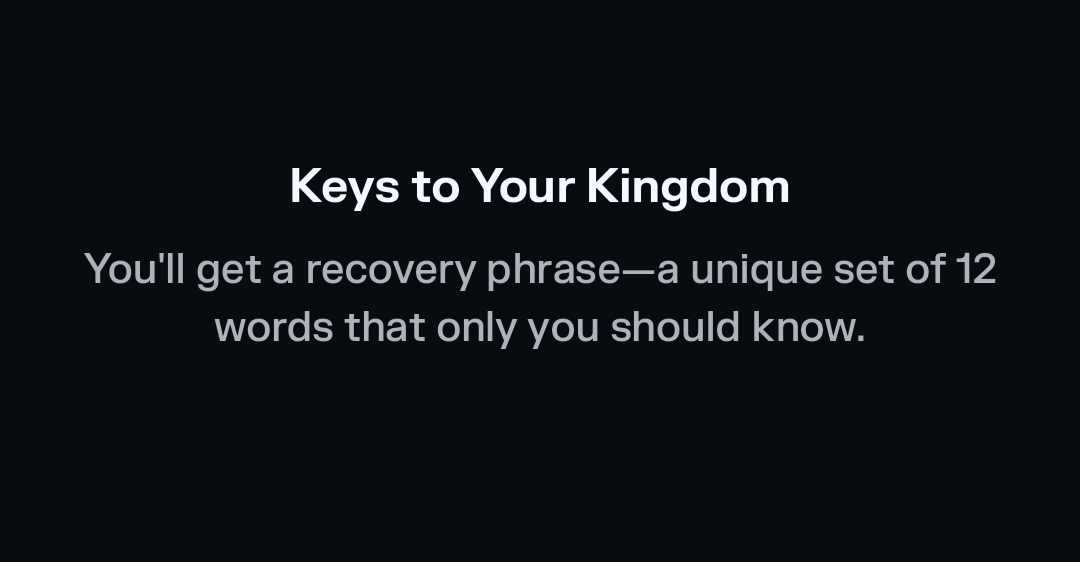
Solflare uses a 12-word recovery phrase you can use to restore your wallet if needed. Copy down these 12 words and save them securely offline. Don’t share your recovery phrase. Anyone with access to your recovery phrase can access your crypto assets.
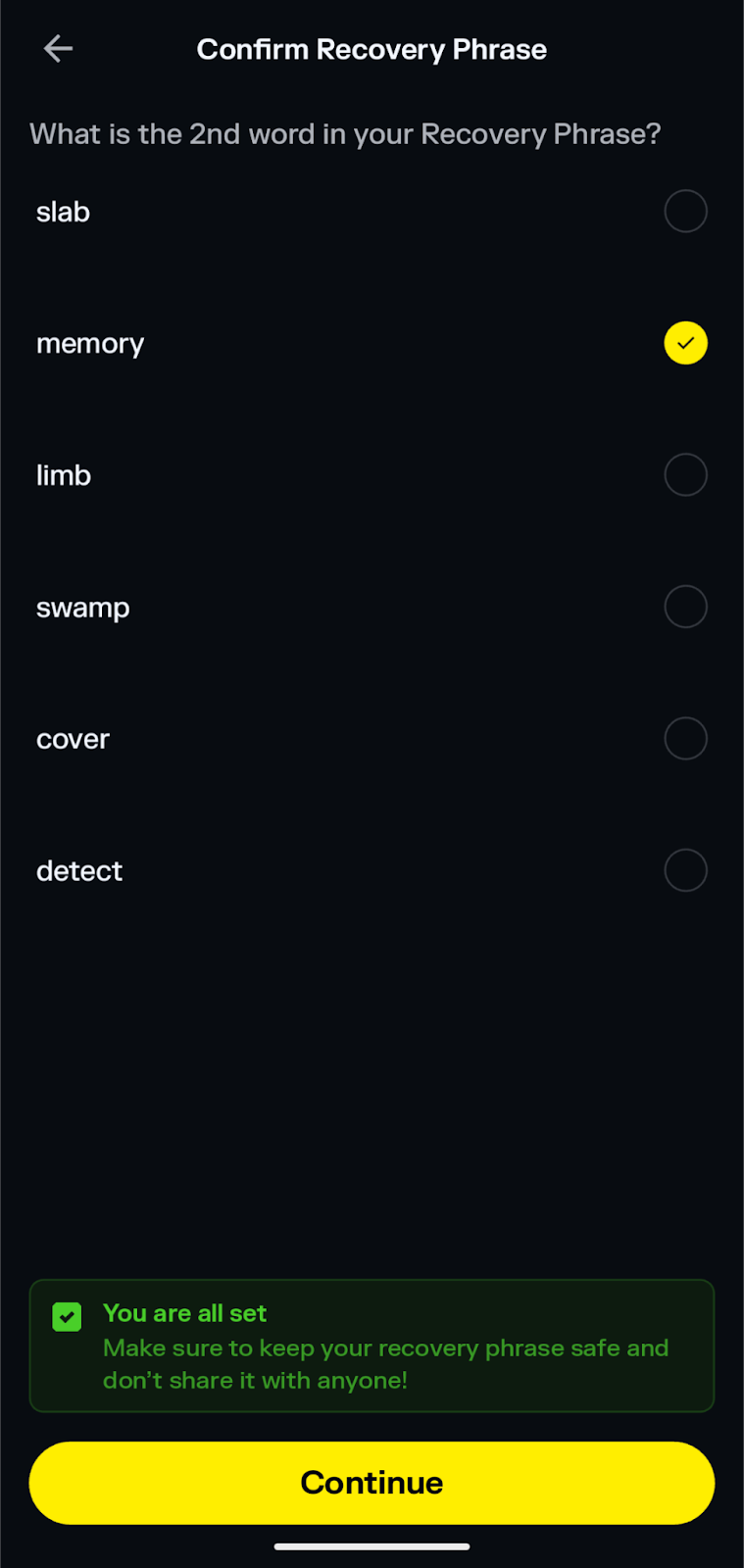
3) Confirm Your Recovery Phrase
Solflare asks for two of the twelve words in a specific order to confirm you have a backup of your recovery phrase.
4) Set a PIN
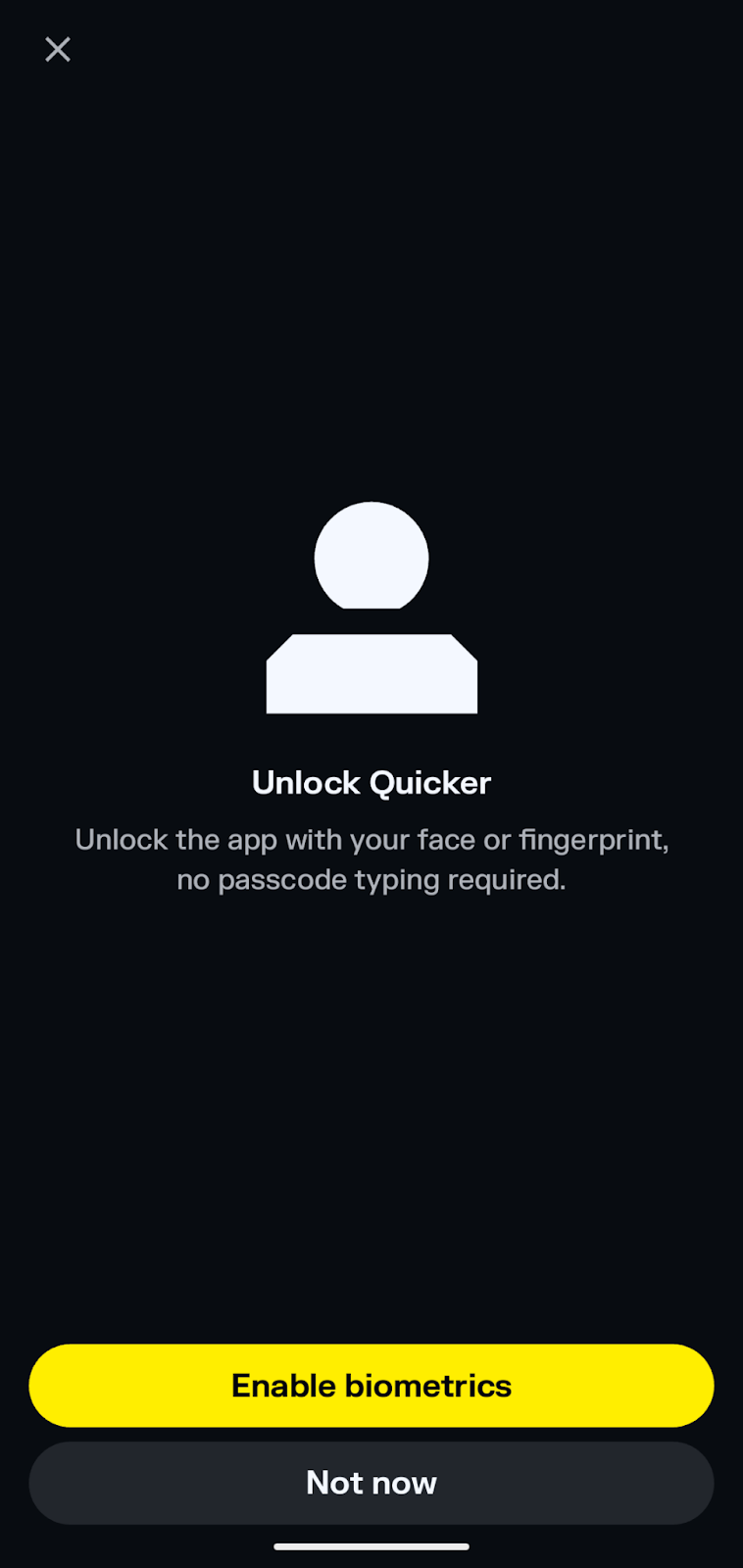
Choose a six-digit PIN to protect your wallet when your device is unattended. Optionally, you can also enable biometric authentication with a fingerprint scanner.
5) Start Exploring
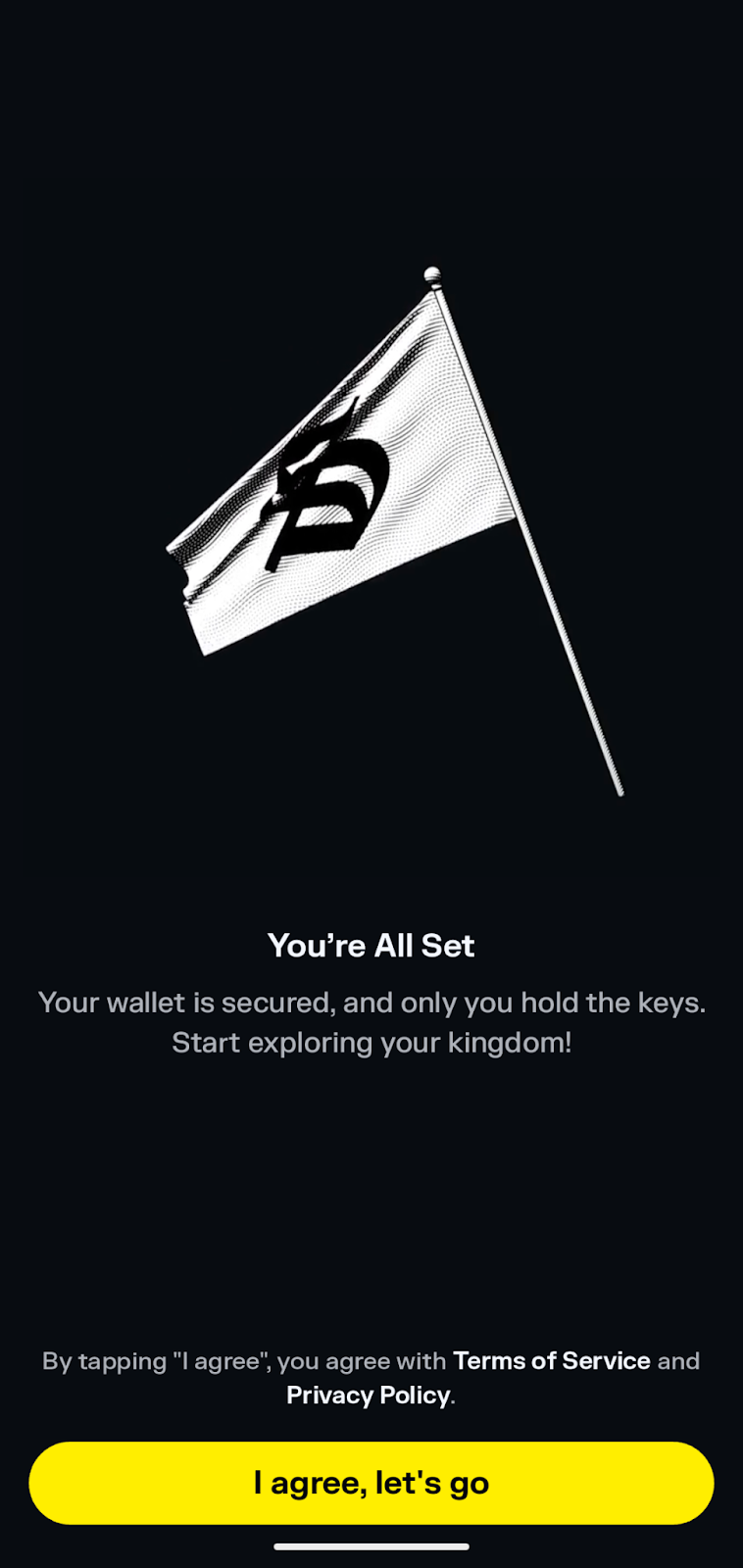
Your Solflare Wallet is ready for Web3 action on Solana. Use the tabs on the menu to explore different options, such as buying crypto, staking, swaps, or connecting to decentralized applications.
Solflare Limitations
While highly capable when storing and managing Solana assets, Solflare offers virtually no support for other chains. Cross-chain support is limited to bridging EVM-based assets to Solana using the Solflare Snap for the MetaMask wallet. Multi-chain users will need another non-custodial wallet to address storage and connection needs for other chains.
Earlier, we also discussed the dearth of dApps in the Explore section. This vast emptiness fills with dApps you use over time, forming a favorites list of sorts. However, new users may be left scratching their heads.
Other potential drawbacks center on closed-source code and a lack of verifiable audits for the app. We couldn’t find a complete GitHub repository for Solflare. Similarly, the only audits we found centered on the MetaMask Snap. Open-source fans may want to consider other options. However, in fairness, Solflare has a long history of secure use amongst an estimated four million users worldwide.
Solflare Alternatives
Multichain users or those who want additional functionality can consider some alternatives, including Best Wallet, Zengo, or Phantom, all of which are among the best Solana wallets. Let’s review these alternatives briefly.
Best Wallet
The Best Wallet mobile wallet app supports Solana alongside Bitcoin and Ethereum, with support for 60+ blockchains in total. This multichain support makes cross-chain swaps possible. Users can swap any supported asset for any other supported asset to capture trading opportunities with fewer steps.
Best Wallet also offers several innovative features, including a Solana launchpad for new tokens and Multi-Party Computation (MPC) technology that splits the wallet’s private keys into shards for enhanced security. Our full Best Wallet review explored the app in more detail.
Zengo
Similar to Best Wallet, Zengo uses MPC technology to secure crypto assets. While multi-chain support is more limited than some competitors, the Zengo Wallet app does support the most common chains. These include Bitcoin, Ethereum, and several Layer 2 chains. Zengo also added support for Solana in April 2025.
Robust security features and a newbie-friendly user interface make Zengo one of the top choices for Solana users who need multi-chain support. The app is intuitive and provides easy access to third-party providers to top up balances securely.
Phantom Wallet
The Phantom wallet provides a popular alternative to Solflare and other options. Initially created as a Solana wallet, the project has added support for additional chains, including Bitcoin, Ethereum, and several Layer 2 chains or sidechains.
Similar to Solflare, Phantom offers outstanding NFT support and a clean UI that’s welcoming to new and experienced users. The wallet also supports popular hardware wallets from Ledger, allowing you to store your assets offline without sacrificing connectivity.
Solflare Review Conclusion: Is It The Right Solana Wallet For You?
We covered Solflare’s shortcomings earlier, with a short list of cons centering around closed-source code, single-chain support, and a lack of dApps to explore in the Explore tab. With those as the primary weak points, the pros far outweigh the cons for Solflare, particularly for heavy Solana ecosystem users.
Connecting to dApps is a snap, and safety features like Solflare Guard help protect users from malicious smart contracts and fake tokens. Ease of use remains one of Solflare’s top features, welcoming newcomers while also providing integrated staking and enough connectivity options to appeal to power users.
Our Methodology: How We Tested and Reviewed Solflare Wallet
We installed and tested the Solflare Wallet app, using both a new wallet and an imported private key. Both processes went without incident. Factors we considered in our Solflare Wallet review ranged from ease of use to security and Solana ecosystem support.
A crypto wallet’s primary job is to secure digital assets. Solflare performed well in this area. The wallet supports hardware wallets from multiple manufacturers, provides scam detection, and encrypts the wallet’s private keys with optional biometric locks on mobile devices.
We also evaluated ease of use, in which Solflare generally scored very well. One notable area for improvement centered on the Explore section, which offered no pre-populated dApps to explore. Otherwise, the app performed well and proved easy to navigate.
Solana ecosystem support also proved exemplary, with easy connectivity to popular dApps and native support for staking, powered by Solflare’s validator or a selection of other validators.
FAQs
Is Solflare worth it?
Does Solflare support hardware wallets?
Is Solflare Wallet free?
What happens if I lose access to my Solflare wallet?
Can I use Solflare with my Solana NFTs?
References
- 8/2/2022 Slope Wallet Incident Update (solana.com)
- Solflare (github.com)
- Solflare MetaMask Snaps – Solflare, Sui, Aptos (consensys.io)
- Crypto Debit Card (solflare.com)
- Advice and answers from the Solflare Team (solflare.com)
- Solflare Wallet (trustpilot.com)
- Solana Wallet (play.google.com)
- Solflare – Solana Wallet (apps.apple.com)
- Download now (solflare.com)
- Zengo launches support for Solana (zengo.com)