 SecuX Wallet Review 2026
- Features a secure element chip with CC EAL5+ certification.
- Supports NFTs and more than 10,000 tokens/coins.
- Intuitive user interface.
Self-custody is one of the foundational principles helping you protect your digital assets. Hardware wallets provide owners with direct control over their private keys, eliminating the need for third-party services. And if you’ve ever searched for a beginner-friendly hardware wallet, you’ve probably come across SecuX.
Since launching its first model in 2018, SecuX has expanded its lineup to include multiple touchscreen wallets, an NFT storage device, and even a biometric card.
In this SecuX wallet review, we take a closer look at the company’s family of vault-grade hardware wallets and evaluate whether they are worthy of a spot in your security setup.
Our review methodology includes a deep analysis of SecuX’s security features and comparisons with competing devices. Read on to learn more about SecuX and whether or not it’s worth buying in 2026.
SecuX Review: Pros and Cons
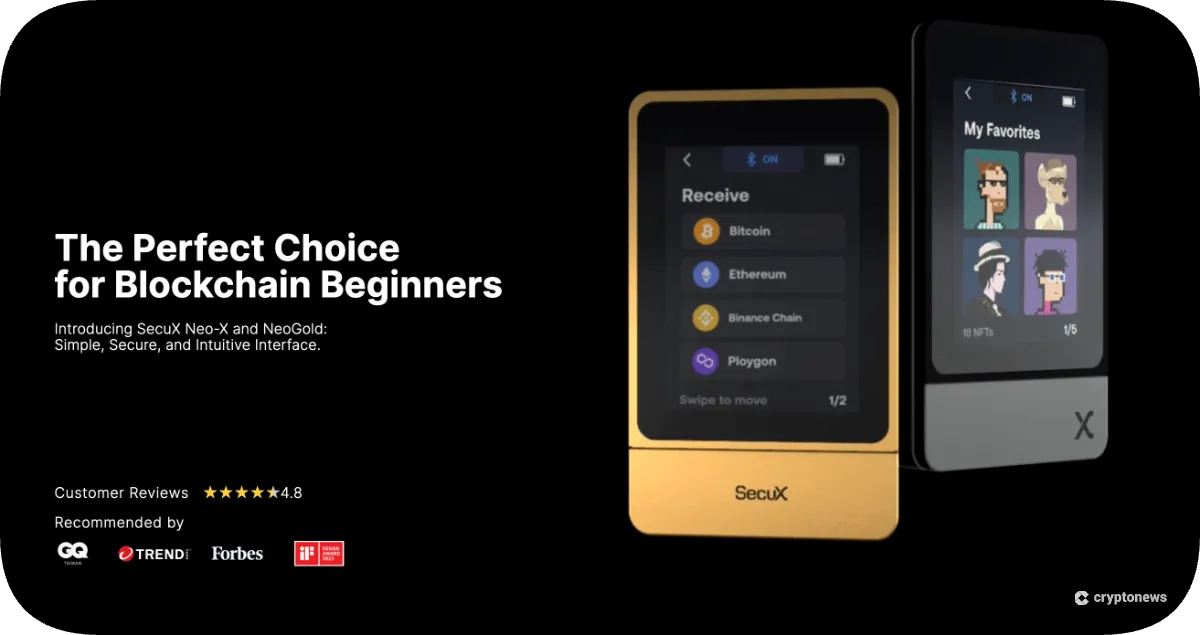
After extensive research and testing, our findings show that SecuX offers solid security with modern user experience. Its hardware wallets are built around a CC EAL5+ Certified Infineon secure element and feature large color touchscreens.
More importantly, SecuX wallets support over 10,000 coins and tokens across more than 300 blockchains. Other user-favorite features include thoughtful additions like hidden wallet creation and dynamic PIN pads.
We found that SecuX’s companion app integrates with WalletConnect and allows direct swaps via Changelly.
But it’s also worth keeping in mind that some of the SecuX models’ prices are higher than those of some competitors. Critics have also pointed out that these crypto wallets aren’t truly air-gapped, as most models connect via USB or Bluetooth for signing transactions.
Here’s a quick overview of what SecuX wallets do best, and where they might miss the mark:
Pros
- CC EAL5+ certified secure element chips
- Supports over 10,000 coins and tokens across 300 chains
- A dedicated NFT wallet (SecuX Nifty) with an on-device gallery
- Seed generation and hidden wallet protection implementation
- Simple interface
Cons
- Some SecuX models are priced relatively high
- Most models are not truly air-gapped for transaction signing
- Closed-source firmware
What is SecuX?
SecuX Technology Inc. is a Taiwanese cybersecurity company founded with the ambition of building user-friendly crypto storage devices with institution-grade security.
The hardware wallet provider’s product line currently includes secure cold storage options, such as V20, W20, W10, the latest Neo series, Nifty, and Shield BIO. SecuX’s comprehensive ecosystem consists of a web management platform, the SecuX mobile app, and seed phrase backup kits.
Unlike hot wallets hosted by exchanges or smartphone apps, SecuX devices are self-custodial. This means the user holds their own private keys, which are generated on the device and stored in a secure element chip that never leaves the hardware.
Transactions are signed inside the device, and only the signed data is broadcast via the companion app.
Is SecuX Safe?
Every SecuX wallet contains a military-grade security chip that stores your private keys separately from the device’s main circuitry. This chip is certified to the EAL5+ standard, meaning independent testers have proven it can withstand tampering attempts.
The wallet’s PIN entry prevents breaking, its support for hidden wallet and passphrase tech adds security, and on-device seed phrase checks reduce user errors. In the event of tampering, the Secure Element is also designed to self-protect.
Unlike its competitors, we found no record of a substantial hack or compromised SecuX devices to date. By contrast, Ledger suffered a major hack in 2023, during which malicious software stole user funds.
However, since the firmware is not entirely open-source, independent security researchers cannot fully audit the platform’s code. Nonetheless, SecuX’s comprehensive hardware certification should provide some reassurance to its users.
SecuX Models
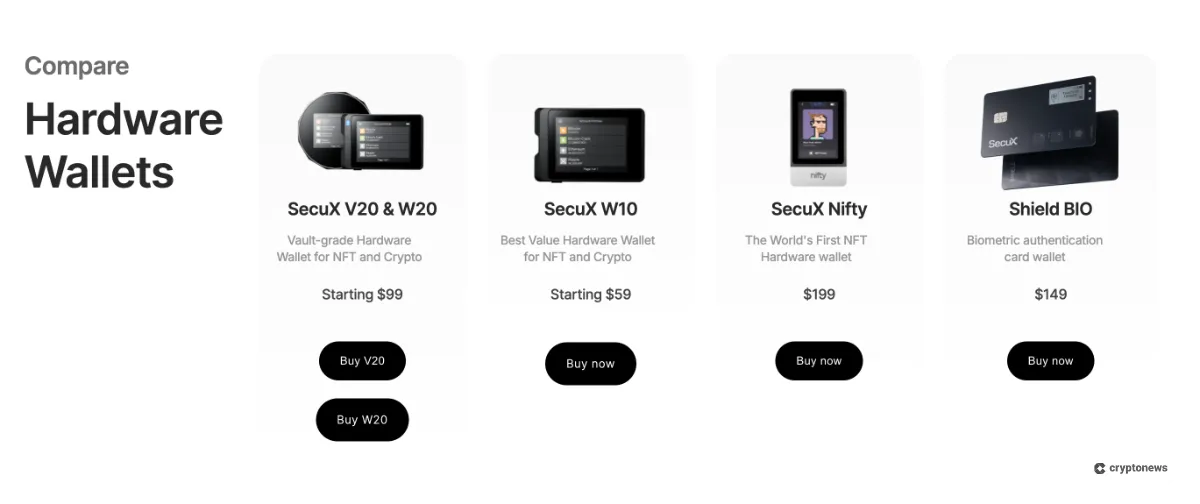
SecuX currently offers a range of hardware wallets catering to different budgets and use cases:
- V20: It’s SecuX’s flagship model, featuring an aluminum body, a large touchscreen, a rechargeable battery, and Bluetooth 5. The wallet is built for relatively advanced users who want both mobile and desktop compatibility.
- W20: Mid-range wallet made of durable plastic. It’s similar to V20 but uses a Micro-USB port instead of USB-C and costs less ($99).
- W10: Entry-level device with many of the same features as W20 but lacks Bluetooth and battery, requiring a wired connection during use.
- Nifty: A specialized NFT hardware wallet designed to show NFT artwork on its 2.8-inch screen. Supports NFTs on Ethereum, Solana, BNB Smart Chain, and Polygon in addition to over 5,000 coins and tokens.
- Shield BIO: A Biometric wallet that uses a fingerprint sensor to unlock. It’s aimed at users who prefer biometrics over PINs and has the same secure element and coin support as other models.
- Neo series (Neo-X / NeoGold): The Neo-X and NeoGold are recently released wallets to modernize the SecuX lineup. Our research shows that they retain the secure element foundation but feature a slimmer design and an intuitive interface. The Neo-X has NFT display capability and supports over 5000 coins, while NeoGold is branded as a beginner wallet with simplified menus.
Key Differences Between SecuX Models
Here’s a brief comparison of SecuX models based on a few key important factors (note that prices may vary depending on ongoing promotions):
| Feature | V20 | W20 | W10 | Nifty | Shield BIO |
|---|---|---|---|---|---|
| Price (before any discounts) | $139 | $99 | $59–$69 | $199 | $149 |
| Bluetooth 5.0 | Yes | Yes | No | Yes | Yes |
| Biometric Protection | No | No | No | No | Yes |
| Dynamic Keypad | Yes | Yes | Yes | Yes | No |
| Hidden Wallet | Yes | Yes | Yes | No | No |
| Screen Type | Color touchscreen (LCD) | Color touchscreen (LCD) | Color touchscreen (LCD) | Color touchscreen (LCD) | E-ink |
| Charge Port | Type-C / Micro-B | Type-C / Micro-B | Micro-B | Type-C | NA |
| Web-based Access (SecuXess) | Yes | Yes | Yes | No | Yes |
| Best For | Advanced users looking for a premium build and features | Everyday users prefer wireless, battery-based wallets | Budget-conscious users | NFT collectors | Users who assign special importance to biometrics |
SecuX Supported Coins and Networks
One of the standout features of the SecuX lineup is its massive asset support. As we discussed, the wallets are compatible with over 10,000 coins and tokens across 300 blockchains. It supports some of the top cryptos like Bitcoin, Ethereum, and Cardano.
We found that the wallets can also store ERC-20, BEP-20, and other popular token standards. In fact, the SecuX Wallet App 3.0 has introduced support for additional networks like Ripple, Stellar, Dogecoin, Litecoin, Bitcoin Cash, Dash, and DigiByte.
However, not all SecuX models support the same NFT networks. The Nifty wallet manages NFTs across Ethereum, Polygon, BNB Smart Chain, and Solana, while other models are limited to NFTs on Ethereum and EVM-compatible chains.
You can always check the live Supported Assets list before purchasing any SecuX wallet.
SecuX Wallet Key Features
To understand what makes SecuX unique, let’s dive into the wallet’s key features:
Offline Seed Phrase Generation
When you set up a SecuX wallet, it will randomly generate a 12-, 18-, or 24-word recovery phrase in a fully offline setup. This will ensure that the seed phrase is never exposed to an online device. It’s important because it acts like your master key, letting you recover all your accounts and wallet addresses if needed.
The wallet flashes each word on its screen one at a time, allowing you to jot them down on the paper sheet or metal X-SEED plate (discussed later). It’s crucial to store this phrase with utmost security, as anyone who gains access to it can control your digital assets.
Secure Element Chip
All SecuX models feature an Infineon SLE 97 secure element. This dedicated chip isolates your private keys from the device’s main processor and memory, protecting them from software attacks and physical extraction attempts. These strong security features make SecuX one of the best cold wallets on the market right now.
The chip carries a “Common Criteria Evaluation Assurance Level 5+ (CC EAL5+)” certification, indicating robust tamper resistance. While a compromised computer/phone won’t extract your keys from the secure element, malware could still trick you into signing a malicious transaction. As a result, users should verify on-device details before approving any transaction.
PIN Protection
Our testing reveals that SecuX wallets unlock with a 4 to 8-digit PIN. The design features a dynamic keypad, meaning the numbers will shuffle their positions every time you enter the PIN. This setup will prevent attackers from tracing your fingerprint smudges or memorizing the PIN position.
More importantly, the wallets will automatically reset and wipe all private keys if the wrong PIN is entered five times.
Connectivity
One of the advantages of SecuX wallets is their cross-platform connectivity. Models like the V20, W20, Nifty, and Shield BIO offer both Bluetooth 5 and USB (Type-C or Micro-B) connections. This allows users to pair them with iOS and Android smartphones, as well as with Windows, macOS, and Linux computers.
The W10, however, only supports Micro-USB and must be powered via cable. Wireless connectivity is particularly useful when interacting with mobile dApps or decentralized finance (DeFi) platforms via WalletConnect.
Hidden Wallet
SecuX’s hidden wallet feature adds an extra layer of security by allowing you to create a parallel wallet that only appears when you enter a special passphrase.
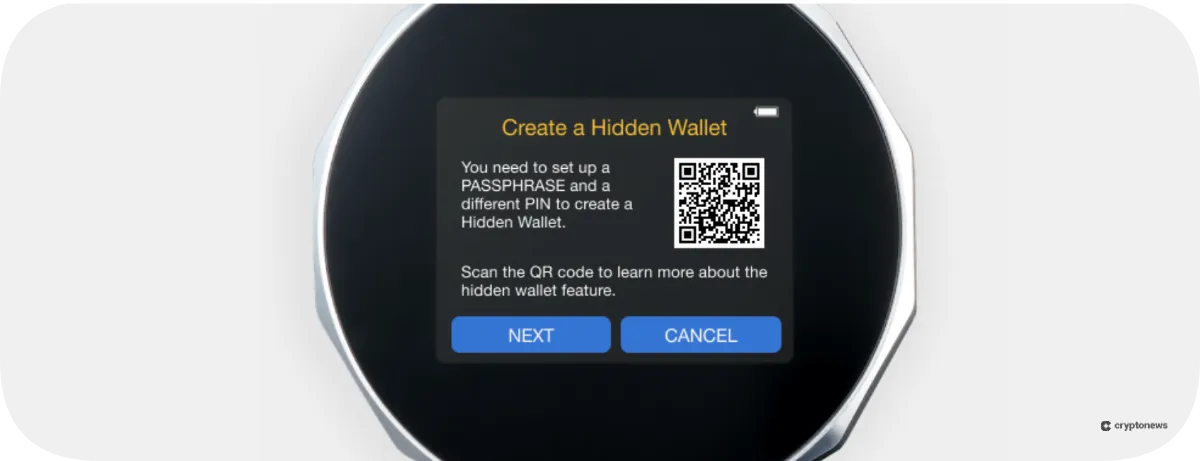
To set it up, you create a new wallet PIN distinct from your main PIN and a passphrase up to 99 characters. Anyone who knows the regular PIN can only see the primary wallet, while entering the hidden PIN and passphrase will reveal the secondary wallet.
dApp Integration
dApps and DeFi protocols are core parts of the crypto ecosystem. SecuX wallets support dApp interaction via WalletConnect. When connecting to a dApp, the companion app generates a QR code that you scan with the device’s camera (or vice versa) to establish a secure channel.
Each transaction or smart contract interaction must be confirmed on the hardware wallet’s screen, ensuring that you can review contract details before signing.
NFT Management
The Nifty model stands out with its dedicated NFT features. It displays color NFT artwork on the 2.8-inch screen and supports NFTs from Ethereum, Polygon, BNB Smart Chain, and Solana.
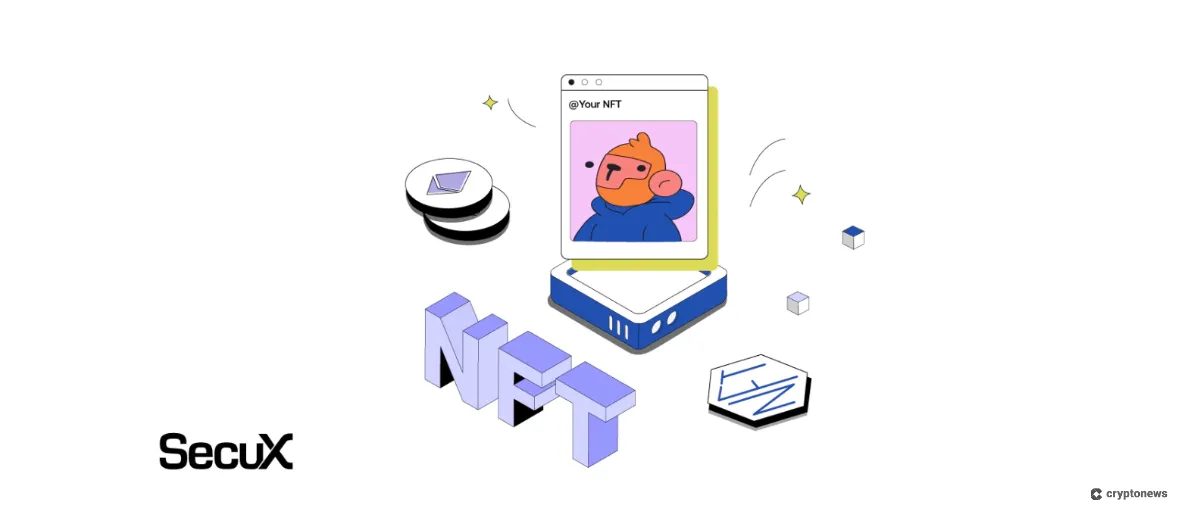
This allows collectors to showcase their digital art offline and verify transaction details before sending or receiving NFTs. The Nifty can manage up to 500 accounts and still supports thousands of coins and tokens. If you own a diverse NFT collection, Nifty is one of the more capable hardware wallets on the market.
SecuX Companion App
You can think of the SecuX Wallet App as your control panel, as it connects your hardware wallet to supported blockchains without exposing your private keys. You can install it on iOS, Android, Windows, macOS, or Linux operating systems.
The workflow is simple: pick the connected device, choose a coin or token, enter the recipient address and the amount, and confirm on the hardware wallet’s screen. That last step is crucial because the device displays the address and details, and you must approve them directly in the wallet itself. This protects you from malware that swaps addresses on your clipboard.
Moreover, the app displays balances and history for each account, allowing you to create multiple accounts per asset to organize your holdings. It also supports standard receive flows with shareable addresses and QR codes.
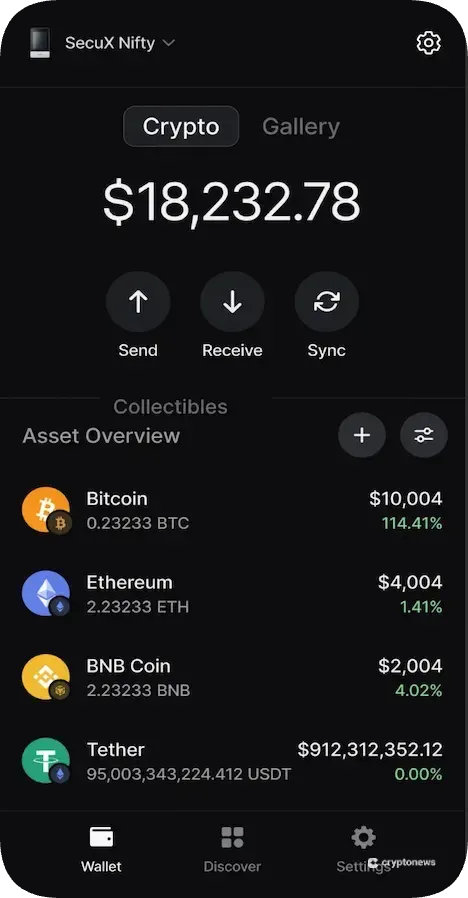
Our findings show that swaps are available inside the app through an integration with Changelly. While the rates depend on liquidity and network conditions, the service typically offers competitive options and a broad range of trading pairs. You keep self-custody during the process because the hardware wallet still approves the signature.
You can interact with DeFi and NFT platforms such as Uniswap, Aave, or OpenSea using the app’s WalletConnect feature. Here, transactions still require on-device approval for maximum safety.
Finally, address verification is built into the entire transaction flow. For instance, the address on your phone or computer must match the one displayed by the hardware wallet. This check prevents common phishing tricks and clipboard hijacking attempts.
X-SEED Seed Phrase Storage Solution
Storing your seed phrase properly is as important as securing the wallet itself. Since paper can easily fade or burn, SecuX is offering X-SEED, a metal backup kit that’s designed to withstand rough conditions.
X-SEED uses aluminum or stainless steel plates with spaces for you to punch or stamp the 12 to 24-word phrase. The result is a durable, offline backup that resists water, fire, and corrosion.
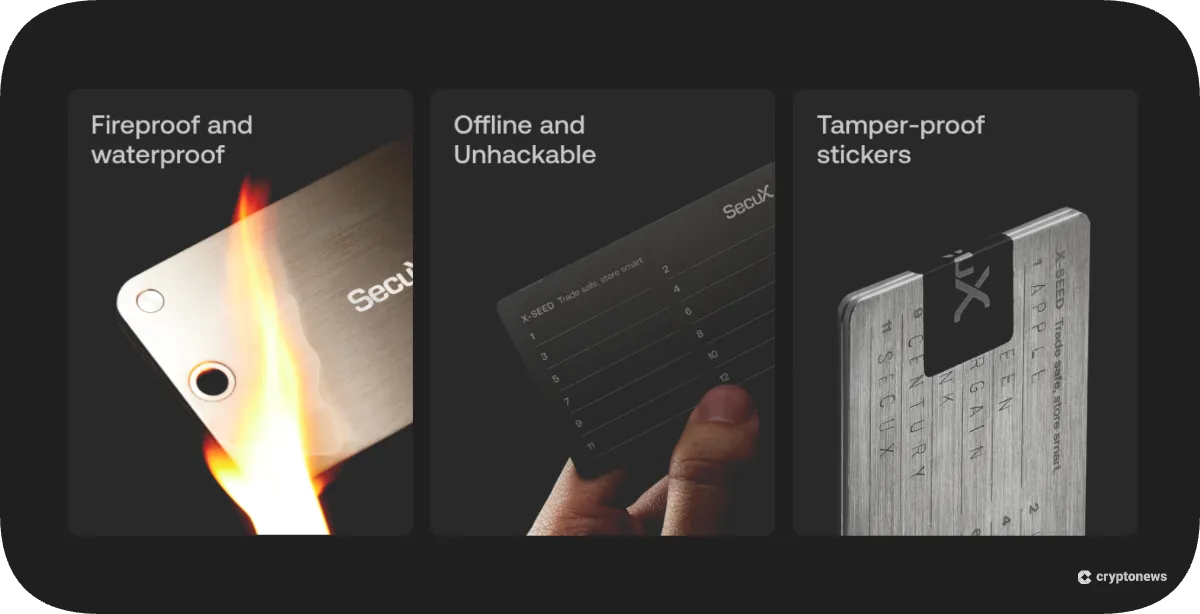
Because it is purely physical, it cannot be hacked or infected by malware. There are plate options for different phrase lengths, making the kit flexible for various wallets and recovery formats.
PUFido Clife Key
SecuX’s security lineup includes PUFido Clife Key, a login key for websites and devices that supports passwordless authentication and strong 2FA security. In a practical scenario, even if someone gets access to your passwords, they’ll still need the PUFido key to log in.
This key uses a security chip that uses a Physically Unclonable Function, or PUF, to generate a unique encryption key from microscopic variations in the silicon hardware. Moreover, the key is not stored anywhere and is regenerated on demand. This makes the Clife Key resistant to physical extraction, tampering, and even quantum attack.
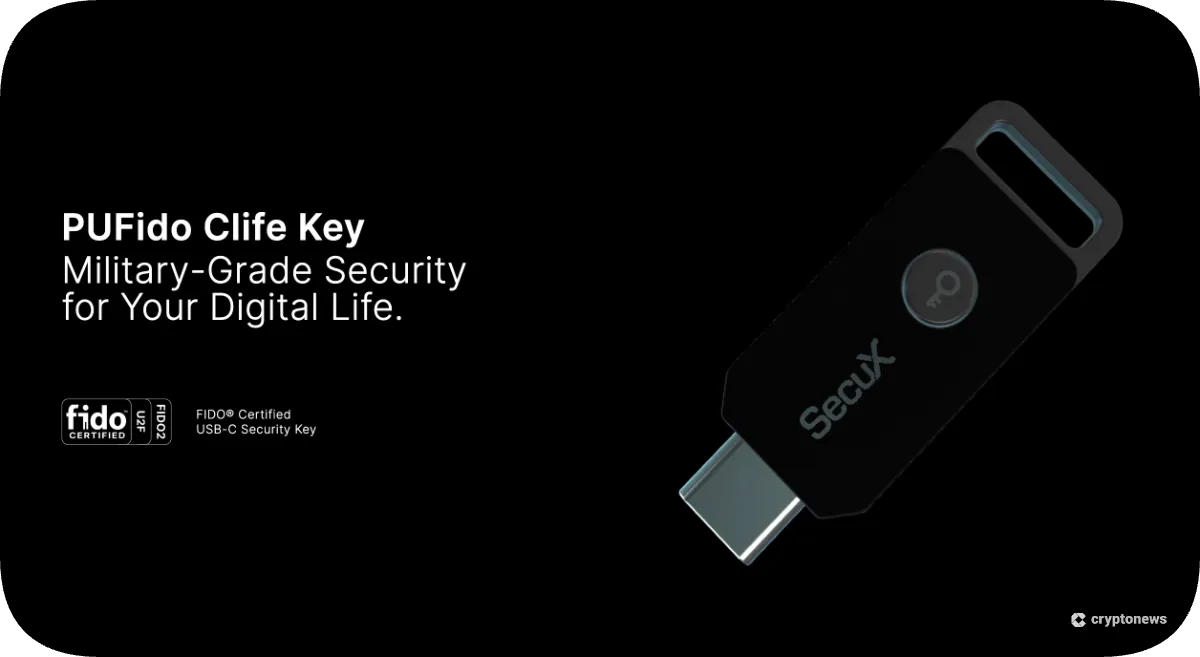
Users can register the key with multiple services such as Google, Microsoft, GitHub, and enterprise identity systems. The device supports cross-platform compatibility (Windows, macOS, Linux, iOS, Android, ChromeOS) and works with authentication protocols FIDO2, CTAP1/CTAP2, and U2F.
Although not part of the hardware wallet lineup, it complements the security ecosystem by enabling two-factor or passwordless logins.
Are SecuX Wallets User-Friendly?
User experience is often overlooked when evaluating hardware wallets, yet it’s crucial for adoption by beginners.
In our testing, we found that SecuX wallets were easy to set up and use. After unboxing, simply charge the device (if it has a battery) and turn it on. Then, follow the on-screen instructions to select a language, create a PIN, and generate your recovery seed.
The large color touchscreen and clear prompts reduce the risk of missteps compared to tiny buttons on some competitors. Moreover, the dynamic keypad appears each time you enter the PIN, but we didn’t find it cumbersome; instead, it offers a sense of peace of mind.
Connecting to the companion app is also straightforward. For Bluetooth models, you pair through your smartphone’s Bluetooth settings and then open the SecuX wallet app. The app guides you through selecting the device and syncing accounts. Meanwhile, swaps via Changelly are integrated into the same interface, making portfolio management seamless.
For USB connections, you plug the wallet into your computer and open the desktop app or connect via WebUSB in your browser. The app automatically fetches balances and transaction history, and you can create multiple accounts for different coins.
Overall, we found the SecuX interface intuitive, and the learning curve is modest, even for beginners.
SecuX Customer Support
Our analysis reveals that SecuX currently features several support channels like a help center, user guides, email support, and even a ticketing system.
The company’s knowledge base contains articles on setup, troubleshooting, and firmware updates. You can also reach out to SecuX support via email with your queries and typically receive a helpful response within 24 hours. There’s also a community forum and active social media channels where users share experiences and tips.
However, SecuX does not offer live chat or telephone support, which may be a drawback for users needing immediate assistance. Firmware updates are typically released every few months, while the company encourages users to keep their devices up to date.
Overall, customer support is competent, but there is room for improvement in responsiveness and the variety of channels.
Disadvantages of SecuX Wallets
Here’s a quick look at some of the key disadvantages of SecuX hardware wallets:
- Closed-Source Firmware: Unlike open-source projects like Trezor or Coldcard, SecuX does not publish its firmware source code. While the secure element is certified, some users prefer complete transparency.
- Price vs Features: The V20 and especially the Nifty are priced at the premium end of the hardware wallet spectrum. For a similar price, some competing wallets offer extras like color e-ink screens (Ledger Stax) or even multi-signature recovery.
- W10 Limitations: The W10 lacks Bluetooth and a battery, requiring a wired connection for every use. Its micro-USB port feels outdated in a world that’s moving to USB-C.
- NFT Support Limited to Specific Chains: While the Nifty supports Ethereum, BNB Smart Chain, Solana, and Polygon, it doesn’t currently support NFTs on Avalanche, Flow, or Tezos. NFT collectors with assets on those chains will need to use a different wallet.
How Does SecuX Compare Against Other Top Hardware Wallets?
The hardware wallet market has become crowded, with each device targeting a different niche. Below, we’ve compared SecuX wallets with three notable competitors:
SecuX vs. Cypherock X1
Cypherock X1 is a unique wallet that splits your seed phrase across four shards, stored on multiple NFC cards, making it resistant to single-point failures. It leverages Shamir’s Secret Sharing to require only a subset of shards for recovery.
In contrast, SecuX uses a traditional single seed phrase stored on a secure element. SecuX wallets feature large touchscreens and built-in swap features, while the X1 prioritizes decentralized recovery and multi-wallet management.
Cypherock has no battery and uses a USB-C connection, whereas SecuX’s flagship models feature rechargeable batteries and Bluetooth. If you worry about physical theft or disaster recovery, the X1’s shard system may appeal. If you prefer a straightforward experience with on-device confirmations and NFT support, SecuX is a more suitable option.
SecuX vs. Ledger Stax
We found that Ledger Stax features an innovative E-Ink touchscreen and the ability to stack multiple devices magnetically. It supports Bluetooth and USB-C, features wireless Qi charging, and integrates with Ledger Live and third-party apps. Ledger’s long-running reputation and extensive ecosystem of apps are strong advantages.
But Ledger’s firmware is partially closed-source (similarly to SecuX), and the Stax also comes with a high price tag. The SecuX V20 offers a larger color display and a hidden wallet feature at a lower price. If design and user interface are top priorities, the Ledger Stax may edge out SecuX, but for value and NFT display capability, SecuX Nifty offers unique functionality.
SecuX vs. Tangem
Tangem takes a radically different approach to hardware wallets by embedding private keys in a smart card. Users tap the card to their smartphone via NFC to sign transactions. Tangem cards are inexpensive, waterproof, and easy to carry, but these wallets lack a screen. This means you must rely on the mobile app for address verification.
On the other hand, SecuX wallets provide on-device confirmation and hidden wallet protection. Tangem suits everyday spending and travel due to its portability, but SecuX is more appropriate for larger holdings and those who want to interact with dApps.
SecuX Review Conclusion: Is It the Best Bitcoin Hardware Wallet?
Our analysis and testing results show that SecuX hardware wallets strike a balance between security and versatility. They feature secure elements, large touchscreens, dynamic PIN pads, a hidden wallet feature, and support for over 10,000 coins and tokens.
The only drawbacks are closed-source firmware and some outdated hardware choices on the W10 model. Nonetheless, SecuX is a strong wallet contender for beginners as well as seasoned pros because of its UI and security features. If you hold NFTs or prefer a full-color screen for transaction verification, the Nifty and V20 models are particularly appealing.
Visit SecuX today to explore its range of hardware wallets and discover their features for securing your digital assets.
Visit SecuXOur Methodology: How We Tested and Reviewed SecuX
For this review, we conducted an in-depth analysis of SecuX’s official documents, first-hand reviews of its wallet users, and user guides. We also reviewed the company’s security certifications and compared them with independent reports. We also cross-checked claims against recent academic literature on hardware-wallet design and vulnerabilities.
To see how SecuX compares to similar offers, we examined competitor devices (like Cypherock X1, Ledger Stax, and Tangem) based on publicly available specifications and user reviews. We prioritized information from primary sources such as the SecuX website and official blog posts. Our goal is to provide a balanced assessment that helps readers make informed decisions.
FAQs
Can SecuX get hacked?
Is SecuX air-gapped?
References
- Hacker Hits One of Crypto Industry’s Biggest Names in Security (Bloomberg)
- Large-Scale Security Analysis of Hardware Wallets (ACM Digital Library)