 Phantom Wallet Review 2026: Is Phantom Wallet Safe?
- Excellent integration with the Solana ecosystem
- Built-in trading, staking, and swapping
- Real-time malicious contract and scam warnings
Crypto traders often refer to the Phantom Wallet as the MetaMask of Solana because this non-custodial wallet was originally built for Solana. However, since its launch in 2021, this software wallet has expanded its list of supported blockchains and features, which transformed it into a multi-chain Web3 wallet.
That said, we created an extensive Phantom wallet review in which we’ll discuss its safety measures, supported coins and blockchains, key features, and fees. You’ll also learn what its biggest strengths and weaknesses are, and how it compares to Best Wallet, Zengo, and Solflare.
We based our research on hands-on testing and user feedback, which enabled us to create an unbiased and trustworthy review. Here’s all you need to know about Phantom Wallet.
Our Take on Phantom Wallet: Pros and Cons
Phantom is an ideal wallet for Solana traders for several reasons. First, it will enable you to buy, trade, and swap SOL and SPL tokens directly from the wallet thanks to its integrated swap feature that supports same-chain and cross-chain swaps on Solana, Ethereum, Base, Polygon, and Sui. Secondly, Phantom has a built-in dApp browser, which means you’ll get to connect to multiple dApps on Solana, Ethereum, Base, Polygon, Sui, and Bitcoin. Lastly, you can trade Solana, Ethereum, and Polygon NFTs, and earn passive income by staking SOL.
Phantom Wallet is also a good choice for active traders since it supports an unlimited number of coins, although its list of supported networks is limited to six blockchains. Its other notable features include the Solana-only mode (manage your Solana accounts, tokens, and NFTs without seeing other chains), Instant Sell feature (sell NFTs at the best available price), and partnership with multiple on-ramp providers.
Phantom Wallet uses advanced security features like malicious contract detection, scam NFT protection, and local encryption. It can also be integrated with Ledger hardware wallets. On the downside, Phantom doesn’t support live chat and BTC swaps.
Pros:
- Non‑custodial software wallet with a focus on the Solana ecosystem
- Supports an unlimited number of tokens
- Integrated staking (native and liquid) and swap services
- Built-in dApp browser and NFT gallery
- Can be integrated with Ledger hardware wallets
- Supports Solana-based dApps, NFTs, and DeFi services
- Partnered with multiple fiat on-ramp providers
- Available as a mobile app and browser extension
- Offers scam protection tools
- Audited by Kudelski Security and Least Report
Cons:
- Limited number of supported networks
- No live chat support option
What is Phantom Wallet?
Phantom Wallet is owned by Phantom Technologies, a company based in San Francisco, California, founded by Brandon Millman, Francesco Agosti, and Chris Kalani. This non‑custodial software wallet was launched in January 2021, originally built for the Solana blockchain. However, today, Phantom supports multiple blockchains – Solana, Ethereum, Base, Polygon, Sui, and Bitcoin (Native/Taproot).
In less than six months since its launch, Phantom Wallet attracted 1 million users, and by 2025, its number of users reached 15 million.
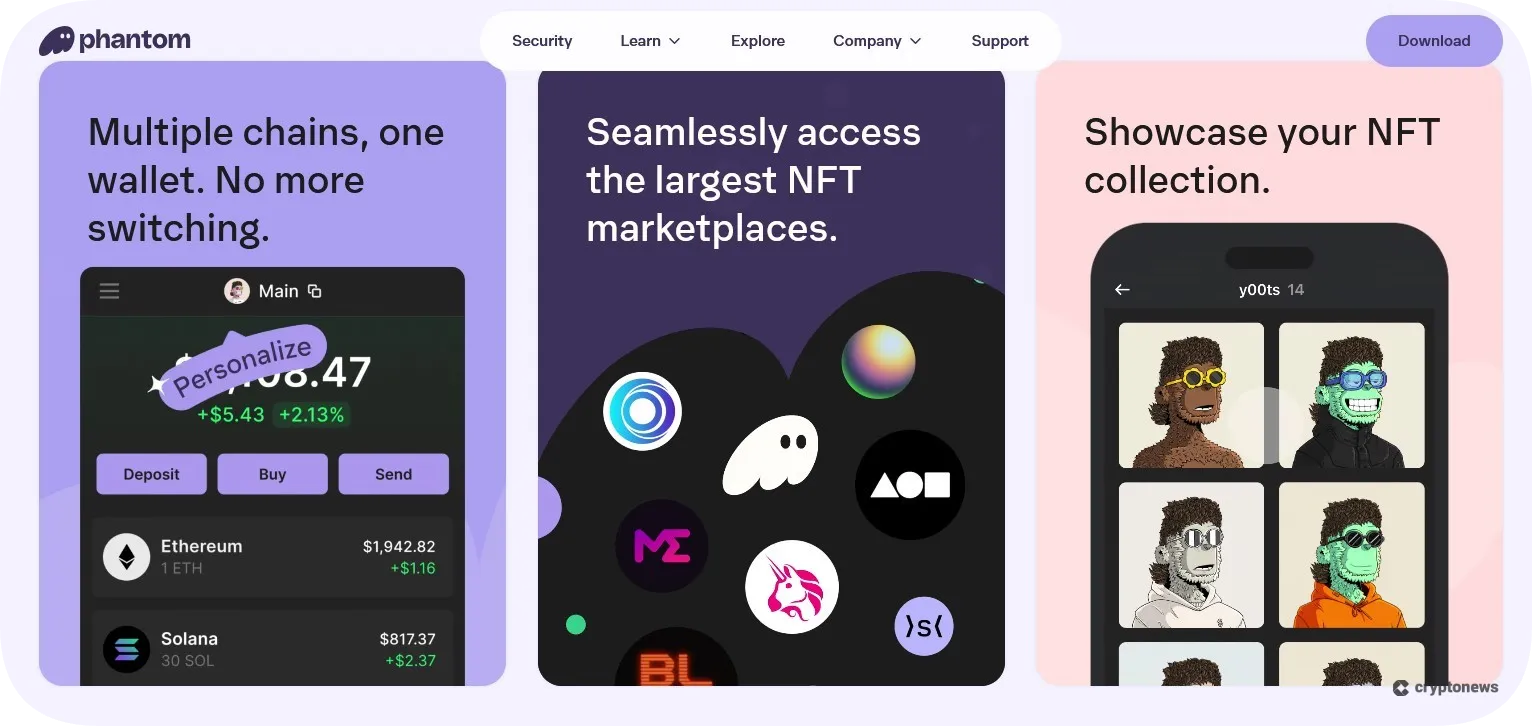
Phantom supports an unlimited number of tokens, which makes it ideal if you’re into niche tokens or memes. Its key features include integrated staking and swap services, a built-in dApp browser, and an NFT gallery. Moreover, Phantom can be connected with Ledger hardware wallets, which adds an extra layer of security.
Is Phantom Wallet Safe?
Phantom Wallet has an 85 and a 65 security score on CertiK Skynet and Coinspect, respectively, which positions it high on the list of the most secure hot wallets. This Web3 wallet utilizes advanced security measures to keep your funds safe, such as a ChaCha20-Poly1305 authenticated encryption algorithm, malicious contract detection tools, and scam NFT protection tools. The wallet is also audited by reputable cybersecurity solution providers – Kudelski and Least Report.
So, is Phantom Wallet safe? The short answer is yes. The long answer is – no crypto wallet is immune to cyber attacks. This is especially true for software wallets since they’re connected to the internet.
That said, Phantom Wallet has experienced several security incidents so far. In late September 2021, browser extension crypto wallets, such as Phantom, MetaMask, XDefi, and Brave, were affected by a critical vulnerability named “Demonic.” This had the potential to expose the secret recovery phrases from Phantom Wallet users, but the provider reacted before the theft happened by changing how seed phrases are generated and stored.
The second incident occurred in 2022 when hackers sent a fake Phantom security update link via an NFT to Phantom Wallet users that contained password-stealing malware. In response to this incident, Phantom launched a burn NFT feature that allows users to delete unwanted NFTs from their wallets and earn a small amount of SOL in return. The wallet also introduced an open-source blocklist, which contains a list of over 2,000 malicious domains.
The most recent incident happened in 2025, when Phantom Technologies got sued after $500,000 in crypto assets were stolen from Liam Murphy’s account (the creator of the Wiener Doge token) due to alleged vulnerabilities in the Phantom wallet. This hack caused a 99% drop in the value of the Wiener Doge token. The legal process is still ongoing.
To keep up with the latest security standards, Phantom Wallet implements advanced security measures, which we’ll discuss in more detail in the following sections:
Local Encryption
Phantom uses the ChaCha20-Poly1305 authenticated encryption algorithm and an audited Shamir Secret Sharing library to split your encryption key. The wallet also stores your private keys and recovery phrase in an encrypted vault that only you are able to unlock using a password or biometrics.
In addition to that, Phantom Wallet implements a unique authentication method called Phantom Auth, which uses public-key cryptography to establish your identity without relying on passkeys and passwords.
Independent Audits
Phantom Wallet is audited by Kudelski Security and Least Report. You can check its audit reports on GitHub.
Malicious Contract Detection
A malicious contract detection feature, also known as transaction previews, is a tool that will identify malicious transactions and protect you from phishing, dApp-level DNS hijacking, and software supply chain attacks. This feature is powered by Blowfish, a security platform whose goal is to identify and stop fraud before it happens.
For example, you’ll receive a real-time warning if you visit a fake domain or interact with malicious dApps. Phantom’s transaction previews work across Solana, Ethereum, and Polygon.
Scam NFT Protection
Phantom Wallet uses third-party integrations and advanced machine learning to identify spam tokens and NFTs. You can also hide, report, and burn unwanted NFTs in return for a small amount of SOL.
Hardware Wallet Support
Phantom can be integrated with Ledger hardware wallets through its browser extension and mobile app. However, we noticed that only its Chrome, Edge, and Brave browser extensions support Ledger, while the same doesn’t apply to Firefox.
Phantom Wallet Supported Coins and Blockchains
Phantom Wallet supports an unlimited number of tokens across Solana, Ethereum, Base, Polygon, Sui, and Bitcoin (Native/Taproot). You won’t have to manually add new tokens since this process is automated. I.e., whenever someone sends you new tokens, they’ll appear automatically on the wallet’s screen once the transaction is confirmed.
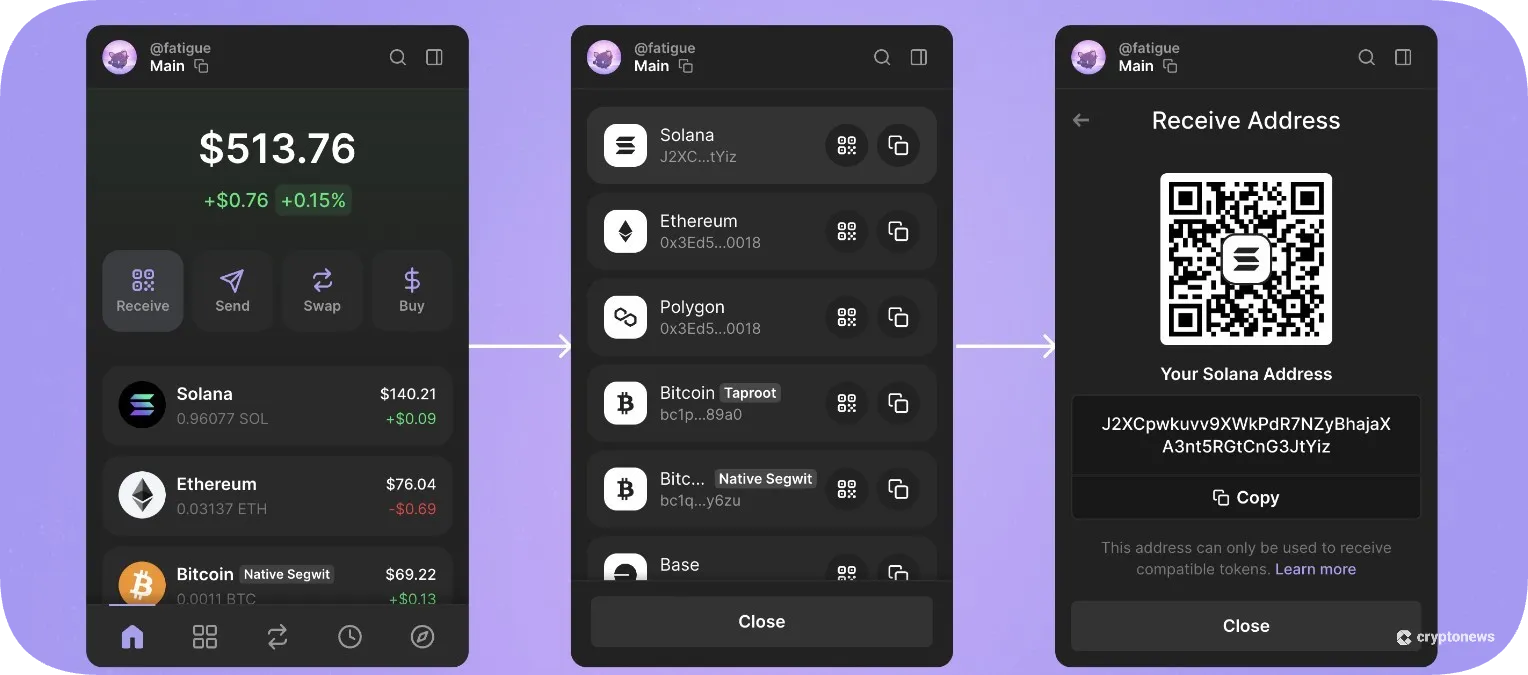
Phantom Wallet also supports same-chain and cross-chain swaps on Solana, Ethereum, Base, Polygon, and Sui.
Although this Web3 wallet supports a limited number of networks, its connection to the Solana ecosystem makes it stand out from the competition. On that note, you’ll get to trade both SOL and SPL tokens, and interact with Solana-based dApps, NFTs, and DeFi services. You can also take advantage of its Solana-Only mode, which will enable you to manage your Solana accounts, tokens, and NFTs without seeing other chains.
In addition to Solana-based NFTs, Phantom Wallet also supports compressed NFTs (cNFTs) on the Solana blockchain.
Phantom Wallet Review: Key Features
In this segment of our Phantom Wallet review, we’ll discuss its key features in more detail.
Swaps & Trading
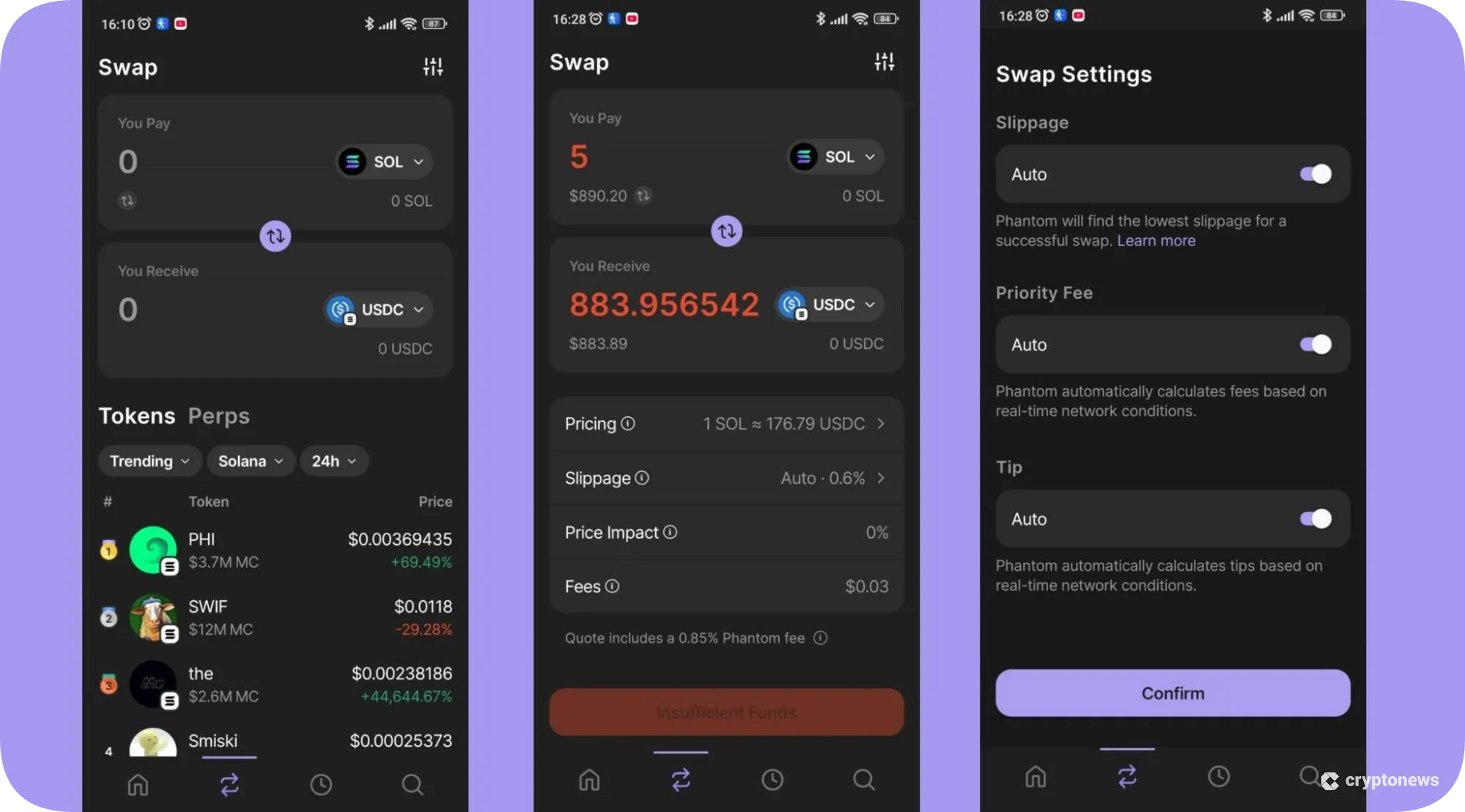
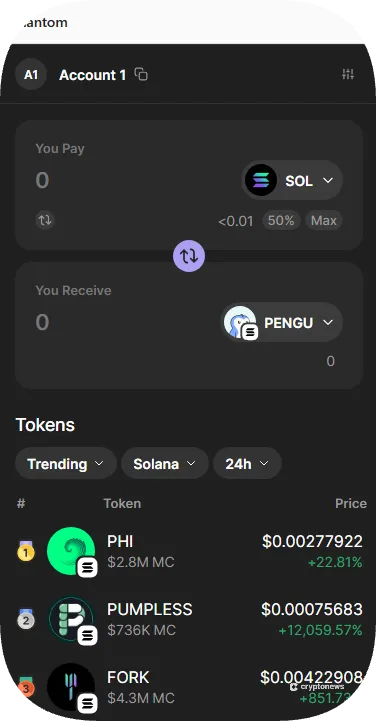
Phantom Wallet has a built-in swap feature called Crosschain Swapper. You can use this tool to transfer tokens across Solana, Ethereum, Base, and Polygon without using complex bridges.
You can swap ETH, SOL, USDT, DAI, and 30+ other tokens for USDC. The Crosschain Swapper is powered by LiFi, a multi-chain liquidity aggregation protocol that generates liquidity from 30+ chains, 18+ bridges, and 38+ DEXs.
Keep in mind that you’ll have to cover transaction fees, bridge provider fees (usually around 0.3%), and swap fees (0.85%).
Phantom Wallet has recently launched support for perpetual futures. This means that you’ll get to trade 100+ perpetual contracts with up to 40x leverage directly from the wallet.
Staking
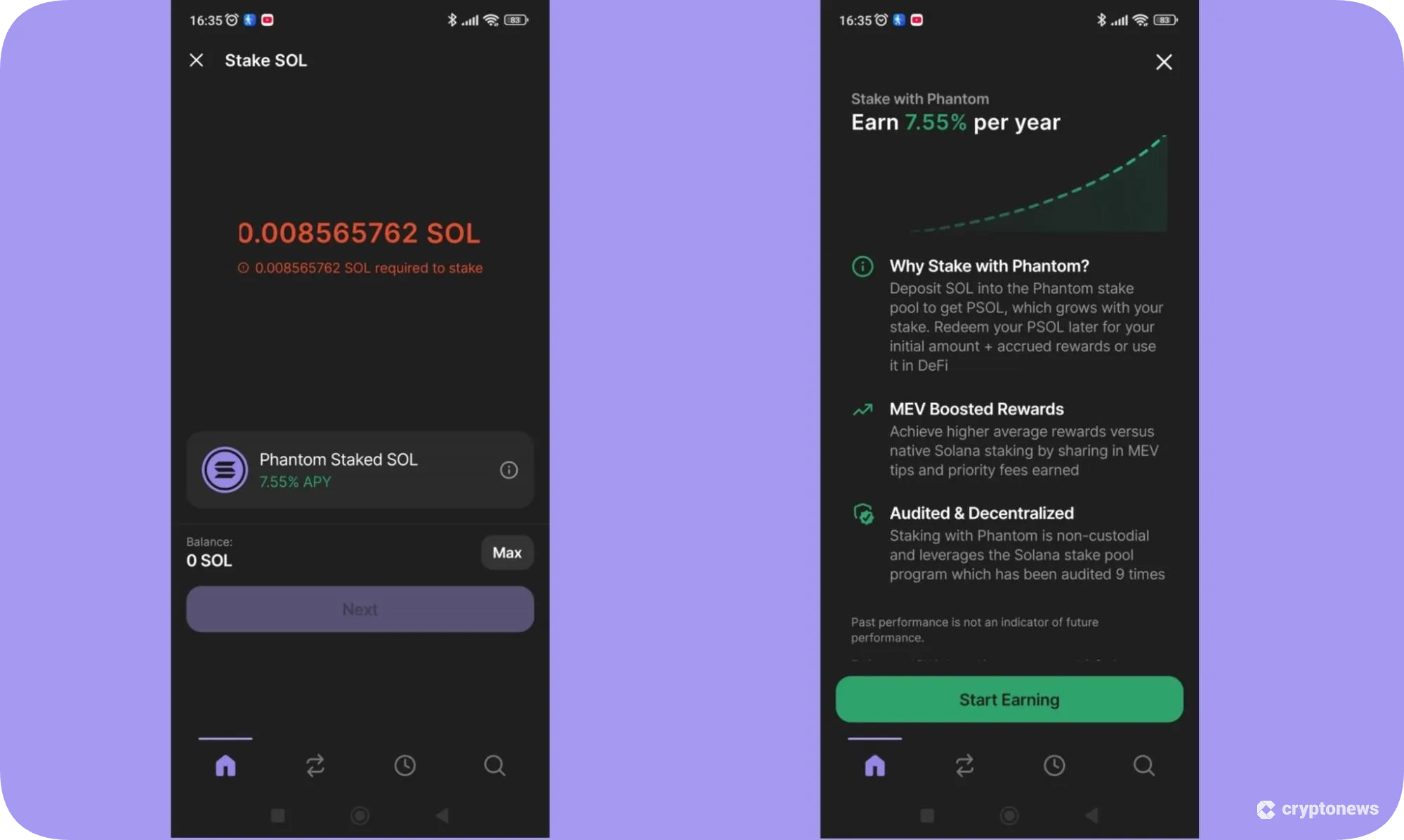
Phantom Wallet supports two types of staking – native SOL staking and liquid staking. The former refers to delegating your stake to validators, while the latter converts your stake into a liquid staking token (JitoSOL and PSOL). The APY for native staking currently stands at 7.55% APY, while liquid staking offers higher APY – up to 9% for staking PSOL and up to 15% for staking JitoSOL. You can also liquid stake ETH using third-party providers.
Keep in mind that you won’t be able to use PSOL in DeFi protocols.
DeFi and dApp Access
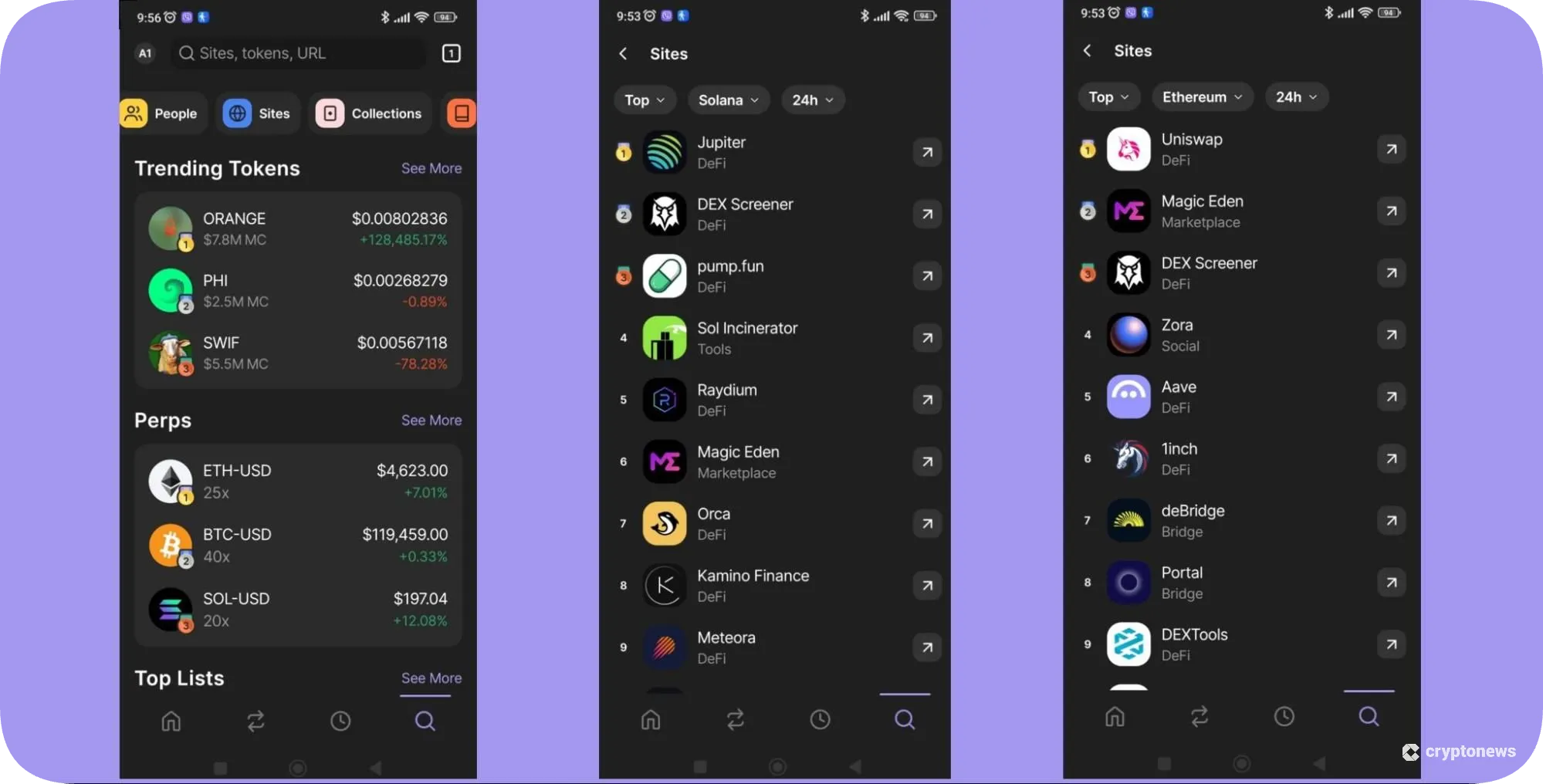
Phantom Wallet has a built-in dApp browser, letting you interact with multiple decentralized applications on Solana, Ethereum, Base, Polygon, Sui, and Bitcoin, such as Raydium, Jupiter, Uniswap, AAVE, and Suilend. You can also buy Ordinals and BRC-20 tokens via Magic Eden or Unisat.
To find dApps, go to the Explore page (open the app and click on the magnifying glass icon), and tap the Sites icon on the upper navigation bar. You can also use filters to find trending and top-rated dApps on the aforementioned blockchains.
NFT Management
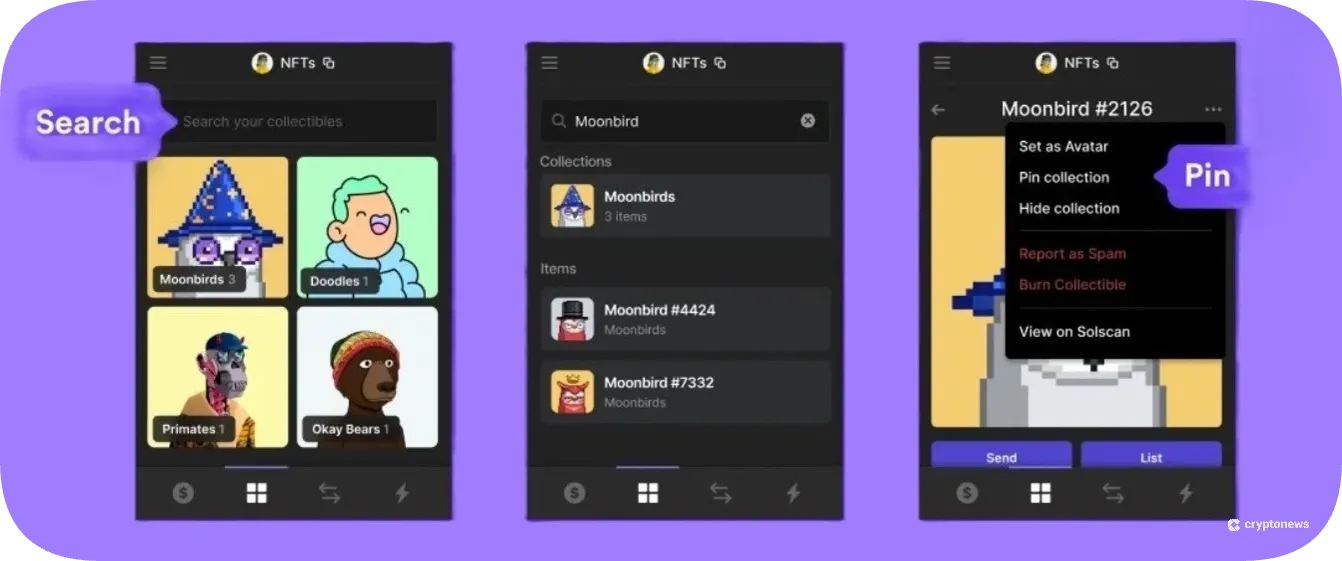
Phantom Wallet has a built-in NFT gallery (Collectibles) that supports Solana, Ethereum, and Polygon NFTs. You can buy, sell, and manage NFTs, browse collections, and preview different formats, from images to audio and video NFTs.
You can also use the Instant Sell feature to sell your NFTs without the need to list them on NFT marketplaces. The feature curates the best available prices by gathering bids from popular Solana and EVM marketplaces, such as OpenSea, Magic Eden, Tensor, Blur, X2Y2, and LooksRare.
We particularly liked Phantom’s scam protection tool, which allows you to hide, report, and burn unwanted NFTs.
Buy Crypto With Fiat
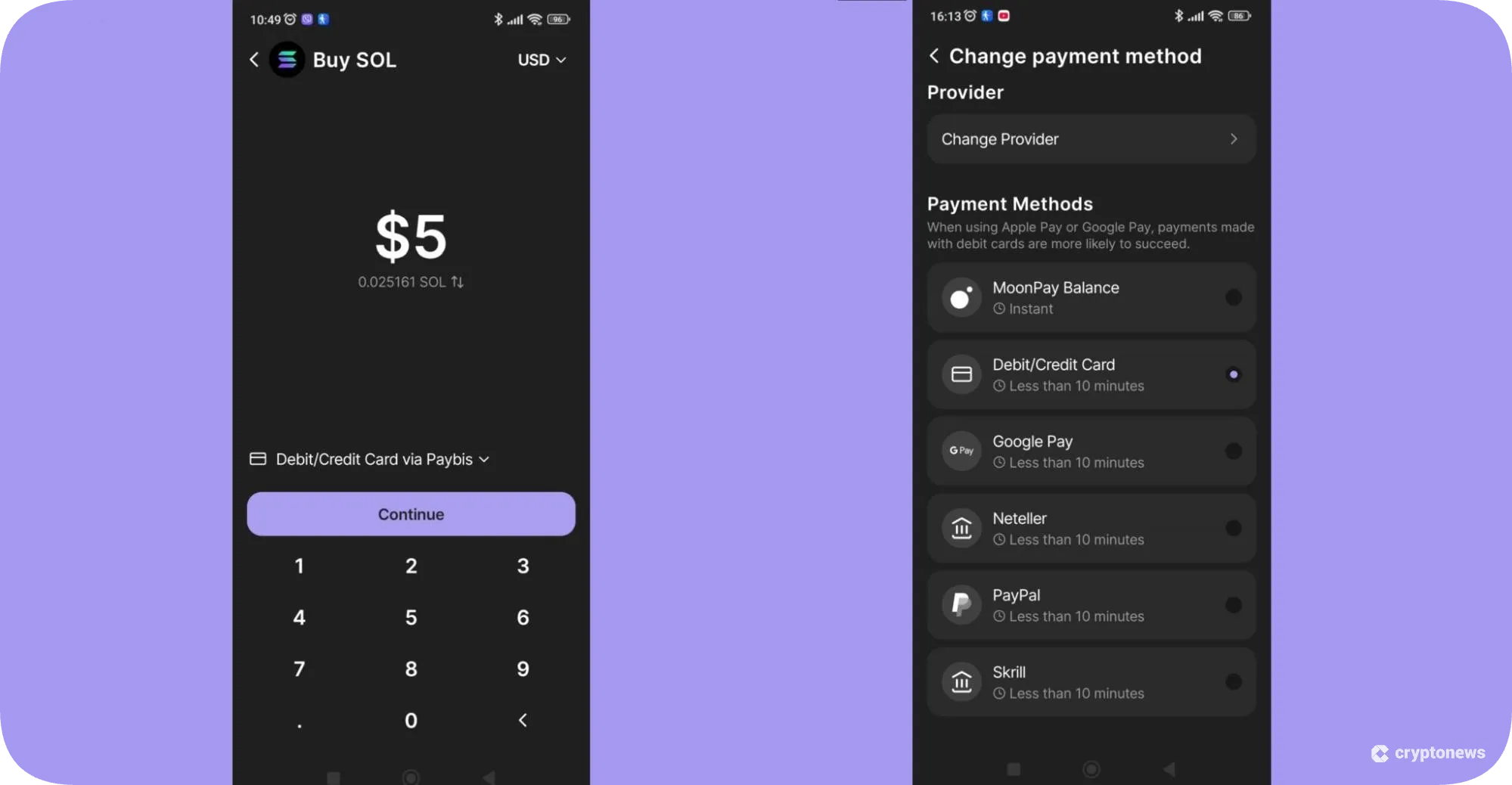
Phantom Wallet is partnered with multiple on-ramp providers, such as MoonPay, Paybis, Alchemy Pay, Banxa, and Coinbase Pay. This lets you easily buy crypto using payment methods like debit/credit card, Apple Pay, PayPal, and Skrill. The payments are usually processed within 5 to 10 minutes, depending on the payment method.
To purchase crypto, tap the Buy button, select the token you wish to buy, enter the desired amount, and choose a payment method. Select the provider with the best quotes and tap Next to complete the purchase.
Prediction Markets
Prediction markets let you predict the outcomes of real-world events directly from your wallet. Explore hundreds of markets and events across crypto, sports, culture, and politics, and discuss your predictions with other Phantom users.
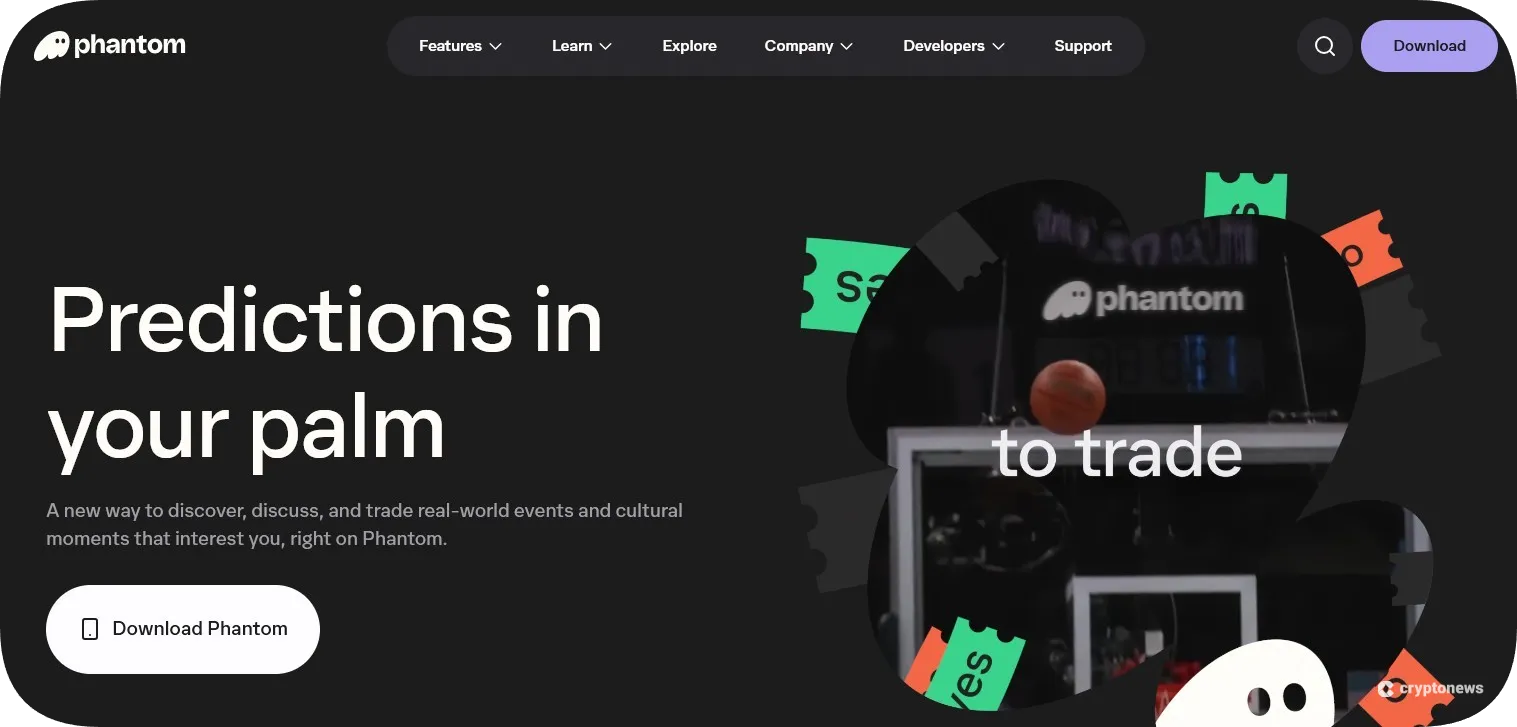
To place a trade, choose an event, pick Yes (if you think the event will happen) or No, enter the amount you wish to spend, and select the token you want to use. You can use any Solana-based token in your wallet.
Phantom Cash
Phantom Wallet comes with an integrated suite of financial tools called Phantom Cash. Phantom Cash is designed for instant swaps and smooth P2P transfers without transaction prompts. This service is powered by CASH, a USD-pegged stablecoin.
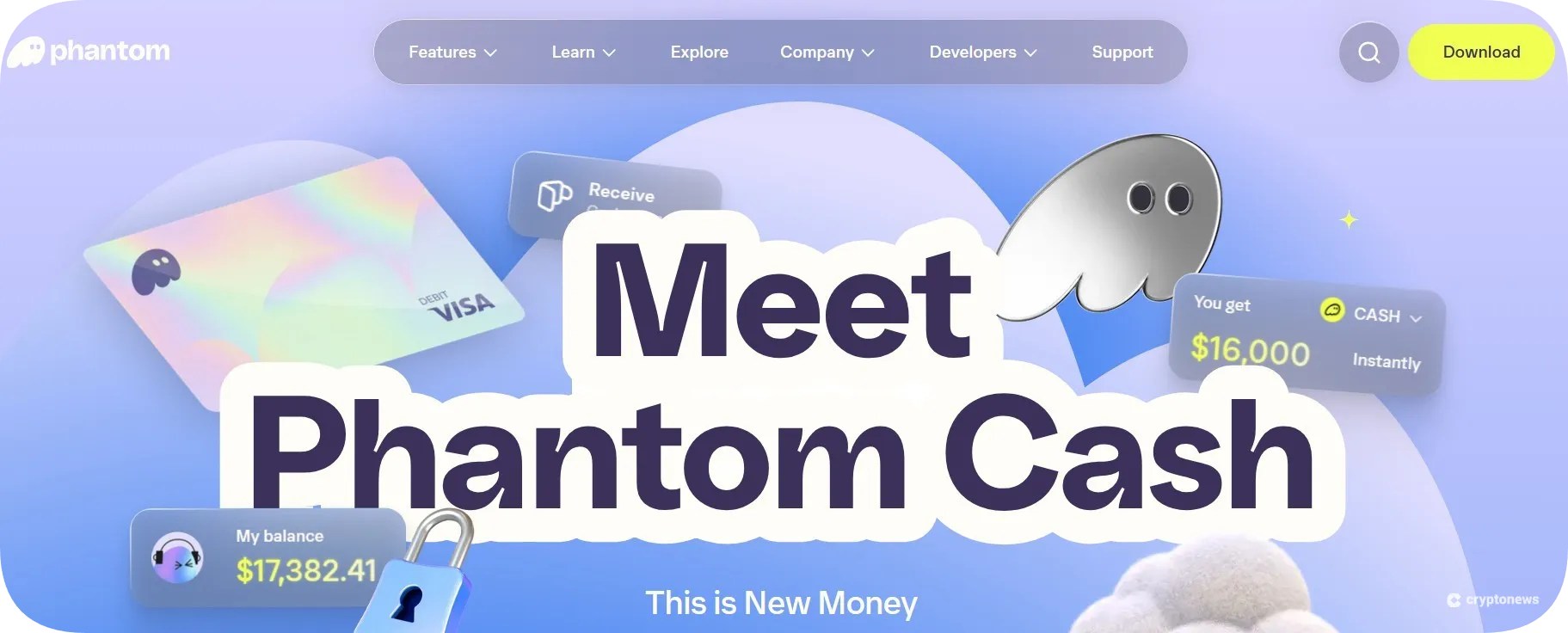
You can use CASH to send money to Phantom users, gain access to DeFi apps like Kamino, or link your bank account or card (US citizens only). You can add funds to your Cash account by selling supported Solana-based tokens or receiving CASH from other users or Solana wallets. You can also withdraw CASH from your Cash account to your wallet at any time.
Phantom Wallet Fees
In this part of our Phantom Wallet review, you’ll learn all about its fee structure.
Phantom Wallet doesn’t charge deposit fees; you’ll only need to cover gas fees, which depend on the blockchain (e.g., ~0.002 SOL on Solana, ~0.002 ETH on Ethereum, etc). However, if you buy crypto with fiat, you’ll have to pay a transaction fee depending on the payment provider and method. For example, Paybis charges a $2 service fee, while Alchemy Pay charges a 4% fee for credit card purchases.
Phantom doesn’t support direct withdrawals to a bank account. So, if you want to withdraw your tokens, you must transfer them to a crypto exchange and convert them to fiat.
Phantom charges a fixed swap fee of 0.85%. You’ll also need to pay a bridge provider fee of about 0.3%, and a gasless swap fee of 1.5% (applied on Solana only). Trading perps comes with the following fees:
- Opening a position: 0.05% Phantom fee + 0.045% provider fee
- Closing a position: 0.05% Phantom fee + 0.045% provider fee
Is Phantom User-Friendly?
Phantom Wallet is available as a browser extension (Firefox, Chrome, Brave, and Edge) and a mobile app (Android and iOS). Both the apps and the web extensions have a user-friendly, modern design. The dashboard contains four main icons – receive, send, swap, and buy. You’ll also be able to use its navigation bar (at the bottom of the page) to switch between the home page, the swap feature, the activity history, and the dApp explorer.
The mobile app is well optimized. It doesn’t lag, and it takes less than a second to load. Moreover, the wallet will remember your PIN, meaning you won’t have to re-enter your 4-digit code every time your mobile phone turns off. However, if you want, you can enable the auto-lock feature.
Browser extensions are also well optimized. Nevertheless, you may experience minor delays when using its integrated services. Moreover, we noticed that only Chrome, Brave, and Edge support Ledger, while this option is not available on Firefox.
The Android and iOS apps have a high rating on Google Play and App Store – 4.7 and 4.8, respectively. Yet, we wish they offered more features, such as a Watchlist, estimated liquidation prices, and live chat.
Phantom Wallet Customer Support
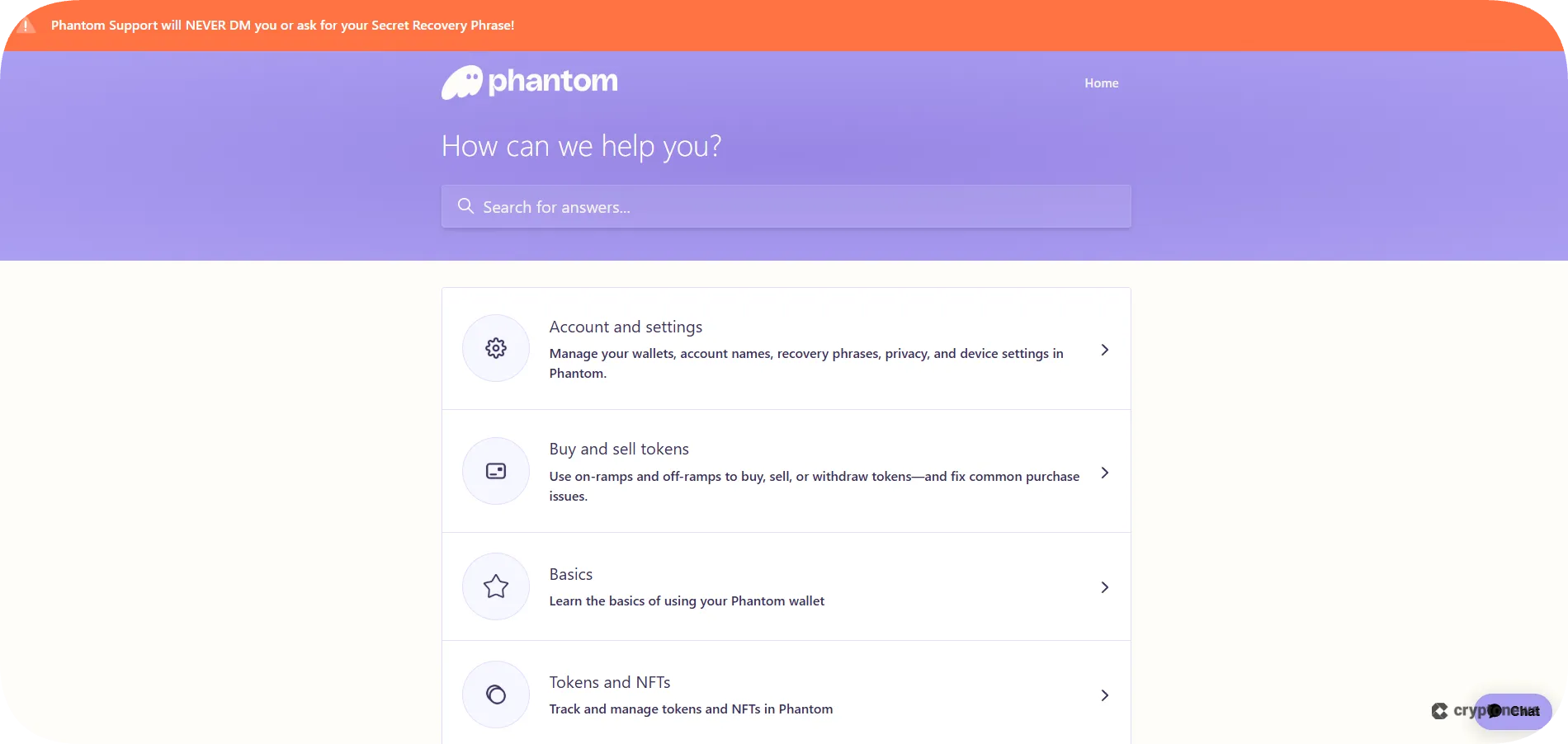
You can reach Phantom’s customer support via chatbot and email. The chatbot will answer general questions related to using Phantom Wallet, token swaps and transfers, and issues with dApps. You can also visit the Help page to find step-by-step troubleshooting guides. For more complex issues, we suggest contacting its support team via email. They usually respond within a few business days.
On the downside, Phantom Wallet doesn’t offer live chat support, which is one of its biggest drawbacks.
Where Can Phantom Wallet Improve?
As you were probably able to conclude from our Phantom Wallet review, the biggest drawback of this Web 3 wallet is the lack of live chat support. Managing non-custodial wallets requires more knowledge than managing custodial ones, which is why we see the lack of human support as a big minus.
Another downside of the Phantom Wallet is its limited number of supported networks. While Phantom is ideal for SOL traders, we would like to see its list of supported networks expanded to other blockchains, such as Binance Smart Chain, Avalanche, and Ripple.
Phantom Wallet only recently began supporting BTC swaps, indicating its willingness to improve. This is why we hope that Phantom’s Firefox extension will start supporting Ledger in the future.
Phantom Alternatives
Phantom is a suitable wallet for Solana traders and investors thanks to its built-in swap and staking features, Solana-only mode, dApp browser, and integrated NFT gallery. However, it also comes with a few flaws, like the ones mentioned above. That’s why we decided to compare Phantom with some of the best Solana wallets to offer you an alternative. Here’s how it compares to Best Wallet, Zengo, and Solflare.
Phantom vs Best Wallet
Best Wallet is a non-custodial software wallet that supports 1,000+ assets across 60+ blockchains. This Web 3 wallet recently added Solana to its list of supported networks, which means you can buy, send, receive, and swap Solana-based tokens directly from its app.
Its key features include integration with over 20 on-ramp providers, such as Stripe, Topper, and Revolut, a built-in DEX and bridge aggregator, and an upcoming tokens page. $BEST token holders will get extra benefits, such as paying lower transaction fees and gaining higher staking rewards. However, some of its features, like the NFT gallery, derivatives trading, and staking aggregator, are yet to be released.
Visit Best WalletPhantom vs Zengo
Zengo is a non-custodial hot wallet that supports 380+ coins across 10 networks, including Solana. Like Phantom, its list of supported networks is quite limited. Unlike Phantom, Zengo doesn’t support Solana NFTs. However, it has built-in features for purchasing and swapping crypto, and it supports fiat on-ramp and off-ramp services. Zengo is partnered with Changelly and THORChain, allowing you to swap 60 coins across multiple blockchains.
Zengo doesn’t have an integrated dApp browser, meaning you’ll need to use WalletConnect to interact with dApps, NFTs, and DeFi. Zengo is known as one of the safest hot wallets due to its strict security features, such as 3-factor authentication and multi-party computation.
Visit Zengo
Phantom vs Solflare
Solflare is a non-custodial Solana-only wallet that will enable you to trade SOL, SPL, Solana NFTs, and cNFTs, as well as explore Solana-based dApps. Solflare’s key feature is its advanced SOL staking dashboard, which will allow you to choose validators, view your stake accounts, and track your rewards. Its other notable features include a built-in DEX and swap feature, a dApp browser, and integration with Ledger and Keystone.
Unlike Phantom, Solflare provides a 24/7 live chat, and its web extension is compatible with more browsers (Chrome, Firefox, Brave, Edge, Opera, and Arc). In this Solflare vs Phantom clashout, Solflare takes the win as a better option for beginners, since it supports only the Solana blockchain, while Phantom offers more trading opportunities for experienced traders (such as perpetual futures).
How to Use Phantom Wallet
Now that you know what makes Phantom a go-to wallet for SOL traders, here’s how to set it up:
Step 1. Visit the Official Website and Download the App
Visit the official Phantom Wallet website and tap the Download button, located in the upper-right corner. Choose the browser you want to install the wallet on, or click on the Google Play and App Store icons to install the wallet on your mobile device.
Step 2. Create a Wallet
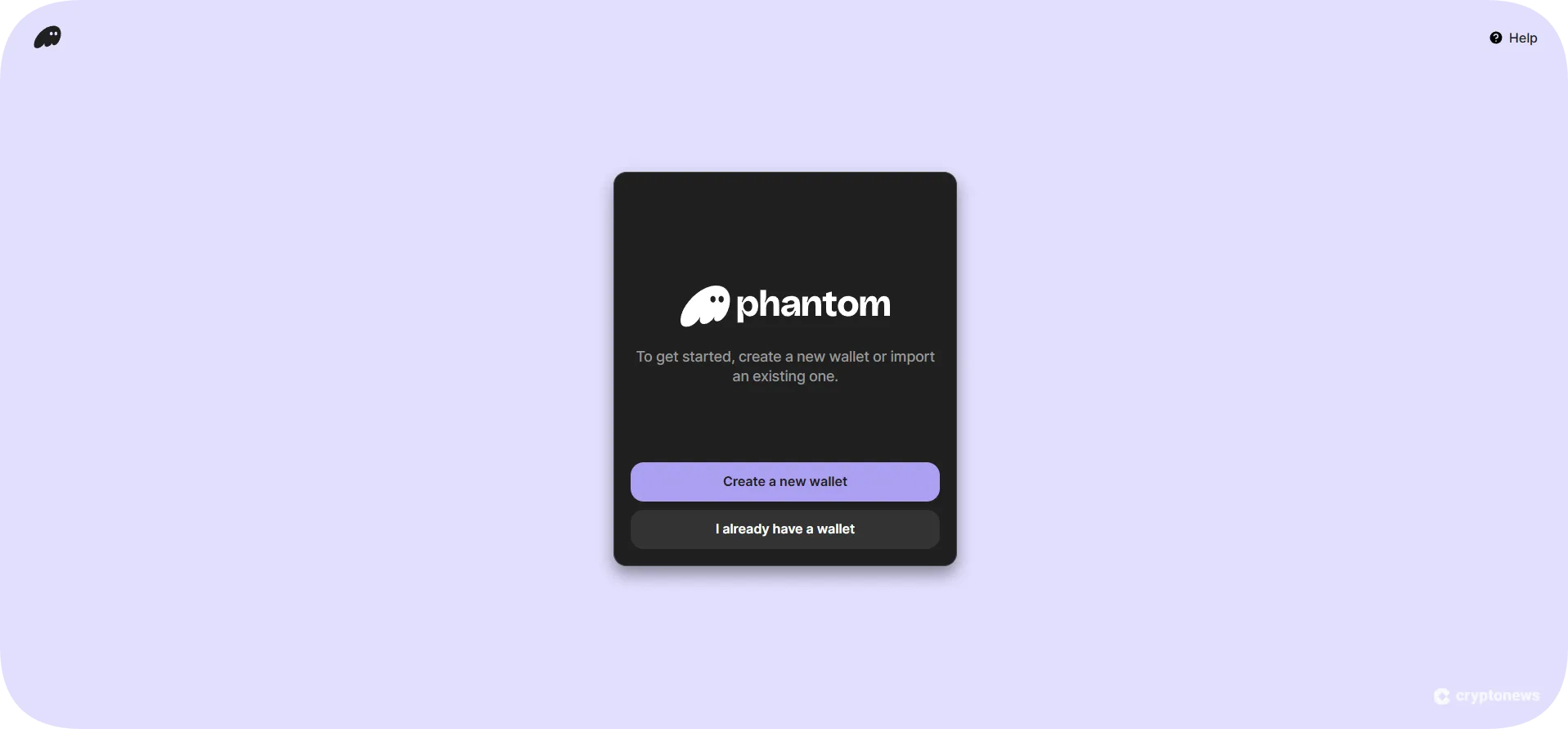
Open the app and tap the Create a new wallet button. Make sure to agree to the Terms of Service by checking the box (if you already have a wallet, click on the I already have a wallet button and enter your secret recovery phrase). Tap Continue with Email to create a wallet using your Google or Apple account. Next, you need to create a 4-digit PIN. Re-enter the PIN and enable biometric security (you can also skip this part). Click Next to continue.
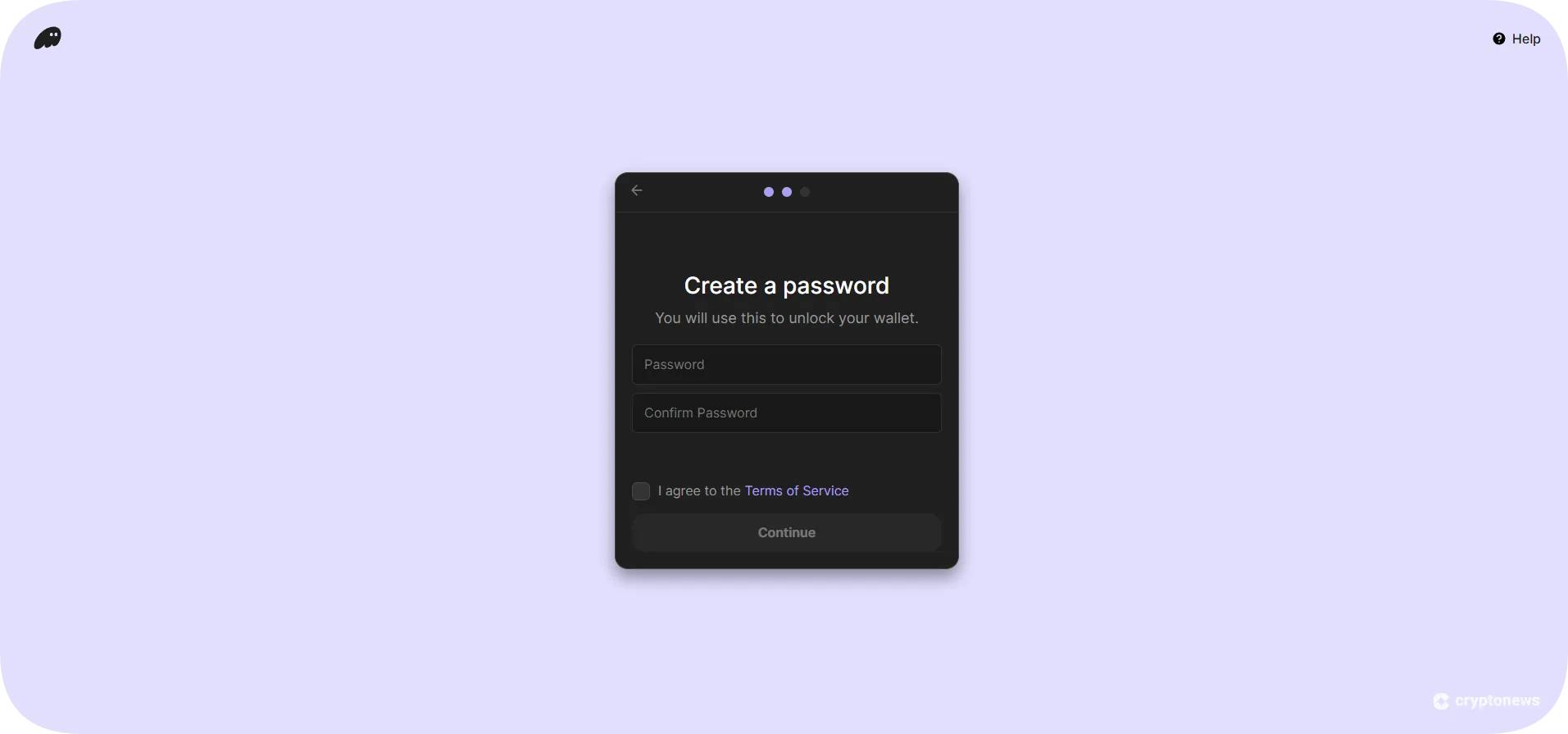
Step 3. Create a Username and Password
Create a username and password and tap the Continue button to finish the setup process.
Step 4. Write Down Your Seed Phrase
Next, Phantom will generate a 12-word seed phrase that you’ll need to write down and keep somewhere safe. The seed is the only way to recover your wallet and regain access to your funds, so never share it with anyone.
Step 5. Start Using Phantom
Now that your wallet is created, you can use it to store and transfer assets, stake Solana, trade, and more.
Phantom Wallet Review Conclusion: Is It The Best Solana Wallet?
Phantom is a decent software wallet for SOL traders due to its seamless integration with the Solana ecosystem. On that note, you’ll get to trade SOL and SPL tokens across multiple blockchains, gain access to Solana-based dApps, trade NFTs on Solana, and earn passive income by staking SOL. What’s more, you’ll get to take advantage of its security tools – malicious contract detection, scam NFT protection, and a scam blocklist.
On the downside, Phantom Wallet supports only six networks, which makes it unsuitable for traders who want to diversify their portfolio.
Our Methodology: How We Tested and Reviewed Phantom Wallet
To create an objective and accurate Phantom Wallet review, we used deep analysis and hands-on testing. We downloaded and installed the wallet on our mobile and desktop devices to test its compatibility and functionality. Next, we analyzed its security protocols and tools (spam filter, malicious contract detection, open-source blocklist) and checked its audit reports on GitHub and security score on CertiK Skynet and Coinspect.
Once we were convinced that Phantom Wallet is safe to use, we tested its in-app features, like trading, swapping, and staking. We also tested its dApp browser, Instant Sell feature, and Solana-only mode. And finally, we compared Phantom Wallet with other Solana wallets to single out its biggest strengths and limitations.
FAQs
Can you trust Phantom Wallet?
Has Phantom Wallet ever been hacked?
Is Phantom Wallet good?
Why is Phantom Wallet so popular?
Is Phantom Wallet only for Solana?
Does Phantom Wallet require KYC?
References
- CertiK Skynet
- Coinspect
- What is ChaCha20? (Proton VPN)
- Keeping Phantom safe from the “Demonic” critical vulnerability (Phantom Wallet)
- Fake Phantom NFTs carried malware to steal from Solana users (iZOOlogic)
- Phantom Wallet Hack: $500K Theft & Lawsuit (Codeum)
- GitHub
- DNS Hijacking – Definition And Examples (Fortinet)
- Compressed NFTs (Solana)