


COLDCARD Wallet Review 2026
- Fully air-gapped operation
- Dual Secure Element chips
- Excellent integration with software Bitcoin wallets
On Oct. 5th, BTC reached its new ATH of $125,559, and our analysts believe that its value could reach $200,000 by the end of 2025. If that happens, you’ll need to find a secure wallet to store your Bitcoins. This is where our COLDCARD wallet review could come in handy.
COLDCARD is a Bitcoin-only hardware wallet that utilizes advanced security features, such as trick PINs, anti-phishing words, and microSD backup. This hardware wallet is also fully air-gapped, meaning you’ll get to conduct transactions without the need to connect to the Internet. Instead, you’ll be using QR codes or microSD cards.
To create an objective and accurate review, we tested both the COLDCARD Q and the COLDCARD Mk4 models. On that note, we performed real-world tests that included using their QR scanner, signing PSBTs, and trying out their multiple PIN options. Here are our findings.
COLDCARD Review: Pros and Cons
COLDCARD is a hardware wallet designed for BTC holders. On that note, this wallet will enable you to store BTC and your private key offline. You’ll also be able to use microSD cards to back up your seed phrase and sign transactions.
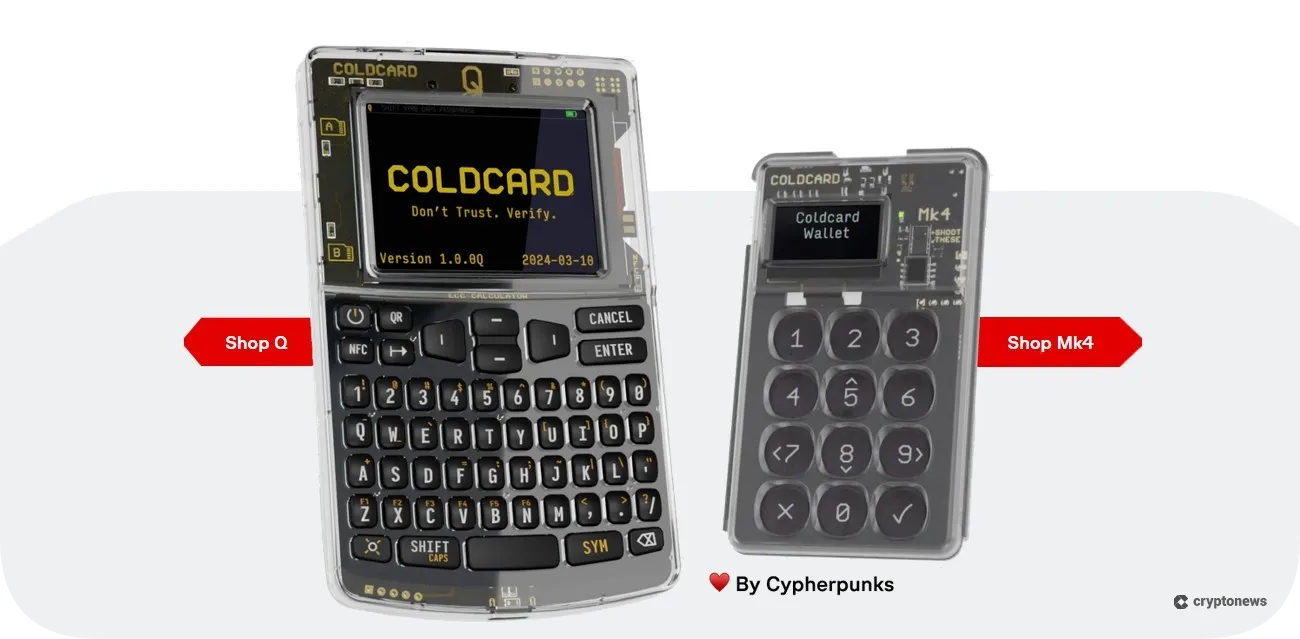
COLDCARD offers two models – Mk4 and Q. The former features a numeric keypad, a sliding cover, and a microSD slot, while the latter comes with a QWERTY keyboard and two microSD slots. Both models utilize dual Secure Element chips from two different vendors, and they support PSBT (Partially Signed Bitcoin Transactions), fully air-gapped, and NFC transactions.
COLDCARD’s standout security features include trick PINs, anti-phishing words, and microSD backup. However, due to its advanced security features, the wallet is a bit complex to set up. What’s more, COLDCARD doesn’t have a native mobile app, although it supports multiple software wallets with the BIP-174 standard, such as Sparrow and Nunchuk. This is also a Bitcoin-only wallet, meaning it only supports BTC and Bitcoin Testnet.
Pros
- Fully air-gapped
- Integrated QR code scanner
- Utilizes dual Secure Element chips from two vendors
- Open-source firmware and hardware
- Supports PSBT (Partially Signed Bitcoin Transactions)
- Supports trick PINs and anti-phishing words
- Unlimited memory
- Can be integrated with software wallets that support the BIP-174 standard
Cons
- Supports only BTC and Bitcoin Testnet
- Lack of a mobile app
- Complex for beginners
- Customer support is available only via email
What is Coldcard?
COLDCARD is a Bitcoin-only hardware wallet that was launched in 2019 by a Canadian company, Coinkite. COLDCARD wallets come in two models – COLDCARD Mk4 and COLDCARD Q. The former was released in 2022, while the latter came out in 2023.
COLDCARD wallets allow you to send, receive, and store Bitcoin in a safe manner. On that note, this cold wallet stores your private key inside its dual secure element chips. This is also the only hardware wallet that supports a microSD card. You can use the card to back up your seed phrase and sign transactions without the need to connect to the Internet.
COLDCARD has an open-source firmware, meaning the crypto security community can verify its code. Plus, it’s compatible with software wallets that follow Bitcoin standards (BIP-174), such as Nunchuk, Sparrow, Electrum, and Wasabi. Its other features include trick PINs, partially signed Bitcoin transactions, and anti-phishing words, which we’ll discuss in more detail in the second part of our COLDCARD wallet review.
How Does COLDCARD Work?
The COLDCARD Q wallet features a QWERTY keyboard that includes both symbols and numbers, as well as unique keys like QR and NFC, which make navigation easier. You can power the wallet via USB or by putting in three AAA batteries. COLDCARD is an air-gapped wallet, meaning you won’t have to connect it to your computer. Instead, you’ll be using QR codes or microSD cards to conduct transactions. I.e., your private key will stay 100% offline.
The wallet also supports NFC technology, allowing you to transfer data by tapping another NFC-enabled device against the wallet. Plus, you can connect COLDCARD to any software wallet that supports the BIP-174 standard.
Is COLDCARD Safe?
COLDCARD is recognized as one of the best cold storage crypto wallets for BTC. This wallet utilizes advanced security features, such as Secure Element chips, anti-phishing words, trick PINs, and microSD backup. Although COLDCARD was never hacked, no crypto wallet is immune to attacks.
On that note, in 2019, it was discovered that COLDCARD’s MK1 and MK2 models had a side‑channel for the row-based OLED display. This means that in specific conditions, attackers could get partial information about what is displayed on the wallet’s screen. This is why these two models have been officially discontinued.
In the same year, it was discovered that its multisig PSBTs had a flaw, which was fixed with the 3.0.6 update. Furthermore, in 2023, Ledger’s security research and “white hat” hacking team (Donjon) managed to find a fault in one of COLDCARD’s secure elements included in its Mk4 model. However, they failed to get access to the seed phrases.
COLDCARD Models
COLDCARD wallets are available in two models – COLDCARD Mk4 and COLDCARD Q. As mentioned before, the previous two models, Mk2 and Mk3, were obsolete in 2020 due to their firmware vulnerability.
With that in mind, the COLDCARD Mk4 and the COLDCARD Q models differ in several segments. The former is smaller, and it features an OLED screen, while the latter features a large, full-color LCD screen and a QWERTY keyboard. In the following segment of our COLDCARD wallet review, we’ll discuss each model in more detail.
COLDCARD Q
The COLDCARD Q model is an upgraded version of the Mk4 model. This model was launched in 2023 and features a 320×240 pixel LCD screen and a QWERTY keyboard, enabling easy navigation, especially when entering long BIP-39 passphrases. The Q model uses the same security features as the Mk4 model. However, it also features a QR code scanner, two microSD slots, and a secure NFC antenna.
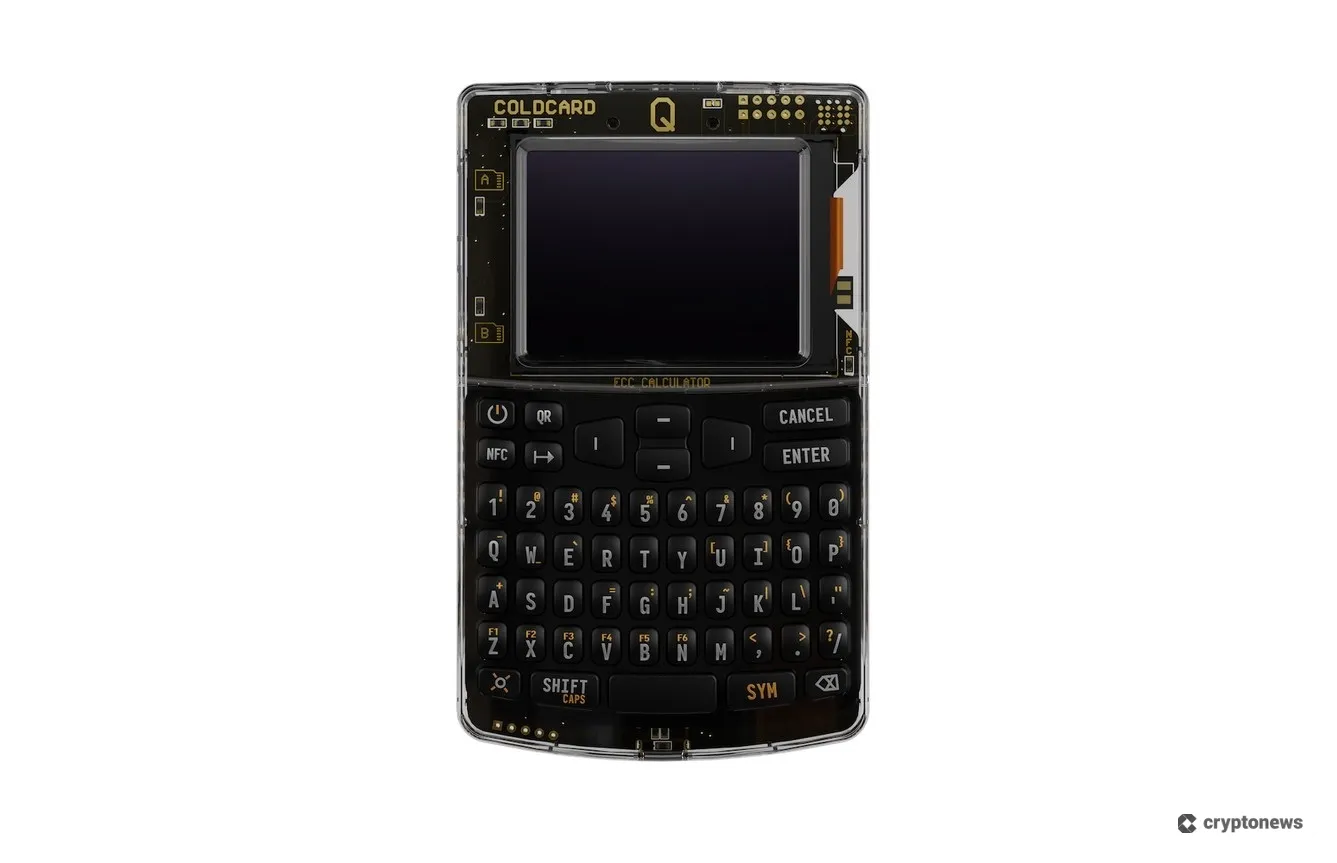
Its standout feature is Key Teleport. This feature lets you transfer your confidential data between COLDCARDs, such as seed phrases, passwords, and partially signed Bitcoin transactions (PSBTs) for multisig. This model is powered by three AAA batteries, which enable it to operate for about a week.
The COLDCARD Q wallet features a bright LED flashlight that’s built into its QR scanner. However, we noticed that its screen is sometimes too bright, which makes it difficult for certain webcams to decode QR codes.
COLDCARD Mk4
The COLDCARD Mk4 model was launched in 2022 as an upgraded version of the Mk3 model. Unlike the Q model, this model features a numeric keypad and a 128×64 pixel OLED screen. Although its display is smaller, we noticed that it offers better visibility than the Q model. We also liked its sliding cover, which saves the screen from damage, which the Q model lacks.
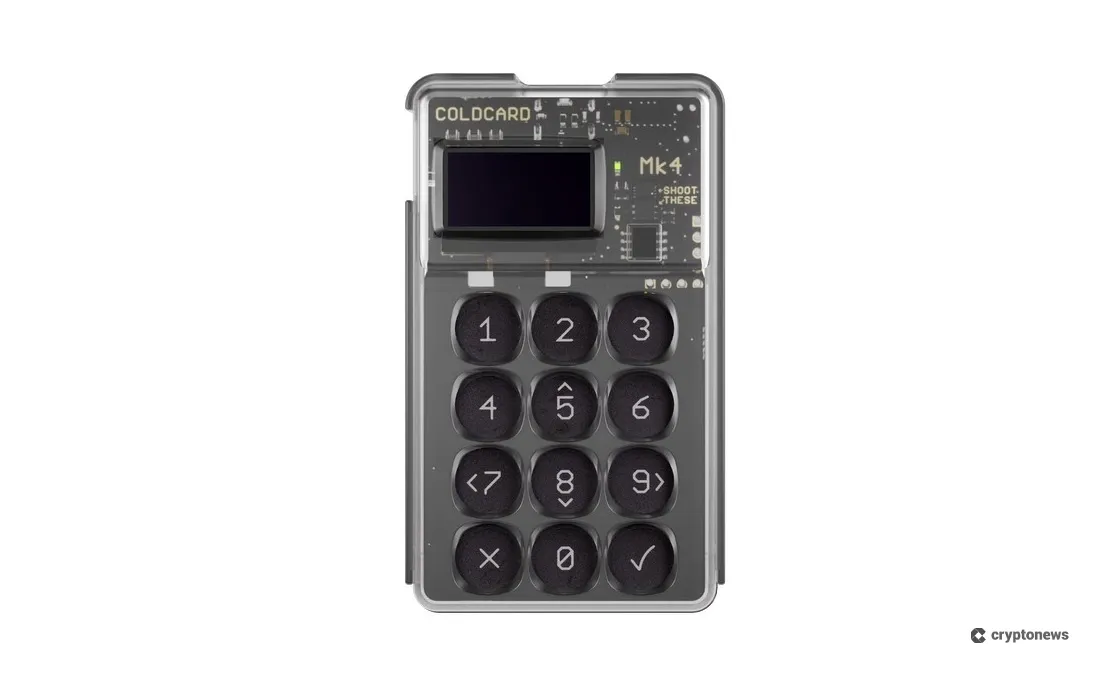
On the downside, the Mk4 model comes with only one microSD slot. Moreover, it doesn’t have a built-in QR scanner, which means that you’ll be able to sign transactions via NFC technology, microSD card, or USB.
The COLDCARD Mk4 model doesn’t have a built-in battery, i.e., you’ll be able to charge it via a USB cable, which makes it less practical for traders on the go. We also noticed that neither the Q nor the Mk4 model comes with a USB cable or microSD card, which is a bit of a letdown. Keep in mind that COLDCARD supports microSD cards with a 32 GB capacity formatted in FAT12 or FAT32.
COLDCARD Supported Coins and Networks
The COLDCARD wallet supports only Bitcoin and Bitcoin Testnet. So, if you want to store and trade altcoins or NFTs, you’ll have to look for another wallet. In this segment, we’ll offer several COLDCARD wallet alternatives that will enable you to trade popular altcoins and NFTs across multiple blockchains.
Ethereum holders will benefit the most from using Ellipal Titan. This non-custodial hardware wallet supports over 10,000 tokens, in addition to Ethereum, as well as all types of ERC-20 tokens. Like COLDCARD, Ellipal is an air-gapped wallet that uses QR codes to conduct transactions. It will also enable you to manage 5 seed phrase and 5 private key accounts in one device.
Solana traders should opt for Best Wallet. This non-custodial software wallet generates liquidity from 330 DEXs, which will enable you to swap SOL tokens at the best rates. Moreover, you won’t have to go through KYC verification, and you’ll gain access to the upcoming token launches.
If you’re looking for the best XRP wallets, we recommend using the Ledger. This cold wallet will enable you to buy XRP directly from its companion app Ledger Live.
Our number one pick for NFT enthusiasts is Zengo. Zengo is a non-custodial software wallet that will allow you to store and view Ethereum and Polygon NFTs and connect to popular NFT marketplaces, like OpenSea and Blur. It also comes with a dedicated NFT gallery and an NFT spam filter.
Is COLDCARD Compatible With Software Wallets?
COLDCARD is compatible with multiple software wallets that support the BIP-174 standard, which compensates for its lack of a companion app. These include:
- Nunchuk
- Sparrow
- Bitcoin Core
- Electrum
- BlueWallet
- Casa
- Fully Noded
- Specter Desktop
- Unchained
- Wasabi Wallet
- Coldcore
- Theya
Wallets like Sparrow and Nunchuk also support COLDCARD Q’s QR scanner and BBQr codes for data transfer. Moreover, COLDCARD is compatible with Bitcoin financial tools, such as the BTCPay Server and Unchained.
COLDCARD Key Features
In this segment of our COLDCARD wallet review, we’ll discuss its key features in more detail.
Fully Air-Gapped
COLDCARD is a fully air-gapped hardware wallet, which means that you won’t have to connect it to the Internet. Instead, COLDCARD conducts transactions via microSD cards and QR codes. Air-gapped transactions work in the following way.
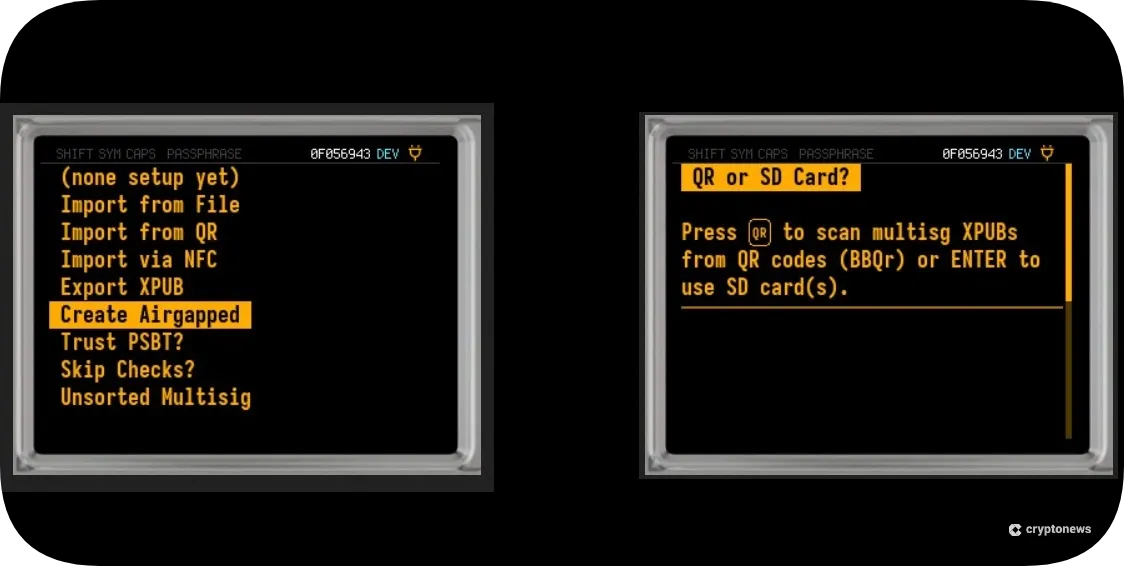
You initiate a transaction by creating a PSBT on a computer, which is then copied to a microSD card or scanned using a QR code scanner. Next, you need to load the PSBT onto the wallet that signs the transaction and store the signed PSBT on the SD card. The signed PSBT is then transferred back to the computer and sent to the BTC network.
Dual Secure Element Chips
COLDCARD uses dual Secure Element chips from two vendors – Microchip’s ATECC608C and Maxim’s DS28C36B. The wallet is also powered by an STM32 MCU from STMicroelectronics. Each vendor utilizes its own security protocols, which reduces the possibility of three chips experiencing the same critical flaw.
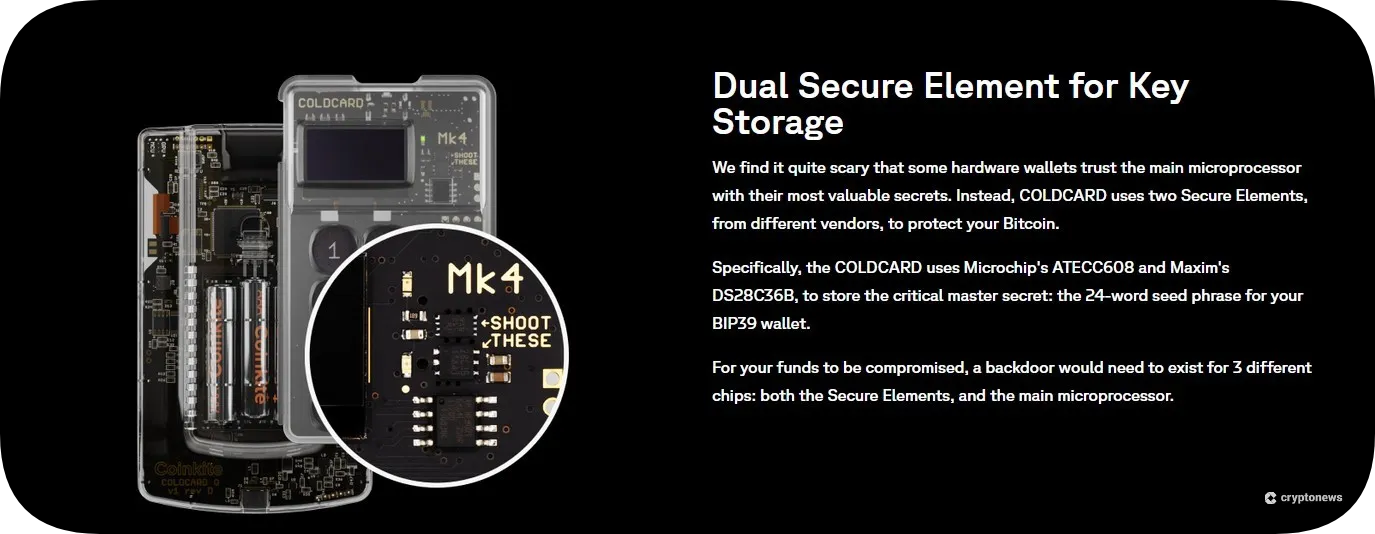
This also makes the wallet more resistant to security breaches since attackers would have to compromise all three chips to gain access to your private key.
Partially Signed Bitcoin Transactions (PSBTs)
Partially Signed Bitcoin Transactions (PSBTs) are Bitcoin standards for transactions that are not fully signed since they require multiple parties to sign them. If you want to send BTC, you’ll first need to create a PSBT on a BIP-174 compatible software wallet, like Nunchuk or Sparrow.
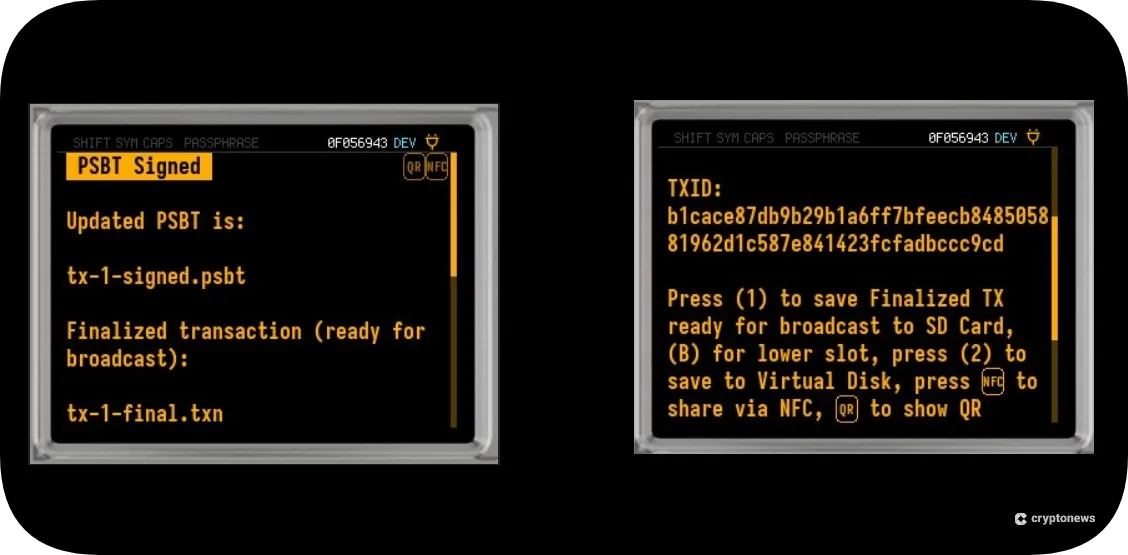
Once you do that, you’ll need to transfer the PSBT to COLDCARD, where you’ll be able to sign the transaction using an SD card, NFC, or a QR code. You can sign one PSBT or multiple PSBTs in a batch.
Open-Source Security
COLDCARD has open-source firmware and hardware, which means that anyone can view, edit, and verify its code on GitHub.

What’s more, when you power up the wallet, it will verify the installed firmware’s signature and check the data stored in its flash memory. If everything is fine, the LED indicator will light up green. If the firmware is not factory-signed, the LED indicator will light up red.
Trick PIN Features
Trick PINs enable you to use decoy PINs in addition to your main PIN to trigger specific actions, such as opening a duress wallet, bricking the device, or wiping the seed phrase.
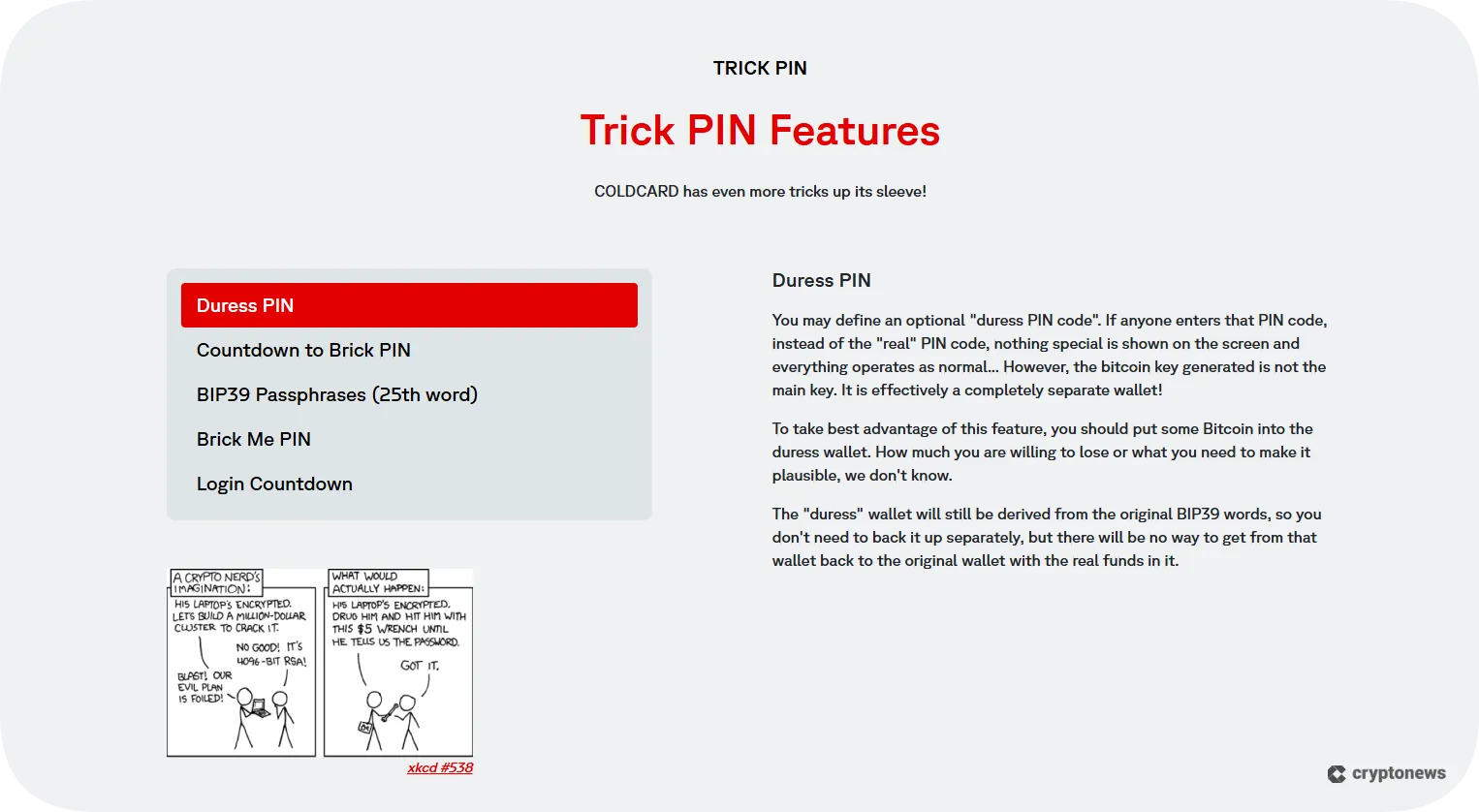
Duress PIN
If someone enters the duress PIN code instead of the real PIN code, the wallet will behave normally. However, it will give them access to a completely separate wallet.
Countdown to Brick PIN
This feature forces a time delay, which means that the wallet will be unusable for several minutes, hours, or days. Once set, this mode will covertly brick the wallet or, optionally, wipe the seed.
Bip39 Passphrases (25th Word)
You’ll be able to create an unlimited number of distraction wallets using your main private key.
Brick Me PIN
The Brick Me PIN code will destroy the dual secure element. This means that your wallet will become worthless. I.e., if you use this PIN, you’ll have to purchase another wallet.
Login Countdown
This feature forces a time delay when logging into the wallet. This means that after entering the PIN, you’ll have to wait for a couple of minutes, hours, or days to enter the PIN code for the second time to get in.
Anti-Phishing Words
COLDCARD uses a PIN code that consists of two parts, the prefix and the suffix. Each part consists of 2 to 6 digits. The prefix will determine the anti-phishing words that you’ll use to verify that you have safely entered the suffix.
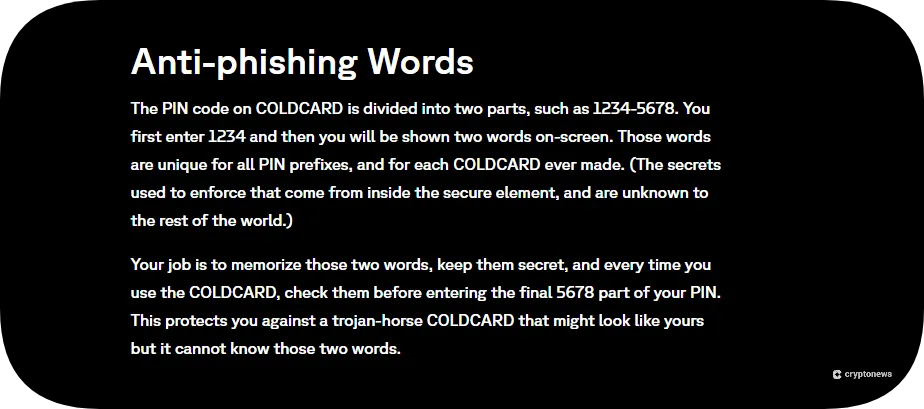
The anti-phishing words are unique, meaning that each COLDCARD wallet will have different anti-phishing words. If the prefix and the suffix don’t match, it means that your wallet is not trustworthy.
Microsd Backup
COLDCARD offers a backup feature that lets you save your seed phrase to microSD cards. You should use Industrial Grade microSD cards since they last longer and are more resistant to extreme temperatures. As mentioned before, COLDCARD supports microSD cards with a 32 GB capacity formatted in FAT12 or FAT32.
COLDCARD Pricing and Fees
In this part of our COLDCARD wallet review, we’ll discuss its price. The COLDCARD Mk4 model costs $177.94, while the Q model costs $249.21, which is a relatively good price if we consider that its main competitors, Cypherock X1 and Ledger Stax, cost $179 and $399, respectively. Moreover, COLDCARD doesn’t charge depositing and withdrawal fees; you’ll only need to cover the network fees. The default hard limit stands at 10%. However, you’ll also get to set the limit to 25% or 50%. Plus, you’ll get a notification if the transaction fee exceeds 1% of the output value.
Is COLDCARD User-Friendly?
Now that you know what COLDCARD wallets offer and how much they cost, it’s time to discuss their setup process and UI. Unlike its hot wallet counterparts, setting up COLDCARD requires some technical knowledge. First, you need to power it using a USB cable (Mk4 model) or three AAA batteries (Q model). Next, you’ll need to choose a PIN code. Keep in mind that this is not your seed phrase or private key. I.e., you’ll be using the PIN code to unlock your device.
As mentioned before, the PIN code consists of two parts, which makes the setup process somewhat complicated. For example, you’ll have to enter the first part of your PIN code, press the check mark, and write down your anti-phishing words. After that, you’ll have to enter the rest of your PIN code. Next, you’ll need to enter the first code again, view your anti-phishing words, press the check mark, and enter the second part of your PIN code.
After you set up the PIN code, you’ll need to create a seed phrase that you’ll use to back up your wallet. You’ll also need to pass a test to confirm that your words are written down correctly and in the correct order. For example, you may get a question like “Word 6 is”? with three listed answers.
The Mk4 model is easier to use as it contains a simple numeric keypad. For example, to move up and down the menu, you’ll tap 5 and 8, to move left or right, you’ll tap 7 and 9. The keyboard also contains the check mark button, which you’ll be using to confirm your choices.
At first glance, the Q model seems more complex to use because it contains a full QWERTY keyboard in addition to special buttons, like Shift caps, Sym, NFC, and QR. I.e., you’ll need more time to get used to its interface. If you trade BTC more frequently, opt for the Q model because its interface is more intuitive, while the Mk4 model is more suitable for BTC hodlers.
COLDCARD Customer Support
COLDCARD offers customer support only via email, which is a bit of a letdown since you’ll have to wait between 1 and 3 days to get a response. Moreover, we noticed that the support team doesn’t work on the weekends. On a positive note, you’ll find detailed information about the wallet’s features and setup process on COLDCARD’s official website. Just tap the Docs tab.
What Are the Drawbacks of COLDCARD Wallets?
In this segment of our COLDCARD wallet review, we’ll discuss its main drawbacks. On that note, COLDCARD is a solid hardware wallet that will enable you to store BTC safely. However, it also comes with a few limitations.
First, this is a Bitcoin-only wallet, which means you’ll have to use an additional wallet if you want to store and trade altcoins. Secondly, COLDCARD doesn’t have a native mobile app, although you’ll get to connect it with third-party software wallets like Sparrow and Nunchuk. And finally, COLDCARD is hard to set up because it uses a two-phase PIN, anti-phishing words, and microSD cards, which beginners might find overwhelming.
How Does COLDCARD Compare Against Other Top Hardware Wallets?
To help you decide if COLDCARD is the right fit for your trading style, we decided to compare it with its main competitors – Cypherock X1, Ledger Stax, and Tangem. On that note, we’ll compare their security features, design, usability, and price.
COLDCARD Vs Cypherock X1
Cypherock X1 is a cold wallet that eliminates the use of seed phrases. On that note, it uses the Shamir Secret Sharing to split your private keys into 5 shards that are stored on the X1 device and the X1 cards. This non-custodial wallet supports a multi-device recovery system, which means that you’ll be able to restore your wallet even if you lose one of your X1 cards.
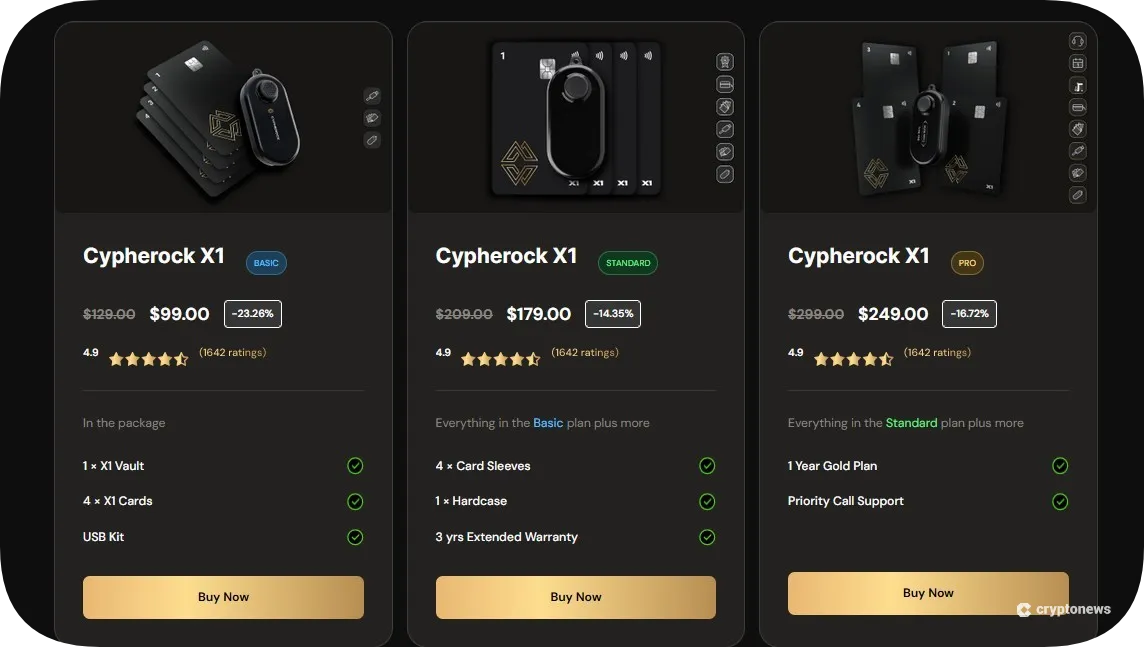
Unlike COLDCARD, which only supports BTC, Cypherock X1 supports over 9,000 cryptocurrencies. On the downside, Cypherock’s design is probably its weakest point. The X1 cards are made of plastic, and the display on the vault is pretty small (0.96 inches).
COLDCARD Vs Ledger Stax
Ledger Stax is the first hardware wallet that features a curved e-ink touchscreen. Moreover, the wallet has a stackable design, meaning you can stack multiple wallets on top of each other, which makes it ideal for diversification. Ledger Stax supports over 5,500 cryptocurrencies and is compatible with 50+ third-party wallets.
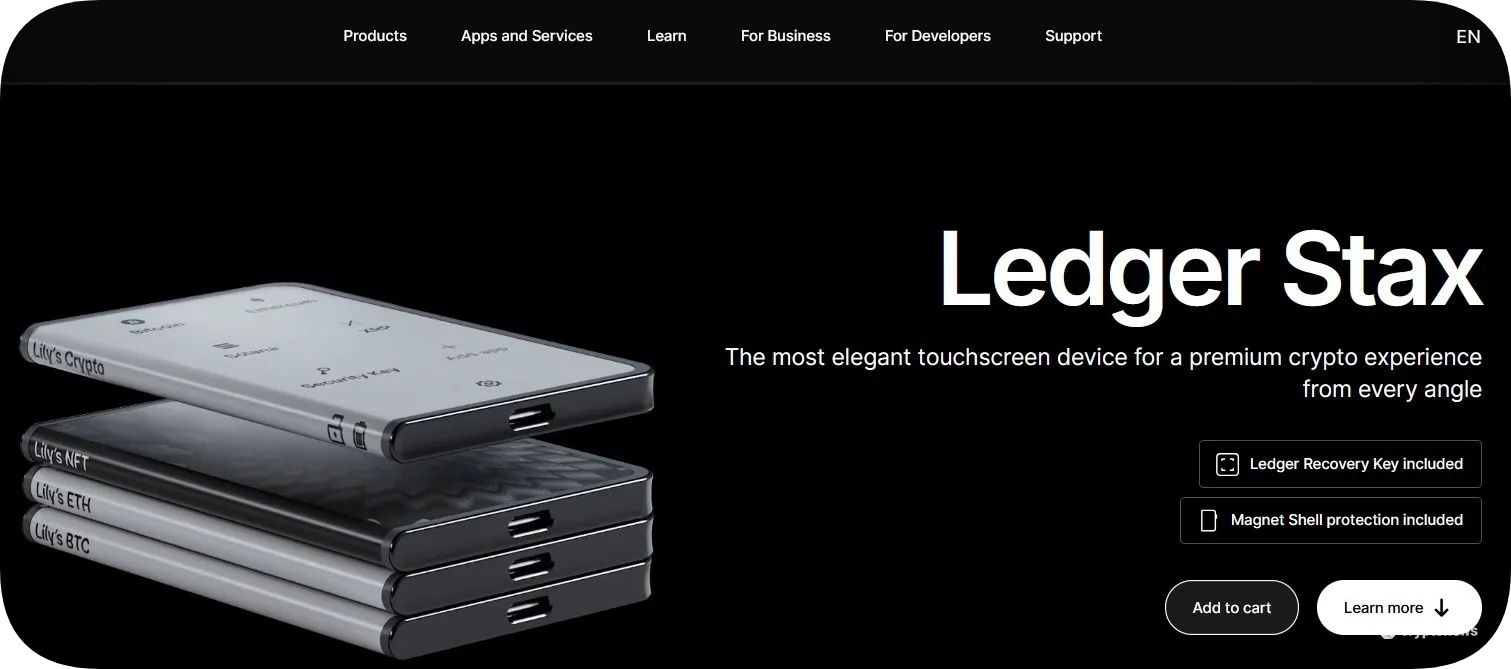
Ledger wallets use a custom-built operating system called BOLOS, which enables each app on your wallet to work separately. Its biggest drawback is its high price ($399) and the lack of lighting on its screen.
COLDCARD Vs Tangem
Both COLDCARD and Tangem use NFC technology to facilitate crypto transactions. However, Tangem has a card-like design, which makes it easier to set up. You’ll only need to tap the card to your mobile device. Plus, you’ll get to trade 6,000 cryptocurrencies across 81 blockchains.
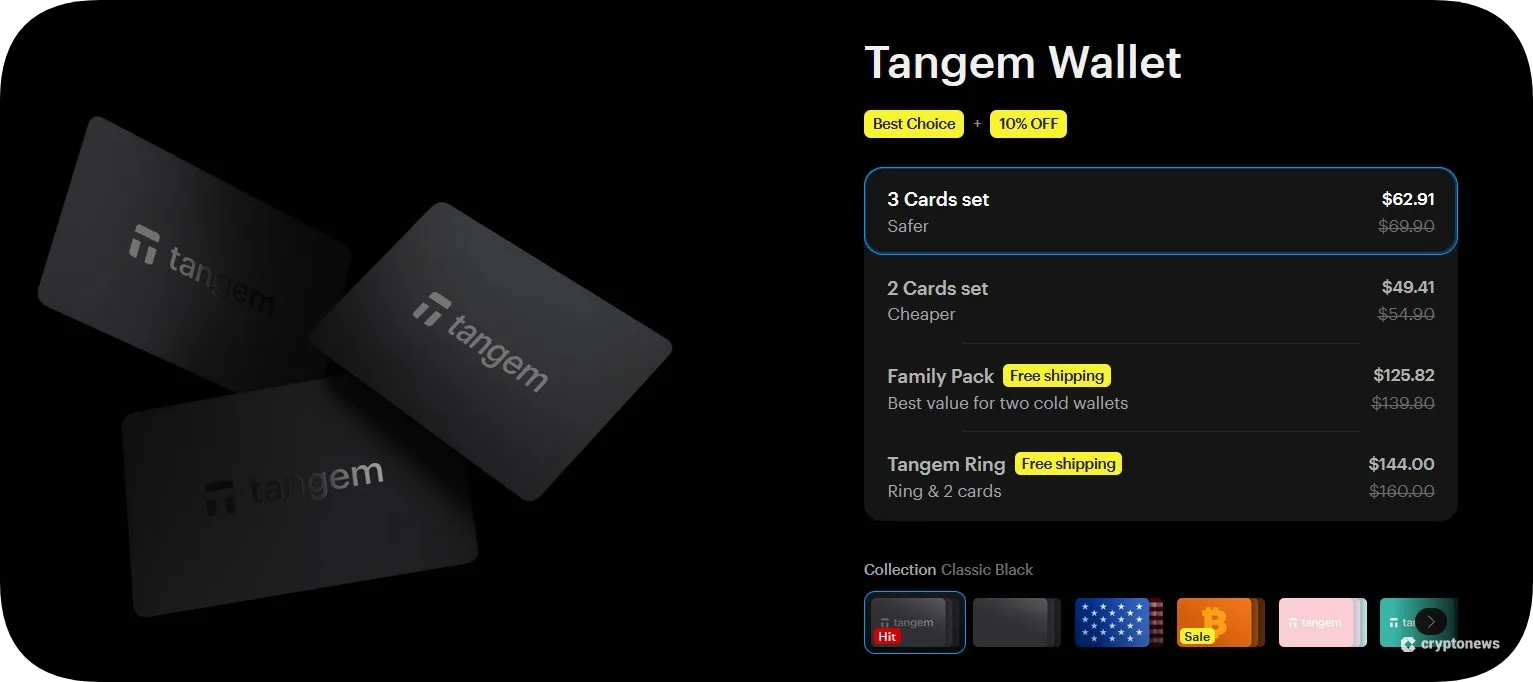
This hardware wallet utilizes a seedless approach to generate your private key inside its Secure Element chip, and it comes with a 25-year warranty. Its biggest disadvantage is the lack of desktop support. Moreover, you won’t be able to store or manage NFTs on the Tangem app (this feature is yet to be released).
Our Methodology: How We Tested and Reviewed COLDCARD
To create an unbiased and accurate review, we purchased and installed both the Q and the Mk4 models. We also examined their source codes on GitHub to verify their authenticity. Next, we conducted transactions on both models to evaluate their UI, that is, to find out if they are easy to use. In addition to that, we tested their compatibility with software wallets and their trick PIN features.
Our methodology also included reading user reviews and comments to compare their experiences with ours. And finally, we compared COLDCARD with some of the best cold wallets to see what makes it stand out and where it falls short.
Visit COLDCARDCOLDCARD Review Conclusion: is It the Best Bitcoin Hardware Wallet?
We hope that our detailed COLDCARD wallet review has helped you better understand its main strengths and weaknesses. With that in mind, this Bitcoin-only wallet is ideal for advanced traders and long-term holders who are looking for a secure device to store their BTCs and private keys offline.
Its biggest strengths are its air-gapped support and multiple options to protect your PIN. You can also choose between two models – Q and Mk4. The former offers better visibility thanks to its large screen and QWERTY keyboard, while the latter has a more compact design.
The biggest drawbacks of the COLDCARD wallet are its lack of a mobile app and a complex setup system. Moreover, you’ll only be able to store BTC, so keep that in mind.
FAQs
Can a COLDCARD wallet get hacked?
Is COLDCARD air-gapped?
Does COLDCARD only support Bitcoin?
Can I reset my COLDCARD?
What happens if I lose my COLDCARD wallet?
References
- Near field communication (NFC) overview (Android)
- CVE-2019-14356 (Enginsight)
- Version 3.0.6 Released (Security Update) (Coinkite)
- Donjon Faults SE2 on Mk4 (Coinkite)
- FAT File System Format (FAT12, FAT16, FAT32) | 2025 Full Guide (EaseUS)
- STM32 high performance MCUs (STMicroelectronics)
- GitHub
- Shamir Secret Sharing in Hardware Wallets: How Does it Work? (Cypherock X1)
- Ledger’s Custom Operating System: BOLOS (Ledger)


