


BlueWallet Review 2026
- Advanced Bitcoin features like multisig vaults, watch-only wallets, and coin control for maximum flexibility
- Seamless Lightning Network integration with support for personal nodes and faster, cheaper BTC transactions
- Privacy-first design with no KYC, biometric security, decoy wallets, and hardware wallet compatibility
BlueWallet is an advanced, Bitcoin-only wallet that provides self-custody storage with privacy-focused features and support for multiple wallets. It was established during the 2017 crypto bull market and is recognized for its simple yet powerful design.
In this BlueWallet review, we performed an in-depth analysis through hands-on testing and extensive research, offering a comprehensive look at the BTC wallet. We discuss security, key features, user experience, and compare BlueWallet with other wallets to highlight its strengths and weaknesses.
Ultimately, our goal is to help you determine if BlueWallet is the right wallet for you.
BlueWallet Review: Pros and Cons
Built for high-level Bitcoin self-custody, BlueWallet excels in balancing everyday BTC payments with a secure long-term storage solution. The software wallet offers a range of advanced features, including multisignature protection, custom fee settings, and seamless integration with the high-speed Lightning Network.
Importantly, there are no KYC requirements, making it ideal for privacy-focused users who want to retain complete control of their assets. Additionally, BlueWallet runs offline and can connect with PSTB-compatible hardware wallets for maximum token security.
However, BlueWallet isn’t suitable for everyone. As a BTC-only wallet, it doesn’t support altcoins, NFTs, or dApps, which limits its Web3 capabilities. Beginners might also find the advanced Bitcoin features too complex, and there’s no built-in fiat on/off ramping for easy buying and selling of BTC. Customer support is also limited to email contact only.
Overall, BlueWallet is best suited for Bitcoin users who value privacy, high-grade BTC storage, and advanced tools. Certain users will benefit from its high transaction control and versatility, but it may be too specialized for casual cryptocurrency users, especially those seeking a multi-chain wallet with Web3 access.
Pros
- Offers advanced self-custody storage for BTC
- Supports Lightning Network transactions for faster and cheaper BTC transfers
- Multisig Vault feature ensures high-grade Bitcoin security
- Works offline and allows connections with certain hardware wallets
- Set custom network fees for greater flexibility
- Completely private experience with no KYC or ID verifications required
Cons
- Bitcoin-only wallet
- Advanced BTC storage tools not suitable for beginners
- No built-in fiat on/off ramping
- Lacks DeFi and dApp support as a BTC wallet
- Limited customer support
What Is BlueWallet?
BlueWallet is a cryptocurrency hot wallet designed specifically for managing and storing Bitcoin. It was launched in 2017 for those who needed to get a Bitcoin wallet for iOS that offered fee control and self-custody. Today, BlueWallet is available for mobile devices (iOS and Android) and desktops (macOS).
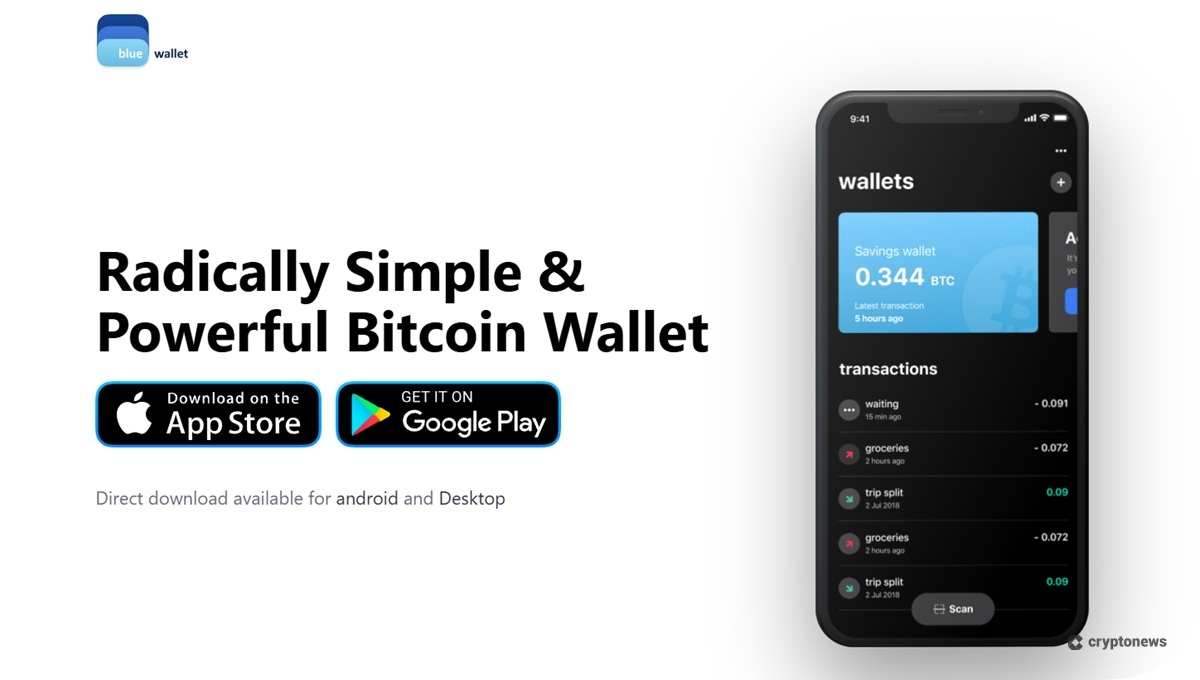
Although BlueWallet is a Bitcoin-only wallet, it provides in-depth coverage of BTC storage. The app supports multiple Bitcoin wallet implementations, including Bitcoin Lightning, native SegWit, Electrum, and legacy wallet types, among others.
With a range of advanced tools, BlueWallet provides a powerful Bitcoin storage experience that includes cold storage connectivity. While definitely advanced, the app comes in a user-friendly and straightforward interface, complete with biometric authentication and seed phrase recovery.
What Type of Wallet Is BlueWallet?
BlueWallet is a non-custodial wallet that shares many of the security features of the best decentralized crypto wallets. Specifically, it enables you to store cryptocurrencies where only you have complete access and control over them, unlike token storage on centralized exchanges (CEXs) and custodial wallets.
Additionally, BlueWallet does not require any KYC or ID verification. Like other anonymous crypto wallets, this feature makes it attractive to privacy-conscious users and those who value the security of their personal information.
Is BlueWallet Safe? Security Features Reviewed
Hot wallets, such as BlueWallet, cryptographically store your private keys and seed phrases locally on your device. Therefore, wallet security primarily depends on the safety of your mobile device. While we haven’t found any official documentation of BlueWallet being hacked, it remains more vulnerable than hardware wallets.
Based on our BlueWallet review, we believe its security is on par with that of other reputable self-custody software wallets due to its advanced protection. Let’s break down BlueWallet’s top security features below:
- Multisig Vaults: Multi-signature wallets that drastically reduce the risk of single-point failure.
- Decoy Wallets: Users can create fake wallets that are unlocked by a different password. This is useful if they find themselves in a situation where they’re forced to reveal access to their wallet.
- Hardware Wallet Compatibility: BlueWallet can connect with Coldcard, CoboVault, and other PSBT-compatible hardware wallets, providing an additional layer of security.
- Backup and Recovery: A seed phrase backup is available via a BlueWallet QR code.
- Biometric Security: Users can toggle in-app biometric authentication, such as Face ID on iOS, to increase security.
BlueWallet Supported Coins and Networks
The only coin that BlueWallet supports is BTC; however, the hot wallet can connect to both the Bitcoin blockchain and Lightning Network.
If you’re looking to store altcoins like SOL, consider Best Wallet, Margex, and Zengo. These are some of the best Solana wallets in 2026 based on our criteria, which include Solana DeFi compatibility, dApp support, security, and ease of use.
XRP is another popular blockchain with millions of active accounts. However, BlueWallet does not support the coin. Check out our guide on the best XRP wallets for the top options based on security, supported networks, fees, DeFi features, and more.
From multisig technology to Lightning Network integration, BlueWallet has a full range of BTC storage tools at its disposal. In this section, let’s unpack the Bitcoin wallet’s core features.
Lightning Network Integration
Lightning Network is a layer-2 (L2) protocol for Bitcoin that enables faster BTC transactions at a fraction of the cost, while still maintaining a high level of security.
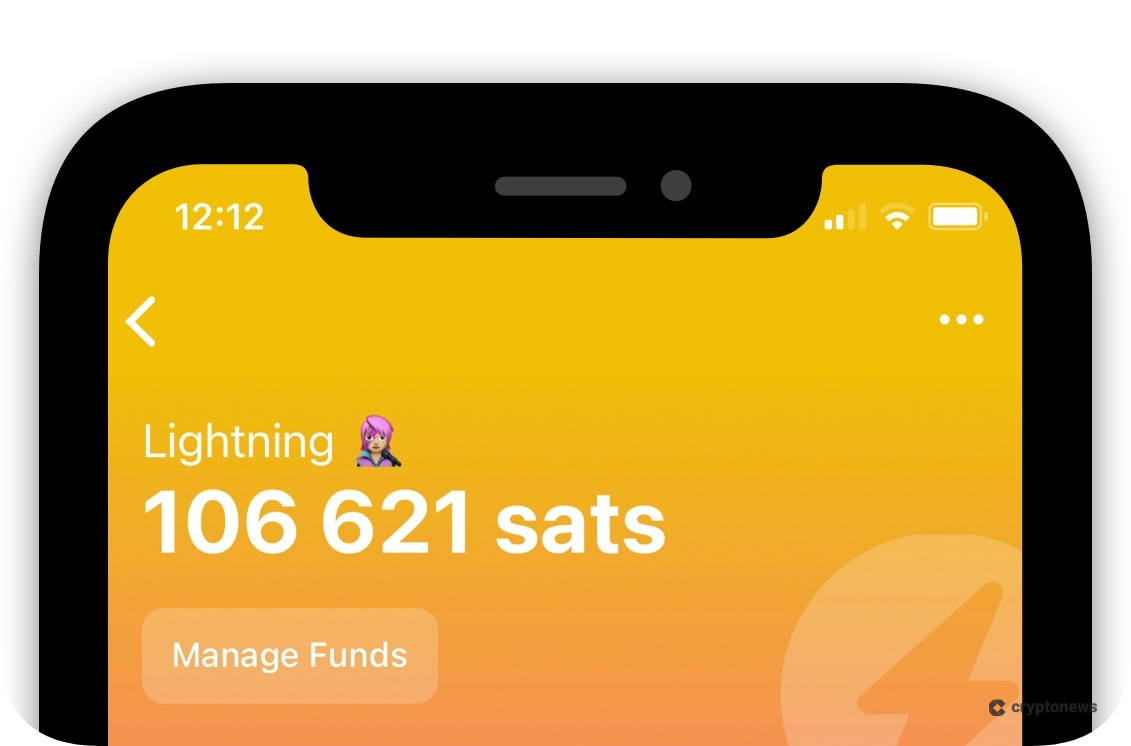
Few Bitcoin wallets integrate Lightning Network in the way that BlueWallet does. In particular, BlueWallet lets users create Lightning wallets using their own Lightning Network nodes. This ensures full ownership of their native BTC and enhances transaction privacy.
For this, BlueWallet has created its own wrapper for Lightning Network Daemon (lnd), called LNDhub. Once users set up their node, they can connect it to multiple wallets and start enjoying faster and cheaper Bitcoin transactions. Furthermore, BlueWallet users can explore the Lightning Network ecosystem through a built-in browser.
Watch-Only Wallet
BlueWallet allows users to create watch-only wallets, which are in-app wallets connected to a compatible hardware wallet. By importing the public wallet address, xpub, or ypub files to the app, users can monitor their holdings while keeping private keys stored offline.
With watch-only wallets, users can also send BTC transactions through offline signing or with another wallet. BlueWallet supports PSBT-compatible wallets, such as the highly secure and affordable Coldcard hardware wallet, as well as the air-gapped Cobo Vault with animated QR code support.
Multi-Sig Vault
Through BlueWallet’s Multisig Vault, users can set up multi-signature wallets that are more secure than regular hot wallets. Multisig wallets require more than one key to send BTC, and the platform recommends using this type of wallet for storing large amounts of Bitcoin.
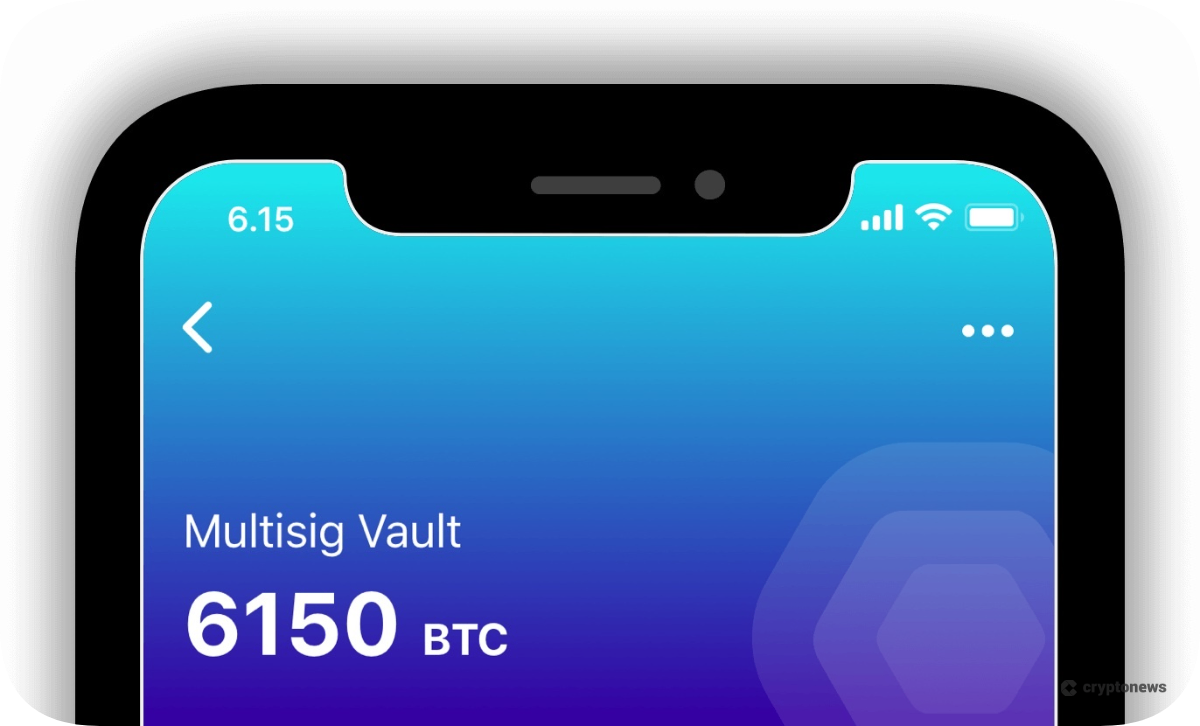
During Multisig wallet creation on BlueWallet, holders have complete flexibility in setting the total number of keys for the wallet and the required number of keys to authorize a transaction. They can use multiple BlueWallet apps and even PSBT-compatible wallets for greater security.
As a result, those who store their cryptocurrencies with Multisig Vault are more protected against various types of crypto scams, device malfunctions, key losses, and malware infections.
Fee & Transaction Control
When sending BTC, BlueWallet users can set the amount they’re willing to pay per transaction based on the urgency. Predefined fees for 10-minute, 3-hour, and 1-day transaction times are provided, along with their respective BTC fees (shown in satoshis per vByte).
Additionally, they can input a custom amount for the transaction. If Bitcoin transactions are sent with too low a fee, BlueWallet allows wallet holders to bump and cancel transactions through a “Replace-by-fee” (RBF) or “Child-pays-for-parent” (CPFP) mechanism.
Advanced Features
Beyond its core features, BlueWallet offers additional functionalities that enhance privacy, trust, security, and usability. While experienced users stand to benefit more from these advanced features than beginners, they’re still worth outlining in our BlueWallet review.
- Coin Control: With this feature, BlueWallet users can directly manage their UTXOs (Unspent Transaction Outputs) when sending BTC. Mainly, this improves wallet privacy.
- PayJoin: Also known as P2EP, this is a protocol that helps users protect the privacy of their BTC transactions by mixing sender and receiver inputs.
- Custom Entropy: For users concerned about the random number generators (RNGs) on their devices being compromised, BlueWallet allows users to create wallet addresses using custom entropy, thereby avoiding full device-based address generation.
- Additional Encryption: BlueWallet users can enable full encryption, which requires an additional password to access the app and funds.
- Batch Transactions: To save on network fees and reduce blockchain congestion, BlueWallet offers batch transactions, allowing users to send multiple payments through a single BTC transaction.
BlueWallet Fees
BlueWallet does not charge any platform or transaction fees. The only amount that users must pay is the Bitcoin network fee, which varies depending on network activity.
As mentioned earlier, users can customize the transaction fee they wish to spend on each transaction. Additionally, fees may be incurred during instances when transactions get stuck and users opt to bump or cancel them through RBF or CPFP on BlueWallet.
Is BlueWallet User-Friendly?
The BTC wallet is available on mobile devices with both Android and iOS, as well as on desktop with macOS. For this BlueWallet review, we tested the user experience for both mobile and desktop interfaces.
On mobile, BlueWallet stays true to its radically simple design while keeping its high-powered features readily available. Once the app is installed, it runs smoothly and features a dashboard with easy options for creating wallets, sending, and receiving BTC. With just a few taps, users can easily access the advanced features.
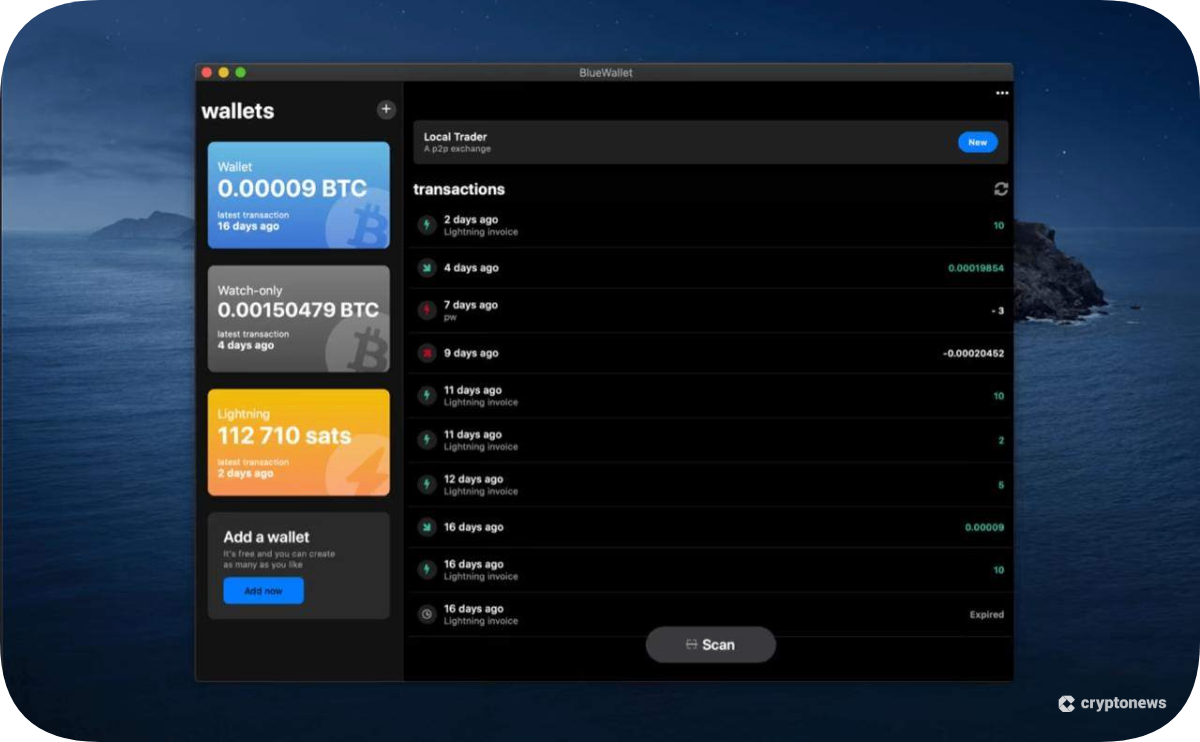
BlueWallet maintains its smooth and lightweight interface on desktop, featuring a dashboard that’s better suited for larger screens. Installation was fast and secure, and just like on mobile, wallet creation did not require any KYC verification.
BlueWallet Customer Support
BlueWallet’s customer support includes an online resource library and email assistance. Compared to many leading crypto wallets, it’s somewhat limited. However, the help section provides clear explanations of specific features and detailed, step-by-step instructions on how to use them.
Many of BlueWallet’s online guides feature video tutorials on setting up multisig wallets, connecting to different hardware wallets, and configuring watch-only wallets. Live chat support isn’t available, which is understandable since non-custodial wallets usually leave security and token responsibility entirely to the user.
Where Can BlueWallet Improve?
While BlueWallet is an appealing option for users seeking a highly secure Bitcoin wallet, it has some limitations that may prevent wider adoption. Most notably, the wallet’s Bitcoin-only design could be a significant obstacle for users with diverse crypto portfolios. BlueWallet won’t be able to support even a single new cryptocurrency, so it will remain exclusively for BTC users.
Furthermore, BlueWallet’s sole support for Bitcoin limits its use in Web3 activities. The top non-custodial crypto wallets support DeFi access with features such as staking, token swapping, and lending.
Another area for improvement is usability, especially for beginners. While the interface is simple, BlueWallet has a lot of functionalities that require more advanced crypto knowledge. This includes setting up multisignature wallets, coin control, and creating a Lightning wallet.
Finally, BlueWallet’s lack of any fiat on/off-ramping services makes it more difficult to onboard new crypto users. After installing the app and creating a wallet, there’s no way to buy BTC without leaving BlueWallet, which requires additional steps that reduce overall usability and convenience.
BlueWallet Alternatives
BlueWallet is an excellent hot wallet for in-depth Bitcoin storage, but if it doesn’t check all your boxes, other decentralized wallets could better suit your needs. Best Wallet, for instance, allows you to store Bitcoin and some of the best altcoins, such as SOL, BNB, and ETH.
Other options, such as Zengo, offer multi-chain access and high-level security through Multi-Party Computation (MPC) technology, eliminating the need for a seed phrase. Here’s a table comparing BlueWallet with some of the top alternatives.
| Wallet | Wallet Type | Supported Coins & Networks | Standout Features | Best For |
|---|---|---|---|---|
| BlueWallet | Software / Non-custodial | BTC only (Bitcoin and Lightning Network) | Multisignature technology, watch-only wallets, and Lightning Network support | Bitcoin users seeking advanced storage solutions |
| Best Wallet | Software / Non-custodial | 1,000+ tokens across 60+ networks | Instant cross-chain swaps, exclusive token launchpad, easy fiat on/off-ramping | Both new and experienced users who need broad Web3 access |
| Zengo | Software / Non-custodial | 380+ cryptocurrencies and 14+ networks | MPC (no seed phrase requirement), 3FA recovery, DeFi support | Users seeking high-grade, self-custody crypto security |
| Binance Wallet | Software / Non-custodial | Thousands of tokens and 34 blockchains | MPC security, Binance exchange integration, dApp support | Binance users who need a non-custodial crypto storage solution |
| Trust Wallet | Software / Non-custodial | 10+ million assets and 100+ blockchains | Built-in DEX, staking interface, and NFT management | Multi-chain crypto users active in DeFi and NFTs |
How to Set Up and Use BlueWallet
Here’s a quick walkthrough on how to get started with BlueWallet on mobile.
1. Download and Install BlueWallet
Visit the BlueWallet website and select the appropriate download option for your device: either App Store or Google Play.
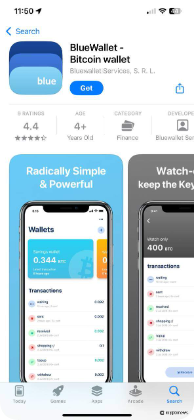
On the App Store, tap “Get” and wait for the app to finish downloading. Tap “Open” once BlueWallet is installed on your device.
2. Add a New Wallet
Tap “Add now” on the BlueWallet dashboard. Type the name of your wallet and choose a wallet type. For beginners, we recommend selecting the simple and powerful standard Bitcoin wallet.
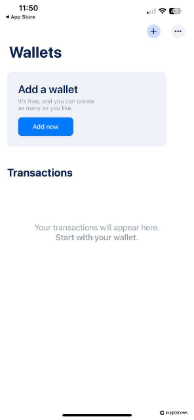
Tap “Create” and BlueWallet will create your new wallet. Your newly created wallet should appear on your dashboard immediately.
3. Backup Your Wallet
Tap your Bitcoin wallet from the dashboard and tap the ellipses on the top right for the wallet settings. Next, tap “Export/Backup,” which will reveal a QR code for importing your wallet, along with a 12-word seed phrase.
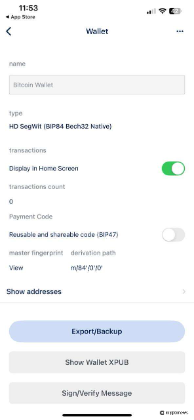
Write down the recovery seed phrase and store it in a new location. The seed phrase will be used to restore your wallet if needed.
BlueWallet Review Conclusion: Who Is It Best For?
BlueWallet is a powerful Bitcoin wallet that’s built for privacy, versatility, and advanced self-custody. Regarding technical features for BTC storage, the app is almost unmatched. Features such as the Multisig Vault, watch-only wallets, and Lightning Network integration make BlueWallet a powerful option for experienced cryptocurrency users.
However, the wallet is not ideal for users looking to engage in multi-chain and Web3 activities. With all its advanced options, it can also easily overwhelm first-time users. BlueWallet can still improve its customer support and other beginner features to accommodate a wider audience.
Our Methodology: How We Tested and Reviewed BlueWallet
For a fair and trustworthy BlueWallet review, we combined thorough research on the product with hands-on testing. We installed the wallet on mobile and desktop devices to evaluate its features, security, and performance. Afterwards, we examined BlueWallet’s GitHub repository, which showcases the app’s open-source code.
Once we confirmed BlueWallet’s strong security and transparency, we examined its integrated tools, such as multisig technology, watch-only wallets, and backup features. We also tested biometric verification, password encryption, and multi-wallet functions. To finish the review, we compared BlueWallet with other non-custodial wallets to identify its strengths and areas for improvement.
FAQs
Is BlueWallet good?
What network does BlueWallet use?
Does BlueWallet require ID?
How do I export my BlueWallet wallet?
Does BlueWallet charge fees for sending and receiving Bitcoin?
References
- Lightning Network: What It Is and How It Works (Investopedia)
- BlueWallet/LndHub: Wrapper for Lightning Network Daemon. It provides separate accounts for end-users (GitHub)
- UTXO Model: Definition, How It Works, and Goals (Investopedia)
- Bitcoin Avg. Transaction Fee Chart (BitInfoCharts)


