


Table of Contents
 Blockstream Jade Review 2026
What we like
- Top-tier Bitcoin security with optional air-gapped transactions and robust multisig
- Fully open-source stack (firmware + software) for maximum transparency
- Flexible connectivity (USB, Bluetooth, true air-gap) and broad wallet compatibility
Disclosure: Crypto is a high-risk asset class. This article is provided for informational purposes and does not constitute investment advice. By using this website, you agree to our terms and conditions. We may utilise affiliate links within our content, and receive commission. You can read more about our editorial policy here.
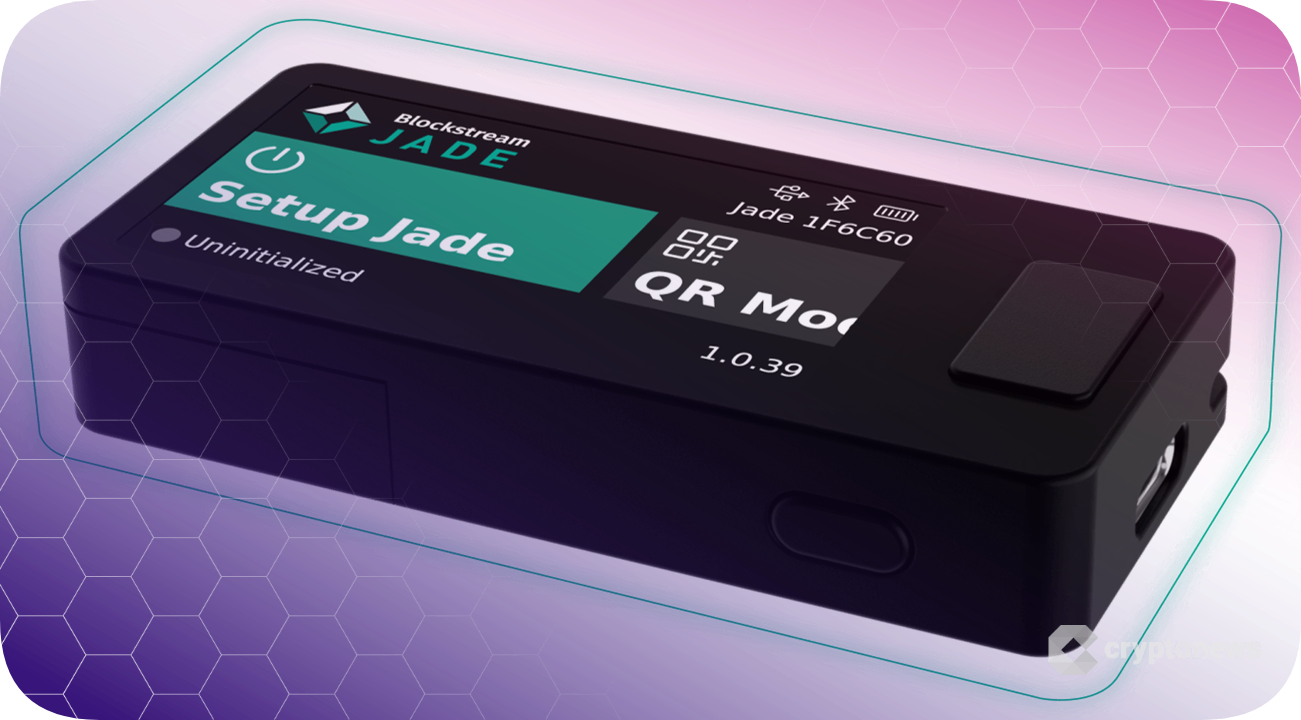
With Bitcoin reaching new record highs just weeks ago, protecting your Bitcoin becomes more important than ever. Blockstream, a company focused on Bitcoin-centric technologies, introduced its first Bitcoin wallet in 2019: the Green software wallet. In 2021, Blockstream launched the Jade hardware wallet. In this Blockstream Jade review, we’ll discuss the Jade Plus, introduced in 2025, as well as the original Jade.
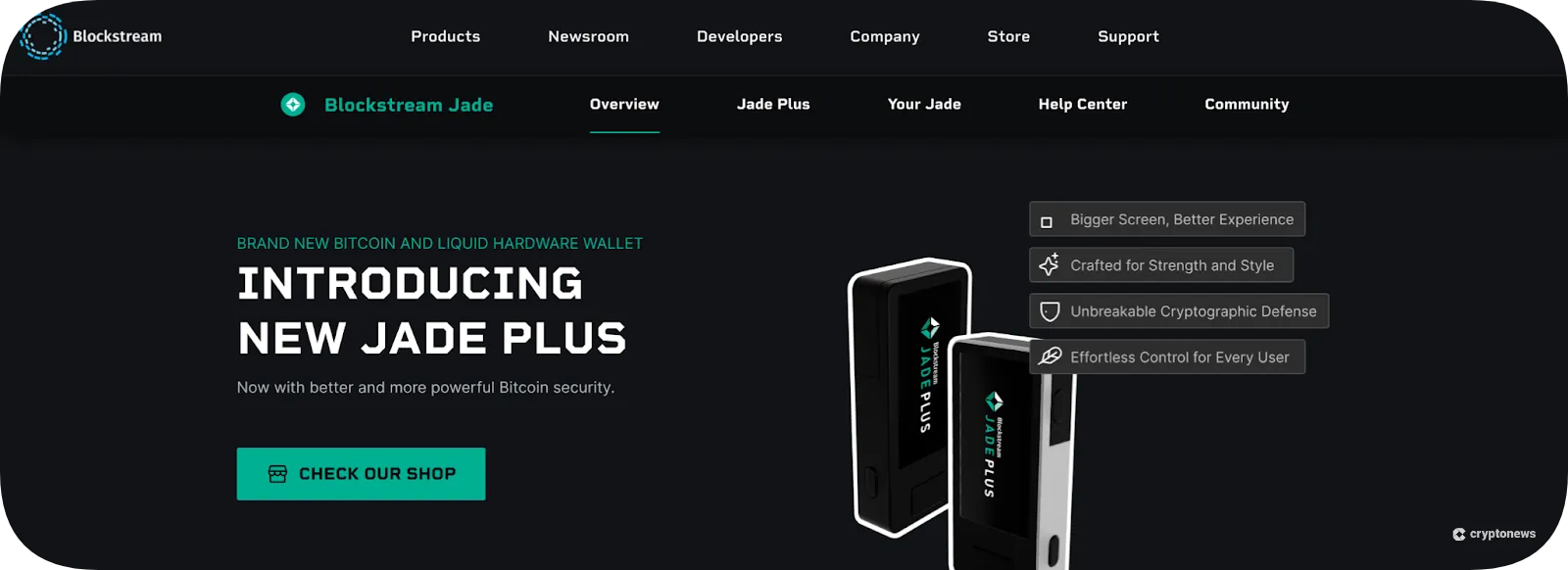
The Jade Plus improves upon the proven design of the Jade, boasting a larger, brighter screen, enhanced durability, and full airgap functionality. More on that in a bit. To complete our Blockstream Jade review, we compared the Jade against competing products, rating its features and usability. We also examined its compatibility with leading software wallets. Let’s get started with the pros and cons.
Blockstream Jade Review: Pros and Cons
The Blockstream Jade lineup squarely targets Bitcoin users. These wallets only support Bitcoin and the Liquid Network, making them ideal for users deeply immersed in the Bitcoin ecosystem. Blockstream’s commitment to open-source principles is clear, and its software and firmware code are available for review. Air-gapped transaction support sets Blockstream apart from most competitors.
However, these strengths may be perceived as weaknesses by some users. The Jade wallet does not support other popular chains, and usage can be challenging, particularly for air-gapped transactions. In short, the Jade is built for a specific purpose: maximum security for Bitcoin users.
Pros
- Top-tier Bitcoin security
- Fully open-source software and firmware
- Optional air-gapped transactions
- Versatile connectivity options
- Multi-signature support
Cons
- Limited cryptocurrency support
- Complex for beginners
- Virtual secure element relies on a third-party server (or your own)
- Dated design for the original Jade
What Is Blockstream Jade?
Launched in 2025, the Blockstream Jade Plus is a Bitcoin hardware wallet designed to protect the wallet’s private keys offline. While the Jade focuses on Bitcoin rather than a wide range of blockchains, it does support the Liquid Network, a prominent Bitcoin sidechain that enables smart contract connectivity.
Hardware wallets, such as the Blockstream Jade, store the wallet’s private keys offline, connecting to external apps as needed to authorize transactions. However, The Jade takes this offline key storage a step further by enabling airgapped transactions using QR codes. Using this optional mode, the device is never exposed to potential online risks through cables or Bluetooth connections.
The Blockstream Jade emphasizes transparency, utilizing fully open-source software and firmware, and making the code available for community review and audit.
The Jade wallet enables users to connect to software Bitcoin wallets, including Blockstream’s own Green wallet, as well as popular Bitcoin-focused wallets such as Sparrow and Electrum. Users generate transactions on external wallets but use the Jade wallet to authorize transactions for wallet addresses protected by the Jade hardware wallet.
Blockstream’s Jade Plus replaces the original Jade wallet, which was launched in 2021, introducing several usability and security enhancements, as well as full support for air-gapped transactions, including firmware updates.
What Type of Wallet Is Blockstream Jade?
The Blockstream Jade Plus is a non-custodial hardware wallet, meaning the user controls the private keys rather than using a wallet controlled by a third party, such as a crypto exchange. Anonymous crypto wallets, although not fully anonymous (they utilize pseudonymous wallet addresses as a means of identity on the blockchain), offer more privacy and, most importantly, grant the user complete control over their private keys.
A crypto wallet doesn’t hold any crypto assets. The assets exist on the blockchain. Instead, a cryptocurrency wallet holds the private keys that control the assets associated with specific wallet addresses on the blockchain. In effect, the keys prove ownership, and anyone with access to the keys can use or transfer the assets the keys protect. Hardware wallets, such as the Blockstream Jade, store the wallet’s private keys offline by utilizing a separate hardware device.
Non-custodial wallets, such as the Jade, are also referred to as self-custody wallets or decentralized crypto wallets because they don’t depend on a third party to hold the private keys. This structure also means the user must safeguard the keys, storing a backup of the wallet’s keys or seed phrase securely offline.
Is Blockstream Jade Safe?
Like many companies, Blockstream has suffered some security issues, some of which were not directly related to the Jade wallet and all of which were suitably addressed by Blockstream. The introduction of the Jade Plus addressed the most troubling of these concerns, a side-channel attack vulnerability discovered by Ledger that affected the previous Jade wallet. Overall, the new Jade Plus, which introduced a new chipset and additional security features, provides a secure method for storing Bitcoin private keys offline.
Let’s examine the notable security issues in the past and how Blockstream responded to each.
- Liquid Network Vulnerability (2020): Blockstream is a Bitcoin technology company that also launched the Liquid Network, a growing Bitcoin sidechain that enables smart contract functionality. A bug discovered by a developer briefly put about 870 BTC at risk of being controlled by a multisig wallet held by Blockstream. No funds were lost, and the incident predated the first Jade wallet, but the company drew criticism due to the centralization risk.
- Blockstream Jade Hardware Vulnerability (2023): A competing hardware wallet maker (Ledger) discovered a vulnerability that could allow an attacker to extract the private keys from the original Jade wallet if they had the device in their possession. A similar vulnerability also affected the Trezor Model One, another popular Bitcoin wallet. Blockstream addressed the issue with a firmware update. Again, no funds were reported lost due to the incident.
- Email and Customer Data Leak (2023): The email addresses of some Jade customers became the targets of phishing emails, suggesting that the email addresses, and perhaps other customer data, had been compromised. Blockstream acknowledged the possibility of a data breach but was unable to verify the source. The incident did not affect the physical protection provided by the Jade wallet.
Blockstream Jade Supported Coins and Networks
The Blockstream Jade focuses on Bitcoin users and only provides support for two chains: Bitcoin and the Liquid Network sidechain. Users who require support for other blockchain networks can utilize additional wallets tailored to those networks or multichain wallets.
For example, users who need to manage assets on the Solana blockchain can use the Solflare wallet, which supports only Solana, or choose from a wide range of Solana wallets that include hardware, software, and multichain options.
XRP users can choose from a growing number of XRP wallets, including Ledger and Trezor hardware wallets, as well as several multichain software wallets.
However, Ethereum users hold the largest total value locked (TVL) in the crypto space, making Ethereum wallets a crucial consideration for potential Jade users who utilize both Bitcoin and Ethereum. The popularity of the Ethereum chain, combined with the growing number of Layer 2 chains, offers a range of options, from hardware wallets like Ledger and Trezor to multichain wallet apps like Best Wallet.
Notably, hardware wallets store the private keys offline. Many of the most popular wallets are wallet apps (hot wallets) that store the keys on a device that connects to the internet. While wallet makers employ various strategies to secure the keys on internet-connected devices, hardware wallets (also known as cold wallets) store the keys on a separate device, reducing the risk of online threats.
Blockstream Jade Key Features
The Blockstream Jade and Jade Plus offer several similar features, although the Jade Plus improves upon the security and UI elements. The Jade Plus also introduces air-gapped firmware updates, allowing 100% offline operation. Let’s review the features of the Blockstream Jade lineup.
Air-Gapped Transactions
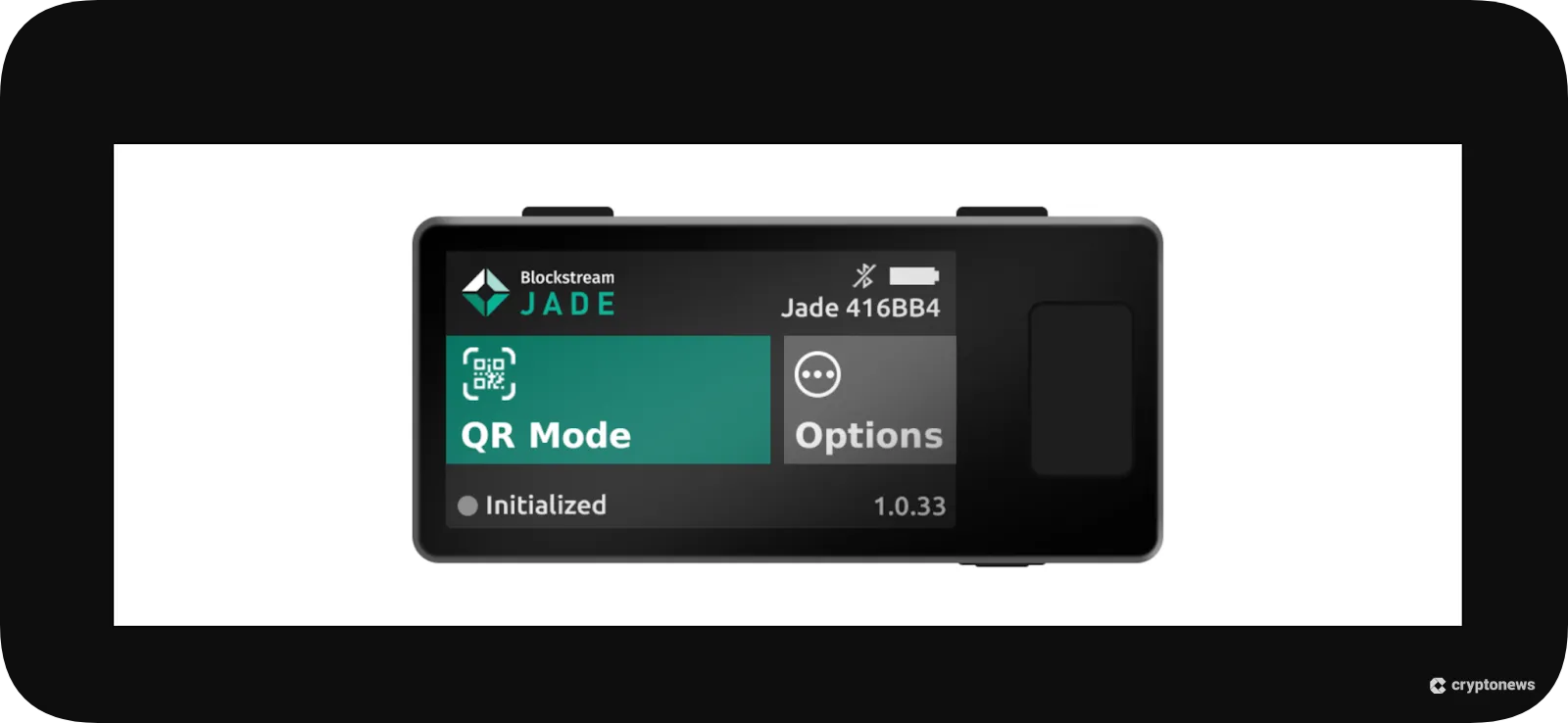
The Jade and Jade Plus both support air-gapped transactions using QR codes, with similar functionality. However, the newer Jade Plus also offers air-gapped firmware updates. The process uses a camera to scan QR codes that pass transaction data. For example, to send Bitcoin, you would initiate the transaction using a compatible external wallet that generates a QR code, and scan the QR code with the Jade. Once approved, the Jade generates a QR code that’s readable by the external wallet app, which then broadcasts the transaction to the Bitcoin network.
Secure Element Chip
Neither the Jade nor the Jade Plus uses a traditional secure element chip, which is a popular security feature offered by many competing hardware wallets. Although a secure element chip provides tamper-resistant storage to the wallet’s private keys, these chips are often closed-source, which prevents public audits of firmware code. Blockstream’s commitment to transparency requires a different approach: a virtual secure element chip.
The Jade’s virtual secure element chip encrypts the private key and then splits the decryption key into two parts. Users also need a PIN to access the wallet. One part of the key is stored locally on the device, and the other part is retrieved from a blind oracle. In short, the other half of the decryption key is retrieved by the companion app, such as the Blockstream Green wallet. This strategy requires an additional QR code scan for each transaction because the Jade itself does not hold the entire decryption key.
The wallet’s recovery phrase acts as a failsafe. If Blockstream becomes unreachable for any reason, such as bankruptcy, users can import the seed phrase into a hardware or software wallet of their choice to restore access to their funds.
Multi-Sig Security
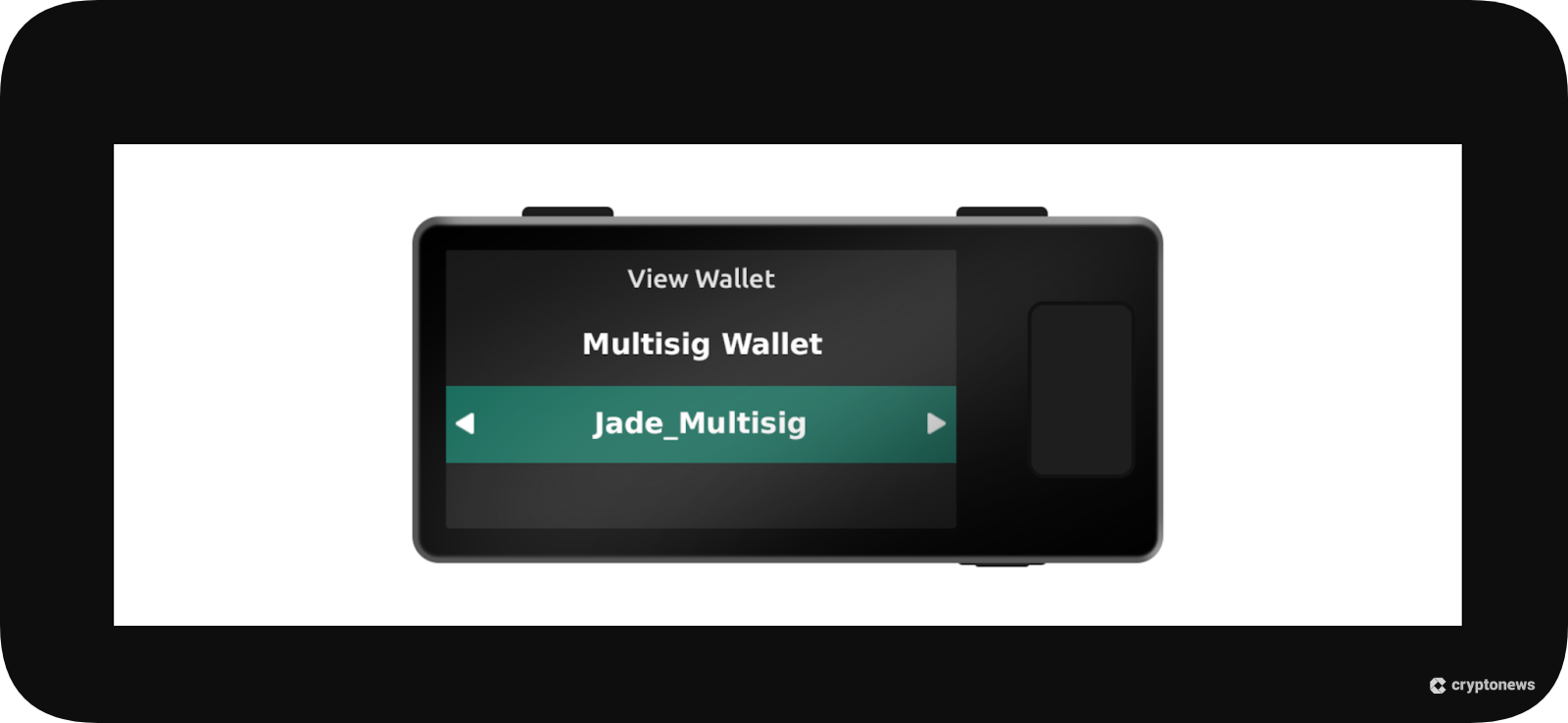
The Blockstream Jade and Jade Plus can be used to authorize multi-signature (multi-sig) transactions. A multi-sig wallet requires more than one signature to authorize the transaction. For example, a wallet can be set up to require two of two signatures or two of three. While nearly any Bitcoin wallet can be used in a multi-sig setup, what makes the Jade wallet unique is its ability to use a single device for multiple keys in a multi-sig configuration. This eliminates the need to buy multiple hardware wallets or mix hot wallets with cold key storage to build a robust multi-sig setup.
Connectivity
Both the Jade and Jade Plus offer three connectivity options: USB, Bluetooth, and air-gapped configurations.
- USB-C: Users can connect to a desktop device using a USB-C port. The Blockstream Green companion app is compatible with Windows, macOS, and Linux. Both Jade models also support USB-C connectivity on Android.
- Bluetooth: Both the Jade and Jade Plus offer Bluetooth connectivity, enabling you to connect with the mobile wallet on Android or iOS devices. Notably, Bluetooth support may be limited to the Blockstream app. Bluetooth is also disabled by default, with an option to remove Bluetooth drivers completely via a firmware update.
- Air-Gap: As detailed earlier, both Jade wallets support offline QR codes for air-gapped use. However, the Jade Plus also supports offline firmware updates using an optional USB-C drive (JadeLink) that holds a microSD card.
Open-Source
Much like the Bitcoin protocol itself, Blockstream open-sources all of the code. While open-source code has become relatively common for Bitcoin wallets, many hardware wallets do not fully open-source the firmware due to restrictions surrounding the secure element chip. Blockstream’s commitment to transparency led the company in a different direction, instead using a virtual secure element chip to protect the wallet’s private keys.
Blockstream Companion App
Available for desktop or mobile, the Blockstream Green can act as a standalone wallet, adding Lightning Network compatibility in standalone mode, or as a companion app to Blockstream’s Jade lineup.
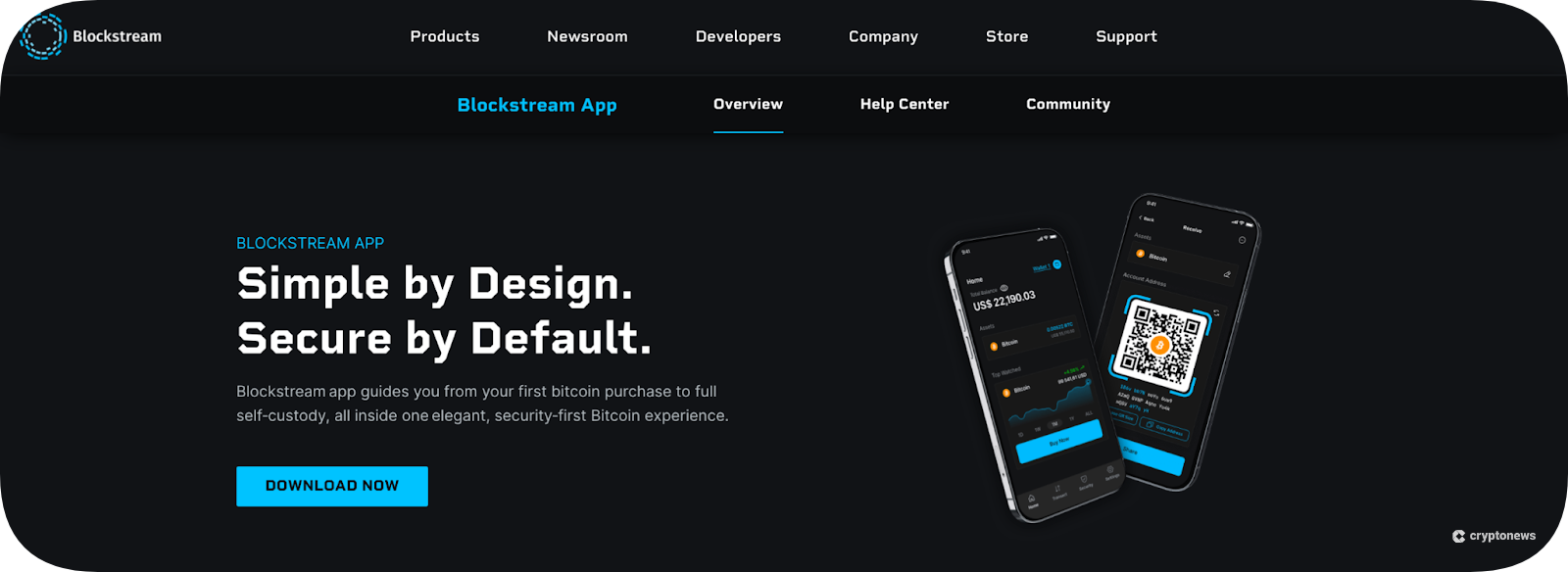
Users must use the Green wallet to set up the device or access specific features, such as Blockstream Green's "Multisig Shield.” However, several well-tested software wallets also support Jade integration, including Sparrow and Electrum.
The Green app also offers additional features, including firmware updates (also available through a web app) and in-app Bitcoin purchases. Newer branding refers to the companion app as the Blocktream app, although users will still find references to Green Wallet in the documentation.
Blockstream Jade Pricing and Fees
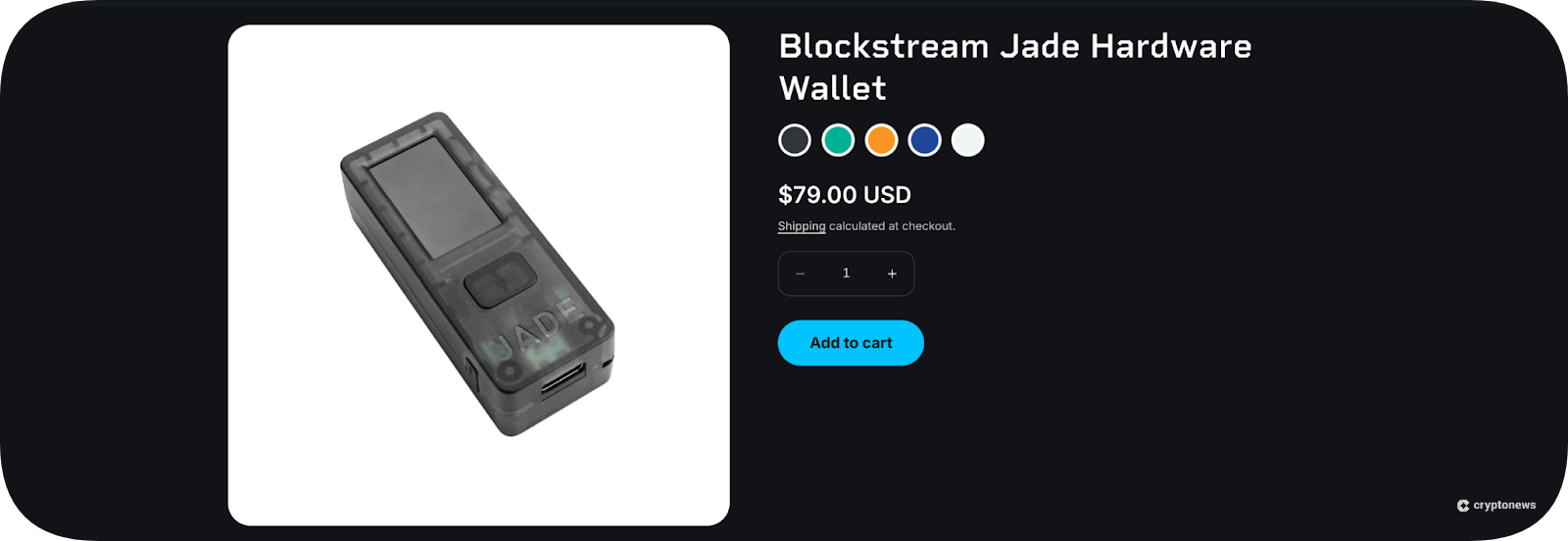
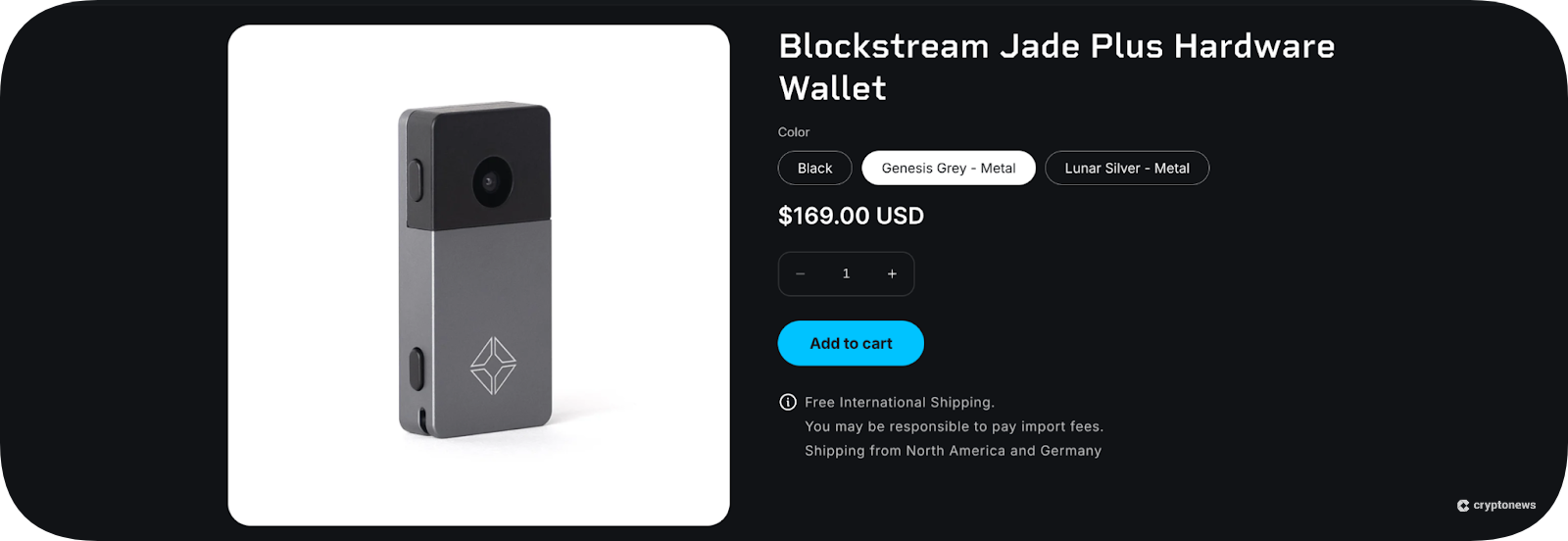
Blockstream still offers both the Jade and Jade Plus, with the original Jade providing a lower-cost option that embraces Blockstream’s open-source commitment. The Blocksteam Green wallet is available for free download and use. The Jade wallets require a purchase.
Blockstream Jade: $79
Blockstream Jade Plus: $149
Note: Check for sales or promotions. Pricing can change.
Blockstream does not add a markup to standard network fees to use the supported blockchain networks and allows users to customize network fees to their needs (higher fees enable faster completion; lower fees may delay transactions).
Users can also purchase Bitcoin through the Blockstream App, which integrates several third-party providers. BTC purchases made with a debit card within the app are deposited directly into the wallet. However, expect a markup and additional transaction fees. Third-party providers use a spread, which acts as a markup to lock in a price on volatile assets for a limited time.
Visit Blockstream JadeWe compared the amount of Bitcoin we could buy at market prices on an exchange to the amount we would receive using the lowest-cost third-party provider.
$100 BTC Purchase
- Market Price Amount Received: 0.00092 BTC
- Third-Party Provider Amount Received: 0.00088685 BTC
In this example, using a third-party provider costs an additional $3.10 for the BTC itself at the current market price. However, you may also pay additional fees. We were quoted $1.00 as a processing fee, as well as a network fee for transferring the BTC to your wallet. In total, the additional costs added about $4 to the purchase price compared to using an exchange. We did not include the network cost to transfer the BTC to the wallet because an exchange would charge a similar amount.
Is Blockstream Jade User-Friendly?
The Jade and Jade Plus differ in their usability, with the Jade using a selector wheel to navigate the on-screen prompts. The newer Jade Plus features a two-button interface comparable to that of popular hardware wallet competitors, such as Ledger and Trezor. Of the two Blockstream wallets, the Jade Plus offers a better user experience. Air-gap users will experience a few extra steps both in setup and general use due to the reliance on QR codes.
The Blockstream app, however, is intuitive and easy to use for beginners or seasoned users. Upon installation, the user can create a standalone wallet, restore a wallet using a seed phrase, or connect to a Jade hardware wallet. On the hardware end, users have the option to restore a wallet or set up a new one. The Jade Plus also does a “Genuine Check,” a security feature that confirms the device is not a clone.
For complete setup instructions, you can follow this Jade mobile Bitcoin hardware wallet tutorial.
While not difficult to use, the Jade can be more complex than competing wallets due to its air-gap functionality. This is optional, however, and users who opt for a wired connection or Bluetooth should find the Jade similar to competing devices from Ledger and Trezor in terms of ease of use.
During setup, users can choose from a 12-word or 24-word seed phrase, with the option to add a user-selected word as a passphrase, effectively creating a hidden wallet.
Blockstream Jade Customer Support
The Blockstream Help Center offers a comprehensive knowledge base that covers setup and operational topics, providing in-depth explanations and screenshots to illustrate the steps. This should be the first destination if you have questions about the Jade or Green wallet. An AI-powered chatbot in the help center helps users quickly find information.
A ticket-based support form provides an alternative way to reach out. Be prepared to wait for a response.
User reviews on Trustpilot give Blockstream a low 2.0 out of 5 stars, with complaints centering on the complex setup and transactions that went awry. The latter may be the result of user error, and low ratings for crypto-related services on Trustpilot are common due to crypto’s complexity.
Where Can Blockstream Jade Improve?
User reviews often highlight areas in which products miss the mark. In Blockstream’s case, it’s the complexity. While the Jade offers better security than many competitors with its air-gapped functionality, the extra steps in setup and use create a stumbling block for newer users. Even experienced users may find usage to be cumbersome. Higher security often comes at the expense of usability.
The Jade’s complexity, particularly for air-gapped transactions, makes it better suited for security buffs who want the ultimate protection. Users who intend to use the Jade with a USB-C connection should find it similar to other popular wallets. Bluetooth compatibility is also similar to that of other hardware wallets. However, users should be aware that Bluetooth support may be limited to the Blockstream app only.
How Does Blockstream Jade Compare Against Other Top Hardware Wallets?
Since the first hardware wallet launched in 2014, dozens of makers have introduced options for offline key storage, including Ledger (among the first), Cypherock, and Tangem. Each of these takes a different approach to security and usability, and all of these makers support additional blockchains. Let’s briefly compare the Jade to some popular competing wallets.
Blockstream Jade vs. Cypherock X1
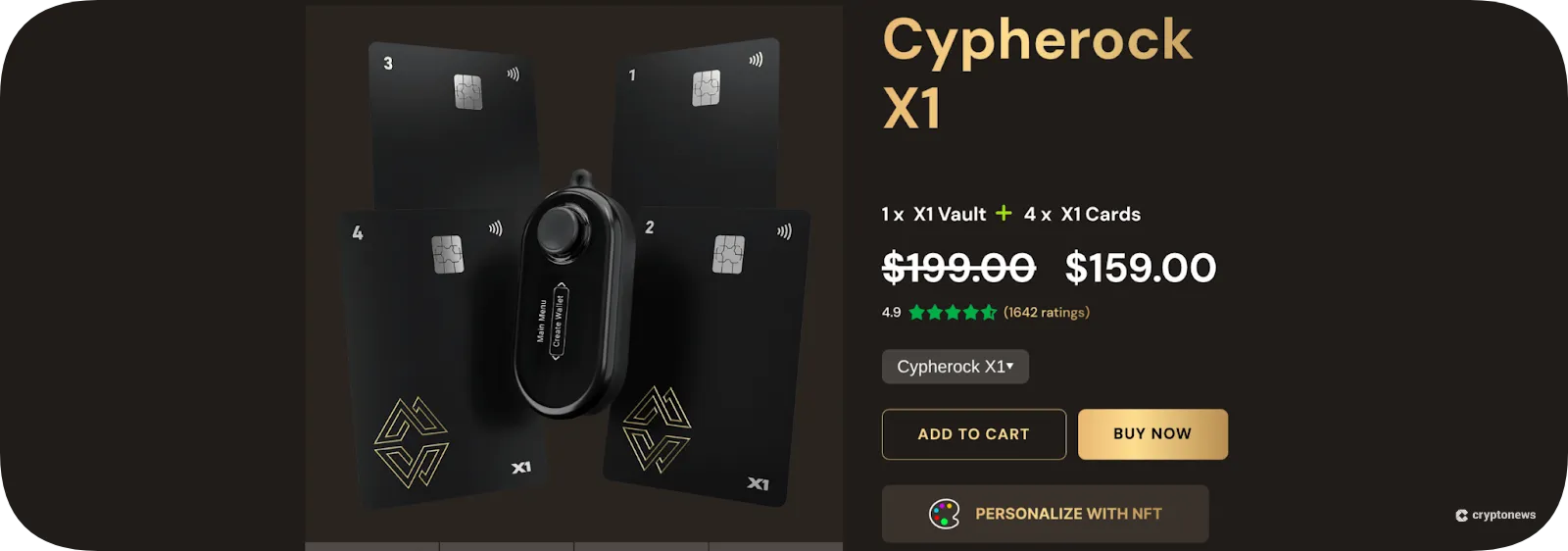
The Cypherock X1 uses a central hardware wallet paired with four near-field communication (NFC) cards. Any two of the NFC cards or any one of the NFC cards (along with the wallet itself) can be used to authorize transactions. This redundant design offers an alternative to traditional seed phrases.
Both wallet makers remain committed to open-source principles. The X1 is priced similarly to the Jade Plus, targeting step-level buyers. Cypherock’s X1 supports over 5,000 coins and tokens, making it well-suited to users who need multi-chain support.
Learn more
Blockstream Jade vs. Ledger Stax
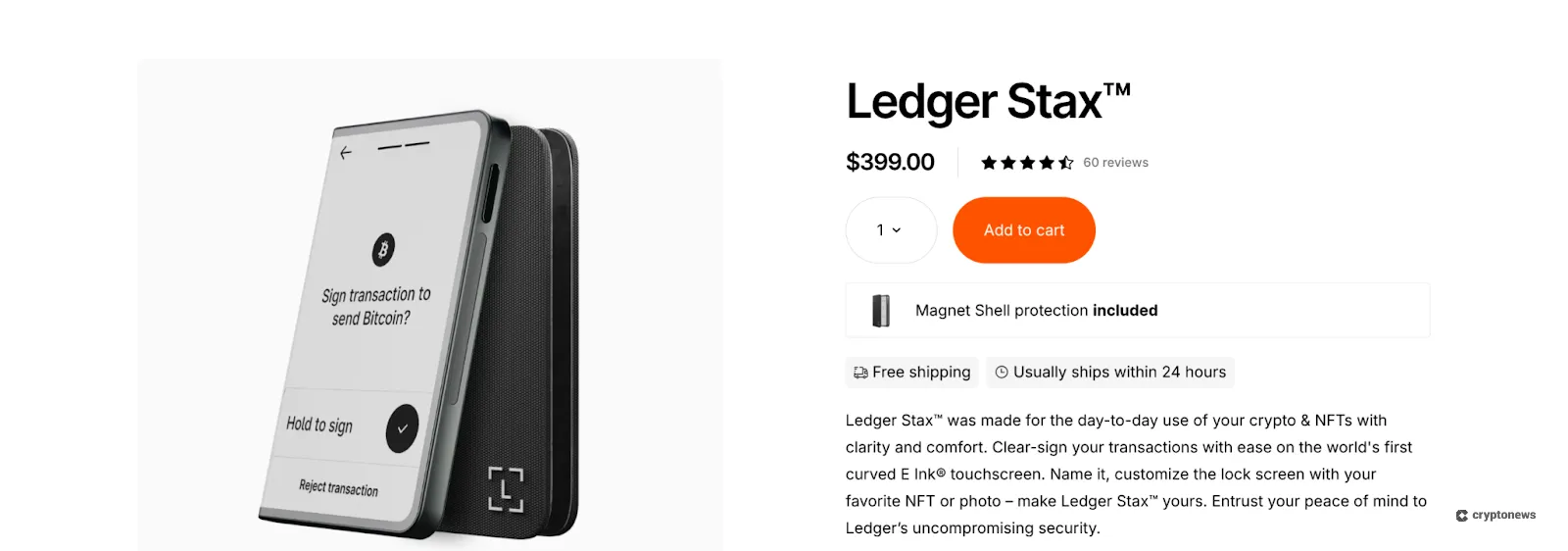
The Ledger Stax is Ledger’s flagship model ($399), featuring a large e-ink display. Again, the number of cryptocurrencies tops 5,000 coins and tokens. The device supports both Bluetooth and USB-C connections, making it a versatile choice for both desktop and mobile users.
However, the Stax differs from the Jade in two more key areas: air-gapped transactions and open-source code. The Stax does not support air-gapped transactions, and only the companion app is fully open-sourced. The firmware is not open-source because it utilizes a proprietary secure element chip.
Learn more
Blockstream Jade vs. Tangem
The Tangem uses NFC cards, similar to the Cypherock X1, but without a main hardware wallet as part of the configuration. The NFC cards hold the private keys and depend on proximity to a mobile device that has the Tangem mobile app installed. Similar to Ledger, the Tangem firmware is not open-sourced due to its EAL6+ certified secure element chip. However, the Tangem wallet is the price leader in this roundup at about $55.
Tangem’s approach differs significantly from that of Blockstream. Tangem does not provide a hardware device with a screen or buttons. Instead, it uses the mobile app for its functionality. Tangem also makes seed phrases optional, with the default backup method being an additional Tangem card.
Learn more
Blockstream Jade Review Conclusion: Is It The Best Bitcoin Hardware Wallet?
For Bitcoin security, it’s hard to beat the Blockstream Jade and Jade Plus due to their air-gapped transactions capability. Transparency fans will also take comfort in the company’s commitment to open-source code for both software and firmware.
Is the Jade for everyone? No. The Jade and Jade plus focus on Bitcoin use cases, including the Liquid Network sidechain. The lack of support for other popular networks, such as Ethereum and Solana, makes the Jade lineup best suited for Bitcoin-only users or as a secondary device dedicated to Bitcoin ecosystem use cases. In this scenario, the Jade stands apart in an increasingly crowded hardware wallet market.
Visit Blockstream JadeOur Methodology: How We Tested and Reviewed Blockstream Jade
For our Blockstream Jade review, we tested the mobile application (Green wallet) and set up test wallets on the Jade. We compared several areas to other hardware wallets we’ve tested, including ease of use, wallet setup, blockchain coverage, backup methods, and security.
The Jade ranked among the best hardware wallets for security, particularly for air-gapped transactions. However, this same functionality removes points for usability. Newer users may struggle with initial air-gap setup and subsequent transactions.
The Jade’s focus on Bitcoin exclusively can be a pro or a con, depending on the user’s focus. Backup methods (seed phrase) put it on par with competing devices and higher than those that sidestep seed phrases in favor of backup cards or methods that depend on a remote server.
FAQs
Can Blockstream Jade get hacked?
Is Blockstream Jade air-gapped?
Does Blockstream Jade only support Bitcoin?
Is Jade better than Ledger?
How do I know if my Blockstream Jade is real?
Can I buy Bitcoin on Blockstream?
References
- Blockstream/Jade (github.com)
- Firmware Extraction: Evil-Maid Attacks on Blockstream Jade Hardware Wallet (ledger.com)
- Engineer hacks Trezor wallet, recovers $2M in 'lost' crypto (cointelegraph.com)
- Fix issues pairing Jade via Bluetooth (blockstream.com)
- Welcome to Blockstream Support (blockstream.com)
- Blockstream (trustpilot.com)
Disclaimer: Crypto is a high-risk asset class. This article is provided for informational purposes and does not constitute investment advice. You could lose all of your capital.

Marina Avramovikj
Crypto Content Writer

Marina is a content writer with over 5 years of experience in the cryptocurrency space. Her specialty is writing reviews and guides for centralized and decentralized crypto exchanges and crypto wallets, with a focus on security, usability, and user experience. She regularly tests crypto platforms and wallets to provide readers with clear, unbiased, and useful information through practical guides and comparative analyses.
