 Arculus Wallet Review 2025: Most Secure Wallet to Use?
- NFC security card with air-gap design, no charging needed
- Triple-layer authentication: fingerprint, PIN, and physical card
- Seamless smartphone compatibility on both iOS and Android
- Supports NFTs as well as DeFi applications
This Arculus cold storage wallet review looks at how one of the newer solutions aims to simplify secure storage without dragging you through a maze of cables, PIN pads, and firmware updates. By the end, you’ll know whether Arculus is a sleek but limited option, a true Ledger/Trezor competitor, or something in between.
Our methodology is simple but thorough. We put the Arculus cold storage wallet through hands-on testing, reviewed its security certifications, checked supported assets, and compared it with the incumbents in the hardware wallet space. Beyond specs, we also dug into what real users say, because glossy product pages don’t always tell you about quirks, frustrations, or hidden strengths.
Our Take on Arculus Wallet: Pros and Cons
Arculus does things differently. It’s not a USB stick, touchscreen, or bulky gadget. It’s a slim NFC card that pairs with your phone, so you don’t have to mess with cables or updates. Setup takes minutes, and the card itself requires no charging, ever.
But simplicity comes with trade-offs. While it’s excellent for mobile-first users and beginners who want low-maintenance cold storage, it doesn’t offer the sheer depth of ecosystem integration you’ll find with Ledger or Trezor. Power users who want advanced features like passphrase protection or compatibility with obscure altcoins may find Arculus a bit limiting.
Arculus is ideal for crypto investors who stick to mainstream coins, manage everything on their phones, and want a sleek, low-maintenance cold storage option. Hardcore DeFi players and collectors of every new token launch might want more flexibility elsewhere.
Pros:
- Air-gapped NFC card with no charging required
- 3-factor authentication (biometric, PIN, card)
- Sleek mobile integration (iOS & Android)
- NFT and DeFi support
- Strong security certifications (EAL6+)
Cons:
- Mobile-only management (no desktop option)
What is Arculus cold storage wallet?
The Arculus Wallet is a cold storage solution built by CompoSecure, a U.S.-based company best known for manufacturing high-end metal credit cards. Launched in 2021, the product takes inspiration from the banking world’s obsession with durability and tamper resistance, repurposing that into a crypto security tool.
Unlike hot wallets that connect to the internet or exchange custodial solutions where a third party holds your keys, Arculus is non-custodial cold storage. That means your private keys are generated and secured inside the Arculus card, never leaving the device. Access requires tapping the card against your smartphone via NFC, entering your PIN, and authenticating biometrically through the app.
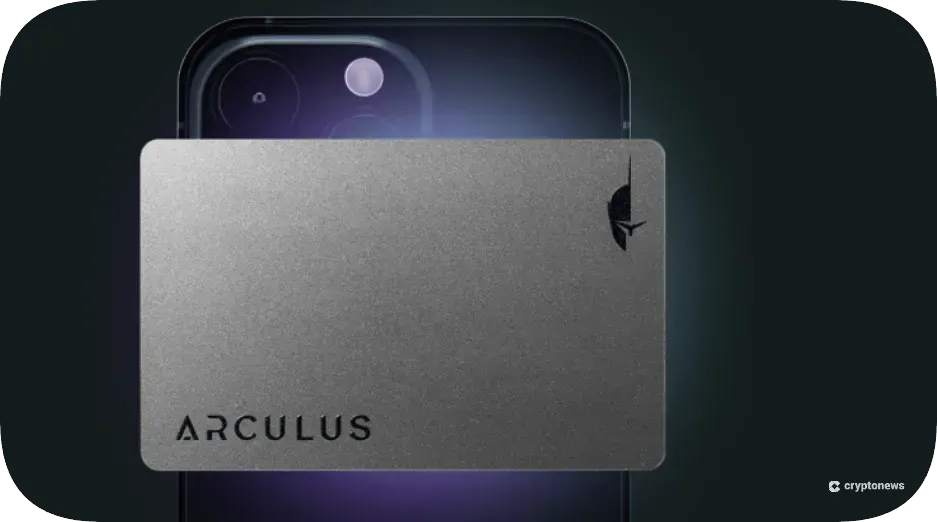
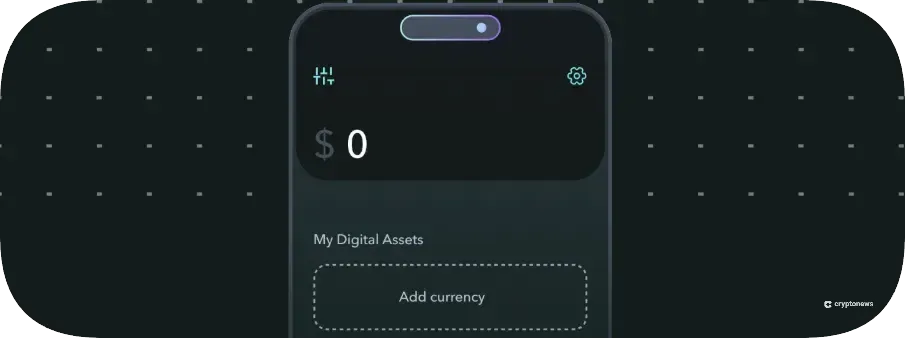
The wallet is credit-card-sized, metal, and minimalist, which is more discreet than carrying a USB hardware wallet. All asset management happens through the Arculus app (iOS and Android), which integrates buy/sell/swap functionality alongside cold storage.
Arculus wallet supported coins and networks
This is where things get confusing. Depending on which source you check, Arculus either supports “40+ coins” or “over 10,000 assets.” But as you will get to see in this Arculus cold storage wallet review, the truth lies in how you define “support.”
As of 2025, Arculus supports dozens of major blockchains—like Bitcoin, Ethereum, Polygon, Binance Smart Chain, and Litecoin—and through Ethereum and other EVM networks, it can store thousands of ERC-20 and BEP-20 tokens, covering about 95% of the crypto market cap.
This explains the “10,000 asset” claim; it’s less about native chains and more about token standards. That said, you cannot buy/swap many assets, but mostly store them. Solana, Cardano, and Avalanche aren’t supported yet, though you can swap or buy assets like Stellar and Tether.
Arculus handles most mainstream coins well, but if you’re deep in the Solana or Avalanche ecosystems, you’ll run into limits.
Is Arculus wallet safe? Security features reviewed
The key question for any cold wallet is whether it can block hackers, malware, and costly mistakes. Arculus tackles this with layered security—hardware-level protections plus features that reduce human error.
Since its launch in 2021, Arculus has not suffered a public hack or major security compromise. Its parent company, CompoSecure, has long experience in tamper-resistant banking card manufacturing, so this isn’t a startup experimenting with your crypto.
That said, no wallet is invulnerable. A cold storage solution only works if the user takes setup, backup, and recovery seriously.
As we continue this Arculus cold storage wallet review, let’s look at the core features that make Arculus stand out.
Air-gapped protection
The card never goes online or plugs into a computer. It uses NFC to talk to your phone, and since private keys stay sealed inside and transactions are signed on the card itself, malware on your phone or PC can’t steal them. This air gap dramatically reduces attack surfaces compared to hot wallets.
Three-factor authentication
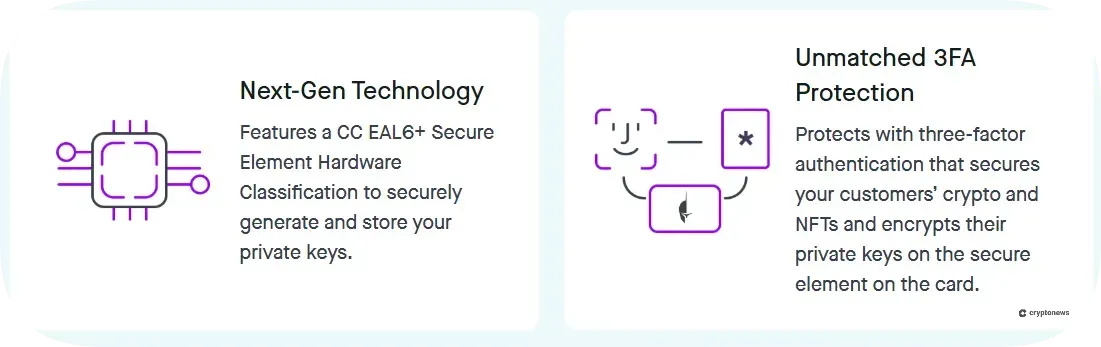
Arculus uses three distinct factors to unlock and authorize a transaction:
- Something you are: Your fingerprint or facial ID via the phone’s biometrics.
- Something you know: A 6-digit PIN set during wallet setup.
- Something you have: The physical Arculus card.
Even if a thief steals your phone, they can’t move funds without the card and PIN. If they somehow snatch the card, they still need your biometric + PIN. That’s stronger than most hardware wallets, which usually rely on a PIN plus device possession.
EAL6+ certification
The card’s secure element is EAL6+ certified, which is a high-level security standard also used in passports, banking, and payment systems.
EAL levels run from 1–7, with 7 being the most extreme. Hitting 6+ means Arculus is built to withstand high-level penetration testing and side-channel attacks. Most wallets don’t bother explaining this, but Arculus does, and it matters for long-term trust.
Backup and recovery
Like any cold wallet, if you lose your Arculus card, you’re in trouble, unless you’ve backed up properly. During setup, Arculus provides a 12-word recovery seed phrase. That seed can restore your wallet into another Arculus card or even compatible third-party wallets if needed.
Where Arculus differs from some competitors is that it doesn’t currently support multiple card backups (like Tangem does). Lose both the card and the seed phrase, and your assets are gone. This makes careful storage of the seed phrase non-negotiable.
Arculus Wallet Additional Features
Arculus also aims to merge cold storage with the kind of functionality users expect from modern wallets. While it’s not as feature-packed as a Ledger ecosystem, it goes beyond just holding coins.
NFT management
The wallet supports Ethereum and Polygon NFTs, viewable directly in the app. You can send, receive, and store them securely. However, collectors with Solana or Tezos NFTs are out of luck for now; support remains Ethereum-centric.
DeFi & dApp integration
With WalletConnect, Arculus links to DeFi apps, so you can use exchanges, lending, or staking platforms without exposing your private keys.
It’s not as seamless as MetaMask, but for a cold wallet, the balance between access and safety is well handled.
Multi-wallet support
You can manage multiple wallets within one interface, which is useful if you’re separating funds by purpose (long-term hold vs. trading stash) or sharing a card with family. This is convenient but still tied to the single card as the root of trust.
No charging required
Unlike Ledger or Trezor, the Arculus card has no battery. It uses NFC power when tapped against a phone. For travelers and minimalists, this is a real advantage.
Arculus wallet pricing and fees
Arculus keeps its pricing simple: a one-time purchase of the card from the official website or major retailers like Amazon. Sometimes you’ll find discounted bundles, and promos can drop the price further. Compared to Ledger or Trezor’s $79–$279 range, Arculus lands in the mid-tier.
There are no ongoing subscription fees or hidden charges for simply using the wallet. The only costs you’ll encounter are:
- Network fees: standard blockchain transaction fees when sending crypto (e.g., Ethereum gas fees).
- Third-party fees: when buying or swapping crypto in the Arculus app. These providers typically add a spread or percentage fee on top of network costs, which is often in the 2–5% range, depending on payment method and location.
For long-term holders who mostly transfer in/out occasionally, the upfront cost is all you’ll pay. If you’re planning to actively trade, it’s worth noting that using Arculus’s in-app purchase/swap functions may cost more than exchanges or DeFi platforms.
Is Arculus cold storage wallet user-friendly?
One of Arculus’s biggest selling points is its simplicity. The wallet is made for people who want strong security without the hardware wallet learning curve. Everything revolves around the Arculus app, available on both iOS and Android.
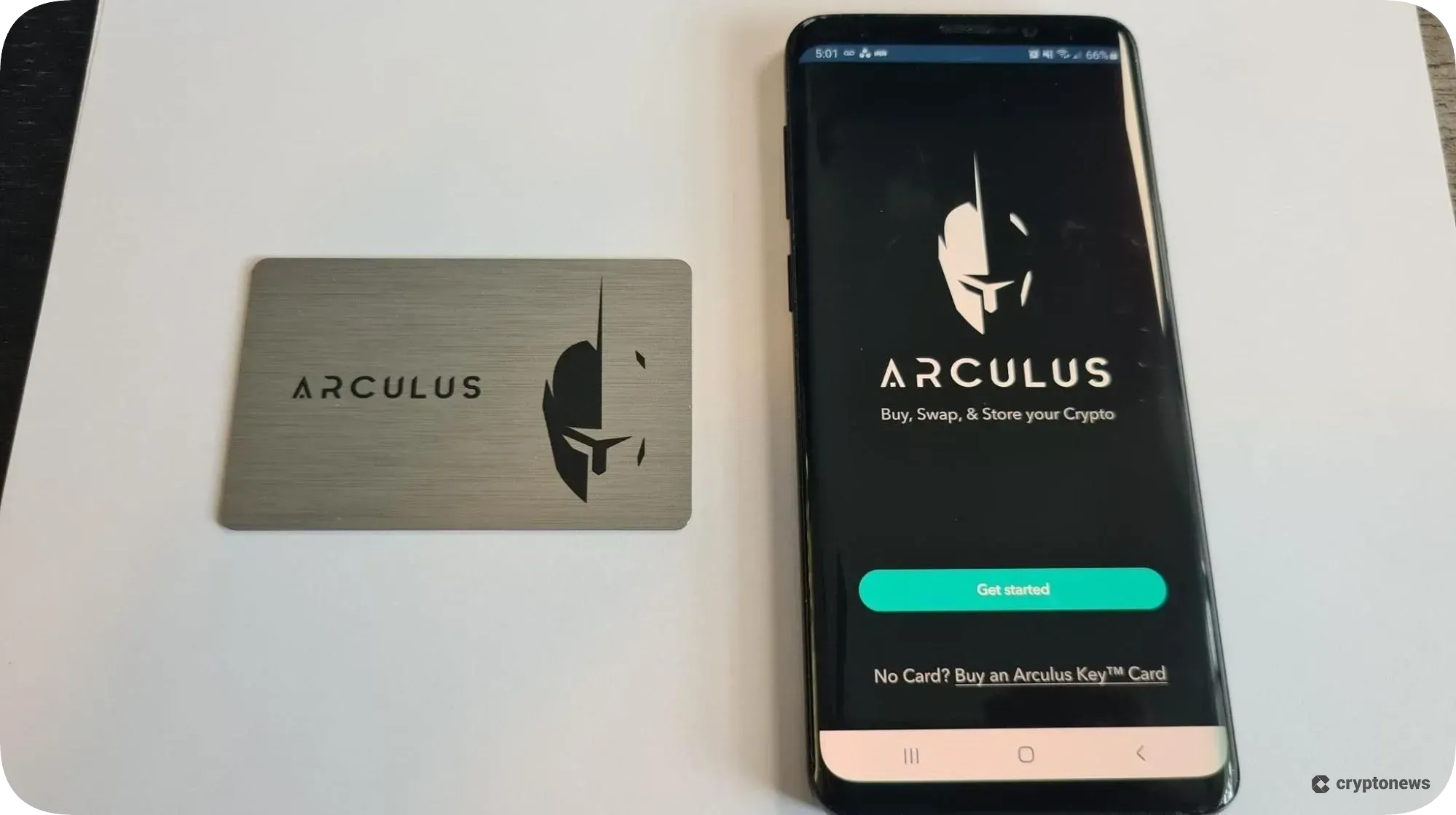
Setup takes under 10 minutes: download the app, tap the card, set a PIN, note your 12-word recovery phrase, and you’re ready. Arculus skips the firmware updates and USB hassles of Ledger or Trezor.
Its app is clean, minimal, and fast. Balances, transactions, and NFTs display smoothly, with intuitive navigation. Where it differs from some competitors is its mobile-first philosophy: there’s no native desktop app. If you manage assets mostly from a laptop or prefer a wide-screen portfolio view, this is a limitation.
On both iOS and Android, users report that the app is stable and quick. Tapping the card to authorize a transaction is near-instant. However, some power users note that the lack of advanced features (like custom gas controls or passphrase support) can be frustrating if you’re deep into DeFi.
Overall, according to our Arculus cold storage wallet review, Arculus nails ease of use for beginners and intermediate users. If your priority is minimizing setup pain and making secure transactions feel as natural as tapping a credit card, it’s arguably one of the friendliest cold wallets out there.
Arculus wallet alternatives
Arculus is sleek and simple, but it’s not the only cold storage option. Different wallets cater to different priorities, as some focus on advanced features, and others on extreme minimalism or broad ecosystem integration. Here’s how Arculus stacks up against its key competitors.
Best Wallet
Best Wallet is an all-in-one crypto platform. Unlike Arculus, it integrates portfolio tracking, news feeds, and a built-in Web3 browser.
For users who want a daily driver wallet with live data and market features, Best Wallet goes further. However, it sacrifices some of the hardened cold-storage ethos: it’s not as air-gapped as Arculus, and that’s a trade-off security purists won’t love.
Cypherock X1
Cypherock X1 tackles recovery risk head-on. Instead of relying on one card plus a seed phrase, it splits your private keys across multiple hardware cards.
Compared to Arculus, this makes Cypherock better for those who obsess over redundancy. The downside is that setup and management are more complex, and it’s less tap-and-go than Arculus.
Ledger Stax
Ledger Stax is the luxury choice with a curved e-ink display, wireless charging, and Bluetooth support. It supports thousands of coins and NFTs across many chains.
It’s also more expensive, but for power users who want desktop and mobile compatibility with top-tier coin coverage, Ledger Stax wins. But if you just want secure mobile cold storage without paying for a gadget-lovers’ toy, Arculus is simpler.
Tangem
Tangem takes Arculus’s card concept and pushes it further. Each Tangem card stores keys and comes in a pack of two or three, solving the backup problem elegantly, and if you lose one card, the others still work.
Tangem also doesn’t require a seed phrase by default, which some find convenient but others see as risky. Compared to Arculus, Tangem is cheaper per card (roughly $50 each in bundles). Arculus, however, still wins on app polish and NFT/DeFi integration.
Arculus wallet customer support
Cold storage is supposed to be set-and-forget, but things go wrong: forgotten PINs, lost cards, app glitches. That’s where customer support becomes critical.
Arculus offers support through:
- Email ticketing system via their website.
- Help Center/Knowledge Base, covering setup, recovery, and troubleshooting.
- Community presence on Reddit and other crypto forums, though unofficial.
Response times are generally reported as 24–48 hours via email, with straightforward cases (like account access or order issues) resolved quickly. The knowledge base is decent but lacks the exhaustive depth you’ll find with Ledger or Trezor’s support docs.
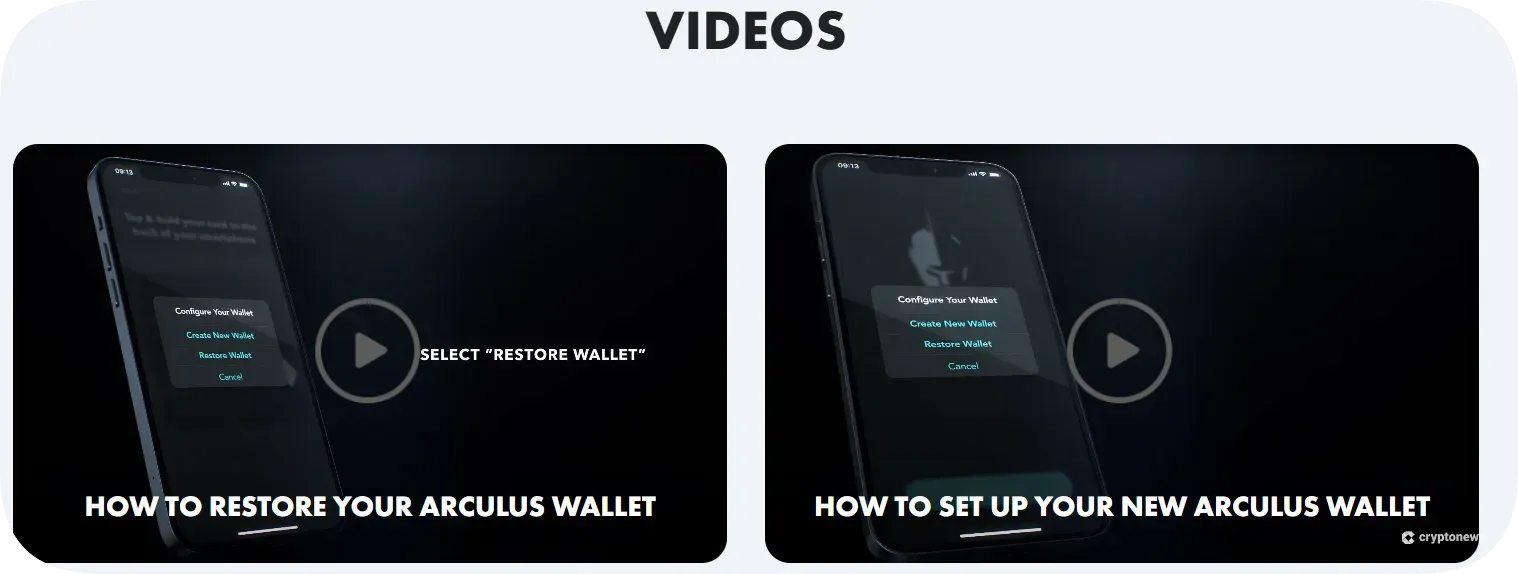
One weak spot is that there’s no live chat. If you hit a time-sensitive issue, let’s say, you’re traveling and can’t get the app to pair, it can feel slow compared to competitors that have more robust support teams.
That said, most users don’t need frequent support once setup is done. For people who prize simplicity and stability, the lack of live chat may be acceptable.
How to set up Arculus cold storage wallet
One of Arculus’s strongest points is that setup feels closer to activating a payment card than configuring a tech gadget. There are no USB cables, firmware updates, or driver headaches. Everything runs through the mobile app and the NFC-enabled card. Here’s the full process:
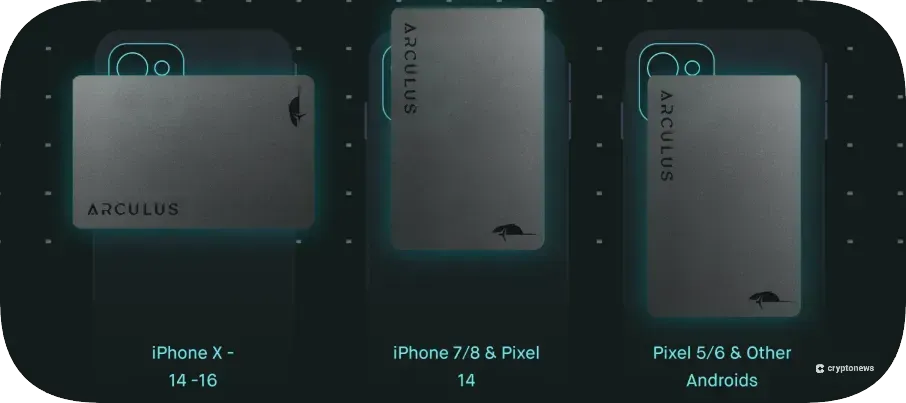
Step 1: Tap the card to your phone
Download and open the app, then hold the Arculus card against the back of your smartphone. The app will detect the card via NFC and begin the setup wizard.
Step 2: Create a PIN
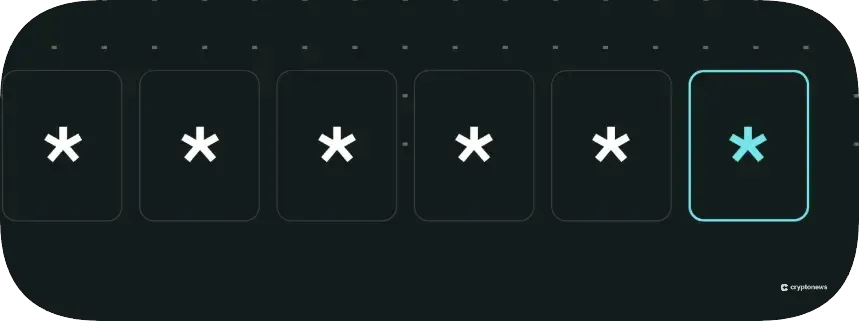
Create a 6-digit PIN. This is your second layer of authentication and will be required for every transaction. Choose one you’ll remember, but avoid obvious sequences like 123456.
Step 3: Record your recovery phrase
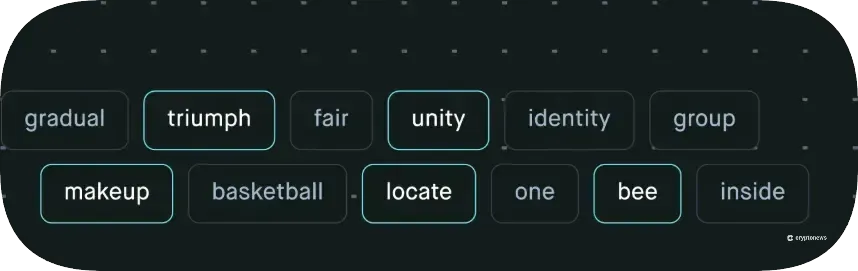
The app will generate a 12-word recovery seed phrase. This phrase is your ultimate backup if your card is lost or damaged. Write it down on paper and store it somewhere safe. Never screenshot it or store it online.
Step 4: Test with a small transfer
Before moving significant funds, always test with a small amount. Send a fraction of a coin from your exchange or hot wallet to the new Arculus address, confirm the transaction in-app, and ensure it arrives safely.
Arculus wallet review conclusion: Is it the right cold storage wallet for you?
The Arculus Wallet isn’t trying to be everything to everyone, and that’s its strength. Instead of competing with Ledger’s sprawling app ecosystem or Trezor’s customizable workflows, Arculus focuses on doing one thing extremely well: making cold storage as simple as tapping a card to your phone.
For mobile-first investors holding mainstream assets like Bitcoin, Ethereum, and ERC-20 tokens, it’s one of the most user-friendly cold storage wallets available in 2025. The air-gapped card, three-factor authentication, and EAL6+ certification give it a security pedigree that rivals any competitor. And for NFT collectors on Ethereum or Polygon, the built-in NFT management is a bonus that few cold wallets match.
That said, no Arculus cold storage wallet review would be complete without its trade-offs.
There’s no desktop interface, which will frustrate power users who want advanced flexibility. And while the price tag is fair, alternatives like Tangem or Ledger Nano S Plus may deliver broader features at similar costs.
So, is Arculus the right cold storage wallet for you?
If you’re a long-term holder who values simplicity and security without hassle, Arculus is an excellent choice. If you’re a DeFi power user or chain-hopper chasing every new altcoin, you may outgrow it quickly.
Our methodology: How we tested and reviewed Arculus wallet
We tested setup, transaction speed, NFT management, and WalletConnect integration with DeFi apps.
We analyzed the wallet’s air-gapped NFC model, three-factor authentication, and EAL6+ certification. We also studied potential attack vectors (lost card, stolen phone, compromised PIN) to assess resilience.
We cross-checked supported coins and tokens through the Arculus app, official documentation, and independent reports. Where sources disagreed, we reconciled claims by confirming token standard support.
We compared Arculus with Ledger Stax, Tangem, Cypherock X1, and Best Wallet, looking at usability, security, and price. To add real-world context, we pulled insights from Reddit, app store reviews, and Amazon buyers. This way, our conclusions reflect both specs and actual user experiences.
FAQs
Is Arculus Wallet worth it?
What kind of wallet is Arculus?
How does Arculus Wallet work?
Can I buy crypto with Arculus Wallet?
How long has Arculus been in business?
References