


 Exodus Wallet Review 2026: Is it Legit?
- Send and receive your crypto assets peer-to-peer seamlessly.
- No verification or registration required.
- 24/7 customer support + fully fledged mobile wallet app.
Founded in 2015, Exodus Wallet has become a popular choice for those looking for somewhere safe to store their cryptocurrency holdings. So just how safe is this crypto wallet?
With countless software wallets on the market, finding a trustworthy solution can feel like navigating a maze. So, we’ve done the research for you to help you make the best choice. Our Exodus Wallet review dives deep into its features, how it keeps your assets safe, and the process of setting up and using your Exodus Wallet in less than five minutes. Let’s get started!
Exodus Wallet Review Highlights
Exodus Wallet is one of the best software crypto wallets available. It’s a self-custody wallet, which means you have full control over your assets. Users can easily buy, trade, and receive crypto in-app. With staking options, integrated Web3 dApps, and an NFT marketplace, it has something to suit every crypto investor.
It has a robust backup option for security, although the security code is closed-source. It’s also free to use — although buying crypto in-app can incur high fees.
Exodus Wallet is an easy-to-use, safe option for both experienced traders and those looking to start crypto investing. It has great customer service, a wide number of supported coins, and an active development team. Overall, our Exodus crypto wallet review finds it to be a great multi-purpose wallet for everyday use.

- Interactive user interface
- Supports buying crypto with fiat
- Staking options available
- Supports over 15 networks
- Can add alternative coins manually
- Dedicated support team with 24/7 live chat

- Limited security features
- High fees for credit/debit card purchases
What is Exodus Wallet?
Exodus Wallet is a versatile self-custodial wallet for storing, managing, and exchanging various cryptocurrencies. It also serves as a portal into the world of Web3, with access to the most popular Web3 apps such as Aave, Compound Finance, Magic Eden, and OpenSea. Users can borrow, trade NFTs, stake, and earn interest through these apps.
Founded in 2015 by Daniel Castagnoli and JP Richardson, Exodus Wallet quickly gained recognition for its sleek design and intuitive interface. Richardson is the techie behind the product, having written code still used by the Bitcoin network today. Castagnoli works on the user side, ensuring a smooth and seamless user experience. They head up an active development team that regularly updates the Exodus crypto wallet.
Exodus Wallet caters to a diverse user base, ranging from casual investors to seasoned traders seeking a reliable and secure everyday trading solution. Based on our Exodus wallet review, we find it to be a great wallet for beginners looking for a convenient way to start their crypto trading journey.
Which Cryptocurrencies Can You Store on Exodus?
Exodus supports a wide range of cryptocurrencies, with over 315 cryptocurrencies supported by default at the time of writing this. Our Exodus crypto wallet review found that coins are added regularly by the active development team, ideal for those looking for the best new crypto to buy in 2025.
Some of the popular cryptocurrencies supported by the Exodus crypto wallet include:
- Bitcoin (BTC)
- Lightning Network (LNBTC)
- Ethereum (ETH)
- Tether USD (USDT)
- BNB (BNB)
- Solana (SOL)
- XRP (XRP)
- USD Coin (USDC)
- Cardano (ADA)
- Avalanche (AVAX)
- Dogecoin (DOGE)
- Tron (TRX)
- Chainlink (LINK)
- Polkadot (DOT)
- Polygon (MATIC)
- Shiba Inu (SHIB)
Which Networks Does Exodus Support?
Exodus supports over 50 networks, including Bitcoin, Ethereum, Binance Smart Chain, and Solana. This variety gives you access to some of the largest coins by market capitalization as well as the hottest meme coins of 2025. Users can manually add coins as long as they are on one of these networks supported by Exodus Wallet. This gives users access to countless other cryptocurrencies.
Users can also store and trade any NFT from these networks through the application.
Is Exodus Wallet Safe? Security Breakdown
As software wallets go, Exodus Wallet is a safe choice with several security features in place to protect users. Exodus employs state-of-the-art encryption protocols to protect sensitive data, like your private keys, from unauthorized access. As it is a self-custody wallet, the user plays a pivotal role in security – the device you use is important, as is storing your recovery phrase safely.
One potential drawback is that the underlying code is closed-source, which can be an issue for those looking for full transparency. It also doesn’t support two-factor authentication (2FA). However, as a decentralized crypto wallet, Exodus doesn’t hold on to your customer data, meaning it can’t access the data needed for 2FA.
Strong Password Requirements
Exodus has implemented a password option to protect users. Once you set up your crypto wallet, you can create a strong, memorable password. For those concerned about having their Exodus Wallet hacked, we recommend making sure this is a password you haven’t used elsewhere.
12-Word Recovery Seed Phrase
After setting up your password, you’ll be shown your 12-word recovery phrase. This set of words allows you access to your wallet if you ever lose your password or device. The order of these words is important, so make sure to write this code down safely and correctly.
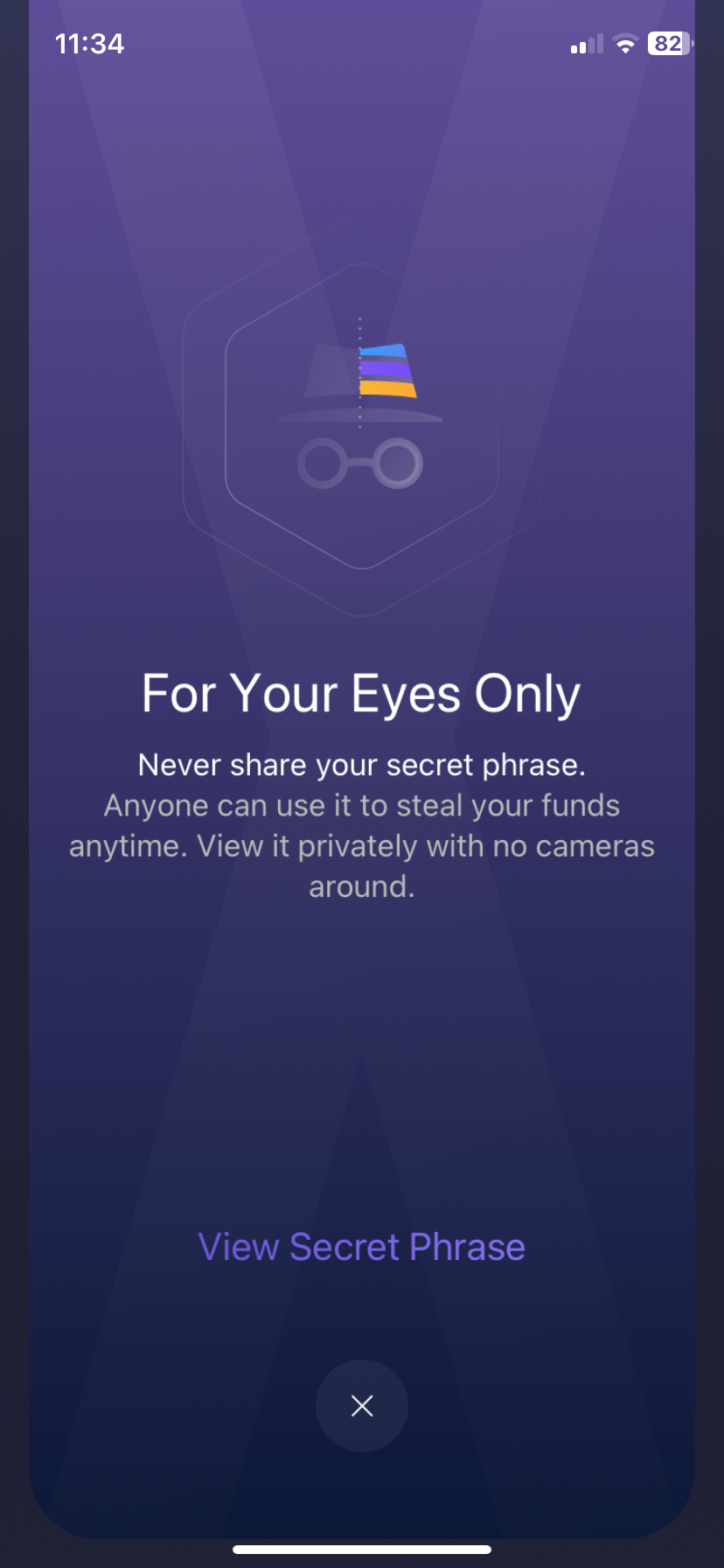
Combined with the password, this means that even in the event of hardware failure or loss, users can regain access to their funds.
Closed-Source Code
The software behind Exodus is closed source. Some people prefer open-source software so they can check it for any issues. However, Exodus, as a company, has never been hacked and has a long reputation as a reliable wallet provider, so for many, this doesn’t pose much of an issue.
In the interest of transparency, Exodus publishes some open-source code on GitHub for review. Exodus Wallet also has a track record of swiftly responding to security vulnerabilities, promptly releasing patches and updates to address any potential threats.
Integrate Exodus Wallet with Trezor
Exodus Wallet is a software wallet, which means it’s connected to the internet, making it vulnerable to remote attacks. Fortunately, it’s possible to connect your Exodus crypto wallet to Trezor. Trezor is one of the most reputable hardware wallets on the market today. As a physical offline wallet, your assets cannot be accessed by a hacker.
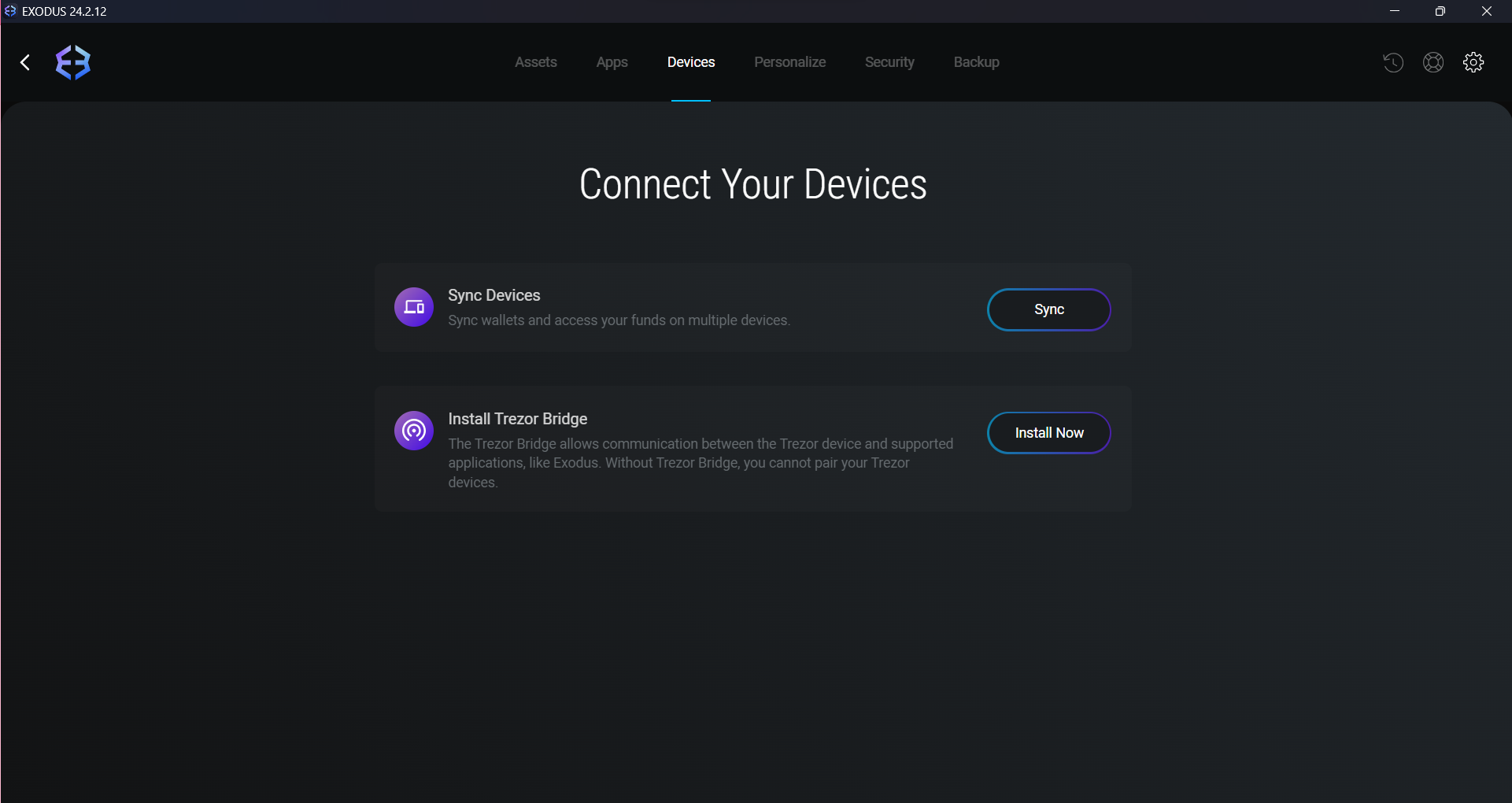
Exodus users can easily transfer their assets between their Exodus Wallet and their Trezor Wallet. This makes it easy to hold larger sums in their Trezor Wallet while using their Exodus Wallet for day-to-day trading and convenient access to the world of Web3. Crypto holders can access the enhanced security of Trezor while still using the Exodus interface.
Visit TrezorExodus Wallet Features Reviewed
Exodus Wallet offers a wide range of features to suit every crypto user. Users can easily access a wide variety of Web3 dApps within the app as well as buy, trade, and transfer cryptocurrencies. It also offers an NFT marketplace for users to manage their NFT portfolio.
One additional feature that sets it apart is its dedicated customer support. Exodus provides multiple options, including email, 24/7 live chat, and a robust knowledge base. There are also active Reddit and Discord communities.
Exchange Cryptocurrencies Within Exodus Wallet
Exodus offers a P2P (peer-to-peer) exchange within its wallet software. Exchanging cryptocurrencies within Exodus Wallet is a hassle-free process facilitated directly within the application. You can navigate to the Exchange tab, select the desired cryptocurrencies to exchange, specify the trading pair, and enter the amount to be exchanged.
There will be a small fee associated with this, which can vary but is usually around 1% to 3%. Using a traditional centralized exchange (CEX) may offer access to a wider range of trading pairs, advanced trading features (such as leverage), and potentially lower fees for high-volume traders.
Buy Cryptocurrencies Using Fiat Money
Many self-custody software wallets only let users hold and transfer crypto, meaning they’ll have to head to an exchange like Binance or Coinbase to buy their first cryptocurrency. Exodus Wallet has a MoonPay integration, so you can buy crypto using a debit/credit card, Apple Pay, Google Pay, or wire transfer.
Staking Cryptocurrencies
Exodus Wallet also offers a staking option. Staking is the process of locking up cryptocurrency in a blockchain network to support its operations, such as transaction validation, in exchange for rewards. It allows users to earn passive income while contributing to the network’s security and efficiency.
Crypto holders can trade their assets, such as Algorand (ALGO), Cosmos (ATOM), Solana (SOL), VeChain (VET), Cardano (ADA), and Tezos (XTZ). The rewards earned can vary and are subject to change. Currently, Cosmos (ATOM) can be staked for an Annual Percentage Yield (APY) of 18.97%, while Solana has an APY of 7%.
Staking your coins through Exodus is very straightforward. Once you hold a crypto asset, you can navigate to it in your portfolio and click the button in the right-hand corner, as you can see highlighted below in red.
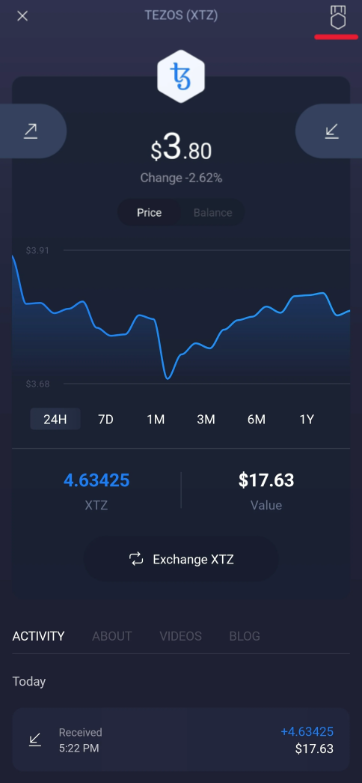
You’ll be taken to the staking page (note: staking that asset must be supported by Exodus). Click “Stake” to start staking your assets.
After about twenty days, you’ll start to receive rewards in the form of your staked token. While it may have a lower return rate than other methods, it’s an easy, low-risk way to earn passive income.
NFT Marketplace
For digital art fans, Exodus is among the top Web3 wallets with a built-in NFT marketplace and gallery so you can view your collection in-app.
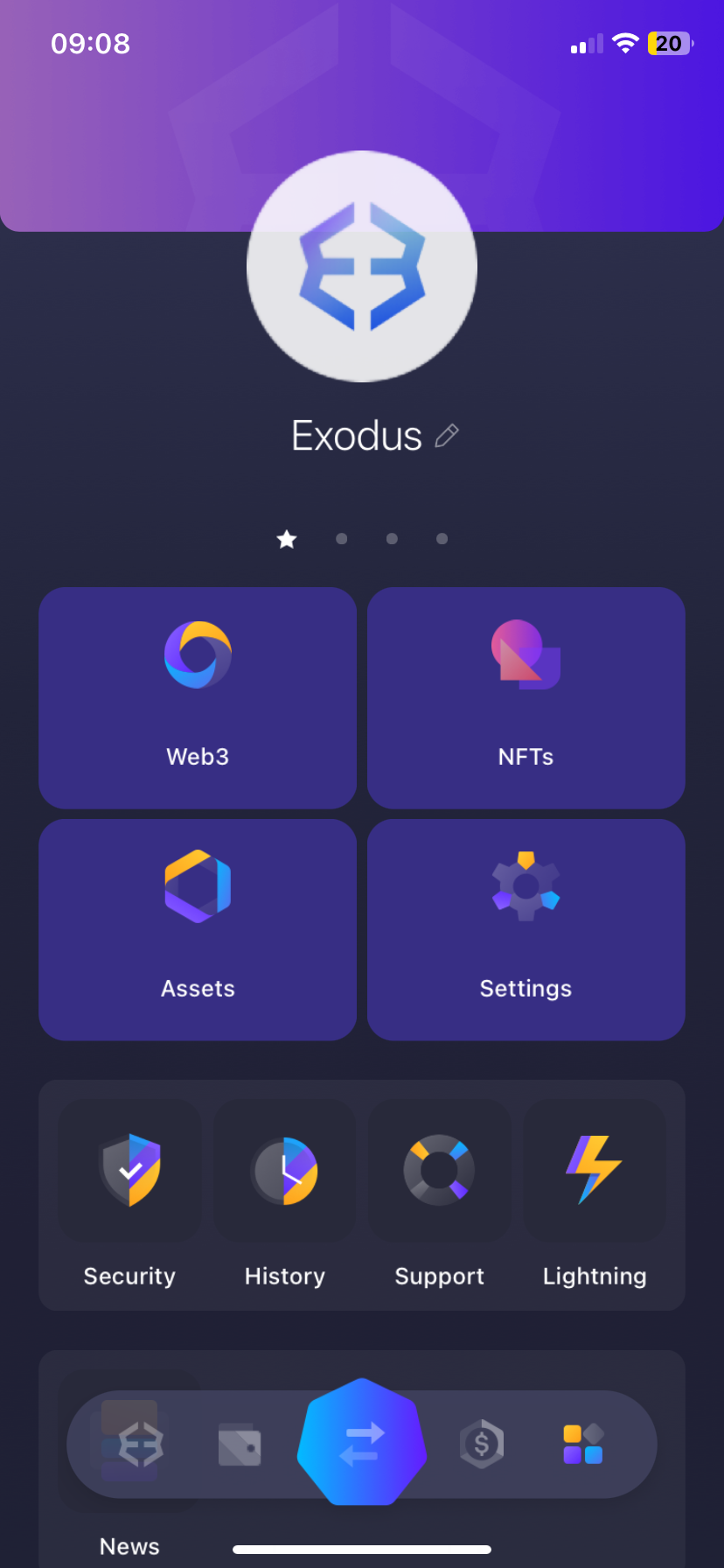
The in-app NFT marketplace is Magic Eden, a Solana-based marketplace. While this may be limiting for those with NFTs from multiple networks, users can also access OpenSea, the largest NFT marketplace, through their dApp collection.
Exodus User Interface: Is it Easy to Navigate?
Exodus boasts an easy-to-use and sleek user interface (UI). We were impressed with how easy it was to get started and navigate the application. Many of the reviews online also mention how accessible it is, which makes it suitable for both beginners and experienced cryptocurrency traders alike.
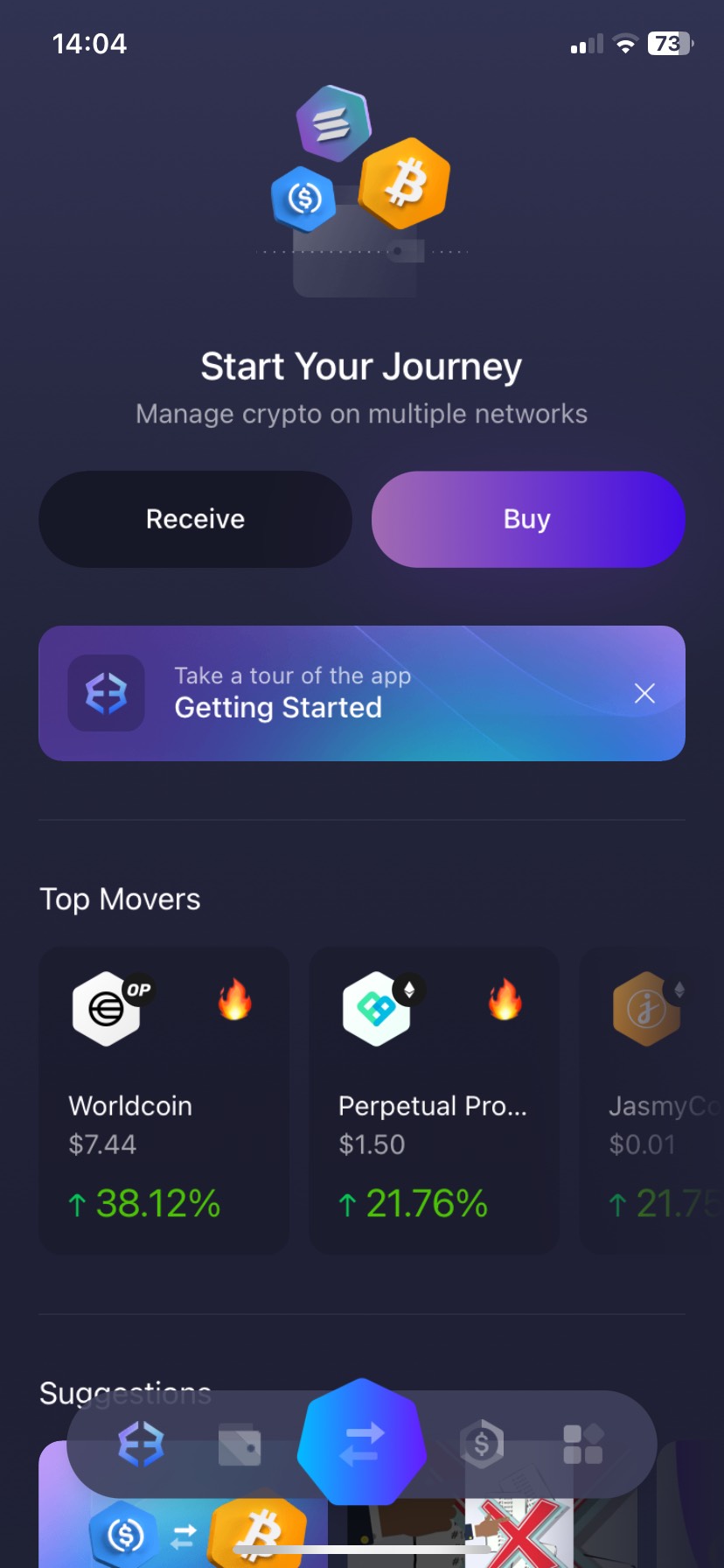
Both apps offer a streamlined experience with helpful hints and guides offered along your journey. Some expert traders may prefer a more customizable experience, though.
Exodus Wallet Fees: Is it Expensive to Use?
Exodus Wallet is a free software wallet with no registration or subscription fees. However, there are Exodus Wallet fees associated with using certain features.
Transaction Fees
Like many crypto wallets, the transaction fees for Exodus are fees from the cryptocurrency network itself. These are the fees required to make transactions using the blockchain. These fees go to maintaining the network and validating transactions. They can vary from network to network and usually change depending on how busy or congested the network is.
When making a transaction, the specific network fees will usually be displayed before you confirm, helping you to make an informed decision. Unfortunately, the wallet doesn’t support customizing fees currently.
Built-in Exchange Fees
Exodus charges a small fee through its crypto exchange. This is the main source of income for the company. This fee is in the form of a spread – the difference between the buying price shown to the buyer and the price shown to the seller. This spread is built into the prices that you will see, which makes it hard to know what you are being charged.
These Exodus Wallet fees vary depending on market conditions, but based on user reports, they typically vary from 1% to 3%. While this can be high for large trades, it allows the company to maintain an active development team, be proactive about updates, and provide excellent customer service, which many wallets and exchanges lack.
Debit/Credit Card Payments: Fees Up to 5.45%
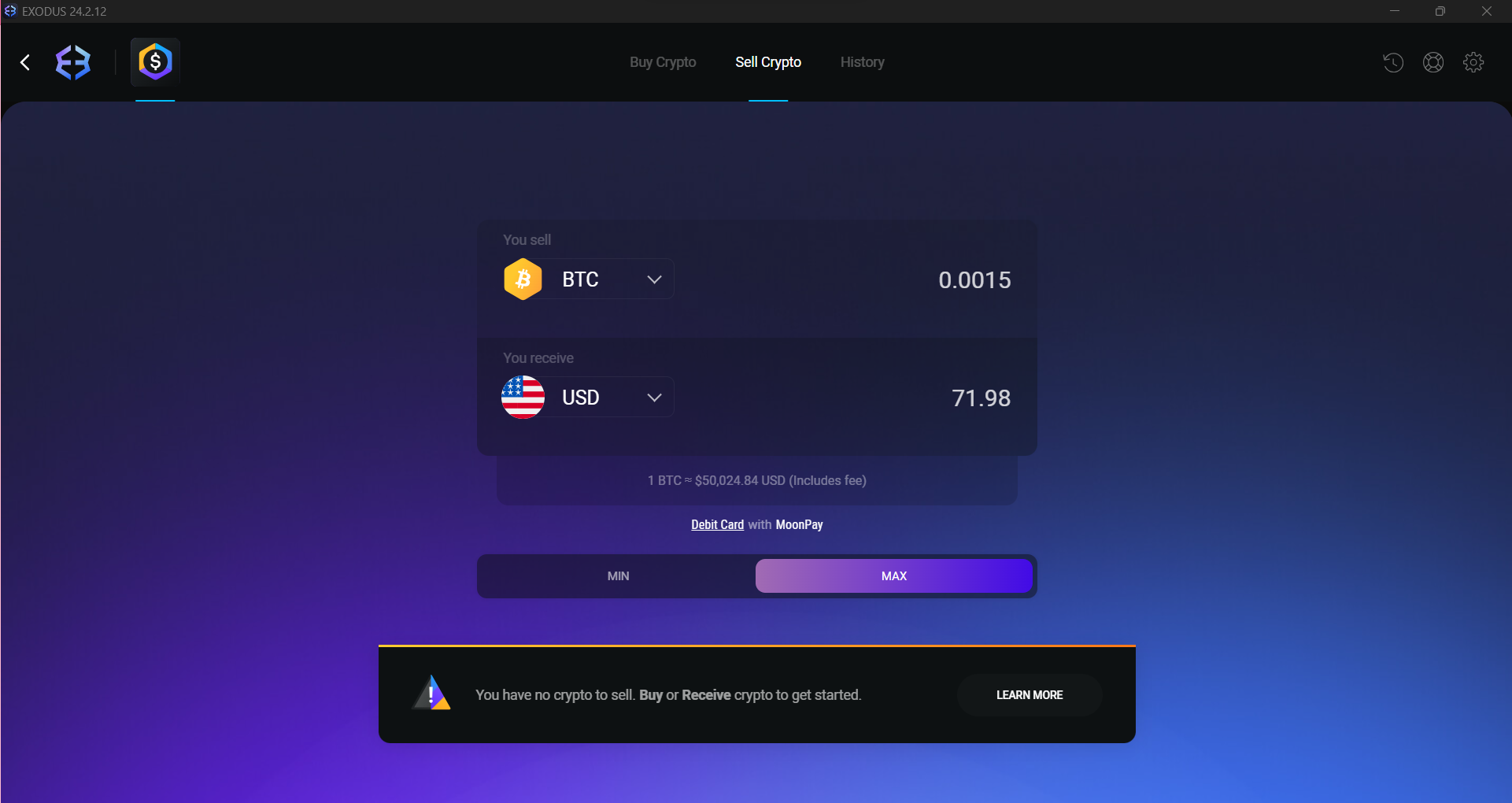
The highest fee associated with using the Exodus platform is their crypto/debit card fee. The platform offers a crypto “on-ramp,” where users can buy crypto using fiat money. This is done by debit/credit card through a MoonPay integration. The fee is a combination of a transaction fee and a processing fee (calculated by your provider).
Our Exodus Wallet review found that the fee is quite high in comparison to other wallets (up to 5.45%), although it has been reduced over the past few years. Some users prefer to buy crypto using another fiat-friendly platform and then transfer it to their Exodus Wallet. It’s worth researching different exchanges to find the most convenient and cost-effective solution.
Exodus Wallet Alternatives
While Exodus is a reliable option for crypto holders, some providers offer features suitable for different use cases. Here are the best Exodus alternatives in 2025:
- Best Wallet – Our pick for the best crypto wallet in 2025. Offers a user-friendly interface similar to Exodus but provides additional security features such as multi-signature support. BestWallet also offers market insights and early access to new tokens.
- Margex Wallet – Part of the Margex exchange, this wallet is an excellent option for beginners. It’s a custodial wallet, so recovering access to your funds is as easy as it gets. Margex Wallet is also great for active traders, as it lets you trade 50+ trading pairs with up to 100x leverage, without KYC requirements.
- Zengo – Zengo is among our top picks for the safest crypto wallets. It uses Multi-Party Computation (MPC) to split your private keys and eliminate the need for seed phrases, making recovering your funds easy and secure. The provider has also never been hacked, nor has it been involved in the misuse of user funds.
- Binance Wallet – A self-custody Web3 wallet developed by Binance, offering easy access to hundreds of dApps and thousands of cryptos across 60+ blockchains. Binance Wallet also lets you stake your assets and participate in airdrops, making it perfect for those who want a secure a versatile wallet.
How to Set Up Exodus Wallet
With no registration process, setting up an Exodus Wallet takes only a few moments and has an easy-to-navigate interface that will make using it easy, even for those new to crypto.
You have several options: use the browser extension, download the mobile app, or install the desktop app. The browser extension has limited functionalities; for the full experience, we recommend installing one of the apps. We will guide you through how to set up Exodus Wallet for each app step by step, including how to set up the best security settings to keep your assets safe.
Desktop Setup: PC or Mac
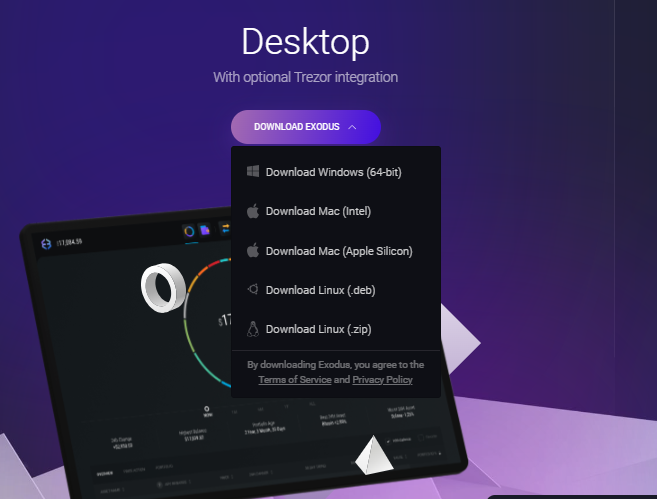
The desktop app is available for PC, Mac, and Linux. It can be downloaded and set up easily, giving you access to the world of Web3 in just a few minutes.
Step 1: Download Desktop App
The first step is to download the desktop app from the Exodus Wallet website. From the top toolbar, click on download. Under the Desktop section, you can select the right app for your operating system.
Step 2: Install App
Once your file has been downloaded, open it up to begin the installation process. This should take just a moment and will happen in the background.
Step 3: Open App
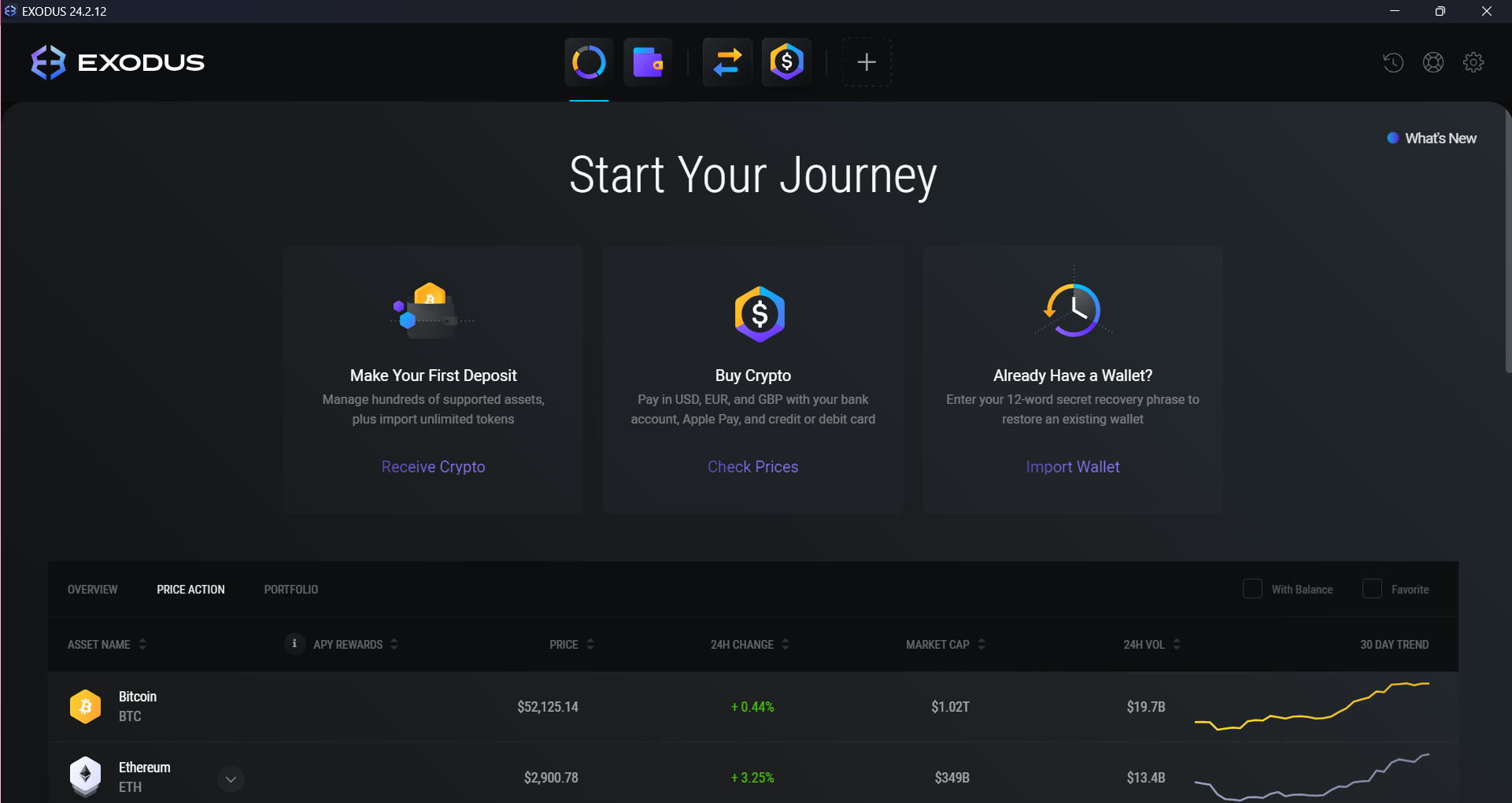
Then, you can open the app, which will automatically set up a wallet for you. You can also reconnect to an existing wallet with your 12-word recovery phrase.
Step 4: Configure Security Features
The next step you should take is to set up your backup options and write down your recovery phrase. First, click on the settings icon in the upper-right-hand corner. Then, head to the backup section, where you’ll be prompted to create a secure, memorable password.
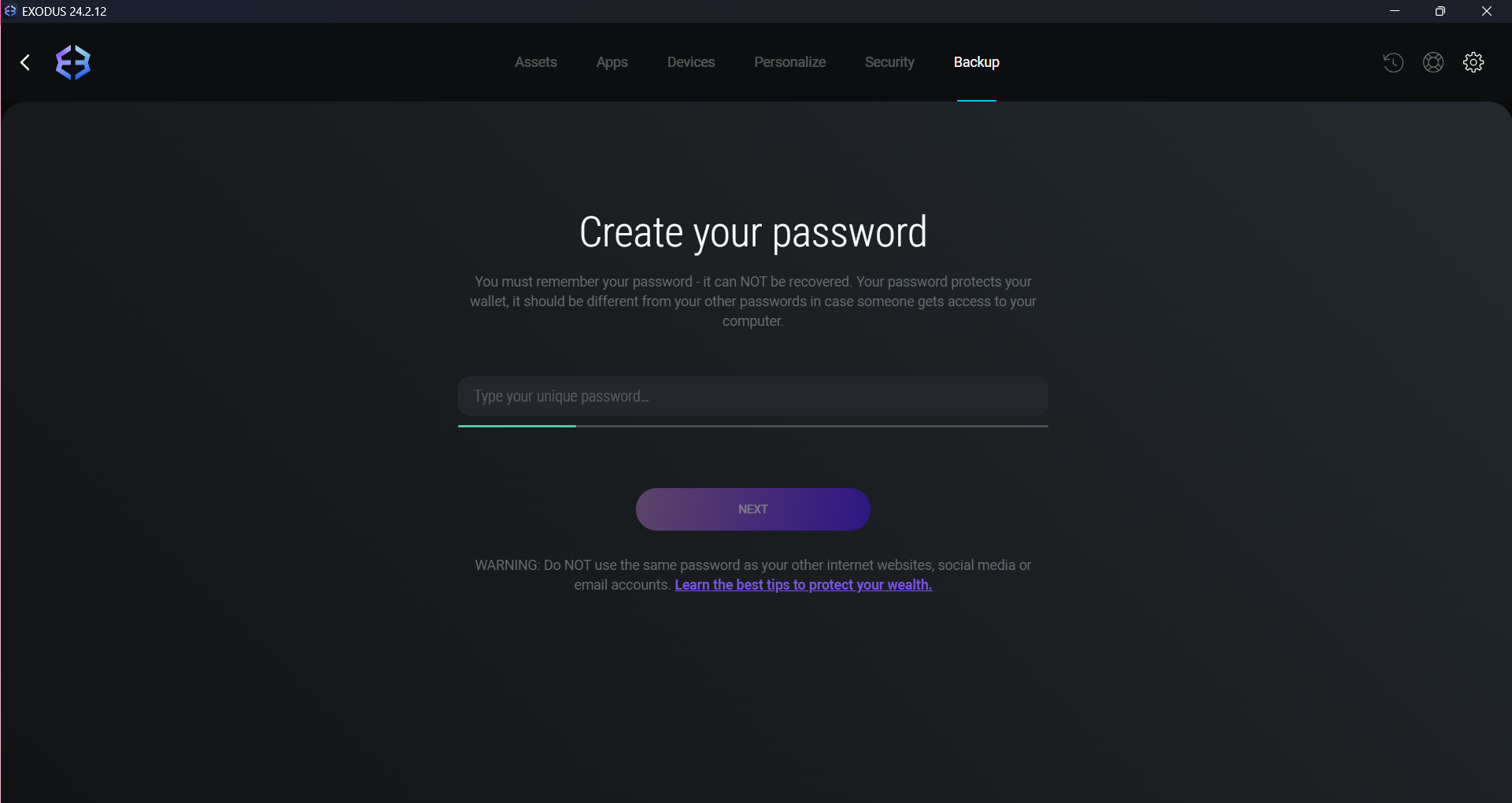
After this, you’ll be shown your 12-word recovery phrase. It’s important to store this offline for security where no one else can access it.
Step 5: You’re All Set!
Now you can buy, trade, and transfer crypto assets through your Exodus Wallet app.
Exodus Wallet Mobile Setup
The Exodus Wallet mobile app takes only a few minutes to download and set up on your phone.
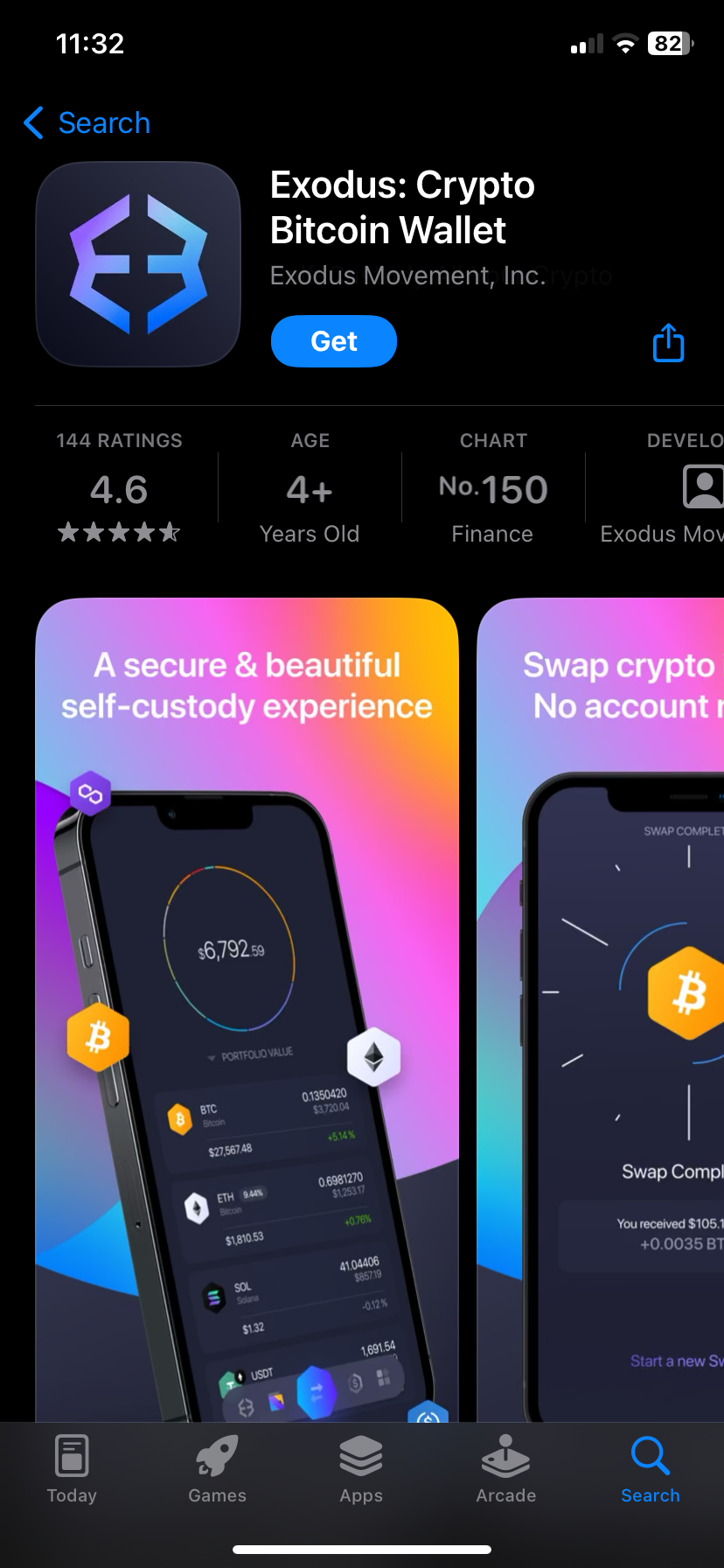
Step 1: Install the Exodus Wallet Mobile App on Your Phone
Head to the Google Play Store or Apple App Store and search for Exodus Wallet. Then, once you’ve found it, click “Install” or “Get” to start your download.
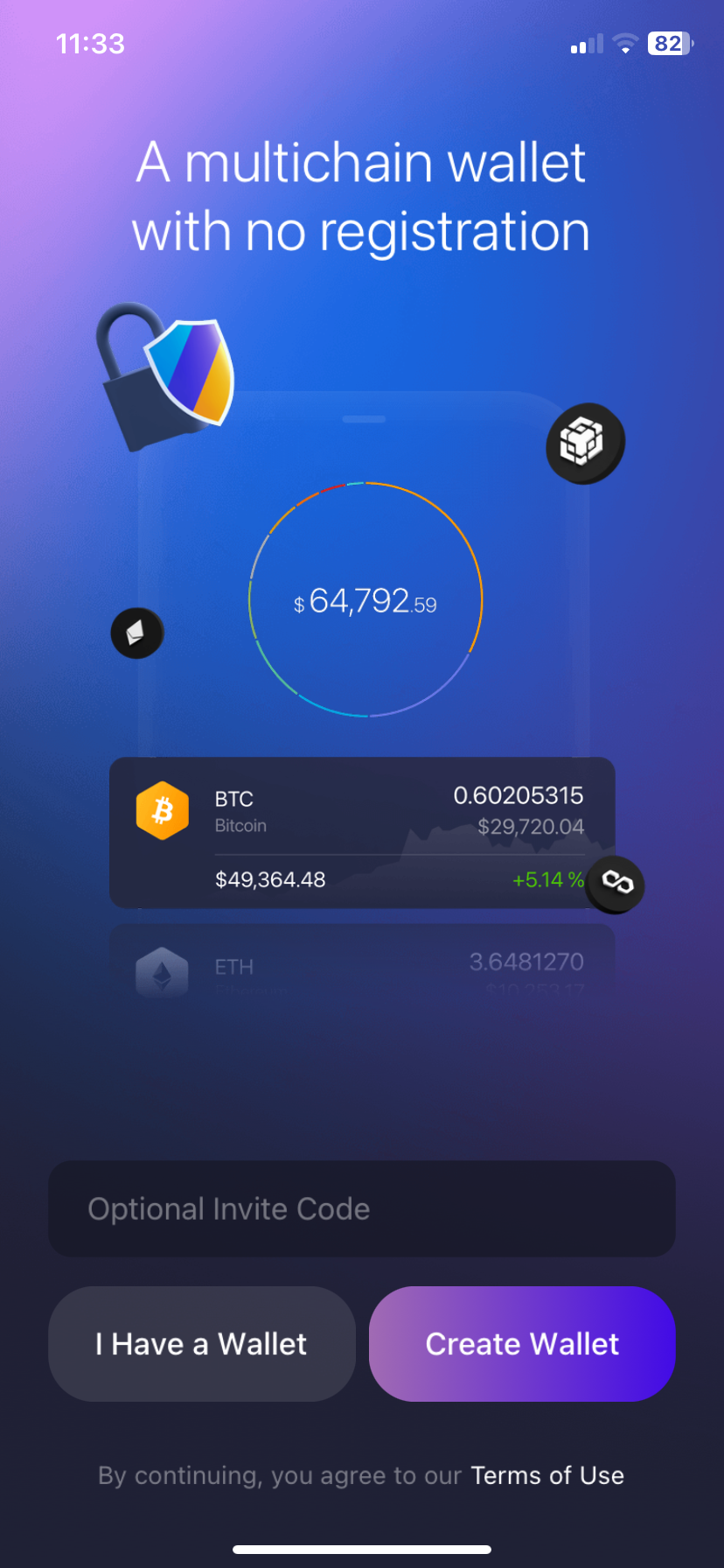
Step 2: Create Wallet
Once the app is installed, you can open it and choose “Create Wallet.” This will automatically create a new cryptocurrency wallet for you
Step 3: Set up Security Features
On the main page, select “Security” and then “Backup” to access your 12-word recovery phrase. Make sure you write these words down somewhere safe — avoid using an electronic device connected to the internet for storage.
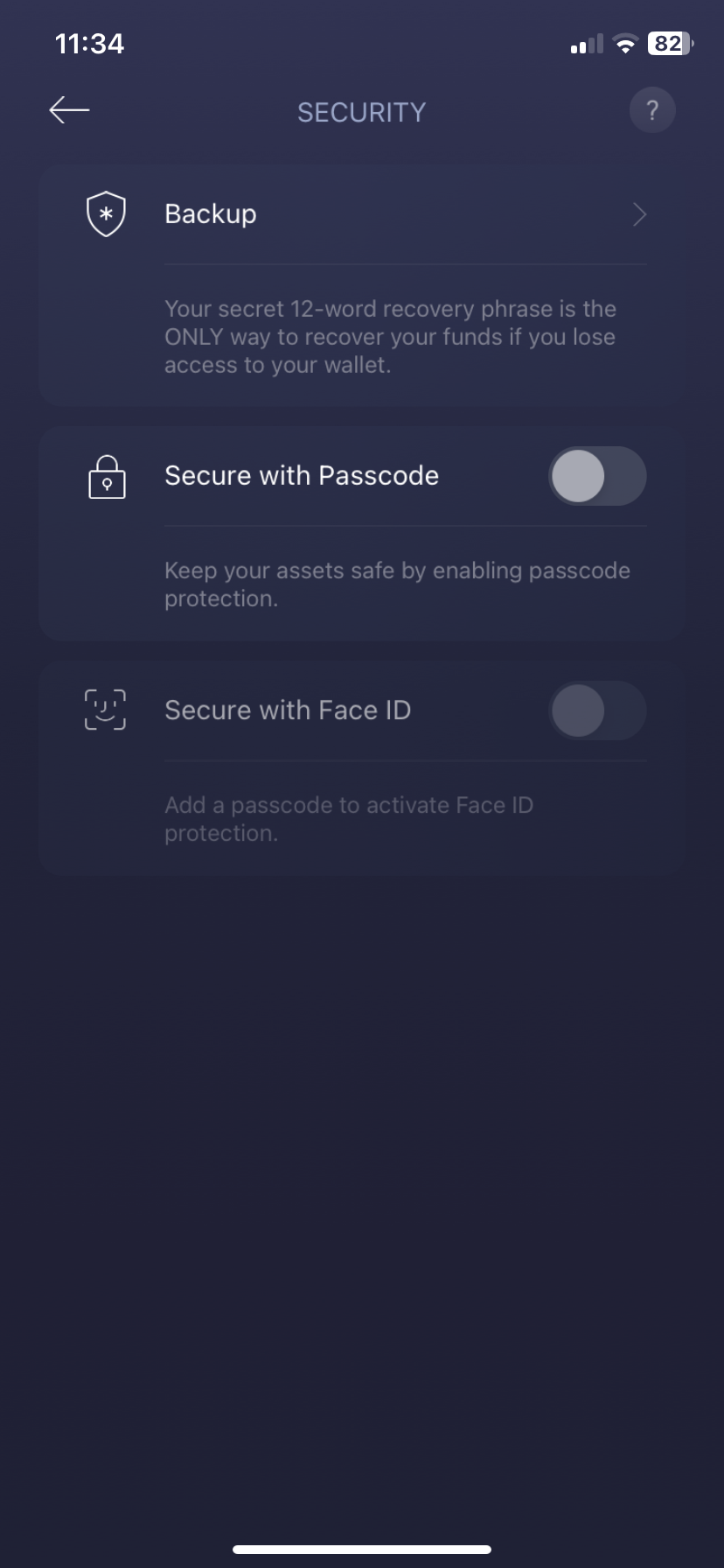
You can also set up facial recognition and your passcode here.
Step 4: Use your Exodus Wallet Mobile App
You can now use your wallet to buy, sell, and transfer crypto assets, as well as access the other features of the Exodus Wallet app! You can also sync the mobile app to your desktop app using a QR code for added convenience.
Exodus Wallet Review Conclusion: Is It Secure Enough?
If you’re looking for an easy-to-use software wallet with a host of features, we think that Exodus Wallet is a great solution. Whether you’re a seasoned investor or new to the world of cryptocurrency, Exodus Wallet offers the security and peace of mind you need to manage your digital assets confidently.
The option to connect it to Trezor allows users to elevate their security if they are concerned about having their Exodus Wallet hacked. However, you can use the wallet without setting the stronger security features, which can be a drawback for beginners who may not even know the wallet has them.
Methodology: How We Tested and Reviewed Exodus Wallet
Our goal was to create a helpful and unbiased Exodus Wallet review, based on hands-on testing. To achieve this, we downloaded Exodus’s browser extension and mobile and desktop apps, and assessed each feature in detail.
We verified its security claims by creating multiple wallets and testing out the various safety measures available. We also took into account the user experience by analyzing each app’s layout, responsiveness, and speed.
Finally, we explored what blockchain and security experts, as well as regular users, had to say about Exodus on platforms such as Trustpilot, G2, and Reddit. For more information, read our full Methodology.
FAQs
Who owns Exodus Wallet?
Is Exodus Wallet free to use?
Is Exodus Wallet better than Trust Wallet?
Is Exodus Wallet safe?
What is the disadvantage of Exodus Wallet?
References


